Post Event Marketing That Turns Photos Into Revenue
It's Monday morning, and the event is over. The photo team has uploaded a crowded folder to Drive, the attendee list needs cleaning, and the first follow-up email still has to be written. If the only plan is to send a thank-you note and a survey, the most useful moment for reconnecting with attendees may already be slipping away.
Effective post event marketing is a workflow, not a single broadcast. A fast way to find event photos gives people a practical reason to return, share UGC from events, and pay attention to what comes next. From there, organizers can use behavior to shape feedback requests, qualify leads, and promote future events without treating every attendee as the same audience.
Why Post Event Marketing Starts Before the Event Ends
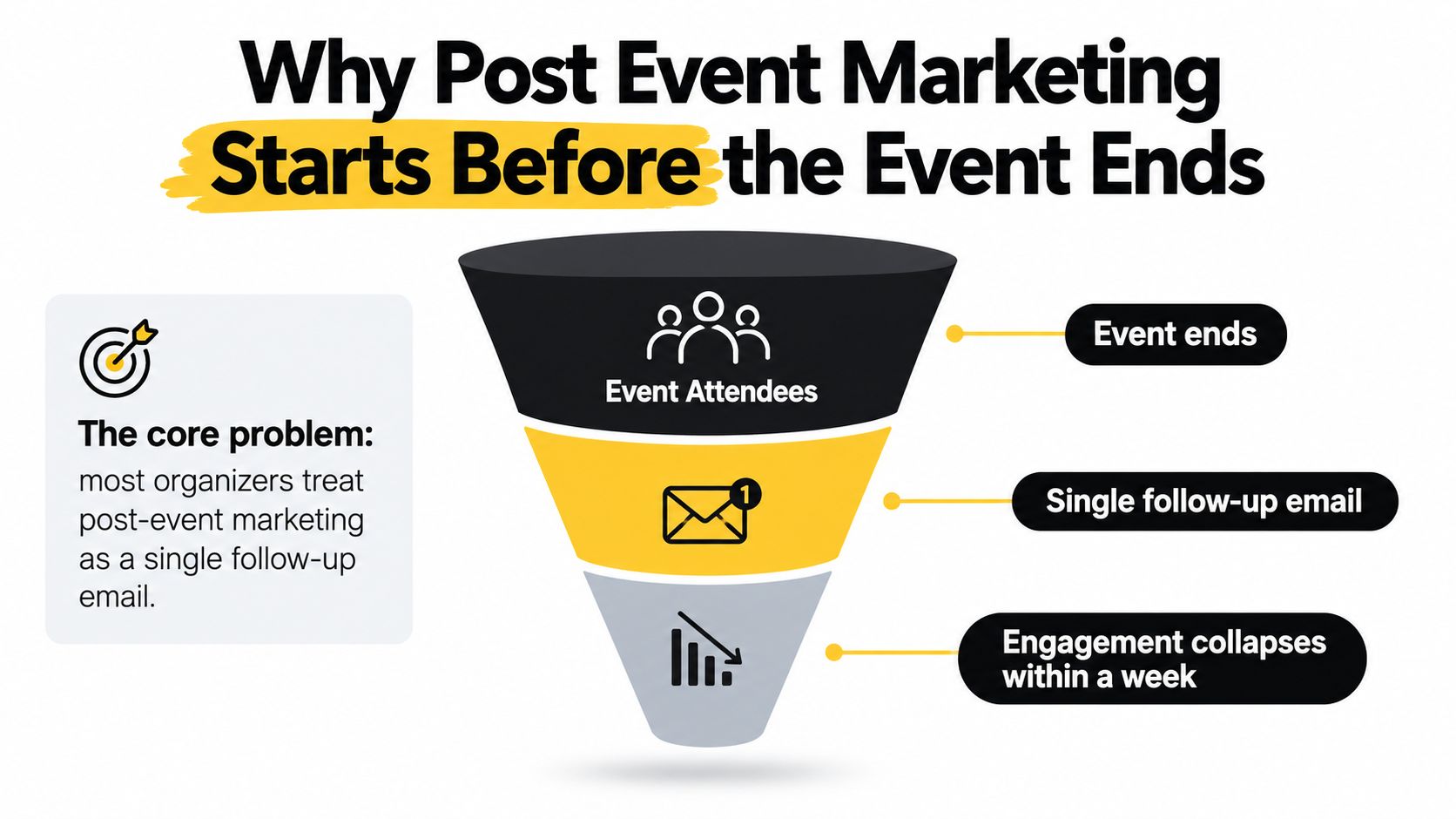
The work begins while people are still at the venue. At a gala, guests are taking photos together before they leave the room. At a tournament, families want to find the finish-line moment. At a trade show, attendees are already sorting through follow-up messages from exhibitors. If organizers wait until the photos are buried in a generic folder and the attendee list has gone cold, a useful return visit becomes another task for guests to ignore.
Historically, post-event marketing has included feedback, future-event nurturing, and product or service interest, rather than ending at event close. A 2017 survey of event marketers found that 83% sought overall event feedback after an event, 51% asked about interest in future events, and 42% gathered information about product or service interest. Email was the leading follow-up channel: 66% conducted post-event email surveys, compared with 38% tracking social-media posts or engagement and 37% responding to event-related sales inquiries (MediaPost's coverage of the survey).
Those findings point to a practical workflow: distribute useful content, invite feedback, identify who's interested, and give attendees a relevant reason to stay connected. Event photos can serve as the first useful asset. Instead of asking people to complete a survey before receiving anything, offer a find my photos experience that helps them locate and share moments from the event.
Treat the campaign as a sequence
A gallery visit can lead to a share, a consented opt-in, a sponsor interaction, a meeting request, or a future registration. Those actions won't all happen, and a photo view alone doesn't prove commercial impact. But they give the organizer more useful signals than a single email blast can provide.
The event plan should therefore decide, before doors open, what the first asset will be, how attendees will access it, and which behaviors will shape later messages. A QR code photo gallery, a clear event photo sharing link, and a follow-up plan for non-viewers are operational choices, not last-minute design details.
Practical rule: If your campaign has no next step after “send the thank-you email,” it's a habit, not a post-event workflow.
The timeline matters as much as the message. Attendees are still thinking about the event when they leave, but attention competes with travel, work, and the next thing on their calendar. Plan the delivery and channel handoffs before the event ends, so guests can move from an on-site prompt to a useful post-event experience without needing to search their inbox or scroll through a folder.
The Post Event Marketing Timeline That Keeps Attention
One gala I worked sent its photo gallery six days after the event. By then, guests had already posted their own phone shots, the sponsor conversation had cooled, and gallery analytics showed a fraction of the opens the client expected. The asset was fine. The schedule failed it. A working follow-up plan gives each message one job: deliver the useful asset first, ask for feedback once people have had a chance to revisit the experience, then introduce a relevant next event or offer.
Keep the first message focused. A guest who opens a photo link shouldn't have to choose between a gallery, a survey, a merchandise offer, and next year's registration in the same email.
Within roughly 2 hours
Send the primary asset: a find my photos link, a recording, a recap, or key takeaways. Email works as the direct handoff, while the event website, SMS, WhatsApp, or a social post can reinforce access for audiences who live in those channels. Make one action prominent. Open the QR code photo gallery or run a selfie photo matching search.
In the workflow benchmarks, first follow-up emails sent within roughly 2 hours pull 35–50% open rates, compared with roughly 25–40% for conventional post-event follow-up (Saucial's post-event engagement guide). Treat those ranges as benchmarks rather than promises for a specific event. A relevant asset and a clean handoff matter as much as send time.
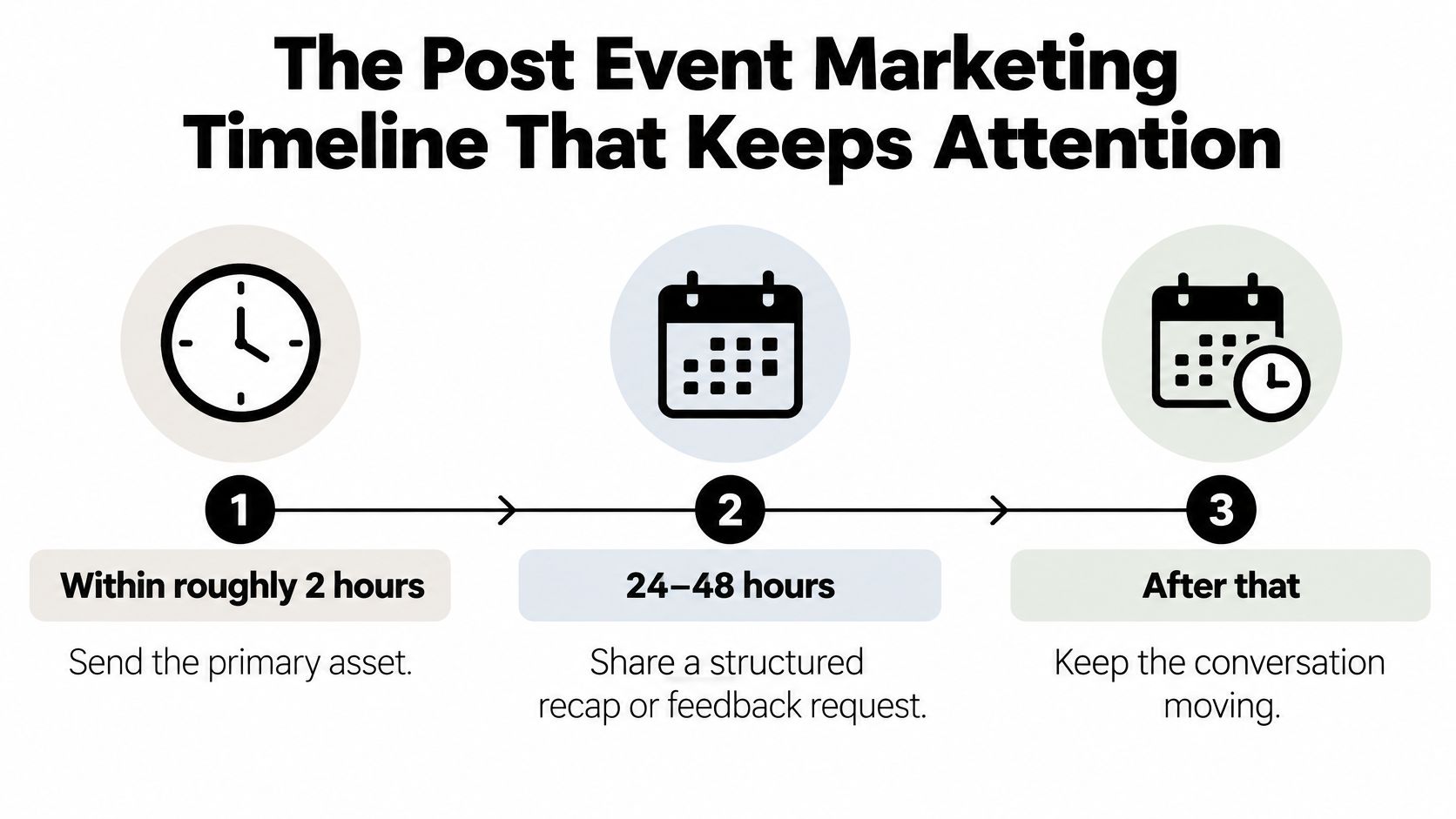
At 24–48 hours
Follow with a structured recap or a short feedback request. Keep the ask connected to the event: the program, the venue experience, or a session the attendee joined. The same benchmark data shows tightly connected feedback requests completing well above the rates generic survey links typically earn, though those two figures measure different behaviors and should never be compared directly.
At 3–5 days
Promote the next event or an approved, relevant offer based on behavior you can observe. Someone who viewed and shared photos gets a UGC prompt. A non-viewer gets a simple reminder with the gallery link. A high-intent attendee sees an organizer-approved option, such as a print or download upgrade that turns gallery traffic into photographer upsell revenue.
The timing trade-off is real. Push the offer at hour 24 and it lands while the attendee is still traveling home; wait a full week and the emotional carry-over is gone. Whatever window you choose, deliver photos through a gallery that opens straight to images, give that gallery its own call to action, and hold competing offers back until the feedback step is done.
The walkthrough below shows the timing and channel handoff in practice.
How to Share Event Photos with Attendees Using QR and Selfie Matching
The photo workflow should start at the venue, not when someone asks afterward, “Can you find my photos?” Give attendees a visible route to the gallery and make sure the photographer knows how uploaded images will be delivered. That connects the moment of capture to the messages and social posts that follow.
Build the route from venue to gallery
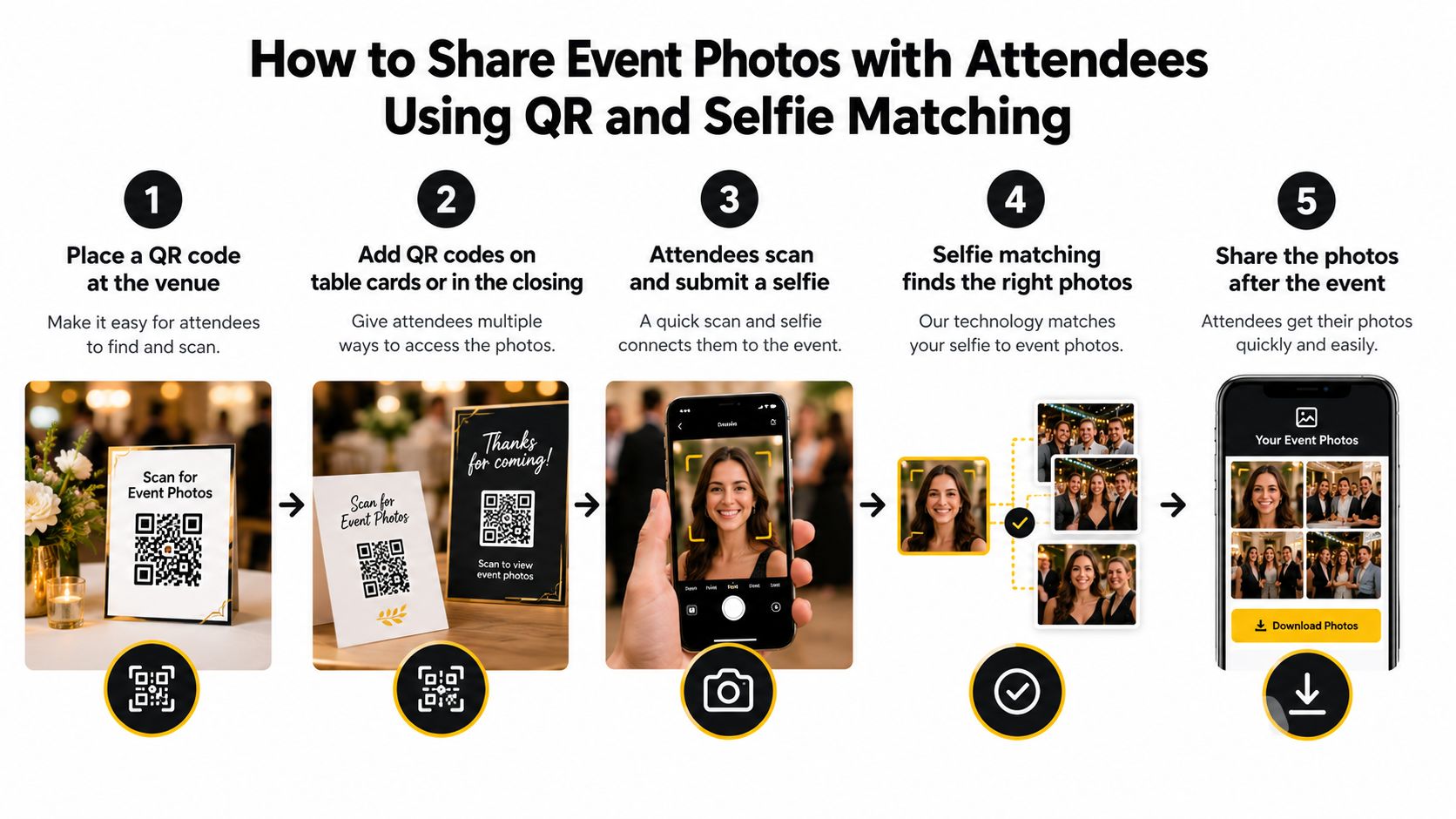
Start by creating the event photo sharing link and QR code before attendees arrive. Place the code where guests will notice it: at an entrance, on table cards, near a photo booth, or on the closing slide. Use a short instruction that says what happens after scanning, and make sure it's readable on a phone.
The organizer or photographer uploads the event photos, then shares the same gallery link through the planned channels. That could include email, SMS, WhatsApp, the event website, or social posts. Using one destination keeps the experience consistent instead of making the team manage separate folders for each channel. For the upload stage, the photographer can use Saucial's event photo upload workflow.
Make retrieval useful, then route it appropriately
With selfie photo matching, an attendee submits a selfie and the system looks for photos in which they appear. This can reduce manual searching and tagging, but it doesn't remove the need to explain how matching works or provide a suitable alternative for guests who don't want to use it.
The photographer's side of the process should be equally clear. Upload photos, allow processing to finish, check the organizer's sharing settings, and test the attendee experience on a phone. Then make sure guests can open the private retrieval flow on their own device without being asked to install an app or sift through an unwieldy folder.
A QR code can remove the “where do I find the gallery?” problem. It can't replace clear instructions about privacy or what the scan opens.
Before doors open, check that the QR code resolves to the right gallery, the share link works in the channels you plan to use, and the event team knows where to direct questions. After the event, send that same link with the primary asset, then use viewer behavior to decide whether to remind, invite a share, or follow up with a relevant offer.
Choosing the Right Event Photo Sharing Approach
The right event photo-sharing method depends on the audience, the team's capacity, privacy requirements, and whether a gallery is meant to do more than store images. A shared folder may be enough for a small, private event where guests know how to use it. A larger tournament or trade show may need a quicker retrieval experience and clearer control over how photos are shared.
| Approach | Distribution Speed | Attendee Effort | Privacy Controls | Revenue Path |
|---|---|---|---|---|
| Shared Drive or Dropbox folder | Quick to create, but guests may need to wait for upload and sort through files | Often high when the folder contains many images | Depends on link permissions and folder settings | Possible, but purchases and attribution usually need a separate process |
| Manual gallery on event website | Depends on the team's upload and publishing workflow | Moderate, especially if guests have to browse the full album | Depends on the website's access and image controls | Can link to offers or registrations, with setup handled separately |
| Social-only album | Can be fast to publish and easy to share | Low for guests already using the platform, less convenient for others | Platform and account settings affect visibility | Sharing may amplify reach, but direct sales tracking needs extra steps |
| Face recognition event gallery with selfie photo matching | Can give guests a direct retrieval route after upload and processing | Low for those who choose selfie search, with a non-biometric alternative important | Requires careful notice, consent, access, and retention decisions | Can support approved prints, downloads, edits, or other offers |
A dedicated face recognition event gallery can reduce the effort of searching through a full collection, but the feature carries responsibilities a basic folder doesn't. Organizers need to decide what appears in the gallery, how it's shared, what access choices are offered, and how long images and matching data remain available.
Saucial is one option for that workflow. An organizer or photographer uploads event photos, receives a shareable link and QR code, and attendees can use a selfie to find photos of themselves. Organizers control what's shared and which attendee experiences are enabled; photographers can offer approved options such as prints, digital downloads, premium edits, featured sets, or sponsored frames.
Match the method to the event
For a small gala with a private guest list, a simple gallery may meet the need. A sports tournament may require quick access for families and a clear path to optional photo sales. At a trade show, organizers may value a shareable branded experience that also gives attendees a route back to sponsor or event content.
Don't choose based on convenience for the photo team alone. Consider attendee effort, the privacy controls you can administer, and whether you have a clear reason to collect or use engagement signals.
Measuring Post Event Engagement and Revenue
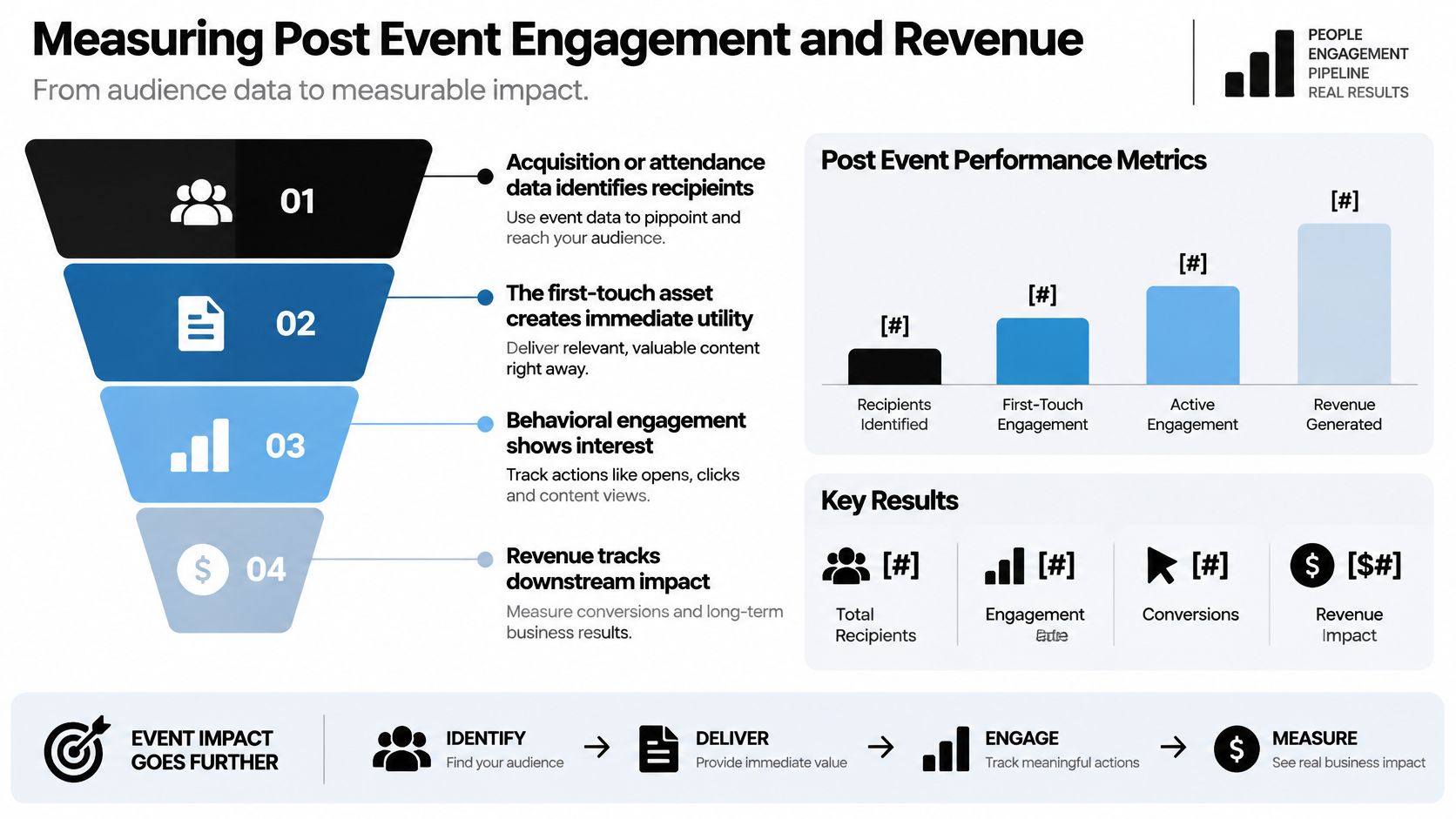
A post-event funnel begins with the event's attendance or acquisition records. The first asset creates immediate utility; activity around that asset helps segment follow-up; and downstream actions show whether engagement contributed to a business goal. The measurement plan should make those stages visible without confusing attention with revenue.
Measure the full path
Choose a baseline and a target for each stage before sending the first email. For a photo gallery, that can include delivery, unique visitors, gallery activation, the share of attendees who find at least one image, completed photo matches, social shares, and opt-outs. Then connect those signals to qualified leads, purchases, repeat attendance, registrations, or donations.
An event-measurement benchmark shows why this shouldn't be treated as a single-email report. In its 2020 report, 63% of surveyed B2B event marketers tracked attendee satisfaction, up from 55% in 2019; among consumer brands, the share measuring impact within three months rose from 54% to 63%. The report also found that 53% of B2B marketers tracked event metrics for under six months, while 21% tracked them for six to twelve months (the 2020 Event Measurement Benchmarking Report). The lesson for organizers is to define a measurement window that fits the outcome, rather than judging a longer sales cycle by an immediate email response.
Separate signals from outcomes
A photo retrieval or share is an engagement signal, not proof that the event caused a sale or donation. Use tagged links or QR codes to distinguish traffic sources, and record the action that follows a gallery visit. Report direct purchases separately from assisted conversions, where photo engagement appears along a path that also includes other marketing or sales touchpoints.
Prioritize follow-up by the strength of the interaction. A warm conversation with a clear need deserves a more personal response than a passive badge scan; a cold contact needs a different approach again. Experiential follow-up benchmarks describe warm conversations as producing roughly 20–35% reply rates after timely personalized outreach, compared with 3–8% for passive badge scans and 1–4% for cold contacts (AnyRoad's experiential marketing follow-up guidance). Use these figures as context, not as targets detached from your audience and contact quality.
For a photographer upsell to attendees, deliver free access first, then look for repeat visits or clear download intent before presenting optional prints, digital downloads, featured sets, or approved sponsored frames. Keep the photo-access message focused on access; don't mix an unexpected sales pitch into a privacy-sensitive delivery email. Track revenue per attendee alongside gallery activity, and avoid treating every attendee as equally likely to buy.
Privacy and Consent for Face Recognition Event Galleries
Frictionless retrieval should not mean invisible processing. A standard event photography notice may not explain a face-matching feature clearly enough, especially when the gallery uses facial information to identify or group images. Organizers should explain what the feature does, what data it processes, who controls it, and how attendees can decline.
The Dutch data-protection authority says identifiable event photography requires a legal basis and that consent must be clear, affirmative, informed, and as easy to withdraw as it was to give. Its guidance also notes that an organization may need to blur or remove images after consent is withdrawn (Dutch data-protection authority guidance on event photography). Requirements vary by jurisdiction, and automated identification or face templates may trigger additional biometric-data obligations. Get jurisdiction-specific legal advice rather than assuming a general photography notice covers every use.
Design access around meaningful choice
Before processing begins, provide prominent notice before the event and on-site. Where separate opt-in is required, ask for it distinctly from general photography permission. Offer a non-biometric route, such as searching by event code or using a manual gallery, so people who decline face matching still have a way to access photos.
Write down the operational rules before uploading:
- Access and roles: Decide who can view, download, manage, or delete images, and define any vendor responsibilities.
- Retention and deletion: Set a retention limit, document how deletion requests are handled, and explain what happens to images already shared.
- Future use: Separate event delivery from later advertising, promotional case studies, or other uses of attendee images.
- Records and oversight: Keep a record of notices, consent choices, opt-outs, and actions taken on deletion requests.
Schools, universities, fundraisers, and public festivals should take extra care when minors or sensitive communities may be involved. A quick selfie flow may feel convenient to one attendee and uncomfortable to another. Make the choice clear, preserve a practical alternative, and give organizers a way to enforce their own access and retention rules.
Your Post Event Marketing Action Plan
For your next event, prepare the follow-up before the doors open. Decide what the first asset will be, who sends it, where its link appears on-site, and how the team will respect opt-outs and retention limits.
- Before the event: Choose the gallery workflow, publish clear privacy notices, and set up an alternative to selfie matching.
- Within roughly 2 hours: Send the primary asset through the channel attendees already use.
- At 24–48 hours: Ask for focused feedback or share a structured recap.
- At 3–5 days: Promote a relevant next event or approved offer to the right audience segment.
- After delivery: Track gallery activation, photo matches, shares, opt-outs, leads, and purchases before expanding the campaign.
Start with one event. Set up the QR code photo gallery and attendee access route, send the first asset promptly, and measure gallery activation and shares before adding a paid upsell. That gives the team a repeatable operating model, with room to improve based on actual attendee behavior.
Saucial provides a shareable event photo gallery link and QR code, with selfie photo matching that helps attendees find images of themselves. If you're planning a post-event campaign, visit Saucial to explore a photo-sharing workflow for your next event.