AI Photo Search for Events: Find My Photos Guide

It's two days after your gala, tournament, or alumni dinner, and the photographer has just sent the link. You forward it, relieved the job is done. Within an hour, the messages start. Guests can't find themselves, parents want the team shot, and your sponsor wants a photo for social media before the moment goes cold. AI photo search exists to remove that friction, but it only works when you treat it as an operations workflow, not a magic feature.
The Problem with Traditional Event Photo Sharing
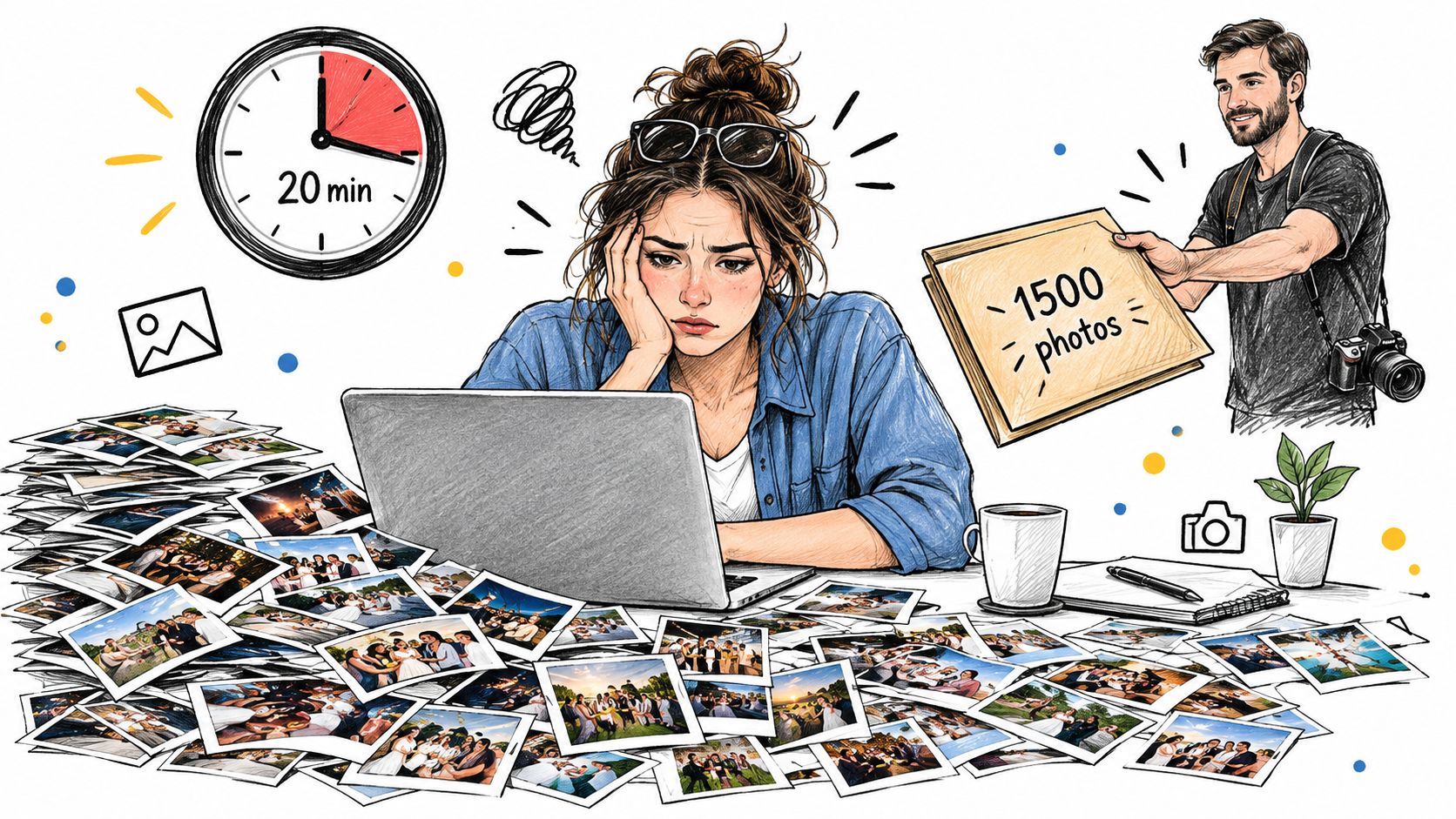
A gala guest opens your shared Drive folder on a train home and starts scrolling. She passes speeches, auction lots, group shots from tables she never visited, and close-ups of people she doesn't know. She finds one blurred image of herself mid-conversation, gives up, and closes the tab. That isn't a photo delivery problem. It's a retrieval problem.
Traditional galleries assume attendees will do the work. They won't, especially on mobile, especially after the event when attention has moved on. The photographer then becomes a human search engine, fielding requests for a specific table shot, a podium moment, or a clean image for LinkedIn. Organizers get the same questions from VIPs and sponsors, often without knowing exactly what's in the set.
What passive delivery costs you
When people can't find their moments quickly, they don't share them. That kills post-event engagement, which is often the most valuable window you have. A fundraiser photo shared the next morning carries your cause and your sponsors with it. The same photo discovered weeks later in a folder nobody reopens does nothing.
It also creates quiet admin drag. Staff rename files, build subfolders, re-upload selections, and answer the same request in slightly different words. Photographers lose selling time because attendees never reach the images they might have bought as prints or downloads. Nobody made a mistake. The workflow put browsing before finding.
A gallery people must excavate is an archive, not a distribution channel.
Find my photos changes the starting point. Instead of asking every guest to inspect the whole collection, you let each person use a selfie to retrieve likely matches from one event. The archive still exists for browsing, curation, and press use, but the attendee experience becomes active and personal.
That shift sounds simple. In practice, it depends on upload discipline, gallery controls, clear consent, and honest handling of missed matches. You'll get the most from AI photo search when you plan those details with the same care you'd give registration, AV, or catering load-in.
What AI Photo Search Is and How It Works
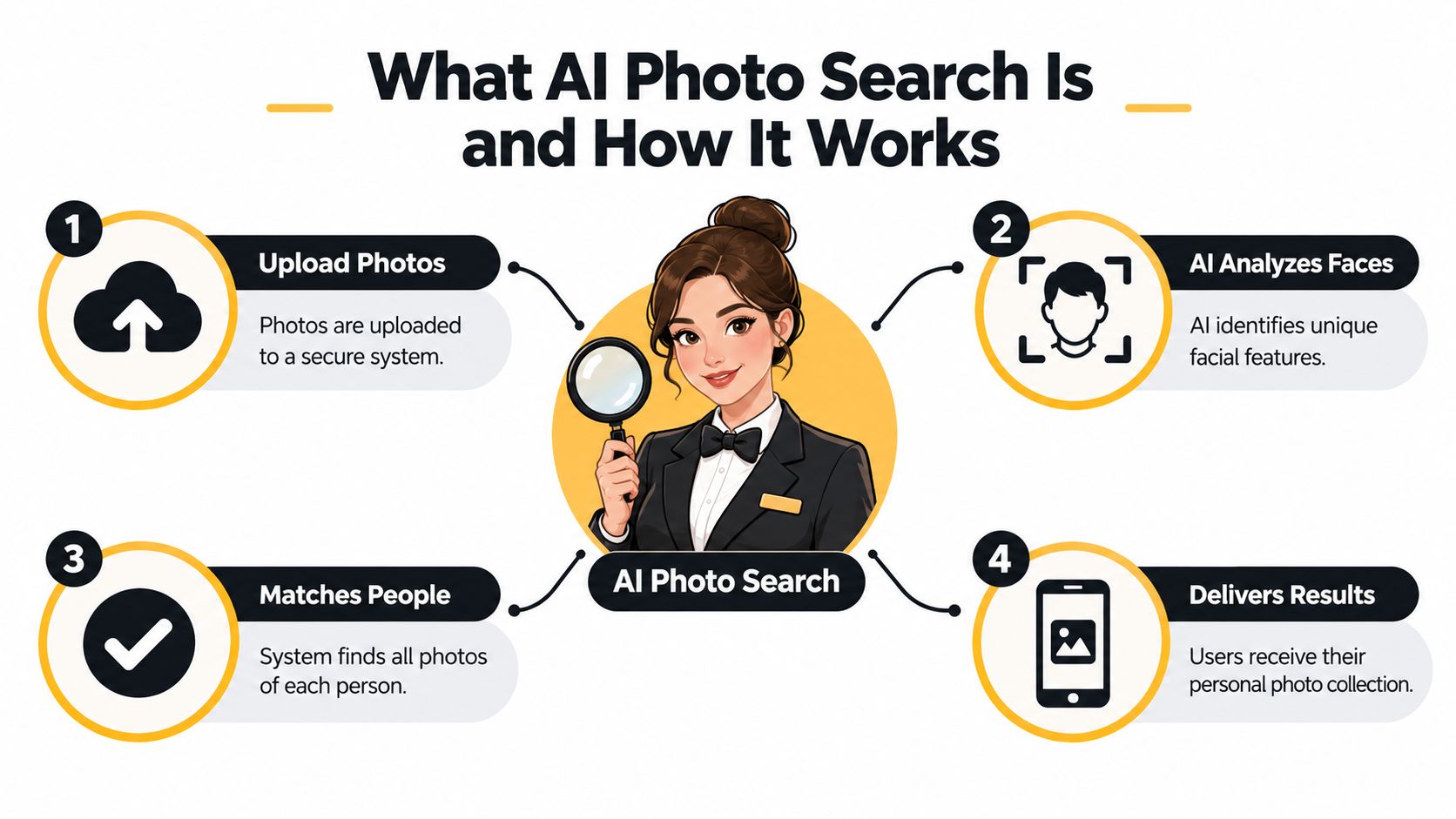
Think of AI photo search as a concierge who's already looked through the gallery before guests arrive. You show the concierge who you are, and they hand back the images where you appear instead of pointing you toward a shelf of albums. The analogy helps, but don't push it too far. The system isn't recognizing a person the way a friend does. It's comparing patterns and ranking likely results.
Visual search more broadly is already familiar behavior. Google reported that Google Lens handled more than 3 billion visual searches per month in 2021, exceeding 12 billion per month by June 2023, and nearly 20 billion per month in October 2024, a progression covered in the Google Lens visual search growth report. That's more than a sixfold increase from 2021 to 2024. Attendees don't need a long lesson in using an image as a query.
Visual search versus event retrieval
Lens is built for open-ended tasks like identifying objects, translating text, or finding products. A face recognition event gallery does a narrower job. It searches one controlled collection for one purpose, returning photos that probably contain the person who submitted the selfie. That narrower scope is an advantage because the organizer controls access, timing, and what gets published.
The basic pipeline is consistent across platforms.
- Upload photos. The photographer or organizer adds images to an event gallery, ideally in organized batches by time, location, or set.
- Detect faces. The system finds face regions in each image and extracts mathematical templates for comparison.
- Submit a selfie. The guest voluntarily provides an image, which becomes the query rather than a username or ticket number.
- Compare and rank. The platform returns likely matches above a threshold, ordered so stronger candidates appear first.
- Review and save. The guest opens results on their own device, downloads or shares what they want, and flags anything that isn't them.
That final review step matters. AI photo search doesn't prove identity, and it shouldn't be presented that way to guests, schools, sponsors, or venues. It's a ranking system that shortens the path from a large gallery to a personal shortlist. Judged that way, speed, clear controls, and good fallback options matter as much as the matching model itself.
How Facial Matching Finds People in Photos
Most event systems use one-to-many identification. The guest's selfie is converted into a numerical face template, then compared against templates extracted from event photos, and images are returned when similarity passes a configured threshold. NIST distinguishes this from one-to-one verification and notes that identification error depends not only on algorithm quality but also on gallery composition and search volume, a distinction set out in its FRVT demographic effects documentation.
That technical detail has direct operational consequences. In a small alumni dinner gallery, each selfie is compared with a relatively limited set of faces. In a sports tournament or festival gallery, the same model compares each query with many more faces, including spectators, officials, teammates, and bystanders. More comparisons create more opportunities for a borderline false match, even if the underlying software hasn't changed.
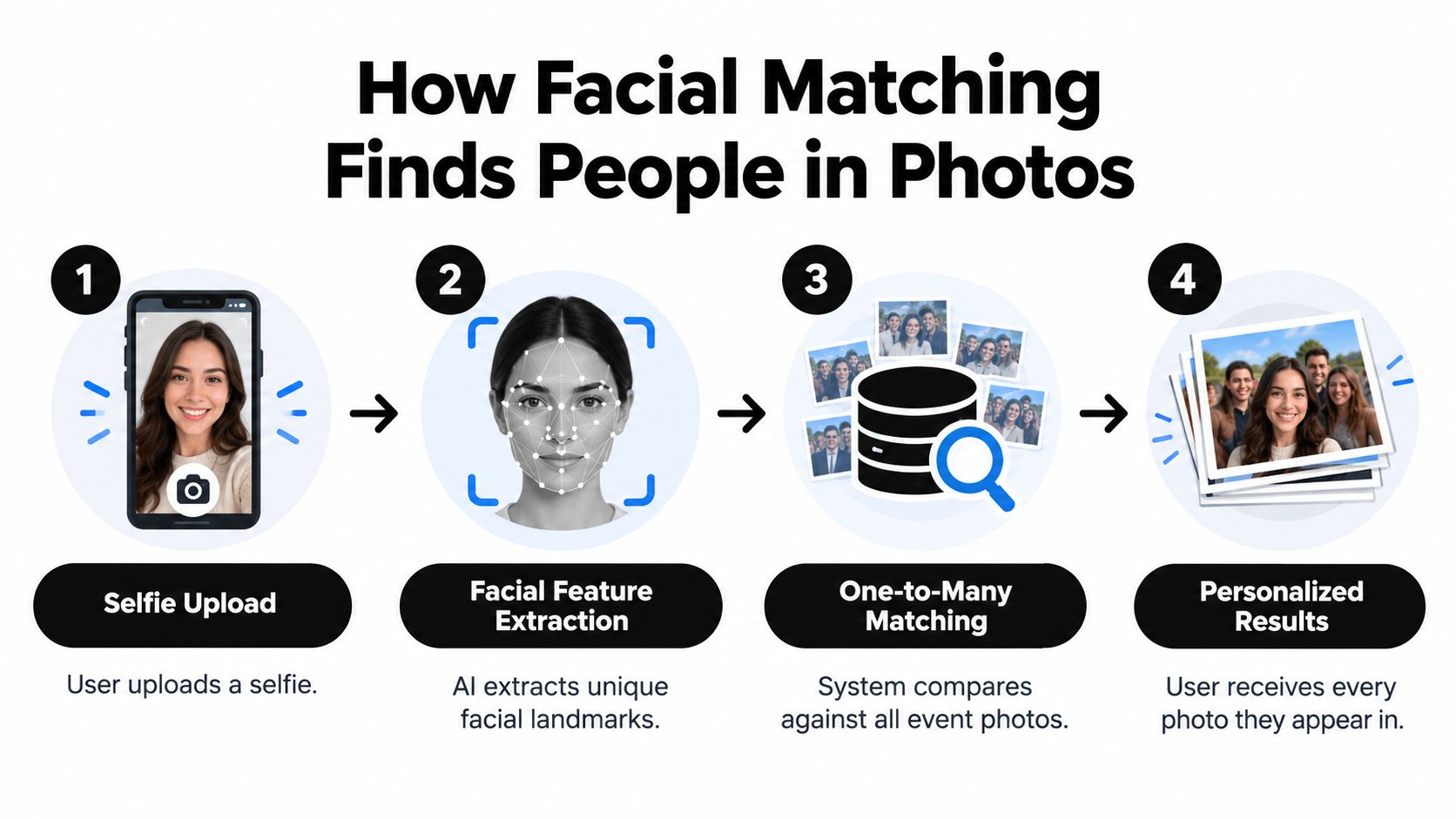
Thresholds, ranking, and the not me control
A conservative threshold returns fewer, stronger matches but can miss valid photos. A looser threshold catches more candidates but increases the chance a guest sees a stranger. There's no universally right setting because a corporate headshot lounge and a muddy youth tournament produce very different source images. Ask vendors how thresholds are chosen, whether organizers can adjust them, and whether results are ranked instead of dumped as equally certain.
Every attendee-facing flow needs a clear not me control. It protects the guest, gives you a correction signal, and prevents a false match from becoming a support incident. Removal should be easy, and the guest shouldn't have to explain themselves to staff.
Image quality decides more than vendors admit
NIST also documented in its major evaluation published on December 19, 2019, assessing 189 algorithms from 99 developers across 18.27 million photographs of 8.49 million people, that performance varied among demographic groups and false-positive rates could differ by race, sex, and age, findings summarized in the NIST study announcement on demographic effects. Separately, poor photography, pose, pitch angle, blur, and occlusion can increase false negatives.
For events, that means side profiles, sunglasses, stage lighting, motion blur, hats, and crowded group shots will challenge any platform. Good systems detect low-quality faces, can use multiple photos when available, and don't treat one selfie as definitive proof. Brief your photographer accordingly. Sharp, reasonably exposed, front-facing crowd coverage gives matching a fair chance without turning the event into a photo checkpoint.
Building a Find My Photos Workflow for Your Event
Start before doors open, not when the photographer sends final files. Decide who owns the gallery, who approves publication, when matching is enabled, and how long the event stays live. Those decisions sound administrative, but they're what separate a smooth event photo sharing link from a rushed folder with a search button attached.
Create the event, set access rules, and prepare your distribution copy while the room is still being set. If you're using a platform with a dedicated intake point, have the photographer bookmark the photo upload page and test it with a small batch from the actual venue network. Don't discover throttled WiFi or a permissions problem during the awards.
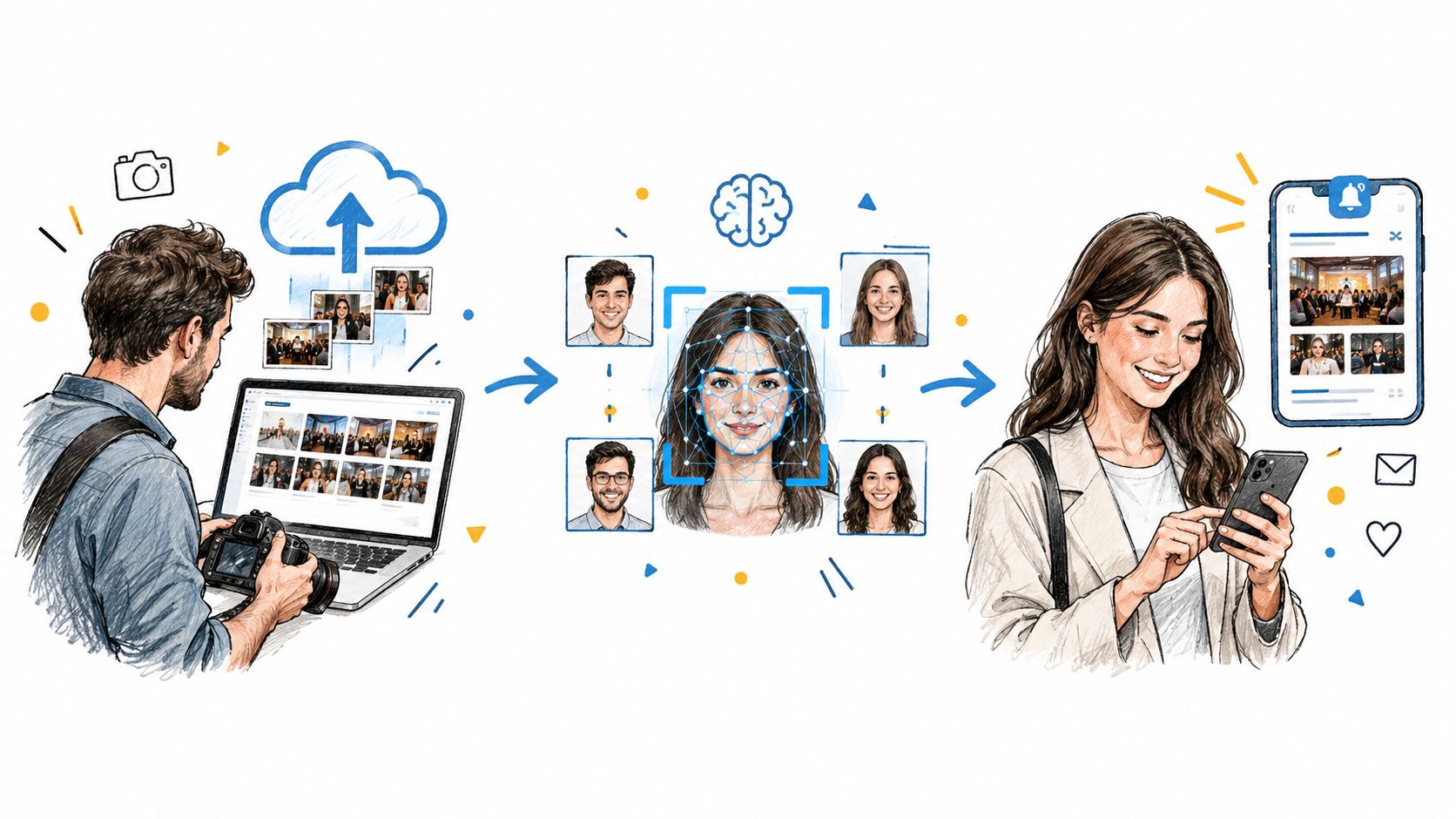
A practical run of show
- Upload in batches. Send rehearsal, arrivals, ceremony, reception, or match sets as distinct batches where that structure helps guests browse later.
- Let processing run in the background. Don't publish the link until faces have been indexed and you've spot-checked results with test selfies from staff.
- Curate before you promote. Remove duplicates, unflattering frames, restricted areas, and any images a sponsor or venue hasn't cleared.
- Release one link everywhere. Use the same address in email, SMS, WhatsApp, the event site, and social posts so guests don't encounter conflicting galleries.
- Put the QR code where people pause. Registration desks, bars, exits, locker-room corridors, and table cards outperform a code flashed briefly on a stage screen.
- Explain the selfie step in plain language. Tell guests it's optional, what it's used for, and where they can browse manually instead.
Timing and fallback browsing
For a gala, releasing a QR code photo gallery during dessert can work if processing is current and moderation is staffed. For a tournament, releasing by round or field often works better than waiting for the whole weekend. For a trade show, daily release keeps exhibitors supplied while the event still matters to their audiences.
Selfie photo matching should never be the only door. Keep chronological browsing and useful sets available for guests who decline facial matching, use a shared device, or prefer looking through highlights. That choice isn't a concession. It's what makes adoption of the faster path feel voluntary.
Privacy and Consent Controls Every Organizer Needs
Privacy is not a padlock icon on a sales page. For facial matching, it's a set of decisions your team can explain at registration, defend to a venue, and carry out after the event. If staff can't answer what happens to a guest's selfie, you aren't ready to enable the feature, however polished the demo looks.
The most defensible model is event-scoped and purpose-limited. A guest voluntarily submits a selfie to retrieve likely matches in one gallery for one event. That's materially different from persistent identification across events, building a reusable database, or tracking where someone appeared over time. Keep that boundary explicit in vendor contracts, staff training, and guest copy.
Facial feature vectors used for unique identification can qualify as special-category biometric data under GDPR Article 9, requiring an appropriate legal basis such as explicit consent, and your workflow should explain what is scanned, when processing starts, whether names or accounts are required, how long selfies and face vectors remain, how guests opt out, and how organizers disable or delete an event, as reflected in the Snapfind privacy policy example. Get qualified legal advice for your jurisdiction rather than copying another event's wording.
Your venue-ready checklist
- Notice before capture. Put signage where photography occurs and repeat the notice in registration or ticketing copy where appropriate.
- Consent at the point of use. Ask before the selfie is processed, in short sentences a guest can read while standing in a crowd.
- Retention with a date. State how long photos, selfies, and templates remain available, then enforce that period.
- Withdrawal and deletion. Give guests a route to remove results or request deletion, and give organizers a tested way to disable or delete the whole event.
- Special care for minors. For schools and youth sports, involve safeguarding leads and obtain the permissions your policies require before enabling matching.
- Access control. Review who on your team can view, export, publish, or delete the gallery through the platform's event settings controls.
- Non-matching alternative. Keep manual browsing available to non-consenting guests and bystanders who want a photo removed.
Governance test: if a parent, sponsor, or venue manager asks why a face was processed, your answer should name the purpose, consent, retention period, and deletion path without calling the vendor.
Don't let no account required do more work than it should. Removing passwords reduces friction, but it doesn't make biometric processing anonymous if templates are retained or linked to an event identity. Shared family devices, guests searching for friends, and people photographed incidentally all need thought. Human oversight before publication remains your strongest safeguard against sensitive, embarrassing, or restricted images entering the gallery in the first place.
Why Matching Accuracy Is Not the Whole Story
Vendors love talking about the selfie moment because it's fast and photogenic. Your guests will judge the system by a different moment, the one where it finds nothing, returns a stranger, or misses the only frame they cared about. That's where trust is won or lost.
Low light, motion blur, masks, sunglasses, side profiles, small faces in team photos, changing hairstyles, and inconsistent photographer positions all reduce match quality. Children move, athletes wear headgear, gala guests turn toward conversation, and festival crowds compress faces into a few pixels. A capable model can't recover information the source photo doesn't contain.
Inclusive retrieval is also broader than facial matching. Accessibility research reviewing 31 studies from 2019 to 2025 identified AI-generated image descriptions, automated accessibility assessment, correction suggestions, and alternative interface design as active areas, while separate 2025 research on AI inclusion reports misrepresentation across gender, race, disability, age, and body weight, points discussed in the ScienceDirect accessibility research article. Treat automated visual systems as useful and imperfect, not neutral.
Design for graceful failure
The strongest gallery gives guests another route when matching fails, without exposing everyone else's photos in the process.
- Search by context. Offer time, photographer set, table, team, bib number, stage, field, or upload batch where those labels exist.
- Report a missed match. Let guests submit details about when and where a photo was taken so staff can investigate narrowly.
- Retry with a better query. Prompt for a clear, front-facing selfie with glasses or headwear similar to the event where relevant.
- Set expectations. Say results are likely matches, not a complete record and not proof of identity.
- Use human review for sensitive events. Schools, healthcare fundraisers, and private ceremonies may need moderation before results are downloadable.
Track wrong-match reports and missed-match requests by event conditions, not just as support tickets. Patterns will point you toward a lighting problem, a photographer position, a batch that wasn't indexed, or a threshold that's too strict. Accuracy claims don't fix those operational causes. Feedback loops do.
Measuring the Impact on Engagement and Revenue
You're not buying facial matching for its own sake. You're trying to get useful photos into the right hands while the event still has energy, reduce repetitive admin, and, where appropriate, give photographers a fair route to paid work. Measure those outcomes directly instead of celebrating gallery visits that lead nowhere.
For organizers, start with completion. How many guests open the event photo sharing link, how many try find my photos, how many reach at least one result, and how many download or share? Pair those counts with support volume. Fewer messages asking staff to hunt for images is a real saving, even though it won't appear in a marketing dashboard unless you log requests before and after adoption.
What belongs on your scorecard
- Retrieval success. Completed selfie searches, guests with results, repeat searches, and missed-match reports.
- Distribution speed. Time from photo capture or upload to a guest being able to retrieve and share it.
- Sharing activity. Downloads and outbound shares during and shortly after the event, broken down by channel where your tools allow.
- Admin time avoided. Manual tagging, folder management, individual photo requests, and re-sends handled by staff or the photographer.
- Attendee revenue. Paid downloads, prints, premium edits, featured sets, or event-approved sponsored frames, tracked separately from organizer fees.
For photographers, the commercial shift is the audience relationship. Traditional delivery ends at the organizer's inbox, and the people most emotionally invested in individual frames may never see a purchase option. A direct retrieval flow creates a photographer upsell to attendees only when pricing, rights, branding, and revenue sharing are agreed in advance. Surprise paywalls damage the organizer's guest experience and the photographer's reputation.
Segment results by event type. A gala fundraiser photo gallery may succeed through fast sponsor-ready sharing and donor stewardship, while sports tournament photo sales depend more on parents finding one child across many similar kits and fields. Trade show photo sharing may value exhibitor turnaround and lead-friendly brand moments. Same technology, different scorecard.
Choosing the Right AI Photo Search Solution
Evaluate platforms with your worst realistic gallery, not the vendor's clean sample set. Use dim reception photos, crowded team shots, side profiles, and guests who weren't facing the camera. Then ask who controls publication, retention, deletion, pricing, and guest support when a match goes wrong.
| Criterion | Why It Matters | What to Look For |
|---|---|---|
| Upload and indexing | Guests lose interest when release lags | Batch upload, background processing, clear status |
| Matching controls | Thresholds affect misses and false matches | Ranked results, not me control, missed-match reporting |
| Privacy governance | Facial templates need explicit handling | Consent copy, retention settings, opt-out, event deletion |
| Guest access | Friction suppresses use | Mobile flow, shareable link, QR code, manual browsing |
| Monetization | Paid options must suit the event | Downloads, prints, premium edits, transparent paywalls |
| Organizer control | You own the guest relationship | Moderation, access roles, branding, disable controls |
Watch for vague retention language, no fallback browsing, no correction path, and absolute accuracy promises. A platform such as the one available through this event photo platform should be assessed the same way as any other supplier, against your event type, audience, venue rules, and staffing. Choose the workflow your team can govern on a busy night, not just the demo that performs best at a desk.
Turn your next event gallery into a find my photos experience your guests can use, with a shareable link, QR access, and optional selfie matching built around organizer control. Explore how Saucial fits your gala, tournament, festival, or trade show workflow, then test it with a real gallery before your next doors-open moment.