Trade Show Photo Booth Guide for Real Engagement
An attendee stops beside the backdrop, gestures toward a colleague, then asks the operator how they'll get the picture. If the answer involves a clipboard, an unexplained selfie requirement, and a promise to email it later, the interaction has already become harder than it needs to be.
Why a Trade Show Photo Booth Still Works
A trade show photo booth gives visitors something concrete to do and something personal to take away. Unlike a product display, it asks the attendee to participate rather than look. The useful outcome isn't the shutter firing. It's a finished image the participant can retrieve.
Think of the booth as a branded capture station connected to a permission-controlled delivery process. The backdrop attracts attention, the portrait creates personal value, and the delivery experience determines whether that value survives beyond the stand.
A booth's core value is a usable personal image, delivered through a process the attendee understands and chooses.
That distinction changes the setup. Instead of putting the longest registration form in front of the camera, put clear instructions there. Instead of treating every participant as a prospect, let staff distinguish someone enjoying the activation from someone asking a buying question.
The capture area should make the interaction visible without exposing private gallery content.
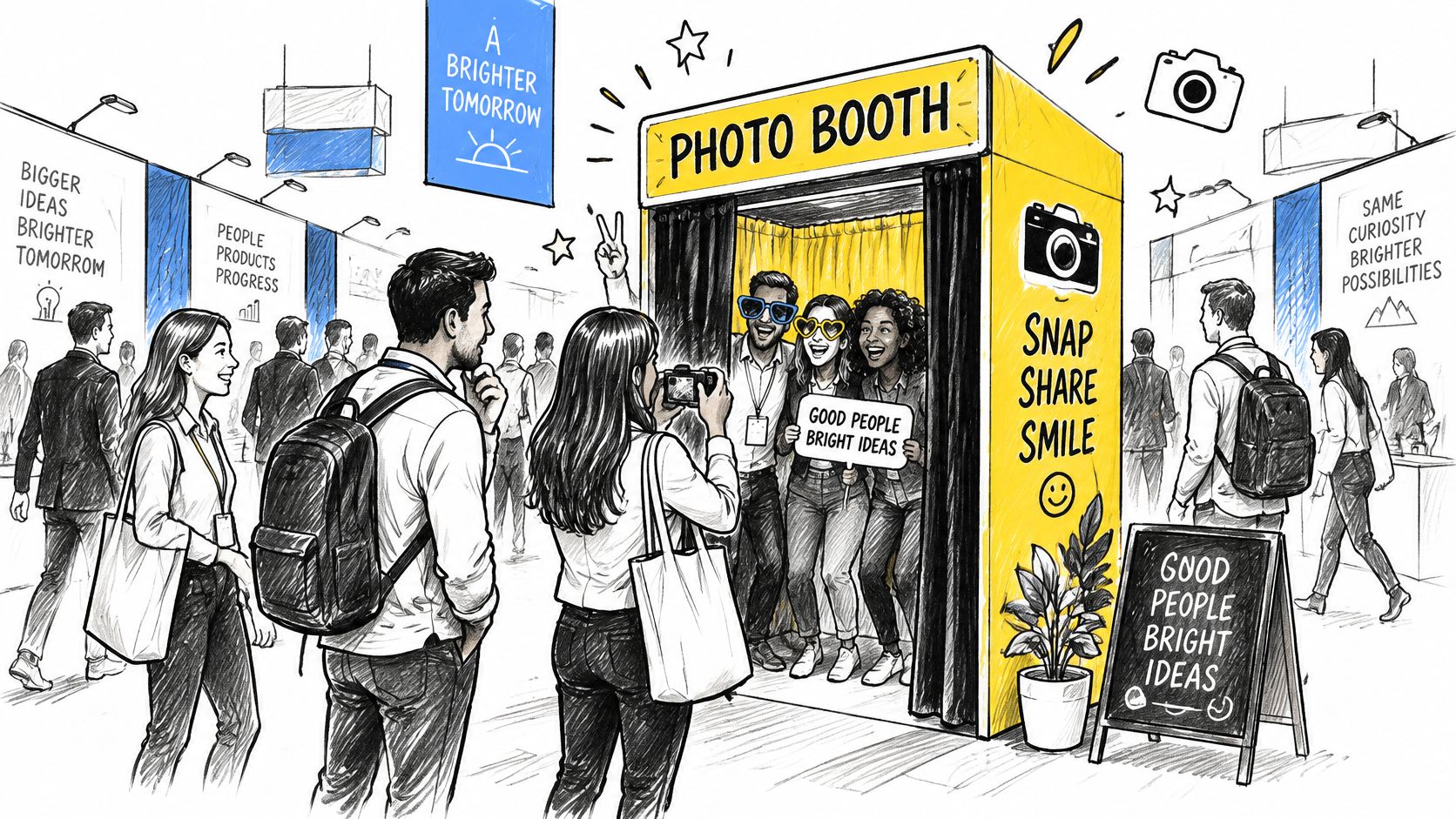
Give the booth a defined job
A useful activation connects several jobs without confusing them:
- Attract participation. Show visitors what they can create, not just the hardware they'll use.
- Produce a worthwhile image. Keep faces prominent and branding intentional. A logo shouldn't overwhelm the portrait.
- Support later engagement. Make the image available after the attendee leaves, without requiring a staff member to search for it manually.
Don't position the sales team where they block the exit from the photo area. Give participants room to collect their image, then offer a conversation when there's genuine interest.
The practical test is simple: can someone understand the experience before joining, complete it without coaching through every screen, and leave knowing where their photo will appear? Capture quality, delivery mechanics, consent, and measurement all need to support that same interaction.
From 1925 Broadway to the Modern Show Floor
The technology has changed more than the underlying proposition. A person steps into a defined space, performs a simple action, and receives a photograph that belongs to that moment.
The historical milestones make that continuity visible.
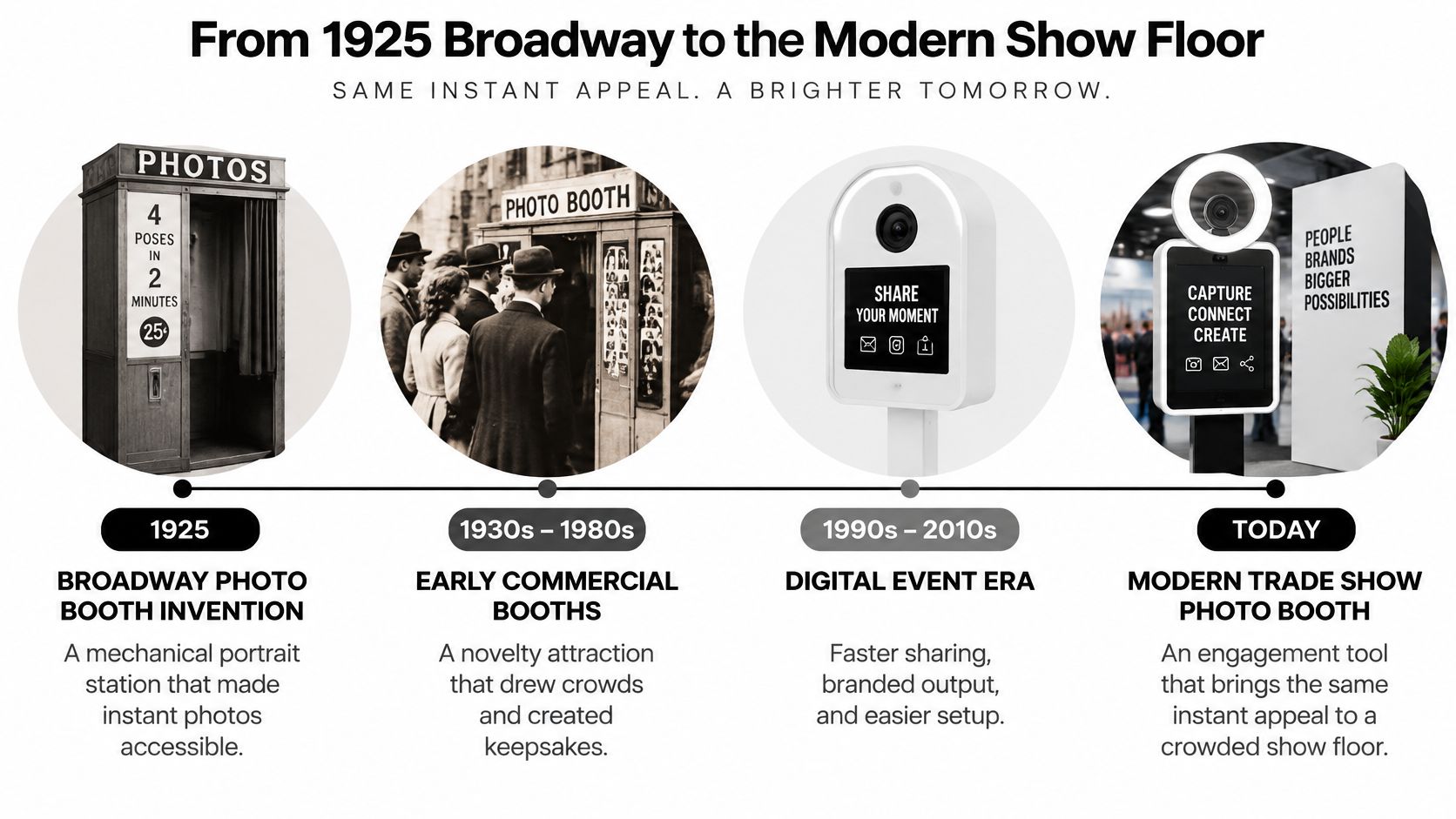
The documented history of the photo booth records Anatol Josepho's Broadway installation in 1925, charging 25 cents for eight photographs produced in approximately 10 minutes, attracting 280,000 users during its first six months, and reportedly resulting in a 1927 deal worth $1 million plus guaranteed future royalties.
Those figures describe a historical attraction, not a forecast for an exhibitor's results. Their operational relevance is that the offer was understandable: enter, make the photograph, collect the result. The attraction didn't require participants to understand the machinery.
Keep the promise simpler than the technology
Chemical processing has given way to digital capture, branded overlays, electronic delivery, and AI-assisted retrieval. Yet operators can still undermine the experience by exposing every technical decision to the attendee.
A visitor shouldn't have to understand gallery indexing, upload queues, or facial templates to collect a portrait. Those are implementation details that staff must manage, while still explaining any processing that requires an informed choice.
Modern equipment doesn't compensate for an unclear promise at the entrance.
The same principle applies to branding. A finished sample communicates more effectively than a list of software features. Place the sample where a passerby can see the intended result, and make sure the actual output matches it.
For a visual companion to that history, the following video provides additional context.
The present-day lesson isn't to recreate the original booth. It's to preserve the clarity of the exchange while improving image quality and access. Add technology only when it removes work for the participant or operator, rather than creating another hurdle before delivery.
Camera Settings and Lighting for Mixed Show Halls
Sharp faces and consistent exposure come before gallery automation. A larger file won't rescue a blurred expression or a face lost against an illuminated display.
A practical starting point is a shutter speed of at least 1/200 second, an aperture around f/2.8–f/4, auto ISO capped to the camera's acceptable noise level, and a 24–70 mm f/2.8 zoom for environmental portraits and tighter small-group framing, following the capture guidance in Bonomotion's trade show photography advice.
Treat those settings as a baseline, not a locked recipe. Check the actual group arrangement before assuming the chosen aperture gives everyone adequate depth of field. Keep the photographer's working position inside the stand rather than solving framing problems by backing into neighboring space.
Balance faces against the displays
Convention lighting can combine overhead fluorescent fixtures, LED walls, spotlights, and screens. Set exposure deliberately around the bright booth elements, then add diffused fill light to bring faces into balance.
Don't keep brightening the entire exposure when a display is already losing detail. Adjust the light on the people instead. Check whether glasses reflect the modifier and whether the fill reaches participants at the edges of the frame.
Use this setup checklist during the hall test.
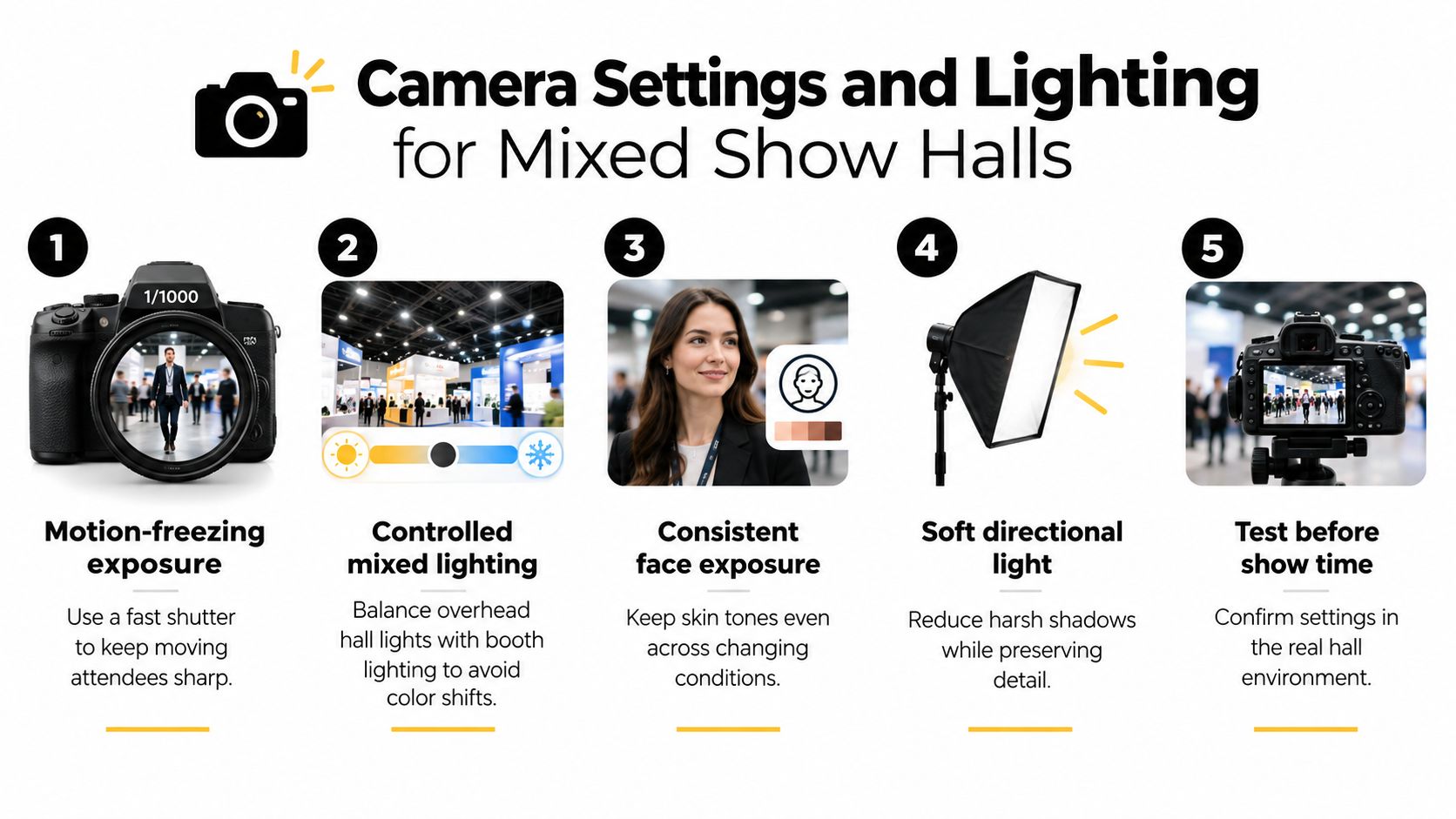
- Control color deliberately. Use RAW capture and a considered white balance rather than letting automatic adjustments change the look between sessions.
- Test representative positions. Photograph someone where attendees will stand, including the edges of the capture area.
- Inspect the delivered version. Review skin tones, facial detail, overlay placement, and thumbnail appearance on a phone.
- Recheck after changes. A new screen presentation or repositioned light deserves another test capture.
Optimize for the delivered image
RAW files preserve editing flexibility, but they shouldn't hold up attendee delivery. Define which finished files go to the gallery and keep the original capture workflow separate from that publishing decision.
For selfie photo matching, prioritize recognizable faces rather than resolution alone. For ordinary browsing, consistent thumbnails help attendees recognize their session. Both routes benefit from a photographer who fixes the light before opening the booth instead of trying to repair an entire gallery afterward.
How the Booth-to-Gallery Workflow Runs
Treat trade show photo sharing as an operational sequence with named responsibilities. Someone must know whether the camera is capturing, whether uploads are arriving, and whether approved images are accessible. Otherwise, a working camera can conceal a broken delivery process.
Capture and publish
Start with the final output in mind. Confirm the crop and branded frame before the show, then capture only after the participant understands the interaction. Check the result for obvious problems before sending it onward.
Upload finished images into the event workspace. A drag-and-drop event photo upload workflow is an option for publishing batches without manually attaching each attendee's image to a separate message.
Keep gallery review distinct from upload. An uploaded image isn't automatically suitable for release, particularly if it includes an unintended bystander or a participant who has asked for removal.
The full sequence should be visible to the operating team.
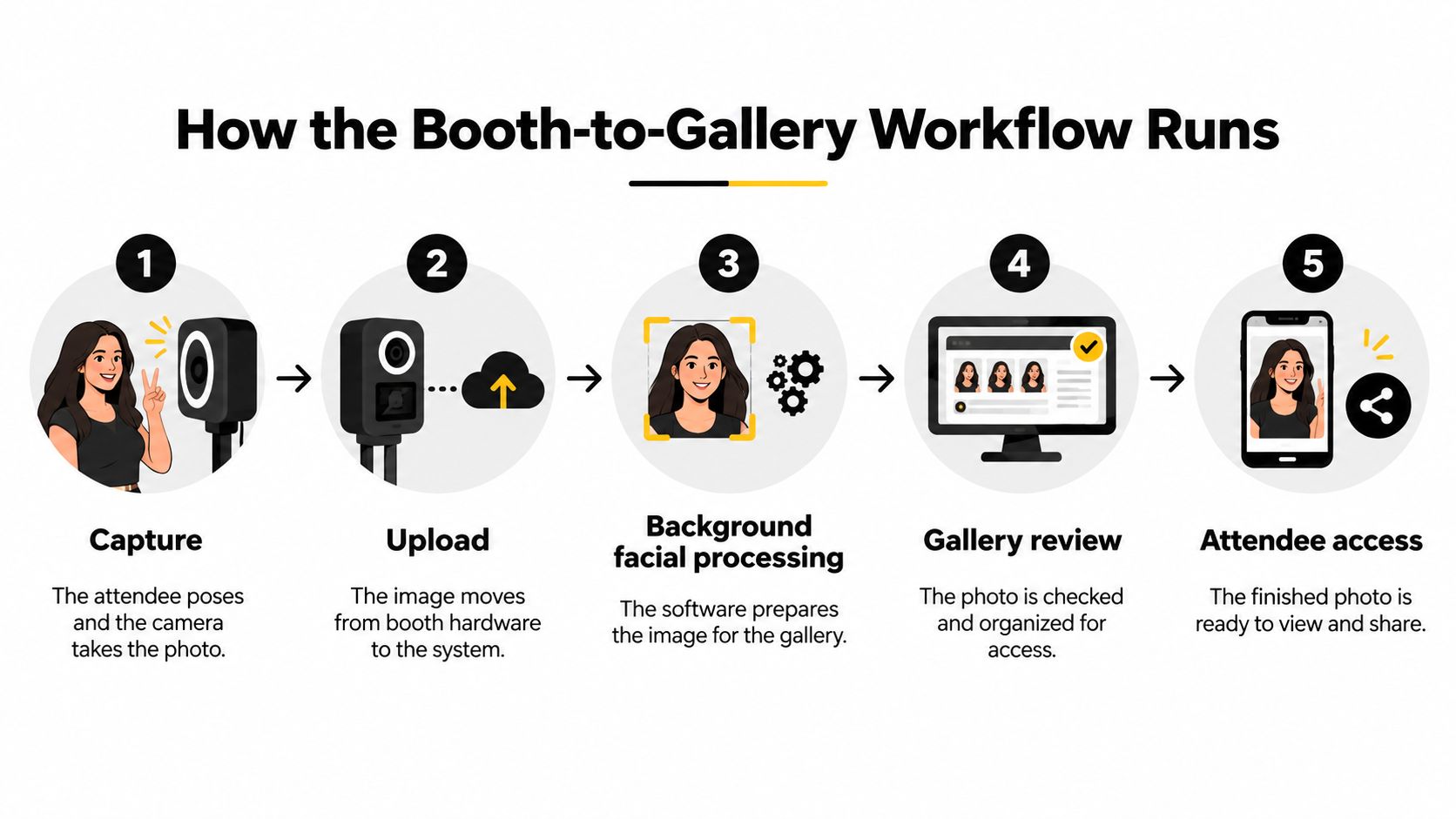
Process and deliver
Where matching is enabled under the event's agreed privacy arrangement, background facial processing prepares images for retrieval. Don't assume that processing is acceptable just because the platform offers it. The consent and processing scope must already be settled.
The attendee then opens the event photo sharing link or scans the QR code photo gallery entry point on their own device. For the optional matching route, they provide a selfie and receive relevant results. Test that journey as a guest, not through an administrator account.
Choose distribution channels intentionally:
- At the venue. Put the QR code near the collection point, where it won't obstruct posing or the queue.
- Direct delivery. Use email, WhatsApp, or SMS where appropriate and permitted.
- Event communications. Place approved access points on the event website and selected social channels.
A public social post shouldn't accidentally expose a gallery intended for restricted access. Configure permissions before distributing the address.
Finally, rehearse failure handling. If connectivity interrupts uploads, staff need an honest explanation and a later collection route. Don't promise that a photo is ready until it's accessible, and don't make the photographer the only person who knows how to resolve a delivery problem.
Choosing Between Manual Browsing and Selfie Matching
The access decision isn't just manual versus automated. It's a choice about effort, privacy, and visibility. Manual browsing avoids biometric matching, but an unrestricted gallery may expose more photographs than the organizer intends.
Use a two-lane model: ordinary access that doesn't require facial analysis, alongside a clearly optional matching service.
Manual Browsing vs Opt-In Selfie Matching
| Access Lane | Attendee Action | Data Involved | Access Control | Best Fit |
|---|---|---|---|---|
| Manual browsing | Open an approved gallery and locate the session | Photographs and any necessary access details | Restricted gallery or permitted collection | Events where browsing remains manageable |
| Organizer-curated access | Request or receive a selected set | Photographs and delivery information | Organizer chooses the released images | Sensitive events or tightly controlled distribution |
| Opt-in selfie matching | Agree to matching and submit a selfie | Photographs, selfie, and face-derived matching data | Configured permissions plus matching-based retrieval | Attendees who prefer targeted retrieval |
Manual doesn't mean public. A curated collection can be more appropriate than giving every participant access to the whole event. Conversely, matching can reduce the searching attendees perform, but it introduces processing that needs a separate explanation.
Evaluate the complete guest journey
Saucial is an AI-powered event photo sharing option in which organizers upload images, receive a shareable gallery link and QR code, and attendees use a quick selfie to retrieve photographs they appear in, without an app and typically without an account. Manual galleries and organizer-curated delivery remain alternatives when biometric matching isn't appropriate.
Don't treat a matching result as a complete security guarantee. Evaluate how the platform handles access permissions, mistaken results, removal requests, and sharing beyond the original recipient.
- Check the alternative. Confirm how someone collects a photograph without submitting a selfie.
- Verify organizer controls. Establish who can publish, hide, download, or redistribute images.
- Test guest friction. Open the experience on an attendee's phone and check instructions, permissions, and error handling.
Optional photographer upsell to attendees can include prints, digital downloads, premium edits, featured sets, or event-approved sponsored frames. Keep those offers separate from biometric consent and marketing permission.
The wrong trade-off is to make a selfie compulsory merely because it simplifies delivery. Convenience matters, but the attendee should retain a workable choice about how to receive the image.
Privacy and Consent Rules for Face Matching
Privacy architecture belongs in the technical specification. Before selecting a face recognition event gallery, establish what the system processes, why it processes it, and who can stop or delete that processing.
For GDPR planning, distinguish ordinary photographs from biometric processing used to uniquely identify someone. The latter falls within special-category rules and, where consent is the legal basis, requires explicit, informed, freely given consent; use this event privacy and tracking guidance as an operational starting point, with qualified advice for the actual deployment.
A generic photography notice doesn't settle the matching question. Nor does scanning a gallery QR code demonstrate agreement to facial analysis.
Make the choice visible and recordable
Put a short notice at the booth and a fuller explanation at the gallery entry point. State the matching purpose, the retention period, how to request deletion, and how to use the alternative access lane.
- Record an affirmative choice. Link the consent record to the relevant session and notice version rather than inferring it from attendance.
- Define responsibility. Identify the controller, processing providers, processing locations, and the person handling requests.
- Restrict exposure. Limit gallery visibility and administrative access. Require encrypted uploads and protected delivery connections.
- Set deletion deadlines. Address source images, submitted selfies, and biometric templates separately, including the provider's deletion procedures.
Background processing deserves particular scrutiny. An attendee choosing manual browsing shouldn't unknowingly enter a biometric matching workflow. Ask the provider how it separates eligible images and participants before enabling processing.
Consent check: If declining matching makes photo collection impractical, redesign the alternative before calling the choice optional.
Plan for people who need another route
Prepare a policy for minors before opening the booth, including any required guardian authorization. Don't improvise when a child reaches the camera.
Employees also need a genuine choice without pressure from managers. For people who don't want to be photographed, position the capture area to avoid incidental inclusion and give staff a clear response when someone requests removal.
Monitor opt-in rate, deletion requests, and complaint rate as operating signals. A low matching uptake may indicate unclear instructions or a preference for the alternative, not a sales problem to solve by making consent harder to refuse.
Measuring Engagement Instead of Counting Leads
A downloaded portrait isn't a qualified opportunity. Treating it as one inflates the event report and leaves sales teams following up with people who only wanted their picture.
Badge scans indicate presence, while photo delivery interactions indicate engagement, but neither establishes buying intent; keep unique visitors, completed sessions, opt-in rate, retrieval rate, shares, UGC permissions, meeting bookings, sales-qualified opportunities, and 30/60/90-day pipeline separate from impressions, as outlined in the trade show photo booth measurement guidance.
Build a report that preserves the distinctions
Organize reporting around what the attendee did.
| Measurement Layer | What to Record | What It Doesn't Prove |
|---|---|---|
| Participation | Unique visitors and completed sessions | Commercial interest |
| Content engagement | Retrieval, downloads, and observable shares | Permission for brand reuse |
| Permission | Matching opt-ins and UGC approvals | Consent to unrelated marketing |
| Commercial follow-up | Meetings, qualified opportunities, and pipeline | Revenue caused solely by the booth |
Define denominators before the event. A retrieval rate based on completed sessions answers a different question from one based on everyone who passed the stand. Don't switch between them to make the result look stronger.
Record only shares you can observe. A download may lead to a private message or no sharing at all, and it shouldn't automatically count as published UGC from events.
Include access failures in the review
Reachable controls, adequate approach space, high-contrast instructions, and staff-assisted alternatives are operational requirements, not decorative additions. A participant who can't use the interface shouldn't disappear from the report as an unexplained abandonment.
Post-event retrieval creates another opportunity for engagement after the hall closes. Judge that window by whether attendees find their images and take an appropriate next step, not by repeatedly sending the same gallery message.
My recommendation is to favor a smaller, permission-based audience with traceable follow-up over a large list of passive scans. That's a measurement discipline, not a guaranteed performance claim. Require vendors to define “qualified” and explain attribution before accepting promotional lead-volume promises.
Your Next Step Before the Next Show
Choose a single pilot event and hand the operating team a short decision sheet.
- Define the primary job. Decide whether the activation supports portraits, branded content, or sales conversations.
- Approve the capture plan. Test the camera, lighting, crop, and delivered file in the actual environment.
- Choose access lanes. Confirm ordinary retrieval and optional matching, including the fallback when either fails.
- Prepare permissions. Approve signage, consent records, deletion handling, and retention deadlines.
- Assign distribution and reporting. Name the person publishing the gallery and reviewing engagement alongside commercial outcomes.
If you're evaluating a selfie-based event gallery workflow, test it from capture through guest retrieval before committing the show team.
Run the two-lane model at that event, then compare the results against your badge-scan-only baseline. Review retrieval, opt-in, complaints, and qualified follow-up together so convenience doesn't conceal friction or inflated lead counts.
Saucial offers event photo uploads, shareable galleries, QR-code access, and selfie-based retrieval for attendees. Visit Saucial to evaluate the booth-to-gallery journey for your next trade show, and test the access controls and consent experience alongside your capture setup.