Event Engagement Platform: Features and How to Choose It
The event's over, the photographer has delivered the images, and your inbox is filling with requests from guests who can't find their photos. You've shared a folder, but attendees still have to scroll past unfamiliar faces before reaching a moment they want to keep.
An event engagement platform can make that handoff more useful. The buying decision, though, shouldn't stop at a fast selfie search. You need to know whether attendees can retrieve photos comfortably, whether their consent means something, and whether the activity produces outcomes your team can measure.
What an Event Engagement Platform Does
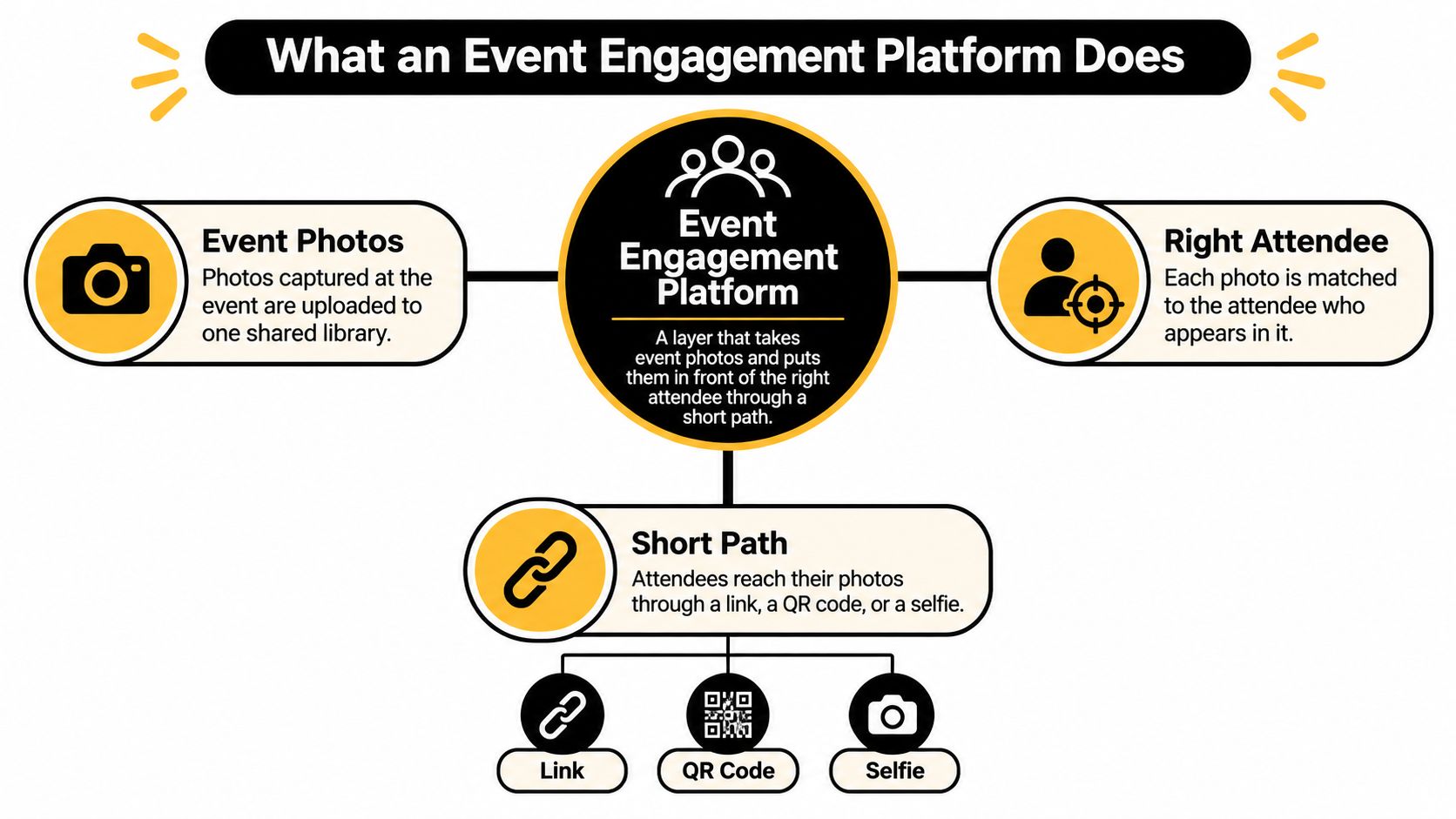
An event engagement platform is the layer between finished photos and finished follow-through. In a photo-led workflow, it takes the event images, gives attendees a short route back to the moments that include them, and leaves the organizer with evidence of what happened after delivery.
A wedding or user conference can end with hundreds of usable frames and no easy route to the right guest. The platform's job is to shorten that route. In Saucial's workflow, organizers upload photos by dragging and dropping them, AI processes faces in the background, and the organizer shares a unique link through any channel attendees already use. The guest takes a selfie and instantly sees the photos featuring them.
The path from capture to retrieval
The workflow has four connected parts:
- Capture and upload. The photographer or organizer delivers images into a shared event workspace.
- Distribution. The organizer publishes the event link through the channels attendees already use.
- Attendee retrieval. A guest opens the link in a browser and uses an available retrieval method, such as selfie matching, to locate relevant images.
- Measurement. The organizer checks which stages attendees completed and where they stopped.
It works like a coat check: the ticket matters because it returns one person to one coat quickly. The limit matters too. A match suggests likely presence in a photo, it does not prove identity, and group shots still include other people. Consent has to sit inside the same decision, because a fast selfie flow is weaker if guests feel enrolled without a clear choice.
Attendees commonly photograph and post about live events already, so easier retrieval builds on an existing habit. The buying test is measurable follow-through: whether guests retrieve photos comfortably, whether consent is meaningful, and whether post-event activity produces outcomes your team can review.
Core Features and What Each One Does
Core features of an event engagement platform
| Feature | What It Does | Attendee Action | What Organizers Measure |
|---|---|---|---|
| Photo sharing gallery | One branded gallery per event with organizer-set visibility | Browse or download photos | Gallery views and downloads |
| QR code photo gallery | Printed or on-screen QR opens the gallery on a phone | Scan at the venue, no app needed | QR scans by location or table |
| Selfie photo matching | Face matching returns photos identified as showing the guest | Take a selfie and see matching photos | Successful match rate and time to first match |
| Push and contact channels | Sends the same link by email, SMS, WhatsApp, or event website | Open the link after the event | Send and open rates by channel, where observable |
| Analytics | Tracks each stage from QR scan to share | No separate action required | Funnel report by stage |
| Monetization tools | Sells prints, digital downloads, premium edits, or featured sets | Optional purchase | Conversion rate and revenue per photographer |
These features should work as a chain, not as unrelated tools. The photo sharing gallery is the destination, with branding and visibility set by the organizer. A public celebration and an invitation-only donor reception shouldn't automatically use the same access settings.
The QR code photo gallery provides an entry point. A table card, reception screen, or photographer's sign can direct attendees to the same destination without asking them to type an address. Location-level reporting requires distinguishable QR destinations or tracking tags, not identical untracked codes printed around the venue.
Retrieval, distribution, and proof
Selfie photo matching is the retrieval layer. Instead of browsing the complete collection, guests submit a selfie and receive candidate images featuring them. Evaluate relevance as well as speed: an immediate result containing the wrong person isn't a successful experience.
Contact channels handle a different problem, reaching attendees after they leave. Email, SMS, WhatsApp, an event website, and social profiles can distribute the destination without creating separate galleries. Don't confuse a shareable link with a built-in messaging service, though. Confirm whether the platform sends messages itself or works through your existing tools.
Analytics should connect those actions while respecting what each channel can reveal. A messaging application may let you distribute a link without exposing message-open information to the gallery provider.
Practical rule: Ask for a demonstration that starts with an attendee's scan and ends with an exportable outcome, not a tour of disconnected dashboard screens.
Monetization belongs at the end of that path. A photographer upsell to attendees might offer prints, digital downloads, premium edits, or featured sets, but the organizer should approve what appears before guests encounter a checkout.
For a charity reception, that might mean a complimentary image with optional print purchases. For a commercial activation, it might mean free downloads and no sales experience at all. The tool should support the event's purpose rather than impose a storefront.
For this photo-led use case, a platform without matching is primarily a gallery host. Without usable analytics, the organizer can distribute photographs but can't reliably demonstrate what attendees did afterward.
Post-Event Outcomes Worth Measuring
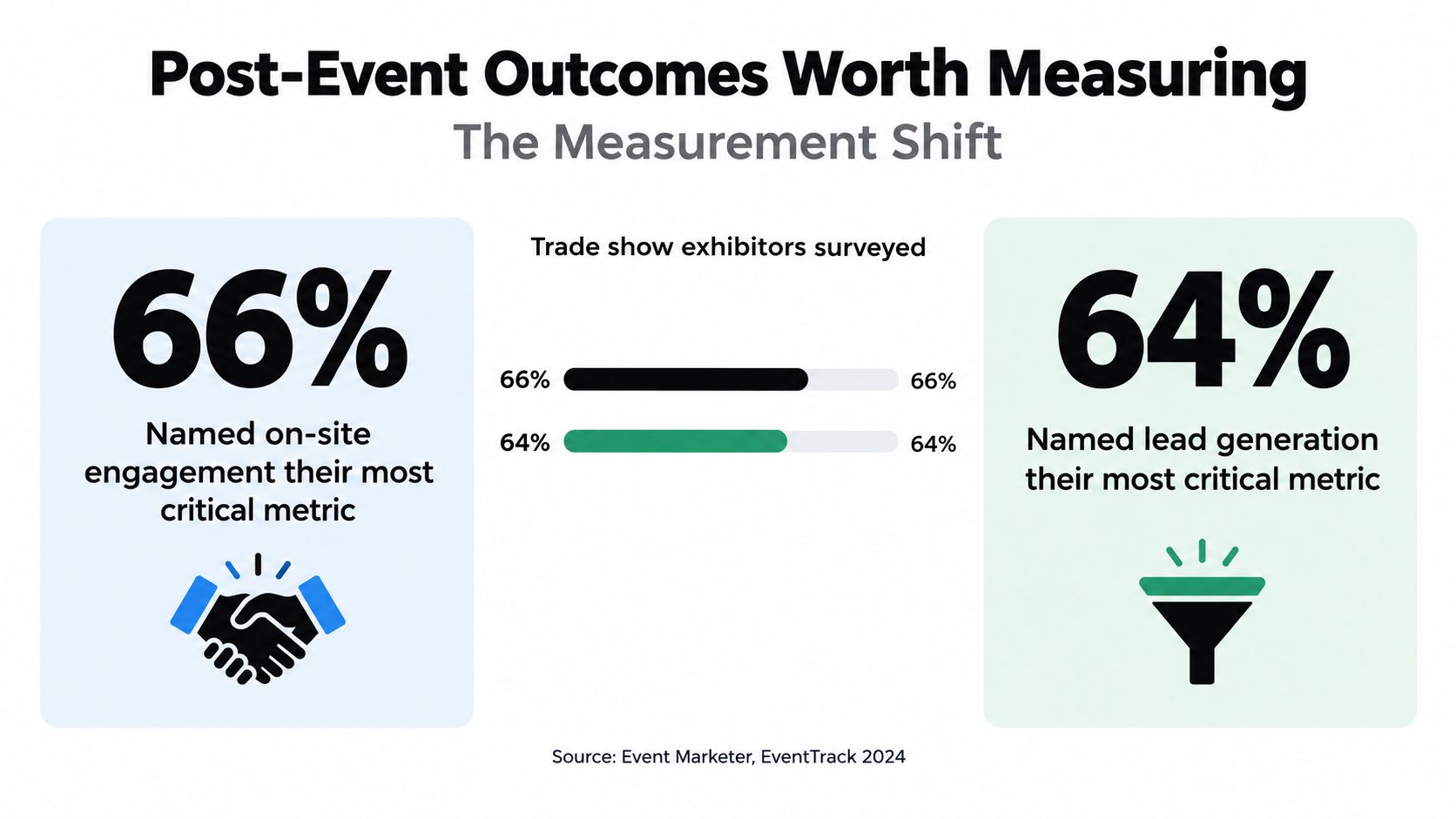
66% of exhibitors identified on-site engagement as their most critical event metric, ahead of lead generation at 64%, while post-event connections ranked third at 58%, according to Event Marketer's EventTrack 2024 study. That trade-show finding gives organizers a useful way to frame photo distribution: evaluate participation, commercial action, and continued connection rather than attendance alone.
The comparison makes the measurement shift visible.
Post-event outcomes and the metric that tracks each
| Outcome | Metric to Track | Why It Matters |
|---|---|---|
| On-site engagement | QR scans per 100 attendees | Shows whether people used the activation in the room |
| Post-event return | Gallery revisits within a chosen 7-day reporting window | Shows whether photos drew people back |
| Attendee sharing | Share actions per gallery visit | Records sharing activity, not total downstream reach |
| Sponsor or brand value | Sponsor-frame views and interactions | Gives sponsors a measurable exposure figure |
| Photographer revenue | Print or download conversion rate | Shows whether the upsell channel produces purchases |
| Trust and control | Opt-out completions and deletion requests | Helps assess whether privacy controls are accessible and working |
Treat these as measurement definitions, not performance benchmarks. Set the reporting window before launch, distinguish unique visitors from repeat activity, and specify the denominator for every rate. Purchase conversion based on all gallery visitors answers a different question from conversion based only on visitors who opened a product page.
Separate observation from attribution
Use tagged links, event-specific QR codes, and optional UTM parameters to separate distribution channels. Connect the gallery to a permitted follow-up action, such as a photographer inquiry, donation-page visit, or completed purchase, rather than assuming every view has business value.
A guest who downloads a gala photograph and posts it in a private WhatsApp group leaves the platform's view. A recorded share action isn't proof that recipients saw the image, and a download isn't proof that anyone shared it.
For a complementary view of event engagement, watch the video below.
Keep directly measured actions separate from modeled or self-reported outcomes. Scans, completed searches, downloads, and purchases belong in the first group. A survey response saying the photographs increased willingness to return belongs in the second.
This distinction matters when event tools sit in separate systems, a challenge discussed in Blackthorn's event-industry trends coverage. Don't fill those gaps by calling total gallery visits a return on investment. Report what you observed, explain what remains unknown, and connect the result to the organizer's actual objective.
Turnaround, Privacy and Buying Criteria
Start with an upload-to-live test using a representative collection from a past event that you're authorized to process. Include portraits, group photographs, stage lighting, and action images rather than letting a vendor demonstrate only carefully selected headshots.
Time the journey from upload to a usable gallery and QR destination. Open it on an ordinary phone, using the kind of connection guests will have, and check whether images remain usable while background processing continues.
Buying criteria and what a strong answer looks like
| Criterion | Question to Ask | Good Sign | Red Flag |
|---|---|---|---|
| Turnaround | How long from upload to a live gallery and QR code? | Test set goes live the same day with no manual processing | Gallery needs manual setup or days of waiting |
| Integration | Can the link go into email, website, CRM, and messaging without rebuilding? | Works with existing channels and exports | Locked to a single channel or no export |
| Monetization for photographers | Can attendees buy prints or downloads directly? | Organizer approves each paid option before it appears | Photos sit behind an unapproved paywall |
| Attendee access | Is an app or account required to view photos? | Browser-only access with no guest account | Forced sign-up before any photo is shown |
The good signs are acceptance criteria, not promises about every product. Write your own operational deadline into the evaluation and record the actual result, including any staff intervention.
With Saucial, we upload event photos by dragging and dropping them, and our AI processes faces in the background. We use AI-powered face recognition to find the event photos featuring each attendee. That describes our process, but your test should still establish how it fits your image collection and delivery schedule.
Treat consent and retrieval as a single gate
A face recognition event gallery needs a more careful review than a conventional folder. Under the ICO's biometric recognition guidance, an identifiable facial photograph is generally personal data, while specific technical processing used to uniquely identify or verify someone can make the resulting information biometric data and engage special-category requirements.
Don't assume permission to photograph an event also authorizes facial recognition. Establish the applicable legal basis and special-category condition with qualified advice for the jurisdictions involved. A checkbox can record a decision, but it doesn't make an otherwise unsuitable processing arrangement lawful.
Use this privacy gate before enabling matching:
Map the information separately. Document raw uploads, attendee selfies, derived face templates, and identity-linked metadata. Give each a defined purpose, access boundary, and retention period. Ask whether indexed photographs create templates for people who never submit a selfie.
Minimize session data. Set deletion or expiry for selfie-derived representations after retrieval unless a justified, consented purpose supports keeping them. Establish what happens to indexed templates as well, rather than deleting the selfie while retaining its usable representation.
Resolve exceptional cases before launch. Assign an owner for minors, bystanders, opt-outs, mistaken matches, removal requests, and cross-border transfers. Confirm processor and subprocessor responsibilities, hosting arrangements, and the safeguards applicable to transfers.
Provide a usable alternative. Offer manual search, curated collections, or organizer-assisted retrieval without requiring facial recognition. Test difficult lighting and varied faces because recognition can make mistakes and perform unevenly across demographic groups.
Make choices visible and verifiable. Complete a data protection impact assessment where required, place clear notice at the QR entry point, and obtain affirmative opt-in where required. Keep records that let the organizer verify consent status and deletion completion.
Schools and youth tournaments warrant especially cautious assessment. An adult's willingness to use selfie retrieval doesn't settle the rights of children or other people appearing beside them.
Inspect the access architecture
Prefer a purpose-limited retrieval path, with a defined availability period, over an indefinitely public folder. The Dutch data protection authority's rules for using biometrics underscore why biometric processing needs a stricter assessment than ordinary convenience features.
Require a technical explanation of HTTPS, encryption at rest, signed and expiring access tokens, search-endpoint rate limits, and isolation between events. Photographer and organizer permissions should follow least-privilege access, with audit records for exports and administrative actions.
A fast match and a valid consent process are not competing extras. Both belong in the purchase decision.
Finally, run an actual removal request during evaluation. Check what disappears from attendee access, what remains in backups under the declared schedule, and how the organizer receives confirmation. A policy document alone doesn't demonstrate that the operational workflow works.
How Each Event Type Uses the Platform
Choose the outcome before choosing the photo workflow. A fundraiser needs a different follow-up from a sports tournament, even if both use the same retrieval technology. Decide whether the next useful action is a donation, lead response, purchase, or reconnection, then design the delivery around it.
Event types, goals and photo workflows
| Event Type | Main Goal | Workflow That Fits | Sharing Hotspot |
|---|---|---|---|
| Gala | Donor thanks and brand memory | Same-night upload target, QR on table cards, organizer-curated donor set | Table photos and stage moments |
| Fundraiser | Pledges and repeat giving | Gallery link in the follow-up email, sponsor-branded frame | Live appeal and auction moments |
| Trade show | Lead follow-up and exhibitor value | QR at each booth, matching by event day, exhibitor galleries | Booth interactions shared on LinkedIn |
| Sports tournament | Parent purchases and team pride | Batch upload by match, link in team chat, print sales to families | Team and action shots shared in family groups |
| Alumni dinner | Reconnection and future attendance | Opt-in matching, galleries organized by class year | Reunion group photos shared in alumni networks |
These are proposed workflows, not claims about how every attendee shares. Confirm which channels your audience uses in practice and who owns the follow-up.
Gala and trade-show examples
For a gala fundraiser photo gallery, arrange the photographer's delivery schedule before printing the table cards. Set a same-night upload target only if the photographer's editing and approval process can support it. Let the organizer curate a donor collection before wider release, then place the donation or thank-you message beside the relevant content rather than interrupting retrieval.
For trade show photo sharing, give each booth a distinguishable entry point if exhibitors need location-level reporting. Organize photographs by event day or activation so attendees don't receive unrelated material. Send the gallery with the planned lead follow-up, while keeping a photo interaction separate from permission to receive sales messages.
Tournament and alumni applications
For sports tournament photo sales, upload by match and distribute through the established team WhatsApp group or club communication channel. Let families reach the relevant collection before presenting approved print options. Define which photographer fulfills an order so the organizer doesn't become the default customer-service desk.
An alumni dinner has a different priority. Class-year collections can help guests reconnect, while a follow-up invitation can ask whether they want future reunion updates. Don't automatically convert image access into membership of a marketing list.
We give organizers a unique link they can share with event attendees through any channel. That flexibility lets the event team use its existing communication habits without rebuilding the photo experience for each destination.
Run a Pilot Before You Commit
Choose the event engagement platform whose workflow matches your event goal, passes the privacy gate, and reports the outcomes you'll be judged on. A contained pilot is more useful than a broad feature comparison because it exposes the handoffs between photographer, organizer, attendee, and support staff.
Put the workflow under real conditions
Select a suitable event. Choose an upcoming event with a clear objective and a countable photo collection. Write down what success would mean, such as completed retrievals followed by approved purchases or useful follow-up responses.
Prepare the operating rules. Finalize the retention schedule, attendee notice, consent arrangements, and alternative access route before uploading. Name the person who can pause publication if a problem appears.
Test delivery in context. Record upload-to-live time and use a clearly identified QR placement. Have someone unfamiliar with the setup try it without coaching, then record where they hesitate.
Inspect the complete funnel. Review scans, selfie submissions, returned matches, shares, and purchases. Investigate drop-offs individually instead of treating every abandoned visit as a recognition failure.
Ask what happened afterward. Send a short survey about sharing and intent to return, keeping those answers separate from observed activity. Compare the result with the event objective, staff workload, and any support requests.
Decision test: Could your team explain both the attendee benefit and the data handling without asking the vendor to interpret the dashboard?
A pilot establishes suitability for that event and workflow, not every future occasion. Keep a short decision record covering delivery, retrieval quality, attendee choice, measurable outcomes, and unresolved issues. Proceed only when the people responsible for operations and privacy can both support the result.
Saucial offers AI-powered event photo sharing through organizer-controlled links, QR galleries, and selfie matching. Visit Saucial to review the workflow, then plan a pilot with a defined event goal, privacy requirements, and a measurement checklist.