Spot on Images for Events: A Step-by-Step Workflow
A fundraiser can have a full room, a capable photographer and a gallery delivered on time, yet still leave guests asking, “Where am I?” The frames may look polished as thumbnails, but soft faces, dim exposure or tiny subjects make them hard to recognize and harder to find. For event teams, spot on images aren't just attractive pictures. They need to work for the person in the frame, the search that helps them retrieve it and the consent process that makes that search appropriate.
What Makes an Event Image Spot On
At a 300-guest fundraiser, suppose 40 percent of the frames show a sharp background and soft faces. The room may look beautifully documented, but the people who want to find themselves won't see usable results in those shots. A spot-on event image has sharp focus on the person, usable exposure on the face, enough face detail for matching and a moment worth sharing.
A pixel count won't rescue a missed focus point. A 1,600-by-1,200 image contains 1.92 megapixels, but resolution is only one part of perceived image quality, alongside sensor size, noise, lens quality, exposure, motion and focus accuracy, as explained in the digital photography overview. A sharp 2-megapixel image can be more useful for finding a face than a soft 24-megapixel frame.
| Criterion | Spot-on standard | Common failure | Where to check |
|---|---|---|---|
| Focus on the face | Eyes and eyebrows are sharp at full size | Background is sharp, face is soft | Inspect a 100% crop of the face |
| Face size | Eyes and nose resolve in the delivered file | Faces are tiny in wide group shots | Sample crops from wide frames |
| Exposure | Skin tones retain detail, with no clipped facial highlights | Backlit faces go dark; flash creates hot spots | Check the histogram and face preview |
| Motion | Shutter speed freezes gestures and walking | Hands blur; smiles land mid-blink | Review frames at peak action |
| Pose and occlusion | Face is near frontal and eyes are visible | Profiles, sunglasses or hands cover faces | Flag for lower matching confidence |
| Resolution | Enough pixels remain for social and print crops | Export is heavily compressed | Test the export at the largest share size |
Practical rule: Judge the face at 100%, not the thumbnail. If a frame fails any row, count it as a miss even when the composition is strong.
Camera Settings for Moving Event Scenes
These are starting points, not locked presets. Test them in the actual venue, then adjust exposure for the light and the motion you need to freeze.
| Scene | Shutter speed | Aperture | ISO and flash |
|---|---|---|---|
| Guest arrivals and walking candids | 1/200 s or faster | f/2.8 to f/4 | ISO 800 to 3200, bounce flash |
| Stage speeches | 1/250 s | f/2.8 | ISO 1600 to 6400, no flash on speakers |
| Sports and tournaments | 1/1000 s or faster | f/2.8 to f/4 | ISO 800 to 6400, no flash |
| Trade-show booths | 1/160 s | f/4 to f/5.6 | ISO 800 to 3200, bounce flash |
| Group photos | 1/125 s | f/5.6 to f/8 | ISO 400 to 1600, diffused flash |
Shutter speed controls motion, so raise it when people are walking, gesturing or competing. Aperture determines how much of a group stays sharp: a wider opening helps in low light, while a smaller one gives you more depth of field. Flash can lift faces in a dim room, but direct flash on a speaker often distracts and can flatten the scene; bounce it where there's a suitable ceiling or wall.
Shoot RAW when you need room to recover exposure in post, and use continuous eye-detection autofocus for moving subjects. For arrivals, pre-focus on a doorway or a marked spot where people are likely to pause. Then check a 100% face crop every 50 frames, so you catch a focus or exposure problem while there's still time to change settings.
Rehearse in the room, not just in a hallway with similar equipment. A hotel ballroom at 6 pm and the same room at 9 pm can need different ISO values as the light changes. Take test frames of people moving under the actual event lighting, inspect faces and adjust before guests arrive.
Consent Rules for Selfie Matching
A photography waiver may cover taking a picture, but it doesn't automatically explain what happens when an attendee submits a selfie and software measures facial features to find matching images. That can involve biometric processing, which carries different privacy considerations from ordinary event photography.
The American Bar Association's discussion of biometric data and legal implications notes that GDPR treats biometric data used to uniquely identify someone as special-category data. It also describes requirements under laws such as Illinois BIPA, including written notice, a retention and destruction policy, and a written release before collection. Build the attendee experience around the specific venue and jurisdiction rather than assuming one waiver works everywhere.
| Setup | Biometric exposure | What to put in place |
|---|---|---|
| Opt-in selfie matching, EU or UK guests | Special-category data under GDPR | Explicit consent, purpose notice, retention limit and impact assessment |
| Opt-in selfie matching, Illinois venue | BIPA notice and written release | Written release before the selfie, plus a retention and destruction policy |
| Gallery browsing only, no selfie | No selfie-based matching | Standard photo release and visible signage |
| Minors at school or youth sports | Heightened sensitivity | Guardian consent, opt-in only and a shorter deletion window |
| Photographer-assisted lookup | Depends on whether a template is created | A non-biometric fallback and a clear description of the manual search |
Before collection, tell attendees whether a face template is created, why it's used, where it's stored, who can access it, whether vendors or subprocessors receive it, how long it's kept and how deletion works. Keep the language visible at the point where someone starts the selfie search, not buried in a general event waiver.
A lower-risk setup makes selfie matching voluntary and offers a non-biometric alternative, such as gallery browsing or asking the photographer to search manually. Put clear signage at entry, collect only what the workflow needs and set automatic deletion after the event window. This is an operational checklist, not legal advice. Have local counsel confirm the wording for each venue.
How to Curate and Tag Photos for Face Matching
Start with original files, not a pile of compressed exports. Organizers can drag and drop event photos for Saucial's AI to process faces in the background, leaving the team free to curate and prepare the gallery.
A reliable selfie-search pipeline needs image-quality checks before it compares faces. NIST's face image quality guidance identifies focus, blur, illumination, exposure, resolution, compression, pose, eye visibility, occlusion and the number and placement of faces as factors that affect biometric image quality.
- Ingest originals. Preserve EXIF metadata, including capture time, so you can line up images with the event schedule and investigate gaps.
- Create share-size derivatives. Standardize dimensions for delivery, but avoid heavy compression that strips away useful facial detail.
- Detect every face. A frame with several guests can contain both matchable faces and faces too small or obstructed to use.
- Reject or down-rank weak faces. Set aside faces that are too small, blurred, overexposed, underexposed, heavily occluded or outside the usable pose range.
- Align accepted faces. Aligning faces helps the system compare them consistently rather than treating a tilted crop as if it were a new feature.
- Compute embeddings. Create the numerical face representations needed for comparisons only for faces that pass the quality screen.
- Compare attendee selfies with event images. Search the event set against the submitted selfie, instead of asking guests to scroll through every frame.
- Return only calibrated matches. Set a similarity threshold and send borderline results to manual review rather than showing uncertain matches as definite.
NIST describes a high-quality reference face as clearly visible from crown to chin and ear-to-ear, evenly lit, in focus and close to frontal. A cited specification uses approximately ±5 degrees of yaw, pitch and roll for constrained reference imagery. Event photos are less controlled, so a system may accept more pose variation, but should treat sunglasses, hair, hands, masks and side profiles as reasons for lower confidence and stronger score margins.
Use tags for context, not identity. Label by moment, sponsor area or approved sponsor frame, while the face match handles attendee retrieval. That keeps search useful without turning the tagging scheme into a guest-name directory.
A bright gala can produce different match quality from a dim outdoor tournament. Don't let a single event's results set the threshold for every venue.
Measure false matches, missed matches and usable-result rate separately by venue, lighting condition, camera type and face size. Those measures show whether a weak result comes from the matching threshold or from photographs that never had enough quality to match in the first place.
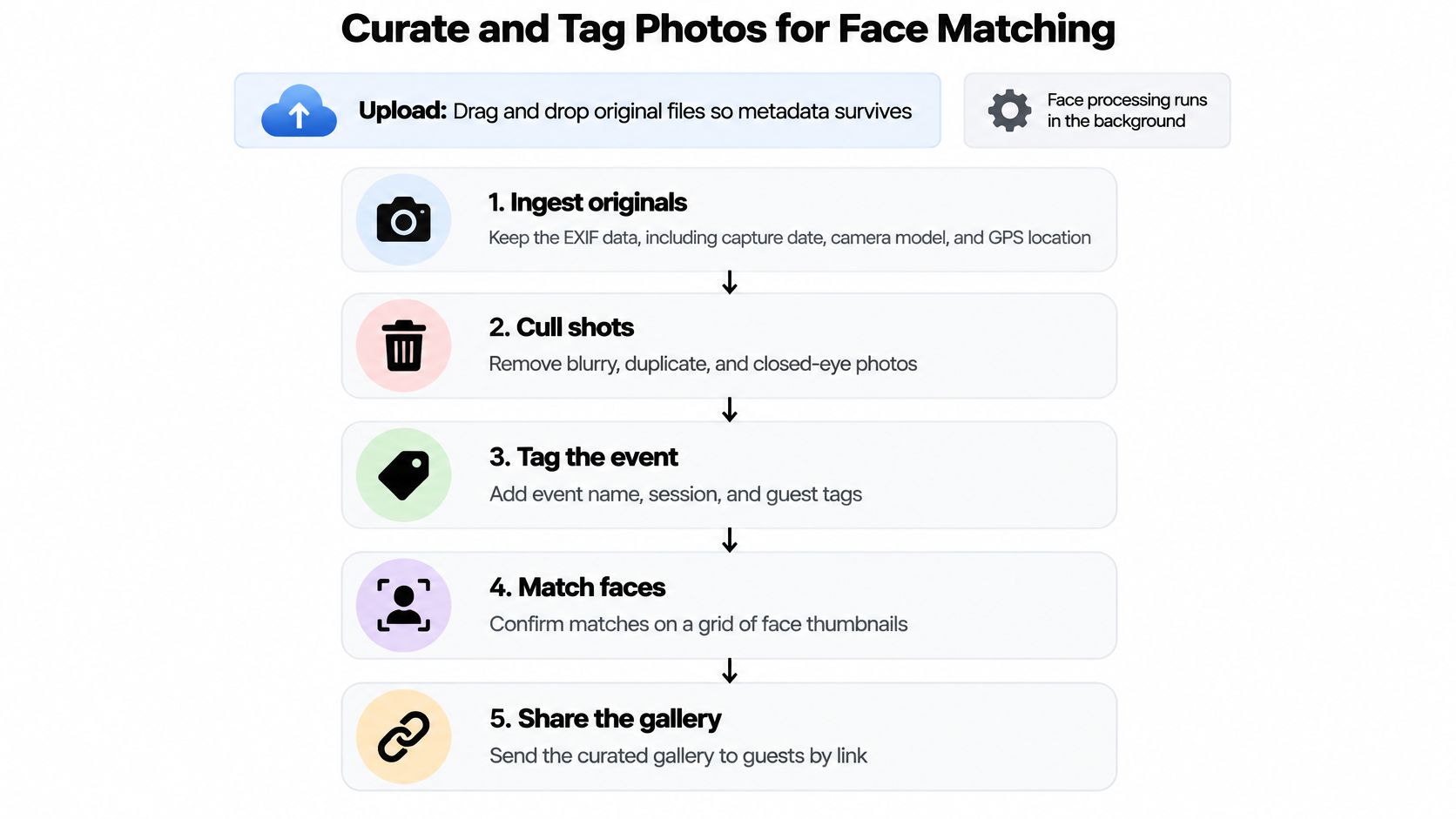
For the upload workflow, drag and drop the event photos so processing can run in the background while the team checks the event's selections and tags.
How to Share Galleries by Link and QR Code
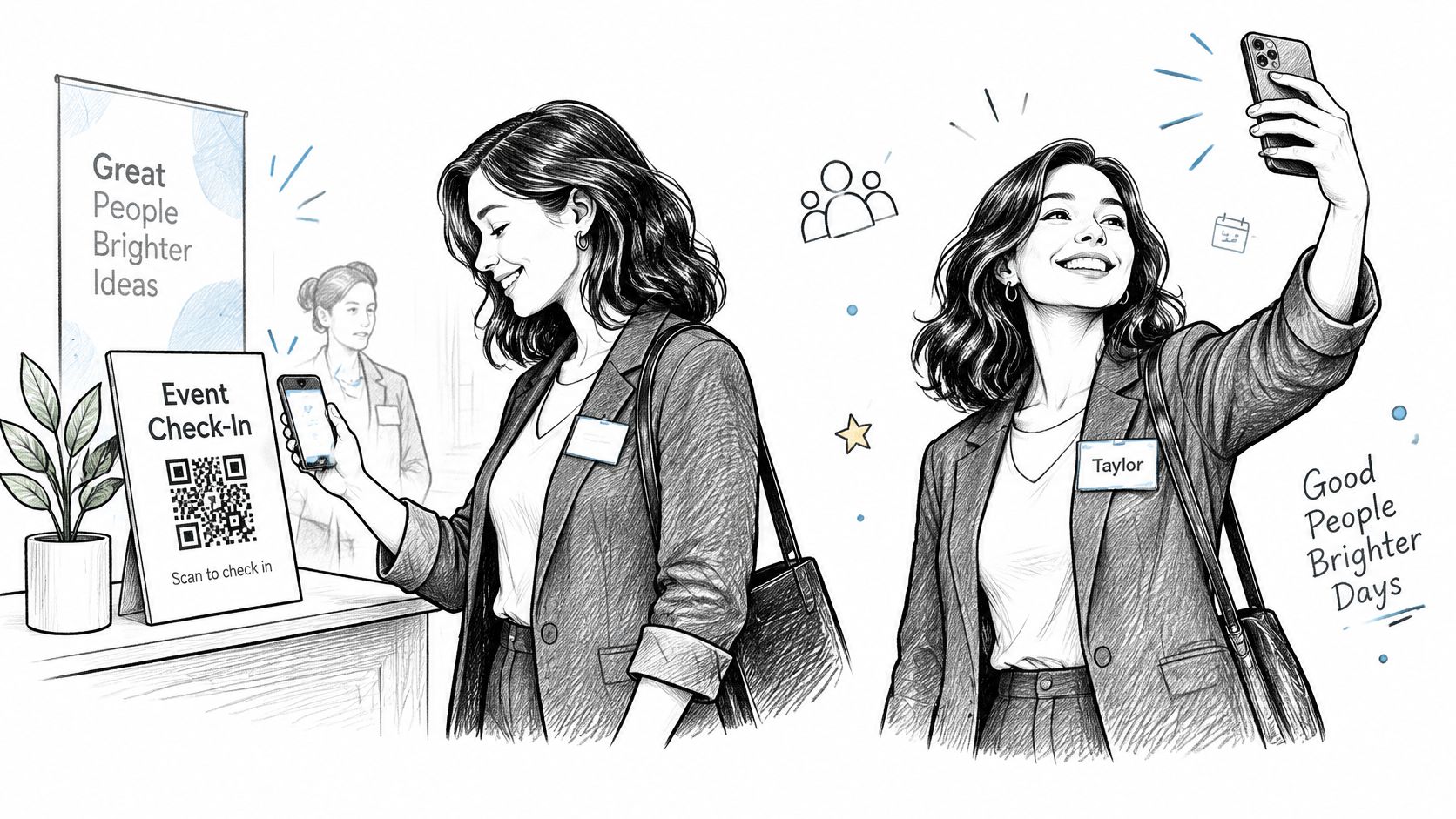
A guest who scans a QR code at check-in and completes a selfie search while still at the event can get to their photos without waiting for a folder days later. With Saucial, attendees take a selfie and instantly see the event photos featuring them. The practical job for the event team is to put that path where people will notice it and explain the choice clearly.
Use a few channels, each suited to a different moment:
- At the event: Put a QR code on check-in signage and table tents, so guests can open the gallery while they're in the room.
- After the event: Send one event link by email or SMS within 24 hours, rather than asking attendees to hunt through a long message.
- For community events: Share the link in the WhatsApp group for the relevant alumni, club or neighborhood community.
- For a wider audience: Post the gallery link on the event website or an event-approved LinkedIn or Instagram account for people who weren't there.
Put the QR code at eye level near the exit and photo wall. Don't rely on the stage screen alone, since guests may be seated far away, looking elsewhere or leaving before they can scan. Place one clear line of consent wording beside the code, explaining that selfie matching is optional and pointing to the non-selfie alternative.
For a reminder, contact people who opened the link but didn't start a selfie search after 48 hours. Keep the message short and repeat the privacy explanation rather than treating the first visit as consent. A caption prompt can help guests share a frame, but the event should also spell out what they can post, including any restrictions on sponsor-branded images or other attendees' photos.
Share the event gallery link with a brief instruction and an explicit choice. If you're including an embedded walkthrough, place it after the practical instructions rather than directly beside the image.
Measuring Engagement and Upsell Revenue
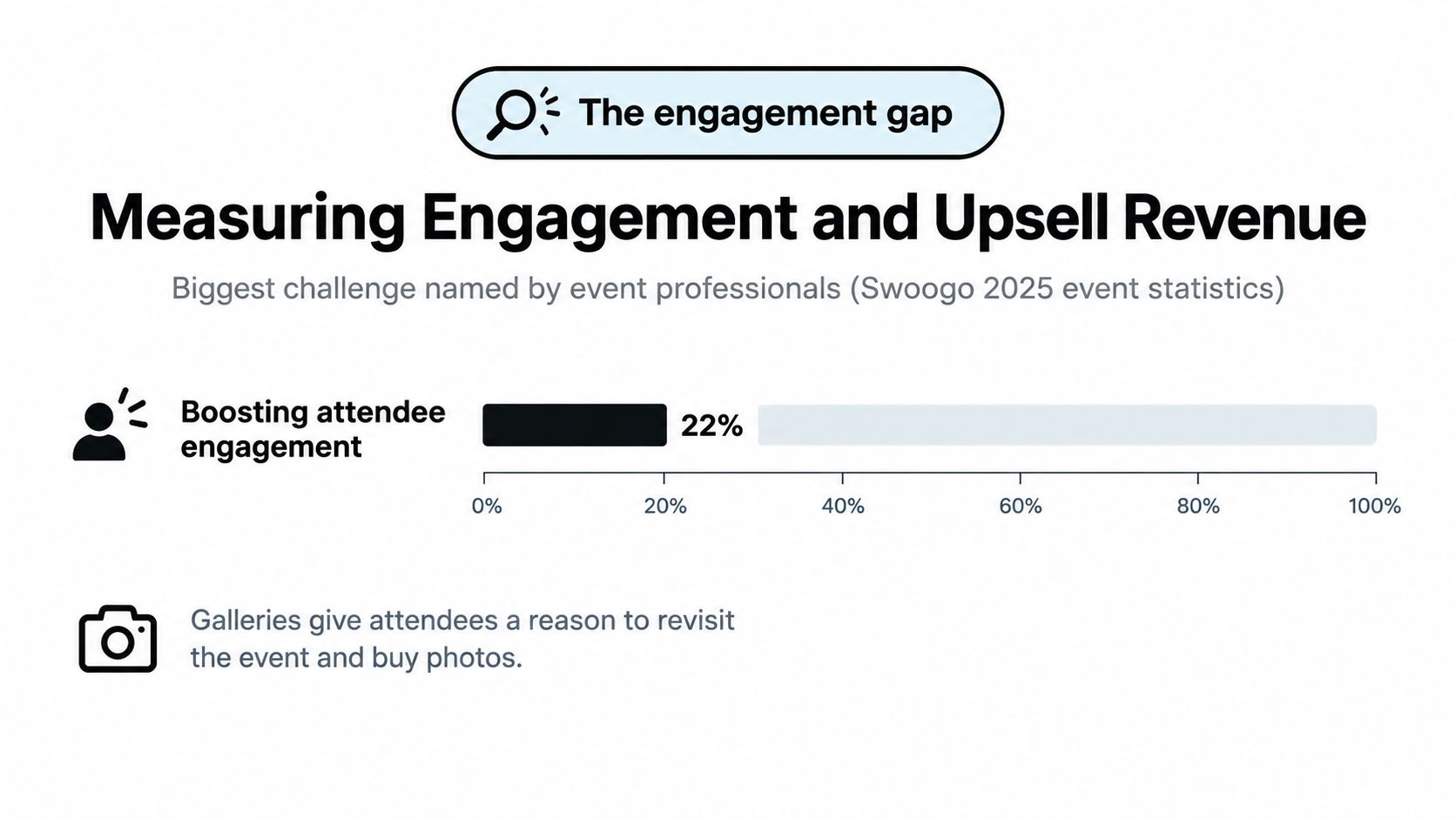
A gallery that's delivered but rarely opened isn't doing much for attendees or the event team. In 2025, 22% of event professionals said boosting attendee engagement was their biggest event challenge, according to Swoogo's 2025 event-statistics compilation. Measure whether guests find, open and share photos, then use the weak points to choose what to fix.
| Metric | Where to read it | What it signals | Action if weak |
|---|---|---|---|
| Find rate | Selfie search results | Share of searches that return at least one photo | Check upload quality and face sizes |
| Gallery opens | Link analytics | Reach after the event | Resend the link to non-openers |
| Share rate | Downloads and shares | Whether photos travel beyond the room | Add shareable frames or caption suggestions |
| Purchase conversion | Sales dashboard | Share of viewers who buy prints or downloads | Offer a bundle at the peak moment |
| Support requests | Inbox and direct messages | How often guests ask for help finding photos | Add QR signage at check-in |
Read metrics together before changing the workflow. If link opens are healthy but find rate is weak, more reminders won't fix the problem; inspect the source photos, face sizes, exposure and matching queue. If opens are low, check whether guests saw the event link and resend it to people who haven't opened it.
Photographers can give interested attendees several ways to buy more than the basic gallery: same-day print sales, digital downloads of the full set, premium edits, curated highlight sets and event-approved sponsored frames. The offer should fit the occasion, and sponsor-branded content needs approval before it goes live. A fundraiser may call for a small set of polished prints, while a tournament may suit downloadable action photos.
Set your own baseline from the first event, then compare sales per 100 attendees across similar events. Keep the comparison like-for-like: a trade show, school sports day and gala don't have the same audience or buying context. Use the results to adjust placement, follow-up messages and the timing of offers, rather than chasing an unsupported universal benchmark.
Confirm Your Delivery Plan Before Doors Open
Choose one consent setup for the venue and get the wording approved before the event. A clear, voluntary selfie search with a workable fallback is better than improvising privacy language at check-in or discovering after delivery that guests don't know what the search does.
Use this crew checklist before doors open:
- Consent: Confirm the venue's selected setup, approved wording and non-biometric alternative.
- Photo quality: Print the image criteria for the crew, so everyone knows what makes a face usable.
- Settings: Test scene settings during rehearsal under the actual event lighting.
- File handling: Check that upload folder names and time zones match the event schedule.
- Gallery access: Print the QR code and link, test them on two phones and place them near the exit.
- Matching review: Assign an owner for the similarity threshold and manual review queue.
- Deletion: Record the planned deletion date in the event record.
- Commercial details: Agree on upsell offers, prices and sponsor-frame approvals with the sponsor.
Then measure the first gallery within 48 hours. Record find rate and gallery opens, and compare them with the next event's results so the team can improve its settings, distribution and consent process with each delivery.
Saucial helps event teams upload photos and give attendees a selfie-based way to find their moments through a shareable link or QR code. If you're planning a gallery for a fundraiser, conference, tournament or trade show, visit Saucial to see how its event photo sharing workflow can fit your delivery plan.