Private Photo Sharing for Events Made Simple
The event ended hours ago, but the photo job is only half finished. Hundreds of images sit in a shared Drive folder, attendees are asking, “Where are my photos?”, and the organizer is wondering whether that link was forwarded to people who weren't invited. A photographer may have delivered the files, yet guests still have to search through a crowded gallery to find themselves.
That's the gap private photo sharing is meant to close. The job isn't just storing images. It's giving the right people a clear, respectful way to find and enjoy the moments they're part of, while keeping the organizer in control of access, retention, and reuse. A workflow such as Saucial's event photo sharing platform treats distribution as part of the guest experience rather than an afterthought.
Introduction Why Private Sharing Matters After the Event
A public post can be quick, but it makes the audience difficult to control. A generic folder can be private in theory, but it often leaves every attendee looking through the same long list of files. Neither approach answers the practical questions that appear after a gala, sports tournament, alumni dinner, or family celebration: Who should see these photos? How will guests find their own images? Can someone withdraw access later? What happens to the data after the event?
Private photo sharing answers those questions through selective access and purposeful distribution. Instead of publishing a broad stream, the organizer creates an event gallery for a defined audience. Guests receive an invitation, link, or QR code, then use the gallery in a way that matches the event's expectations.
Trust is the real delivery metric. A gallery works when attendees can find their memories without feeling that their faces, location, or identity have been made available to everyone.
Photo sharing has always had a personal side. A foundational academic discussion described mobile photo messages as “strictly private, interpersonal communication”, comparable to a phone call or text message, and noted that couples and close groups of female friends had the highest image-transmission volume in Japanese pilot studies. The same research traced the shift from direct sharing into mass digital behavior, citing that 54% of internet users posted original photos or videos online in 2013 and that Google users uploaded 13.7 petabytes of pictures to Google Photos in 2015. Those milestones show why event teams now need more than a one-to-one transfer method. They need a scalable gallery that still respects the closed, personal intent behind many images. The academic framing of private photo communication provides useful context for that transition.
This guide moves from the meaning of private sharing to attendee expectations, organizer controls, and a modern Find My Photos workflow. The focus is practical: how photographers, planners, schools, brands, and community teams can distribute event images faster without treating privacy as a checkbox.
What Private Photo Sharing Means for Events
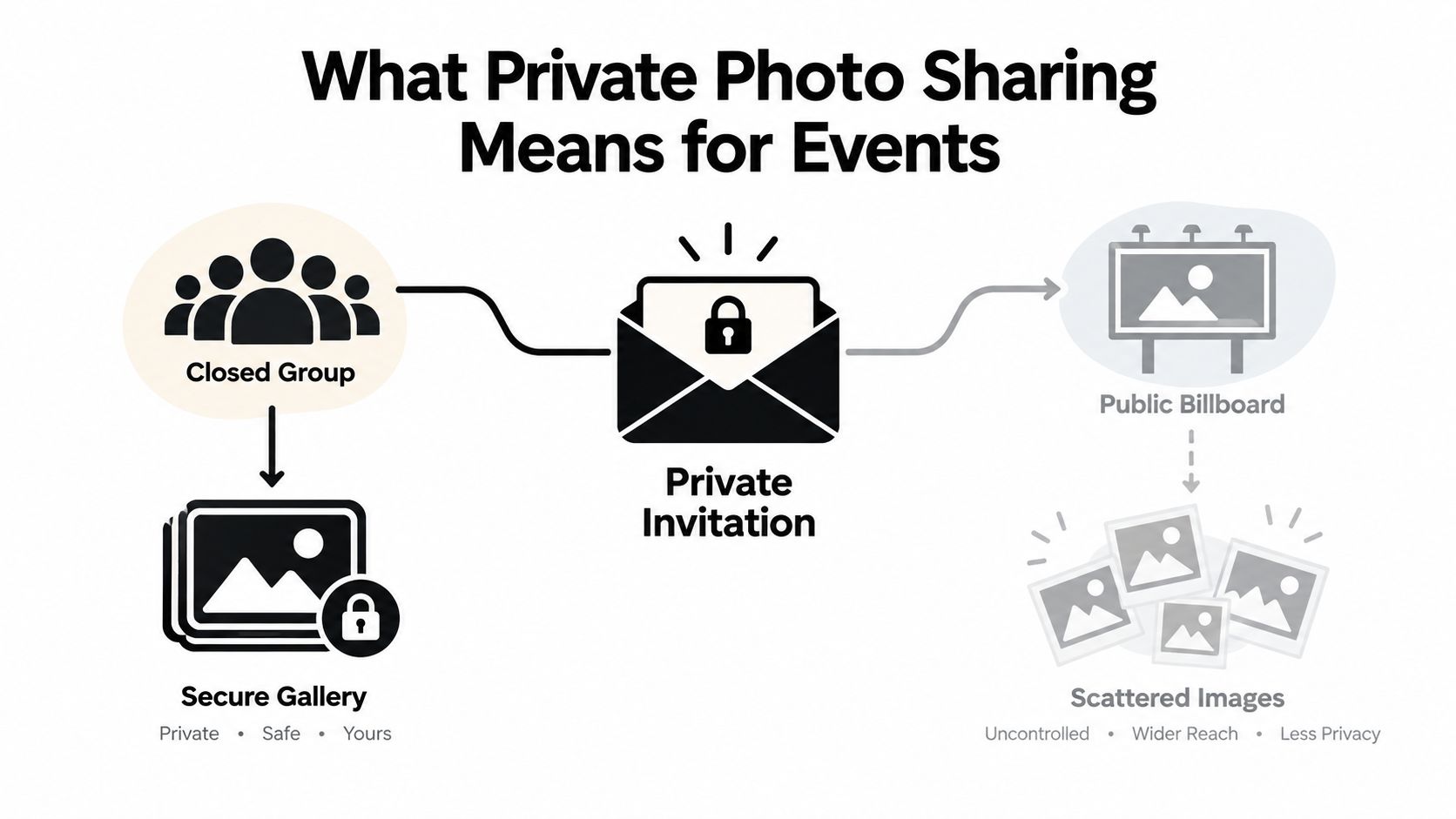
Start with a simple distinction. Public photo sharing is like putting a picture on a billboard. Private photo sharing is like sending an invitation to a room. The first assumes broad visibility. The second defines who may enter, what they can see, and how long the invitation remains useful.
For an event, a private gallery usually has four characteristics:
- A defined audience. Organizers decide whether access is limited to registered attendees, invited guests, staff, clients, or a broader event community.
- A dedicated destination. Images stay in an event gallery instead of being scattered across social feeds, hashtags, message threads, and unrelated storage folders.
- A clear sharing path. Guests receive a link or scan a QR code rather than hunting for a post or requesting individual files.
- Organizer-controlled visibility. The host can decide whether attendees see the full gallery, selected sets, or only images matched to them.
That last point is easy to misunderstand. A gallery can be private from the general public while still being too open for a particular event. A school may want families to see their own children's images, but not a broad collection of every student. A corporate host may want employees to access event memories while keeping VIP, backstage, or client photographs restricted.
From personal messages to event galleries
Private sharing didn't begin with large event platforms. People first shared images directly with a partner, friend, or small group. As cameras moved into phones and image libraries expanded, the same interpersonal purpose had to operate at a much larger scale.
Events create a special distribution problem because the photographer may capture many people in many contexts. A single folder technically contains the files, but it doesn't necessarily help each attendee locate the images relevant to them. Purpose-built private photo sharing applies the logic of a personal exchange to a group setting: the organizer opens a controlled space, and each guest gets a simpler route to the moments they care about.
Private isn't the same as invisible
A private gallery still needs a communication plan. Guests must know where to go, what they're allowed to view, and whether they can download or share an image onward. A QR code on event signage, a link in a follow-up email, or a message through WhatsApp can make access straightforward, but the organizer should explain the audience and purpose in plain language.
The best question isn't “Can we upload all the photos?” It's “Can each attendee reach the right photos without exposing everyone else's images unnecessarily?”
Privacy and Permission Best Practices Attendees Expect
Attendees don't experience privacy as a technical setting. They experience it as control over their face, their children, their location, and the people who may see a moment later. That's why consent and audience scope should be decided before the photographer uploads the gallery.
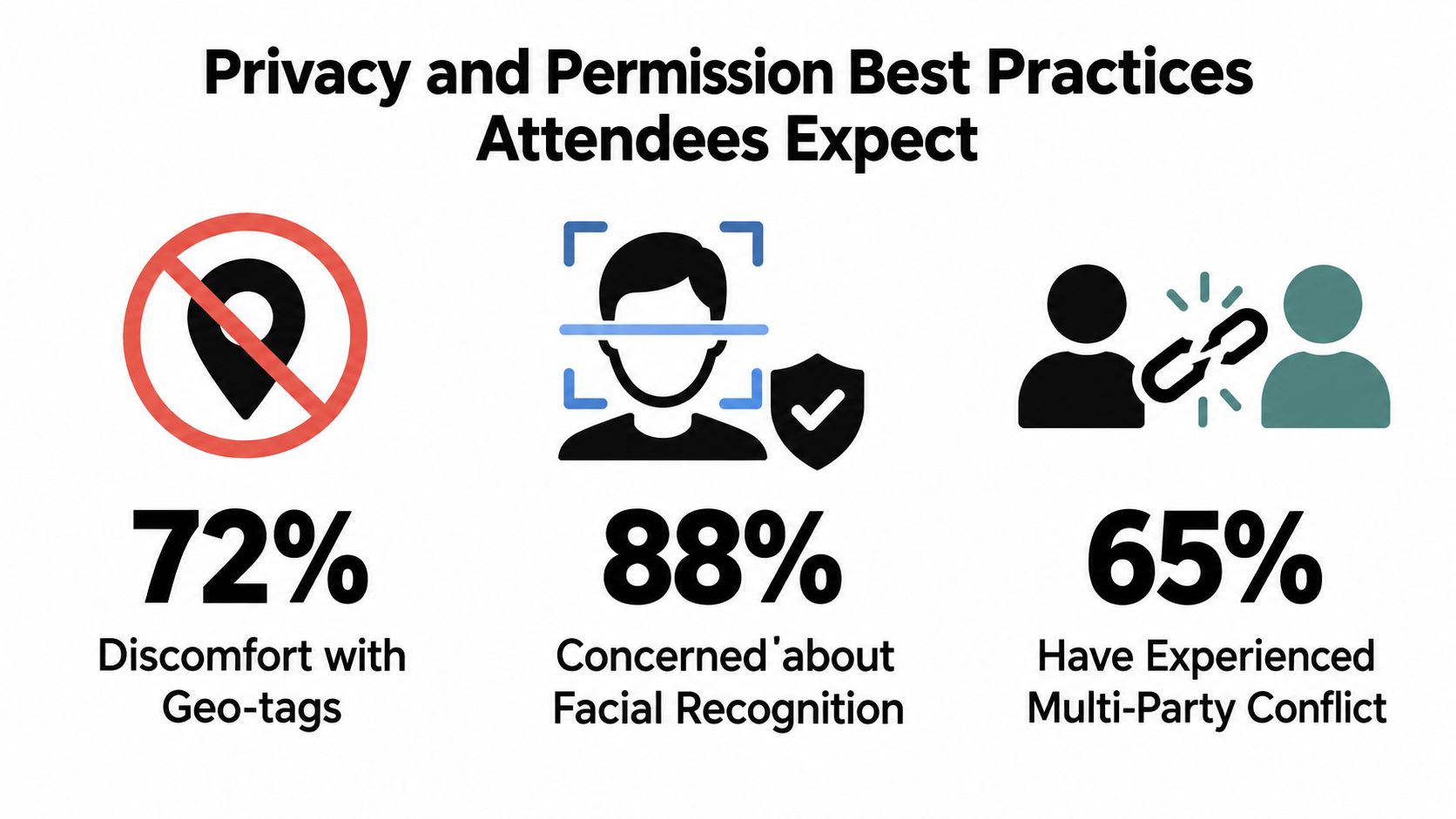
A large-scale study of photo privacy conflicts found that 99.3% of participants had experienced a multi-party privacy conflict. The same study reported that 30% said their most recent conflict happened within one month, 44% within six months, and 66% within twelve months. The issue is familiar at events: one person uploads a photo, but several people appear in it, and those people may not share the uploader's view of where it belongs.
The study also found a difference between uploader and co-owner expectations. Uploaders said 72% of photos were shared with friends and 15% publicly, while co-owners reported 47% shared with friends and 34% publicly. That gap matters because the person holding the file may not be the only person with a legitimate privacy interest. The study of multi-party photo privacy conflicts shows why a gallery's owner shouldn't assume that every visible face has agreed to the same audience.
Four questions to ask before distribution
Who is allowed to view the gallery? “Anyone with the link” is easy to understand, but it also means the link may travel beyond the original guest list. Invite-only access or a verified event audience may be more suitable for schools, corporate gatherings, and private celebrations.
What information travels with the image? Attendees may be less comfortable with location metadata than with the image itself. A survey on photo privacy controls found that 66% of respondents were uncomfortable with geo-tag data being passed along when uploading every photo, according to the cited privacy research. Remove unnecessary metadata where appropriate, and explain what the platform retains.
Does face matching require meaningful consent? The same survey found that 80% were less than comfortable with facial recognition of people in photos. A private Find My Photos workflow should make the purpose clear, keep matching limited to the relevant event, and provide a route for people who don't want to participate.
Can people refuse automated sharing? 80% were only marginally comfortable or less with AI-driven photo-sharing recommendations, and 56% were not at all comfortable with automatically sharing photos with people, as reported in the same source. An organizer should never treat convenience as permission.
For teams managing alumni events, children's activities, corporate functions, or family-heavy gatherings, the safest mental model is simple: collect only what the workflow needs, show only what the audience should see, and make removal understandable. You can also review participant-facing options through Saucial's privacy settings before selecting a distribution approach.
Organizer and Photographer Controls That Keep Galleries Private
Privacy becomes real through operations. The organizer chooses the audience and retention policy. The photographer prepares and uploads the images. The platform enforces the rules. If any one of those roles is vague, the gallery may be easier to access than intended.
Use this checklist during planning and handoff:
- Confirm the audience: Decide whether the gallery is for invited guests, registered attendees, a client's internal group, or a wider community.
- Choose opt-in access: Don't assume that everyone photographed wants face matching or automated retrieval. Provide a clear notice and a non-matching alternative where the event requires it.
- Limit the purpose: Use face matching to help an attendee retrieve event photos. Don't allow the resulting biometric information to flow into advertising, unrelated identity systems, or model training.
- Bind matching to the event: Recognition should operate as one-to-many matching inside a single event album, not as a general search across a photographer's entire archive.
- Set a retention rule: Decide when gallery files, selfie images, face templates, and related processing data will be deleted or reviewed.
- Provide deletion rights: Give attendees a clear contact route for asking about removal, correction, or access.
- Control the link: Use revocable or expiring links where the audience is sensitive or the gallery has a short-lived purpose.
- Review downloads: Decide whether guests can download originals, whether selected sets are available, and whether the organizer needs to disable certain actions.
The privacy guidance for commercial facial recognition linked in the brief emphasizes opt-in use, revocable or expiring links, strict purpose limitation, and automated purging of biometric data. Privacy-first guidance for AI photo sharing also recommends keeping recognition event-bound so the system doesn't become an identity database.
The handoff between photographer and organizer
A photographer shouldn't send a folder and transfer responsibility without context. The handoff should include the intended audience, the approved distribution channel, the retention decision, and any sensitive collections that need separate treatment. An organizer should know whether the upload includes backstage images, minors, staff-only moments, or images that weren't cleared for promotional use.
Practical rule: If you can't explain who can access the images, why face matching is being used, and when processing data will be removed, the workflow isn't ready for guests.
A platform login can support organizer control, but access rules still need human decisions. Organizer authentication and access controls should support the policy rather than replace it.
Make the controls visible to attendees
A short notice at registration, on venue signage, or beside the QR code can explain what happens next. Say what the selfie is used for, whether it's stored, how long it's retained, and how someone can opt out. Plain language builds more confidence than a long policy that no guest reads.
How a Private Find My Photos Gallery Works
A traditional delivery process asks every attendee to search. The photographer uploads a large folder, the organizer sends the link, and guests scroll through thumbnails until they recognize themselves. That approach can work for a small collection, but it creates friction when the gallery contains many people and many scenes.
A private Find My Photos workflow changes the discovery step. The attendee opens the event link, takes a selfie, and receives the photos that match them within the event gallery. The goal isn't to identify people across the internet. It's to create a private index for one event so each person can retrieve relevant images without manual tagging.
The workflow from upload to retrieval
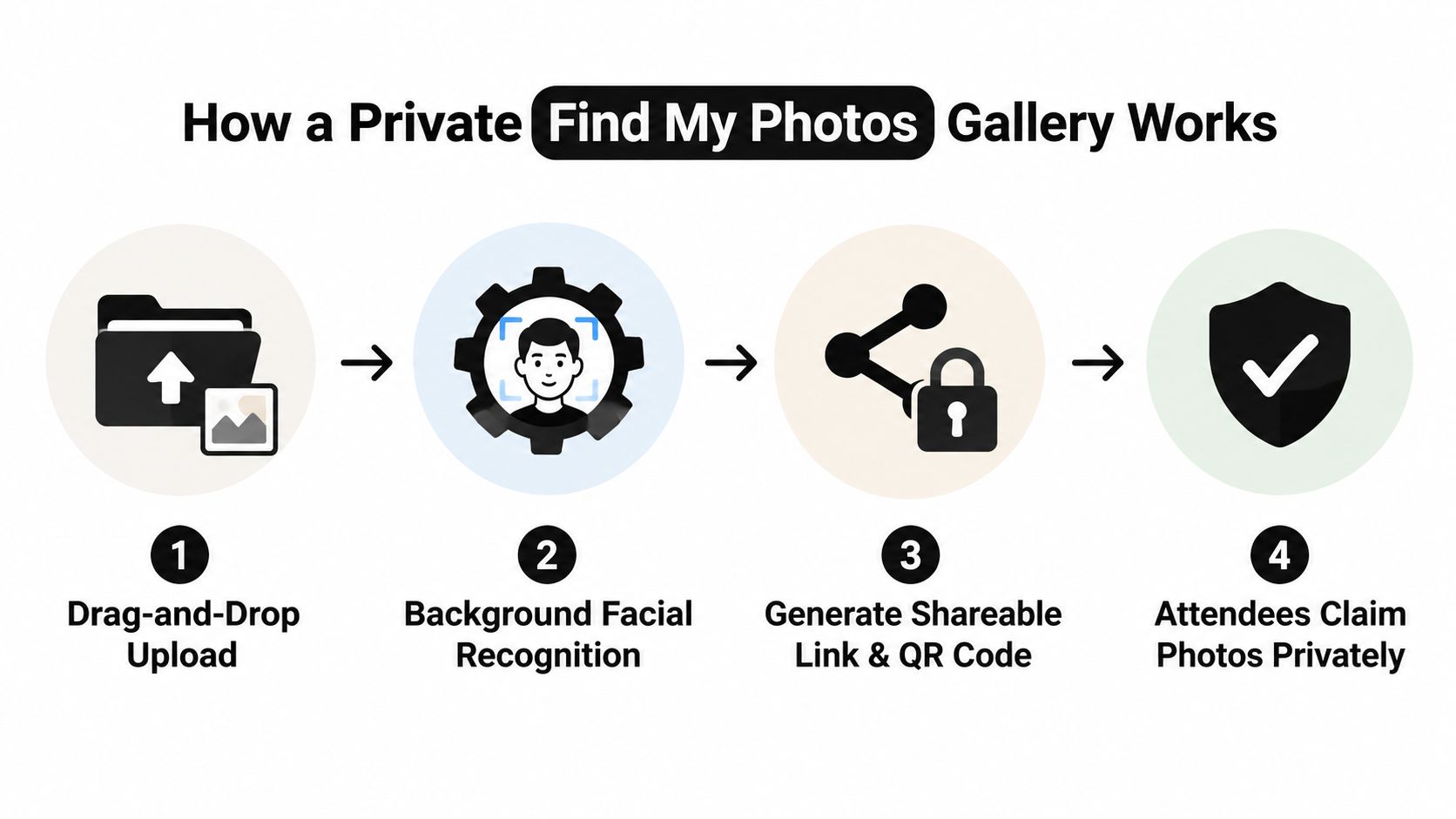
Upload the event folder. The organizer or photographer uses a drag-and-drop process to add the approved images. This is the point to separate restricted sets, remove unwanted files, and confirm that the gallery's audience matches the event plan.
Let processing run in the background. The system groups faces or creates a matching index while the organizer handles other work. The important privacy boundary is scope. Processing should remain tied to the event album, rather than searching a permanent archive of unrelated events.
Share one event photo sharing link. The organizer distributes the gallery through email, SMS, WhatsApp, an event website, or a QR code at the venue. A QR code photo gallery works especially well when guests are already using their phones during a reception, awards ceremony, or tournament.
Let attendees claim their photos privately. Guests take a selfie and see the photos associated with their appearance in that event. They don't need to understand the underlying processing, and they typically don't need to download an app or create a complicated account.
For technical context, Google Photos safety guidance describes how major photo platforms use face grouping and search while exposing labels to the account owner. That helps explain the distinction between private retrieval and general-purpose facial recognition. The event workflow should keep the match scope narrow and the result visible only to the person making the request, subject to organizer settings.
The organizer can also decide what the experience offers after matching. Some galleries may provide free viewing, while others may enable paid downloads, prints, premium edits, featured collections, or sponsor-approved frames. Those choices belong in the event plan, not in a hidden setting that surprises attendees. A service such as Saucial's upload workflow illustrates this upload, link, QR, and selfie-matching model for event distribution.
Real World Applications From Galas to Sports Tournaments
At a gala fundraiser, the photographer may capture sponsors, award recipients, speakers, volunteers, and guests in the same room. The organizer can place a QR code near the exit and include the event photo sharing link in the follow-up email. A donor can find a presentation photo, while the organizer can keep staff or backstage images in a separate curated set.
An alumni dinner creates a different rhythm. Graduates may want portraits with old classmates, but the association may also need a controlled gallery for official communications. A private link shared through email and WhatsApp gives attendees a direct route to their images without turning the entire collection into a public social feed.
Distribution should match the event
- Sports tournaments: Put the QR code at check-in, near team areas, and on the event website. Parents and players can search for action shots, while the photographer can offer approved print packages or digital downloads.
- Community festivals: Share the link through SMS, signage, and local organizer channels. Keep the gallery easy for people who weren't present at the same moment the photographer captured the image.
- Trade shows: Add the gallery link to the post-event email and booth follow-up. Attendees can locate photos from conversations, demonstrations, or brand activations without asking the marketing team to search manually.
- Corporate events: Use separate permissions for general attendee images, executive moments, and client-facing content. The organizer can distribute an approved set while restricting internal or sensitive material.
- Family-heavy gatherings: Explain the matching process and deletion options before guests participate. Families may appreciate fast retrieval but still want control over children's images and future storage.
The same workflow supports different outcomes on each side. Organizers reduce repetitive “can you find my photo?” requests and have a direct channel for post-event engagement. Photographers can turn delivery into a direct-to-attendee relationship, with event-approved options such as prints, downloads, premium edits, featured sets, or branded frames.
That's especially useful for a sports tournament photo sales workflow, where a participant may value one action image more than an entire gallery. It also suits a gala fundraiser photo gallery, where a sponsor may want a branded collection while attendees still need a private way to locate their own moments.
Building Attendee Trust While Sharing Faster
Private photo sharing works best when speed and control reinforce each other. A fast gallery that feels invasive can damage confidence. A highly restricted gallery that nobody can find their way around becomes another administrative burden. The useful middle ground gives attendees a simple path to their images and gives organizers clear authority over access, purpose, and deletion.
Before choosing a workflow, ask three final questions:
- Who can access the image data later? Include the organizer, photographer, platform staff, invited guests, and anyone who receives a forwarded link.
- What biometric data is created? Find out whether the system creates face templates, how matching is limited, and whether the data is used for anything beyond the event.
- How quickly can it be deleted? Look for defined retention rules, automated deletion, and a practical way for an attendee to request removal.
Privacy guidance for event photo sharing increasingly frames identifiable faces as personal data and recommends photography notices, opt-out mechanisms, and defined deletion processes. Workflow-focused privacy guidance for shared event galleries also highlights the question many generic checklists leave unanswered: what happens to image and biometric data after the gallery has served its immediate purpose?
For organizers and photographers, that decision lens is more useful than asking whether a platform has a lock icon. A private Find My Photos gallery can remove the search burden, while QR access and selfie photo matching make distribution feel immediate. The trust comes from the controls around that experience, including consent, event-bound matching, limited visibility, revocable access, and deletion.
Saucial helps organizers and photographers create a private event gallery with a shareable link, QR code access, and selfie photo matching so attendees can find their own moments without digging through a crowded folder. Visit Saucial to plan a faster, more controlled way to distribute photos after your next event.



