How to Find My Graduation Pictures in 2026

You're in the parking lot with a cap in one hand and a phone in the other. Or you're home three days later, scrolling a gallery that keeps loading more thumbnails, and your name was called somewhere in the middle of it.
This is a mass-market problem. The National Center for Education Statistics counted roughly 3.75 million high-school graduates in the 2022–23 school year, including 3,425,512 from public schools and 328,480 from private schools (NCES). Every one of them has parents, siblings, grandparents, and a group chat running the same search this week.
The distribution channel has moved to where people already share. Pew Research Center's 2023 survey of 5,733 U.S. adults found that 68% of U.S. adults use Facebook, 47% use Instagram, and 83% use YouTube (Pew Research Center). A shareable gallery link fits that behavior. A folder of raw files doesn't.
Work in this order: the link the organizer already sent, then the privacy decision before you upload anything, then the manual routes for whatever automation misses.
Where Graduation Photos Are Posted and Who Sent Them
Most graduates find their pictures through one of two routes: an email from the graduation office, or the event QR code printed on the program. Both take under a minute, and both beat any search you'd invent from scratch.
| Where to look | Who usually sends it | First action |
|---|---|---|
| Organizer or school email | Graduation office or event organizer | Search the event name plus "photos" and check spam |
| Event photo sharing link or QR code | Photographer or event team | Scan the code on the program or screen and open it on your phone |
| School or university portal | Registrar or alumni office | Log in and check the graduation or alumni gallery |
| Photographer proof site | Contracted photographer | Enter the order or proof code from your booking email |
| Stage order or name card | Ceremony photographer | Find your graduate number in the program and filter by it |
| Official hashtag or tagged posts | Event page or school account | Search the official hashtag and check tagged posts |
Upload logistics explain why one link can cover a whole class. Organizers drag and drop the full ceremony set in a single pass, and face indexing runs in the background, so the gallery holds every frame instead of a curated selection. You aren't waiting for someone to sort you into a folder.
Scale makes that necessary. Liverpool John Moores University reported that 2,678 students graduated across eight ceremonies in April 2024, with official photography and ceremony livestreaming provided (Liverpool John Moores University). Eight ceremonies, thousands of frames, one official channel.
Photographers are staffed for that volume, which is why proof sites and access codes appear so often. Aftershoot's 2024 survey of more than 500 professional photographers found that 47.1% worked in event photography (Aftershoot), and high-volume delivery is routine work for them rather than a favor.
What to do first: open the QR code or the organizer's link. If it loads a searchable gallery, you're finished. Everything below applies to the cases where it doesn't.
Privacy Rules Before You Use Face Matching
Settle the consent question before you upload a selfie, not after. University graduates and adults consent for themselves. A high-school student under 18 usually needs a parent or guardian to agree on their behalf, and a school running an opt-in process will say so on the gallery page.
The legal framing helps you ask better questions. U.S. Department of Education guidance says a student photo or video can become an education record when it is directly related to a student and maintained by a school or an organization acting for the school, while a photo a parent takes independently generally doesn't qualify merely because it depicts a student (U.S. Department of Education). That distinction decides who controls the gallery: the school, the contracted photographer, or the family.
Face matching should be strictly opt-in. The non-biometric routes have to stay open for anyone who declines, which means the event QR code, the access code, and stage-order browsing must work without a selfie ever being taken.
Before uploading, look at the gallery itself. Confirm whether it's private or access-coded, and ask the organizer who can view it. Then work through these:
- Ask how long the selfie is stored and whether it's deleted after the search completes.
- Accept only matches you can confirm by eye, since a ranked result is a suggestion, not an identification.
- Never upload a selfie of another person, even a friend who asked you to check for them.
- Don't repost other people's photos without permission, particularly images of minors.
- Ask which controls are enabled, because the organizer decides how the gallery is shared and which features are turned on.
Opt-in is the whole test. If the gallery won't tell you what happens to your selfie, don't upload one.
If any answer is vague, skip the biometric route and use the manual filters instead. You lose a little speed and keep full control.
How to Find Your Photos with Selfie Matching
Start with the event link or QR code. Once the gallery is open, selfie matching can narrow a large set to photos that likely feature you. The system compares your selfie with faces indexed from the event photos, then ranks possible matches.
Six steps that get you to the right frames
- Open the event link or scan the QR code on your phone. Galleries often open in a browser, so you can start without installing an app or creating an account.
- Choose Find My Photos and allow camera access. The browser needs permission to take the selfie used for matching.
- Take a straight-on selfie in good light, with sunglasses off. Shadows from a cap brim or gown can make your face harder to match.
- Review the ranked results. They are likely matches, not confirmed identities.
- Check each photo by eye before saving it. Similar faces and group shots can produce false matches.
- Download the original file rather than taking a screenshot. Screenshots can include the phone interface and may not preserve the image's full resolution.
Large galleries make a focused search useful. Cabarrus County Schools reported 2,711 graduates, more than 23,000 ceremony attendees, and 2,457 high-resolution images captured for its Class of 2024 (Cabarrus County Schools' Class of 2024 photography). Scrolling through thousands of frames is slower than starting with a selfie search.
Saucial uses AI-powered face recognition to find event photos featuring each attendee. Organizers drag and drop event photos into the platform, and its AI processes faces in the background. Attendees take a selfie and instantly see the photos featuring them. Organizers preparing a gallery can use Saucial's event photo upload page to begin the upload workflow.
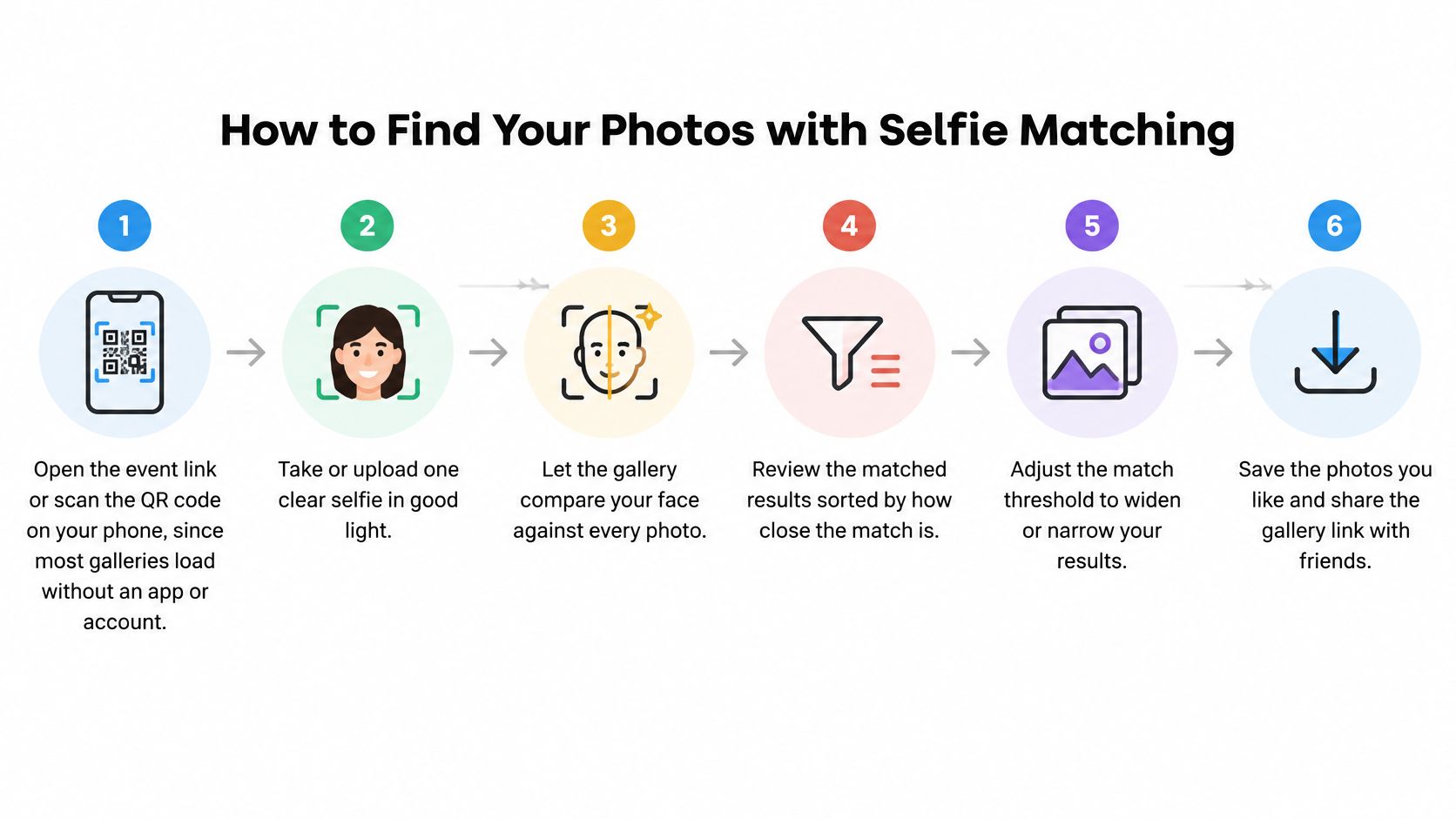
A selfie search is a starting point, not a complete archive. Clear, well-lit photos are easier to match; use the results to locate your likely frames, then confirm them before downloading.
Fixes When Your Graduation Photos Do Not Appear
A failed search is usually one specific problem with one specific fix. Match the symptom before you retake anything.
| Symptom | Likely cause | Fix |
|---|---|---|
| No results after the selfie | Dim light or shadow from a cap | Retake the selfie in daylight with sunglasses removed |
| Results show other graduates | Look-alike faces or group shots | Confirm each match by eye before saving anything |
| Only a few photos appear | Side profile or face hidden by a gown or cap | Retake a straight-on selfie and add a stage-order search |
| Photos from your class are missing | Gallery still uploading or processing | Check the upload date and retry in a day |
| Link is expired or asks for a code | Access control set by the organizer | Request a new link or access code from the photographer |
Matching is probabilistic. The gallery returns results above a similarity threshold, so lowering that threshold catches more genuine photos along with more false ones, and raising it avoids bad matches at the cost of hiding good ones. Neither setting is "correct"; they're different points on the same curve.
The error rates don't land evenly across people either. The UK Information Commissioner's biometric data guidance notes that demographic differentials appear in both false-positive and false-negative rates, with false-positive differentials generally the larger of the two. Two graduates searching the same gallery can get very different-quality results.
Test against the conditions you photographed in: caps, gowns, side profiles, group shots, mixed indoor and outdoor lighting. If your appearance has changed since the ceremony, such as with new glasses or a very different hairstyle, expect weaker matches and lean on the filters.
Two-strike rule: if two straight-on selfies produce no clear match, stop retaking and switch to stage order or the proof code. A third selfie in the same bad light fixes nothing.
One more possibility worth eliminating. A missing photo may never have been taken. Compare the gallery size against the length of the ceremony: if the program ran four hours and the gallery stops at the processional, the frames you want don't exist yet, and asking the photographer when the rest goes up is the right move.
Find Your Photos Without a Selfie
Face matching is optional, and the manual routes cover everyone who declines it, gets a poor result, or can't produce a usable selfie.
| Method | Best for | Limitation |
|---|---|---|
| Stage order or graduate number | Ceremonies with printed programs | Needs the exact number from the program |
| Name card or seat | Smaller ceremonies with seated graduates | Misses candid and family shots |
| Ceremony date and time | Multi-session commencements | Groups everyone from that session together |
| Photographer proof code | Booked or contracted photographers | Works only if a code was issued |
Climb the ladder in order
Start with the event link or QR code, then apply manual filters, then send a direct request to the photographer or school. Published guidance on graduation photos tends to name the official photographer, the proof link, student email, phone number, stage order, or name card without addressing false negatives, group photos, poor lighting, changed appearance, or accessibility (FilterPixel). Ordering those same routes fixes the gap.
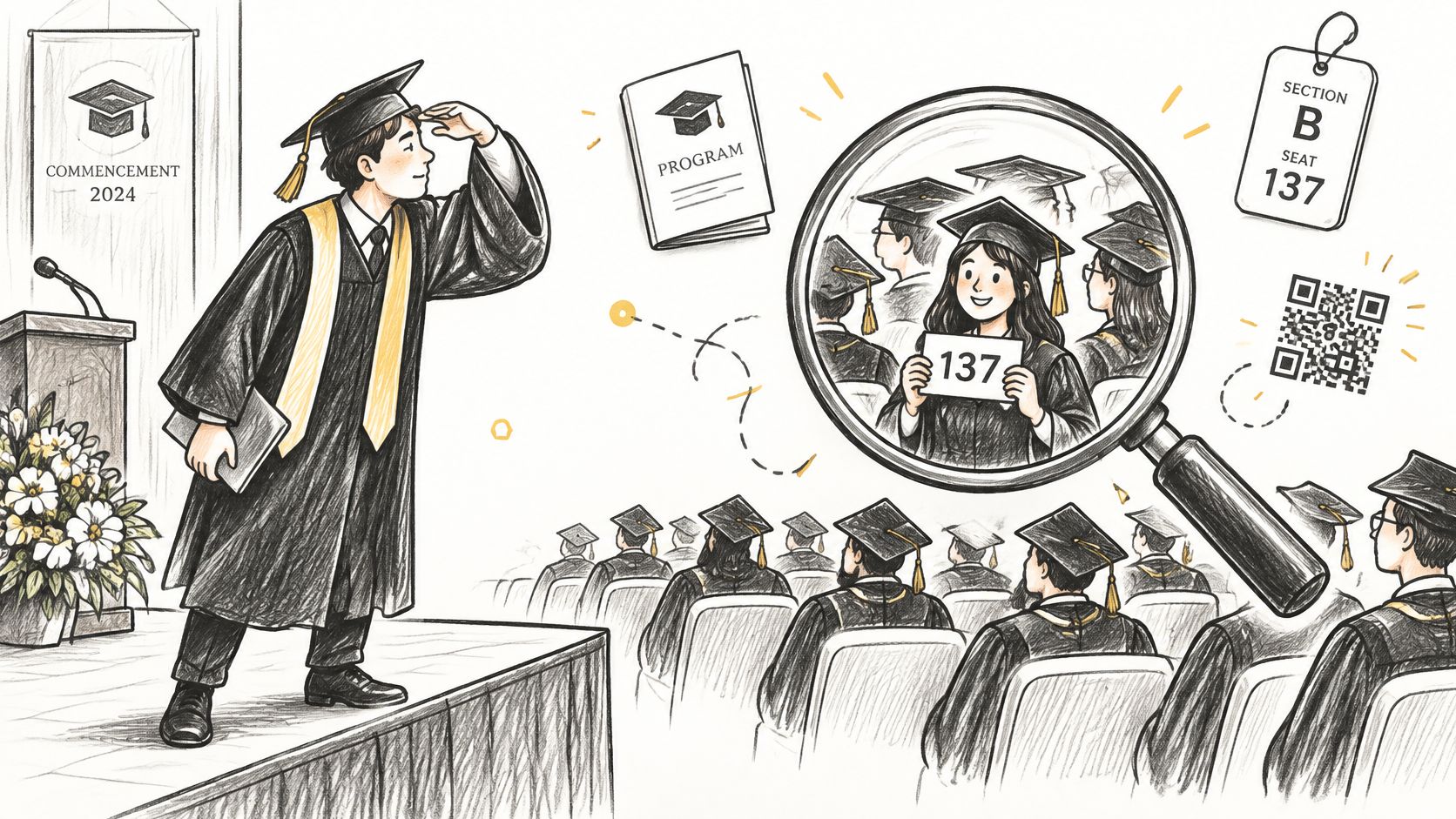
Group shots, candid audience frames, and family portraits resist every automated route, because they can't be assigned to one graduate. Those need hand browsing no matter how good the matching is.
The most automated option isn't always the fastest one. A no-account, phone-first gallery beats a biometric search for plenty of people, and a single face-match route excludes anyone who declines consent, has accessibility concerns, or got a poor result.
Say your ceremony had 600 graduates and the program is in a bag somewhere. Filter by ceremony date and session time first to cut 600 down to your session, scan by stage order if the gallery is sorted that way, then email the school office with your name as printed in the program, the date, and a photo of your name card. A family member can send that request on behalf of a graduate who can't hold a phone steady or take a clear selfie, which is the same route and the same result.
Download Your Photos and Request Any Missing Ones
The search is the easy half. What you save and how you share it decides whether the photos survive the next phone upgrade.
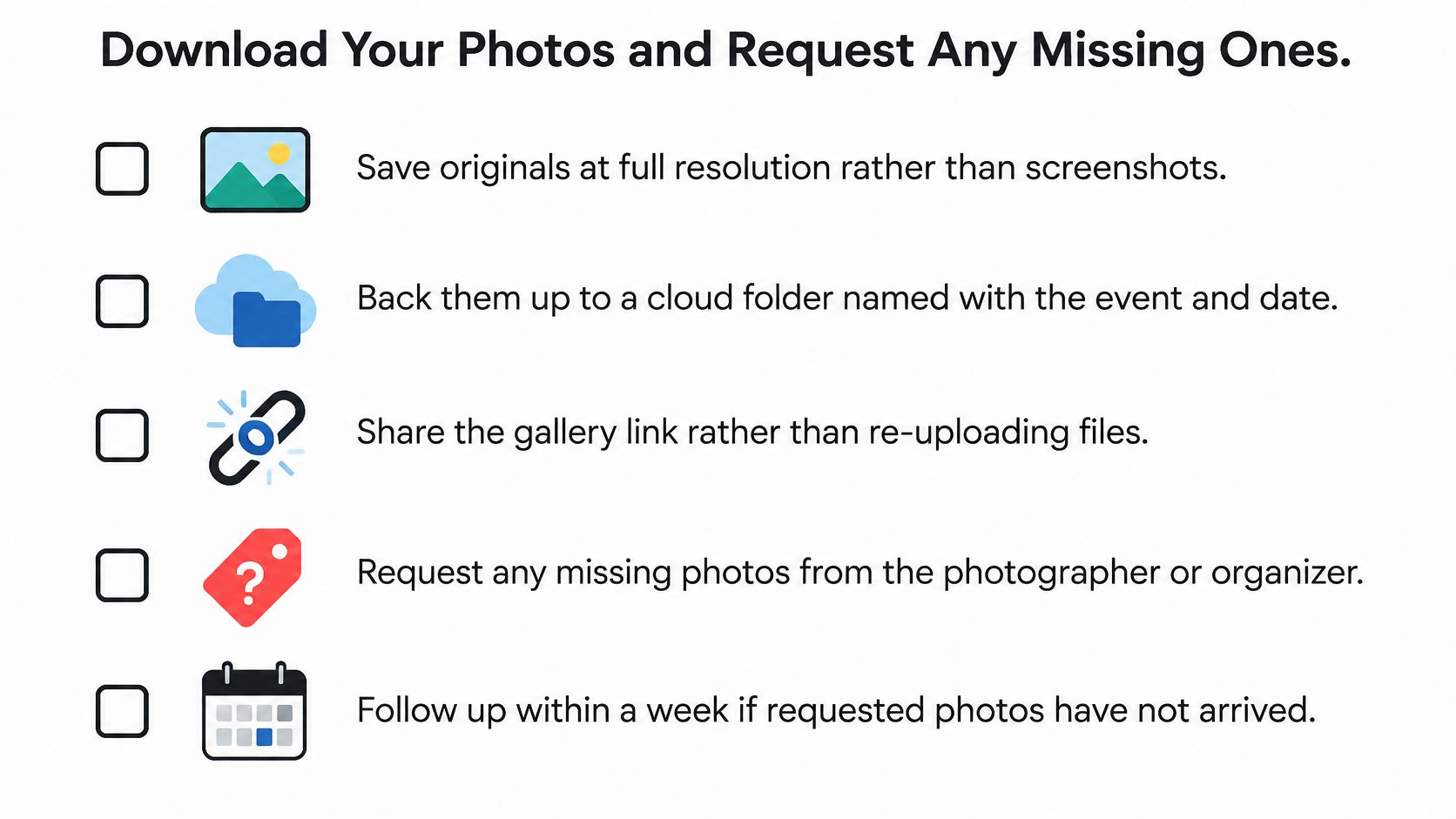
- Save originals, not screenshots. Full-resolution files print and crop; screen captures don't.
- Back them up to a cloud folder named with the event and date, so the folder makes sense in five years without context.
- Share the gallery link rather than re-sending files, which keeps quality intact and saves you from a dozen uploads.
- Tag people only with their permission, especially in photos that include minors or anyone who has asked to stay untagged.
- Ask how long the gallery stays live, because the download deadline is usually the day the photographer takes it offline.
If your photos still aren't there after a selfie search and a filter pass, email the photographer directly. Include the event name, the date, your graduate number, your name exactly as printed in the program, and a clear photo of your cap or name card, and ask for a manual search. Photographers hold the complete set and can usually check a specific frame in minutes.
The decision rule is simple: no photos a week after the ceremony means you send that email, with the proof details, rather than waiting for the gallery to change on its own. Do it today, while the ceremony is still recent enough that the photographer remembers the job.
Saucial is built for exactly this moment: organizers and photographers upload the full event set in one drag and drop, and graduates take a quick selfie to see only the photos they appear in, with no app and typically no account. If you're still hunting through someone else's gallery, or you're the one distributing thousands of ceremony images, Saucial turns that search into a single link on the program.