Event Photo Release Form: Clauses, Consent and Privacy
Your photographer has uploaded the gallery, the QR code is taped to the table cards, and a guest messages to ask how she finds the shots of her table. That part takes a minute. Her second line takes longer: she never agreed to have her face scanned, and she wants her pictures gone.
An event photo release form decides whether that request costs you an afternoon or a fortnight. The document records what each person agreed to, and just as usefully, what they didn't. Most organizers already have something they call a photo release. Few of those documents separate the decision to be photographed from the decision to have a face analyzed, and that gap is where the trouble lives.
Closing the gap isn't complicated. It's mostly a matter of refusing to bundle four different decisions into one signature, and saying what happens after the shutter closes.
When an Event Photo Release Is Needed
The trigger isn't the camera. It's the use. You need a release when a recognizable person appears in a photo you intend to share, sell, advertise with, or match against a selfie. A general terms and conditions clause doesn't do that job, because it never names the purpose the photo serves.
Work from the situation rather than from a template. The table below is the lookup most organizers need on the day they plan coverage.
| Situation | Release needed | Reason |
|---|---|---|
| Identifiable attendee in a published or shared photo | Yes, a model release or written consent | The photo is personal data once the person can be recognized |
| Minor in frame | Yes, guardian consent | A parent or guardian signs, not the child |
| Sponsor advertising or paid promotion | Yes, separate consent | Consent to attend doesn't cover advertising |
| Selfie face matching | Yes, explicit opt-in | Biometric processing for identification falls under GDPR Article 9 |
| Wide crowd shot with no identifiable face | Usually no, but display a notice | Someone incidentally in a crowd isn't being featured |
Five steps that settle the paperwork
- List who appears in the frame. A posed shot of the keynote speaker, a table shot and a wide dance-floor frame carry different risk. Write down the identifiable faces in each.
- Flag every minor. A child in the frame needs a parent or guardian to sign, and the signer has to be the adult legally responsible that day, not an older sibling or a coach.
- Write out each use. Gallery distribution, sponsor placement, the photographer's portfolio, your own social channels and paid promotion are separate uses. Each gets its own line on the form.
- Decide whether matching is part of the plan. If attendees will take a selfie to find their photos, that's a separate permission and it goes on the form as its own question.
- Draft for the most restrictive use you'll make. A form that names the gallery but not the sponsor ad leaves you negotiating later, and permission can't be widened after the photos are live.
One caveat before you copy a form from another country. Rules about photographing people in public space, and about using those images commercially, differ between jurisdictions, and the practical answer shifts with the event type. For a gala with press attendance or a school tournament involving minors, confirm the local requirements with someone qualified before you print.
Clauses Every Event Photo Release Form Needs
A release is only as strong as its wording, and the wording starts with knowing which document you're writing.
What each document is for
Two documents get called by the same name. A model release grants the organizer rights to use a person's image. A privacy notice tells that person what data a gallery platform collects and why. Most events need both, and neither one substitutes for the other.
The model release answers "may we use this photo, and where". It sets usage scope, whether the permission is exclusive, how it can be revoked and which law governs. The privacy notice answers "what happens to my data". It names the controller, lists the recipients, states retention and explains how to ask for removal. A photographer's release doesn't cover the gallery vendor's data processing, and a vendor's privacy notice doesn't grant you marketing rights.
Use the checklist below against your own draft. Every row is a clause, and the clauses are read together, so a form that names a purpose but no retention period is unfinished.
| Clause | What the form must state | Example wording |
|---|---|---|
| Controller | The organizer or photographer responsible for the photos, plus a contact | "Riverside Events manages these photos. Use the email below to reach us." |
| Purpose | Each use in plain language | "Your photos go into the attendee gallery only, not into advertising." |
| Channels | Every place photos will appear | "The emailed link, the QR code at the venue and the event website." |
| Recipients | Every processor or party that receives images | "The event photographer and the platform hosting the gallery." |
| Retention | A fixed period or a defined deletion trigger | "The gallery closes 90 days after the event and files are deleted then." |
| Withdrawal | How to request removal, and the response time | "Reply to the gallery email to be removed. We confirm in writing within five working days." |
| Optional face matching | Whether selfie matching is used, and the alternative | "Tick here to find your photos with a selfie. Leave it blank and browse manually." |
| Signer authority | Who may consent | "Signature by the attendee, or by a parent or guardian for anyone under 18." |
Two rows trip people up most. Withdrawal needs a contact a real person monitors, plus a response window you can meet, because a request that vanishes into an inbox is worse than no promise at all. Optional face matching belongs on the form as a question whose default is no.
Short beats long. A one-page form that names the controller, purpose, channels, recipients, retention and withdrawal is easier to defend, and far easier for a guest to read at a check-in desk, than three pages of terms with the important sentence in paragraph nine.
Check each row against your draft before the event and mark anything vague for revision. Fixing a missing retention period on the Tuesday is cheap. Fixing it while a guest waits for an answer is not.
Why Photo Consent and Face Matching Need Separate Permission
A guest signs the general waiver at check-in without reading it, walks the room, and opens the gallery link that evening. There's a search box asking for a selfie. She ignores it. Two days later a colleague sends her a screenshot: her own face, returned by someone else's search. Nothing on the waiver she signed told her that was possible.
A snapshot and a scanner
Ordinary event photography records a moment. Matching reads the face inside that moment and compares it against every other face in the gallery. The photo is a snapshot; the matching step is a scanner held up to it. The image stays the same object, but the scanner does something new with it, and that new thing is what the guest cares about.
European law draws the line in the same place. Under the GDPR a photograph isn't automatically "special-category" biometric data. It becomes biometric data when specific technical processing enables a person's unique identification or authentication, which is exactly what a selfie-matching workflow does (Article 9 of the GDPR).
That distinction is invisible to attendees unless the form spells it out.
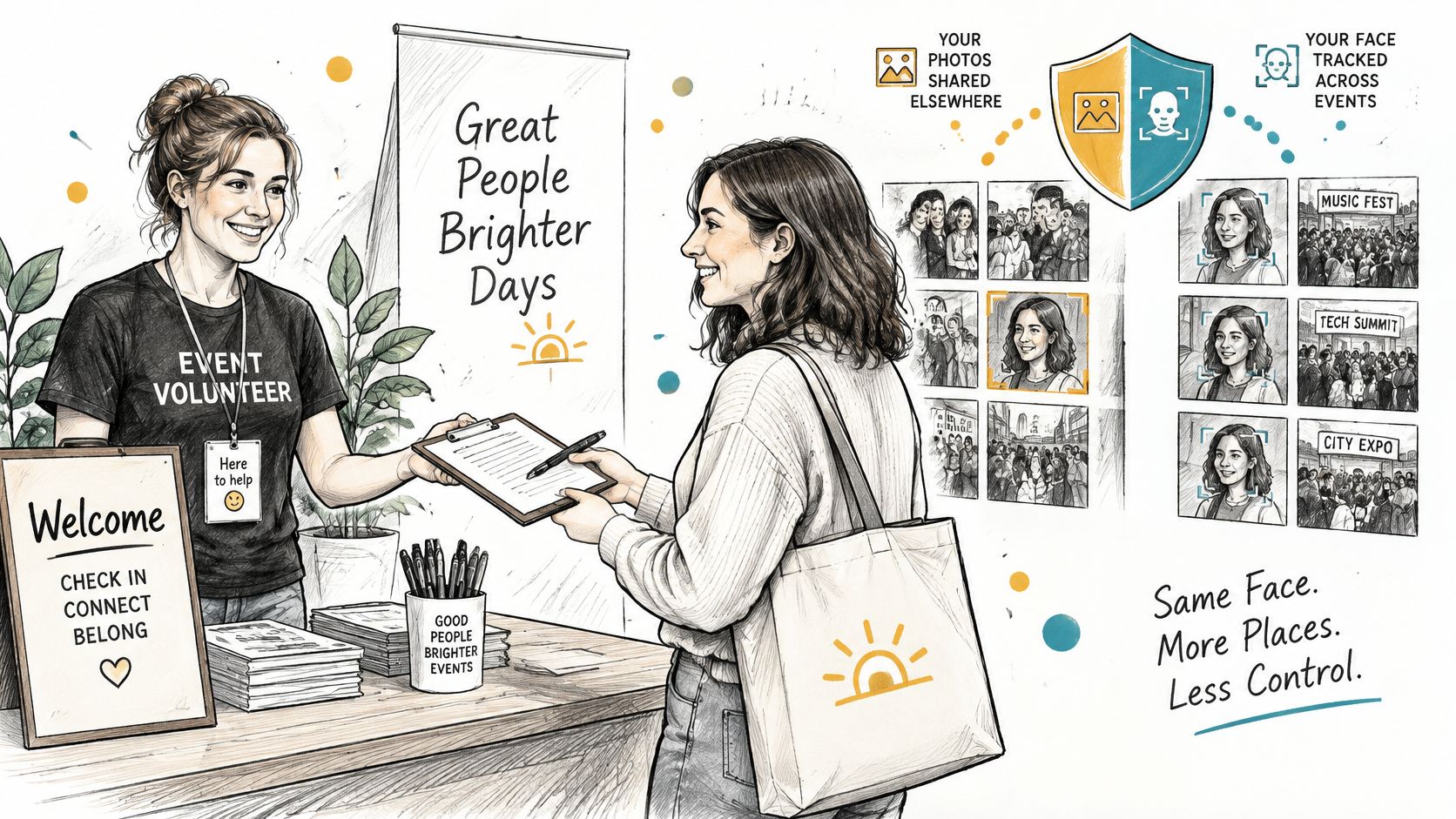
The same article generally prohibits processing biometric data for unique identification unless an exception applies, and explicit consent for one or more specified purposes is one of them. The word "specified" carries the weight. A consent that names every conceivable use specifies none of them.
Four decisions, four boxes
A release that treats the following as one permission will fail at the first of them.
- Being photographed. Permission to take the picture. This one is the easiest to grant and the least interesting to the guest.
- Receiving identifiable photos. Whether the attendee gets their own shots back through a link, an album or a download, and who else in the room can see the same gallery.
- Marketing use by the organizer or a sponsor. A sponsor's Instagram post is a different act from a gallery delivery, and it needs its own line, even when the sponsor paid for the lighting.
- Selfie matching and other biometric processing. The face search itself, plus the selfie, the template built from it and the match results.
Consent has to be affirmative, purpose-specific and capable of being withdrawn. A pre-ticked box, a signature collected at the door for "event photography purposes" and a clause buried in registration terms all look like consent and behave like none of it.
Permission to take a photo is not permission to analyze a face. Put them on two lines even when they sit on the same page.
Who Can Sign and Who Carries Responsibility
Between the shutter and the guest's phone, one image can pass through six hands: the organizer running the event, the photographer who shot it, the venue, a sponsor, the gallery platform, and for a minor, a parent or guardian. Each hand needs a defined permission, and the form has to state which party is the controller and which is a processor or recipient.
Dutch data-protection guidance is direct about what recognizable event images require: a lawful basis, informed affirmative consent, and clear information about the organization, the purpose, the data collected and withdrawal rights. It adds that when consent is withdrawn, the organizer should blur or remove the person's images (Autoriteit Persoonsgegevens guidance on photos and videos at events).
The same guidance catches out plenty of otherwise well-run events: ordinary image consent shouldn't be read as consent to create a face template or to compare a face against a database. Those are separate operations with separate consequences, which is why the signer rules below matter more than the signature itself.
The signer changes with the event type
| Event type | Who grants permission | Typical limit |
|---|---|---|
| Gala fundraiser | Each attendee, for distribution of their own photos | No sponsor advertising without separate consent |
| Trade show | Each attendee; exhibitors for their own images | Exhibitor reposting only with event approval |
| Sports tournament | Parent or guardian for minors; adult players for themselves | Minors' images not used beyond the tournament |
| Alumni dinner or conference | Each attendee | Public reposting only with a separate opt-in |
| Photographer print sales | The attendee buying prints or downloads | Sales permission doesn't authorize organizer ads |
Read the last row twice. A photographer's right to sell prints to the people in them says nothing about the organizer's right to put the same frame into a paid campaign next season. Sales, downloads, sponsored frames and public reposting of user content each need their own consent, and none of them should ride in on a general attendance term.
A useful test: read the signature line aloud. If you can't finish the sentence "this person has agreed that we may..." in one breath and with one purpose, cut the clause down.
Shorter and narrower wins here. An open-ended "any purpose, forever" clause feels safer while you're drafting it, then turns into a liability the first time someone asks to be removed, because nobody can say with confidence which of those purposes the signature covered. A purpose-limited form answers the question straight off the page, which is also what makes a deletion request easy to honor.
Retention, Withdrawal and Event-Day Sharing
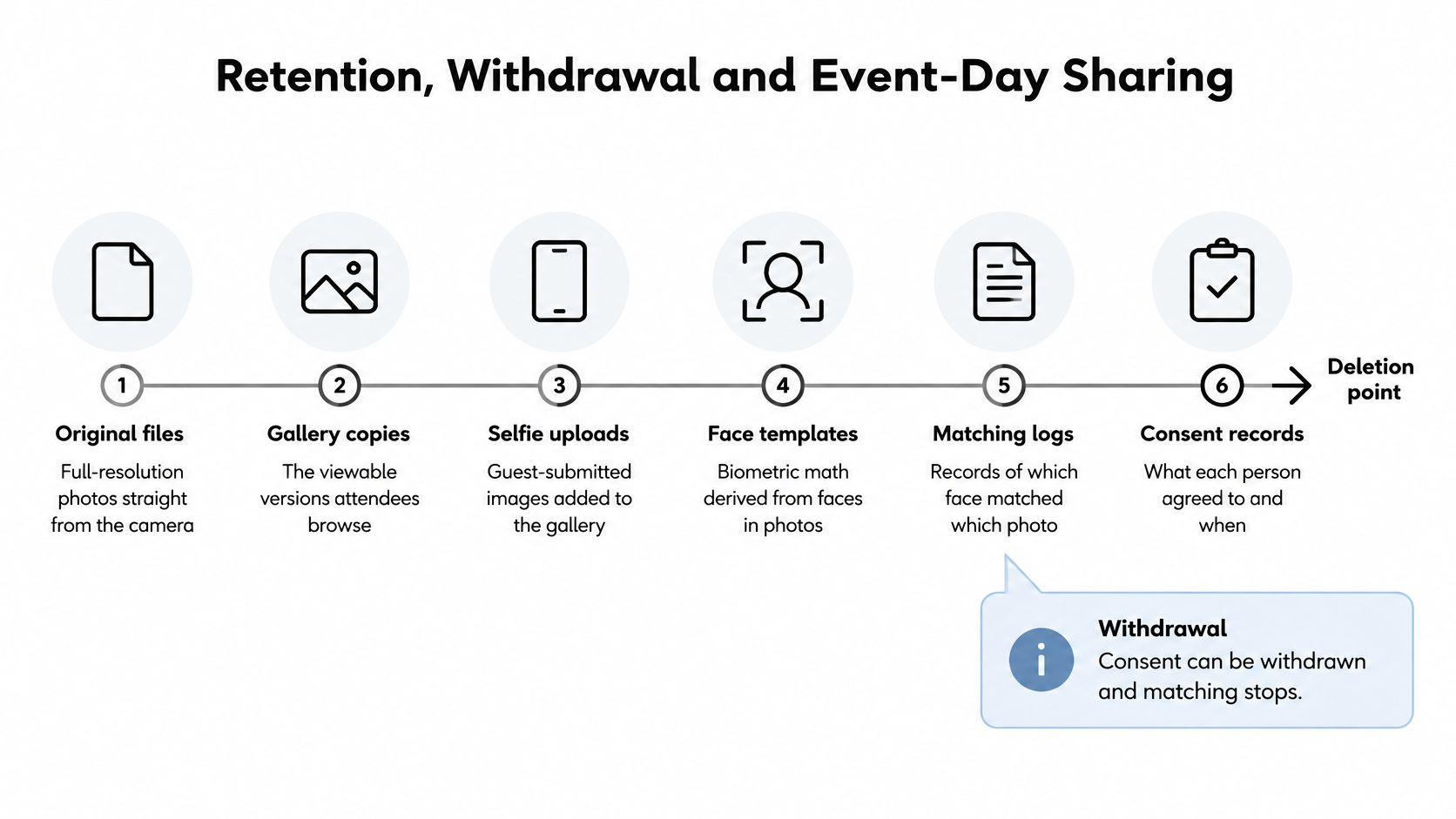
One event leaves behind more records than most organizers expect: full-resolution originals from the camera, the gallery copies attendees browse, selfie uploads, face templates derived from those selfies, logs of which template matched which photo, and the consent records themselves. Each has a different useful life, and the form should say what that is.
| Data type | Retention guidance | Deletion trigger |
|---|---|---|
| High-resolution gallery files | Keep only for attendee access and contractual delivery | End of the delivery window or withdrawal |
| Selfie uploads | Keep only as long as needed to return results | Immediately after matches are returned |
| Face templates | Shortest period possible, ideally deleted after matching | Fulfillment, withdrawal or a deletion request |
| Matching artifacts | Delete promptly after fulfillment | Fulfillment or withdrawal |
| Consent records | Keep for the disclosed period needed to prove consent | Expiry of the period stated in the form |
What the regulator expects
The UK Information Commissioner's Office advises that facial-recognition images used retrospectively should be obtained lawfully, used for defined and limited purposes, kept accurate and not retained longer than necessary (ICO guidance on facial recognition technology). In practice that means a written schedule with a named owner, not a promise to "keep data secure".
Build the notice around false matches too. Automated matching is an assistance mechanism, not proof of identity, and a form that says so hands your staff a script for the moment a guest is shown a photo of a stranger. Have someone check disputed results by hand before anything is confirmed or removed, and treat a data-protection impact assessment as sensible preparation for any room with thousands of faces in it.
What the matching workflow actually involves
UK GDPR guidance draws the same line as the EU framework: a photograph doesn't automatically constitute biometric data, but it becomes biometric data when specific technical processing extracts or analyzes facial characteristics to allow or confirm a person's unique identification (ICO guidance on special category data). Used that way, it's generally treated as special-category data, which needs both an ordinary lawful basis and an additional Article 9 condition.
So name the processing stages rather than describing "photo sharing" as one activity: capture and publication, creation and use of the selfie, algorithmic matching, delivery of matched images, then deletion of the source images or biometric representations. Participation stays optional only if a non-biometric route exists, such as manual gallery browsing or an event photo-sharing link. Dutch supervisory guidance sets the bar for the biometric part: consent must be specific, affirmative, demonstrable, withdrawable and separately obtained for each purpose.
Event day in six steps
- Post the notice where people queue. Entrances and the registration desk, in plain sentences: what's photographed, who sees it, why, and how to object.
- Give every guest a non-biometric route. A QR code photo gallery with manual search or curated albums works fine. Nobody should have to hand over a selfie to see their own table.
- Collect the selfie opt-in separately. An empty tick box with the purpose written beside it, collected before the selfie is taken rather than after.
- Match only for opted-in attendees. An attendee takes a selfie and instantly sees the photos featuring them, and only those. Anyone else stays out of the index entirely.
- Deal with bystanders before upload. Blur or exclude people who declined, minors without guardian consent, and anyone who never agreed to appear.
- Run withdrawal as one uninterrupted sequence. Stop matching, remove or blur the images, delete the templates the same day, then confirm the whole thing in writing.
Disclose legal or backup exceptions in the form, not in a reply to a removal request three weeks later. And keep the exit open: a guest who declines matching should still reach their table shots the same evening, otherwise the "optional" tick box is decoration.
Confirm Your Release Form Before the Event
The night before the event is the wrong time to discover that your form promises a removal route nobody monitors. Run these checks a week out, and treat a failed one as a reason to change the wording rather than to hope.
- One decision per tick box. If two permissions share a box, the signature can't tell you which one the guest meant when they ask to be removed.
- Send a test withdrawal request yourself. Use the address printed on the form, and see how long a reply takes and whether the person who receives it knows what to do.
- Walk the non-biometric route on a phone. Open the gallery link on mobile data, not venue wifi, and confirm manual search finds a named guest.
- Photograph the notice in place. A dated photo of the poster at the entrance records that it was displayed, which is useful housekeeping if a question arrives later.
- Document the vendor and security review. If matching is used at all, write down who reviewed the platform and when, and keep the note with the signed forms.
- Brief the desk staff. They'll be asked "am I in these photos" more often than anything else. Give them one sentence and the opt-out route.
Delivery is where consent and practice meet. Saucial organizers get a unique link they can share through email, WhatsApp, SMS or a QR code at the venue, so the consent wording and the gallery arrive together instead of in two messages weeks apart.
Privacy rules differ by country and by event type, so a high-stakes event deserves a local legal review before the release is printed, posted or published as a form field. That review costs less than the alternative.
Saucial gives organizers a find my photos experience built for permission-first events: upload the gallery by drag and drop, share one link, and let attendees take a selfie to see only the photos they appear in. The organizer stays in control of what's shared, how it's distributed, and whether guests get free access, curated sets or paid upgrades. If you want your release wording and your gallery link to reach guests in the same message, visit Saucial and set the matching opt-in before the first selfie of the night.