Private Online Photo Gallery Guide for Event Organizers
The day after a gala, your inbox fills with familiar requests: “Can you send me my photos?” You've uploaded thousands of images to a shared folder, but guests still have to scroll through unrelated shots, download oversized files, and ask your team for help locating a single moment. Your photographer loses time searching, your staff repeats the same instructions, and attendees may give up before they find anything worth sharing.
A private online photo gallery changes the workflow. Instead of treating event photos as a folder to deliver, you create a controlled experience where authorized guests can browse, scan a QR code, open an event photo sharing link, or use selfie photo matching to find relevant images. The right setup can reduce friction for guests while giving organizers clearer control over access, distribution, and follow-up.
Introduction to Private Online Photo Galleries
Private galleries solve a practical problem: event photos are valuable because they're personal, but that same personal quality makes unrestricted sharing uncomfortable. A guest at a fundraiser may want a portrait from the evening, while another attendee may not want every candid image visible to everyone with a public URL.
An organizer using a generic cloud folder often has little control over how guests search, what they see, or how they receive updates. A private gallery organizes images into a dedicated experience, with access rules that can be matched to the event. Guests might receive a password, an invitation, a QR code photo gallery, or a private retrieval page.
That difference matters after the event. A gallery can help attendees find their own moments faster, share approved images, and return to the event brand or community page. It can also create a more useful handoff between the organizer and photographer, especially when the photographer wants to offer prints, digital downloads, or curated collections.
For organizers comparing tools, Saucial's event photo sharing platform represents one workflow built around controlled attendee retrieval rather than a simple public album. The important question isn't whether a gallery looks polished. It's whether the access model, guest experience, privacy controls, and photographer workflow fit the event.
Understanding Private Online Photo Gallery Basics
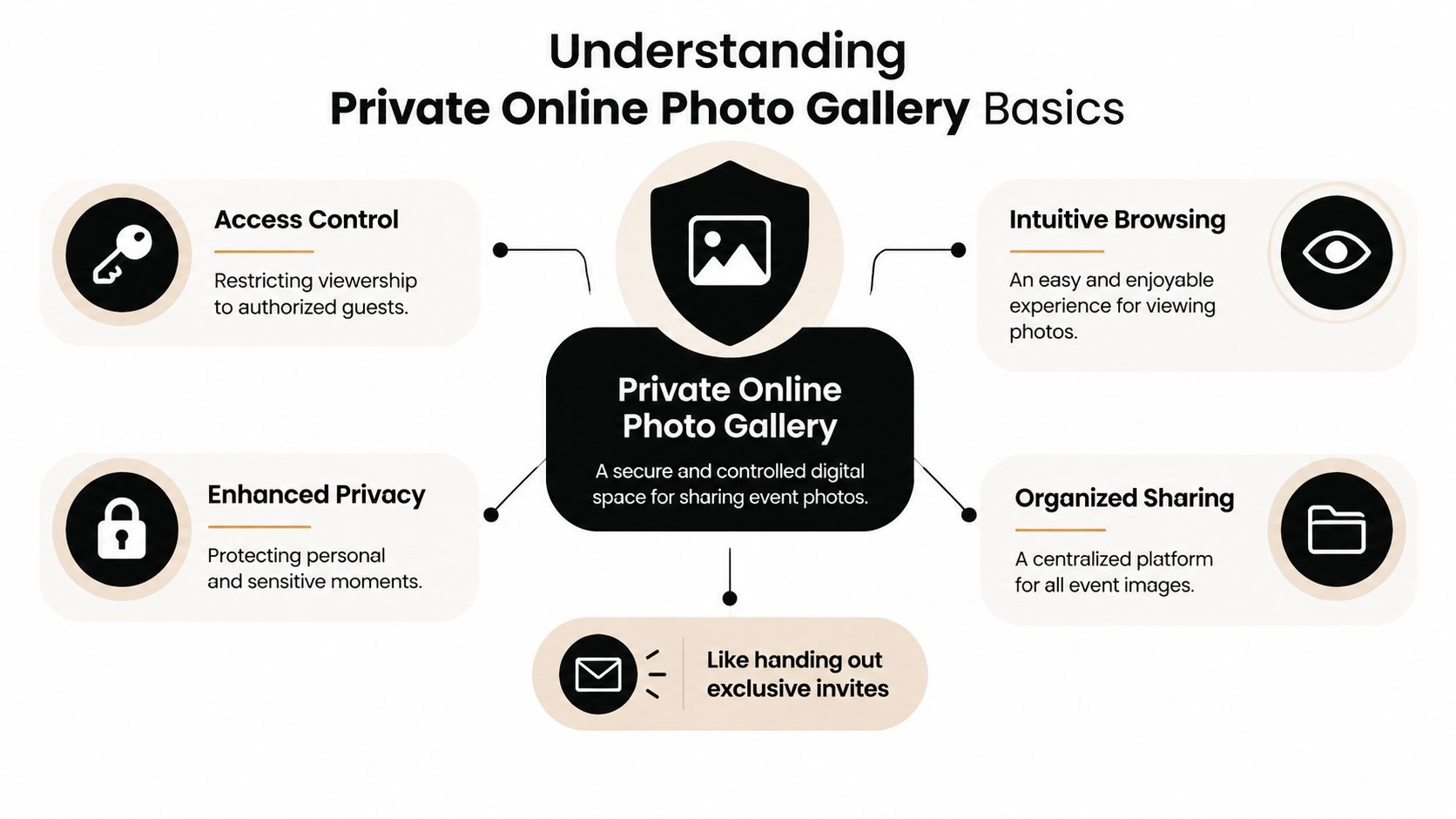
A private online photo gallery is a controlled digital album. Think of it as a locked physical photo book placed in a reception area, except the organizer decides who receives the key, how guests search, and whether different people see different sections.
The gallery typically combines two functions:
- Access control: Passwords, invitation lists, private links, or other rules restrict who can enter.
- Intuitive browsing: Albums, search tools, filters, or face matching help guests locate relevant images without examining the entire collection.
The need for this model grew as online photo sharing became ordinary. By 2015, Google users alone were uploading 13.7 petabytes of pictures to Google Photos, while a 2013 study found that 54% of internet users posted original photos or videos online. The scale of sharing created a second problem beyond storage: people needed better ways to manage consent and audience access. The study on photo privacy conflicts found that 99.3% of participants reported a multi-party privacy conflict, showing why event photos can't be treated as though every person in an image has identical sharing preferences.
Why private access is different from hidden access
A gallery isn't private merely because the URL is difficult to guess. Organizers should ask whether the platform supports meaningful controls, such as revoking access, limiting guest visibility, protecting uploads, and explaining data handling.
A password-protected album may work for a small family gathering. A large conference might need a QR code and browser access. A high-sharing gala may benefit from a “find my photos” flow that presents each attendee with a narrower set of images. Use the platform's settings controls to evaluate which rules you can configure before you publish the gallery.
Private sharing also requires organization. Separate albums by event activity, schedule, group, or delivery stage. A locked album that's challenging to browse still creates support work. Security protects the collection, while good structure helps guests readily use it.
Comparing Private Photo Gallery Hosting Options
No single access method fits every event. The best choice depends on how many people need access, how much privacy variation exists among attendees, whether guests are onsite, and how much administrative work your team can handle.
Password-protected albums
A password is the simplest model. You publish one gallery and give the code to the intended audience.
| Advantages | Limitations |
|---|---|
| Easy to configure and explain | Guests may forget the password |
| Familiar to most attendees | People can share the password |
| Suitable for small, trusted groups | Access is usually broad rather than individualized |
This approach works well when the guest list is stable and the images don't require person-by-person filtering. It's less suitable when one shared credential would expose sensitive portraits or candid moments to everyone.
Invite-only links
Invite-only links give specific guests their own access path. They're useful when an organizer wants more control over who enters the gallery or wants to create a personalized delivery experience.
| Advantages | Limitations |
|---|---|
| More granular access | Invitation management takes effort |
| Can support personalized delivery | Recipients may forward links |
| Easier to revoke or audit in some systems | Less convenient for spontaneous onsite access |
Use this model for private client events, alumni groups, or small celebrations where the organizer has reliable contact details. Build a process for correcting email addresses, handling forwarding, and removing access when necessary.
QR code galleries
A QR code connects the physical event to the digital gallery. Place it on table cards, signage, registration desks, sponsor displays, or the photographer's delivery card. Guests scan with their phone and continue in a browser, which removes the need for an app download.
| Advantages | Limitations |
|---|---|
| Fast onsite entry | Guests need the code or a way to scan it |
| Works well on printed materials | Poor signage placement can reduce use |
| Easy to distribute across a venue | May not suit guests who aren't present |
QR access is particularly practical for trade shows, festivals, and receptions where people want to see images while the event is still fresh. Test the code at the venue, check the mobile layout, and make the call to action obvious.
Selfie-driven face recognition
Selfie photo matching lets a guest submit a reference image and retrieve photos in which the system believes they appear. It can feel effortless, but it carries higher technical and privacy requirements than a shared password.
| Advantages | Limitations |
|---|---|
| Highly personalized retrieval | Requires clear consent communication |
| Reduces manual browsing | Results depend on image quality and conditions |
| Can support a smooth guest experience | Adds technical complexity |
Controlled evaluations show that top face-matching systems can exceed 99% accuracy with clear, cooperative images, but performance falls with poor lighting, low resolution, changed angles, glasses, masks, aging, and similar variation. The National Academies discussion of face recognition performance supports a practical rule: guide guests toward a well-lit, front-facing selfie and upload high-quality originals or minimally compressed files.
Privacy Best Practices for Private Photo Galleries
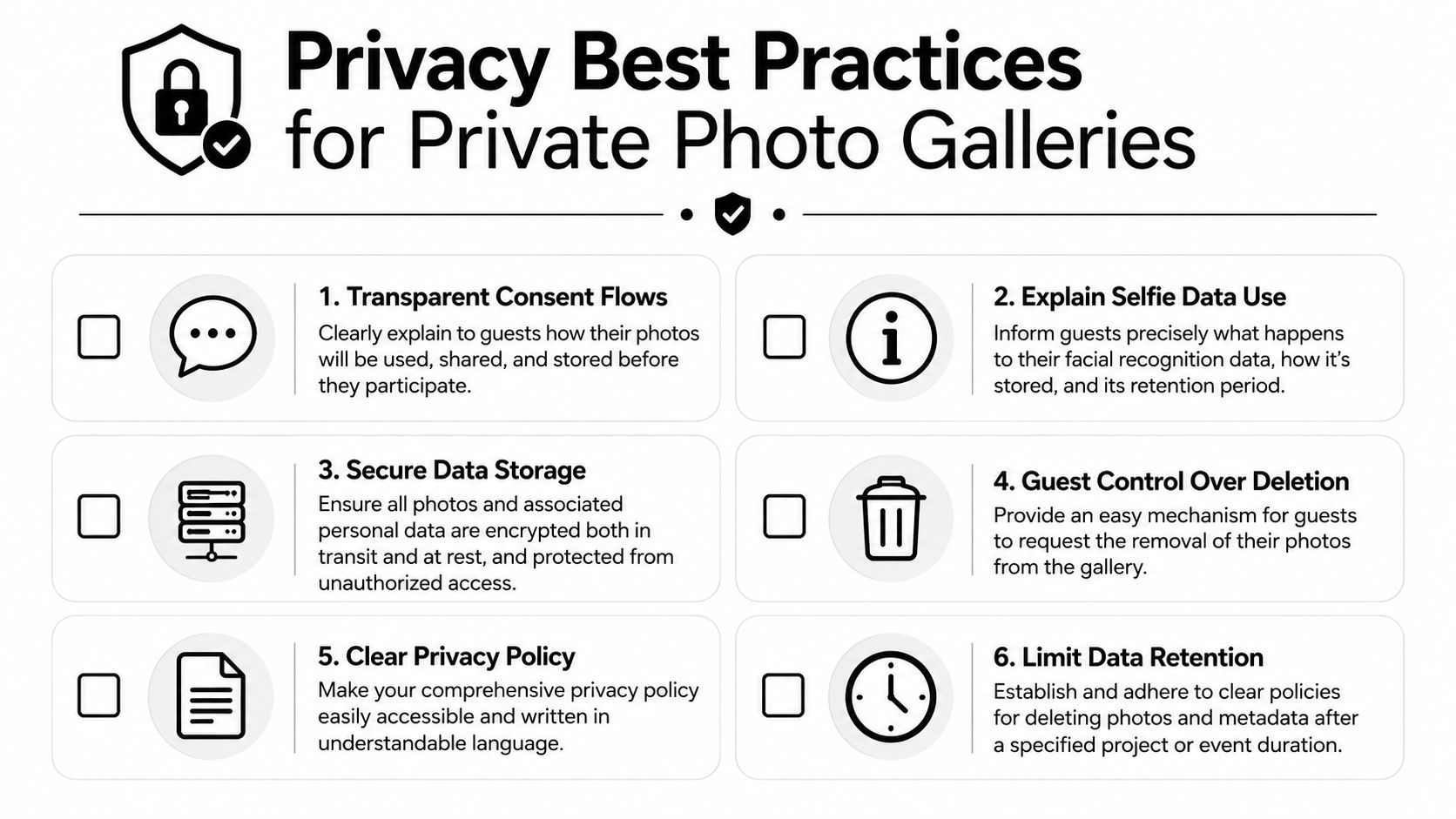
Access control protects the door, but privacy also depends on what happens inside the system. Guests should understand how their images are used, what a selfie does, and whom to contact if they want an image removed.
Start with a short explanation at the point of access. Don't force attendees to search through a legal page for the practical answer. State whether the selfie is used only for retrieval, whether it's retained, who controls the gallery, and how a guest can object.
A clear consent sequence
Use a simple sequence before enabling selfie matching:
- Explain the purpose. Tell guests that the selfie helps locate images in the event gallery.
- Describe the data. Clarify whether the service creates a face template, temporarily processes the image, or stores the selfie.
- Offer a choice. Provide a non-biometric browsing or access route where practical.
- State the retention rule. Tell guests when the selfie, facial data, and related metadata will be deleted.
- Provide an objection path. Give attendees a visible contact method for questions, deletion, or opt-out requests.
Mainstream gallery guidance often leaves these answers buried in legal language. Guests commonly want to know whether their selfie is stored, who can see it, and how to delete it, as reflected in event gallery privacy guidance. Treat those questions as part of the guest experience, not as an afterthought.
Minimize what the system keeps
Prefer server-side or on-device processing designed for retrieval, with minimal retention of biometric information. Limit administrator access, protect photos and personal data in transit and at rest, and avoid collecting information the workflow doesn't need.
Your authentication settings should support the access model you've promised guests. Before launch, assign one person to answer privacy questions, document the deletion process, and test it with a sample request. A transparent process builds more confidence than a broad statement that the gallery is “secure.”
Practical rule: If a guest can't understand the selfie workflow in a short explanation, the consent flow needs clearer language.
Event Use Cases for Private Photo Galleries
A gala organizer may want a polished branded gallery that opens from a message sent after the event. Guests can find portraits and table photos without searching through the entire collection, while the organizer keeps the delivery tied to the event's identity. The photographer can separate public highlights from images intended only for invited attendees.
For a fundraiser, the gallery can become part of the follow-up journey. Approved images can sit alongside a donation page or sponsor message, provided the organizer explains the purpose and keeps access consistent with the event's privacy expectations. The gallery isn't the fundraising strategy by itself. It's a useful place to continue the relationship after guests leave.
Sports tournaments need speed and clear grouping. A photographer might organize images by match, team, field, or activity, then give families a QR code or private retrieval page. The main operational benefit is reducing the need for parents and athletes to search manually through unrelated action shots. Organizers should take extra care with minors, consent, and who can access team images.
Trade shows have a different rhythm. A booth QR code can direct visitors to branded event photos, speaker images, or user-generated content from the venue. Staff can explain the access method in person, making the gallery part of the booth interaction rather than a follow-up email that gets ignored.
Private galleries have a long consumer history. Ofoto launched in 1999, became part of Kodak, and later operated as Kodak EasyShare Gallery. At its peak in 2008, the service reportedly served over 60 million users and billions of images, according to the historical account of online photo sharing services. That history shows the model can scale beyond intimate albums, but scale makes permission design more important, not less.
Workflow Recommendations for Organizers and Photographers
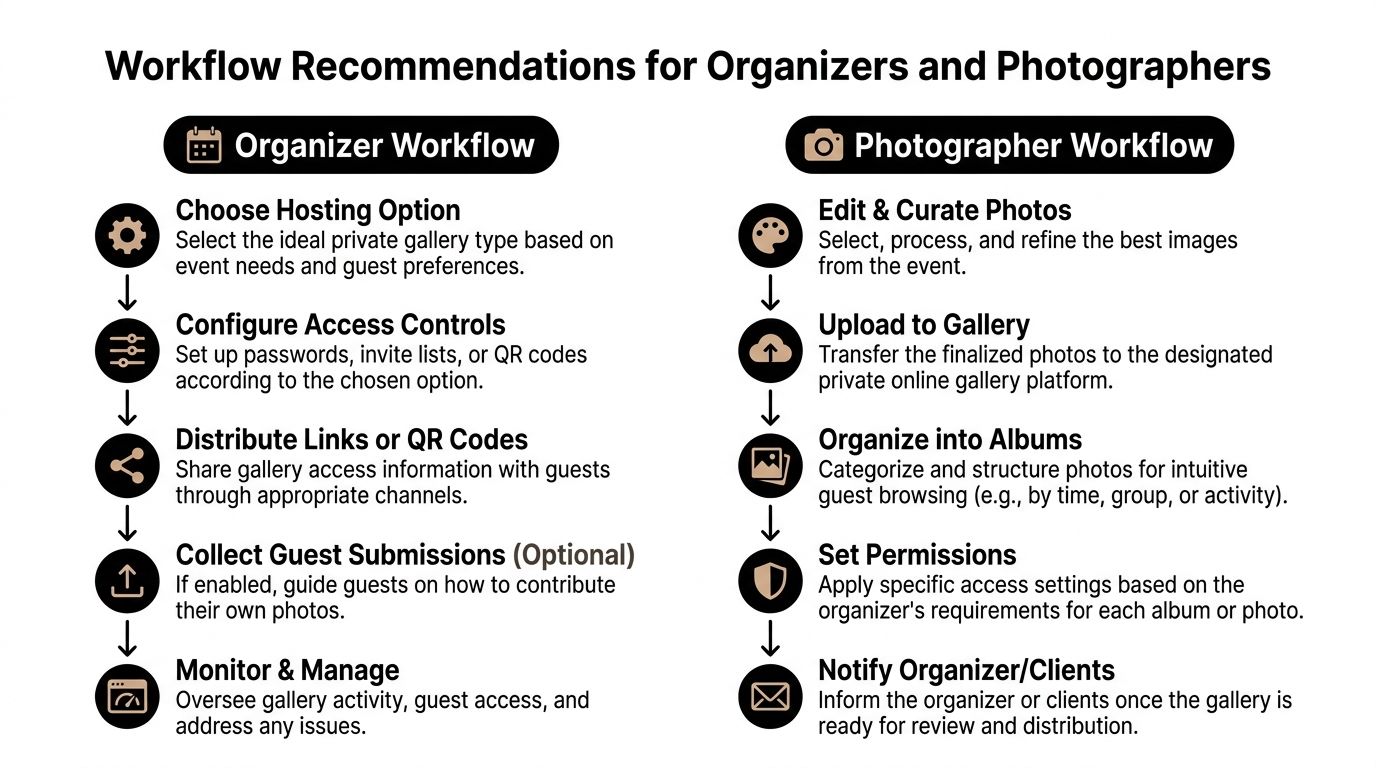
Treat the gallery as an operating process with owners, checkpoints, and measures. Before choosing a platform, decide how guests will enter, how images will be organized, who approves publication, and what happens when someone requests removal.
Organizer workflow
- Choose the access method. Select a password, invitation, QR code, or selfie retrieval based on the event's audience and privacy needs.
- Configure permissions. Decide whether guests see the full collection, a category, or only matched photos.
- Prepare distribution materials. Create the event photo sharing link, test the QR code, and write a short instruction that works in email, SMS, signage, and event follow-up.
- Assign ownership. Name the person responsible for approving uploads, answering access questions, and handling deletion requests.
- Monitor the outcome. Track gallery visits, retrieval activity, downloads, shares, support requests, and sales where the platform makes those measures available.
A QR and no-app model can make distribution easier for attendees. One market source claims these patterns can increase post-event engagement by up to 60% and reduce administrative overhead by half, as described on MyPhotoQR's event photo sharing page. Treat that as a vendor-reported benchmark, not a guaranteed result. Measure your own baseline, including repeated requests, time spent searching, and follow-up activity.
Photographer workflow
Photographers should curate before uploading, preserve face detail during export, and organize albums around how guests remember the event. Useful groupings include arrival, ceremony, speeches, dance floor, team, sponsor, or booth activity.
Then create optional value paths:
- Prints and downloads: Let attendees purchase a favorite image without sending a separate request.
- Premium edits: Offer retouching or a polished version of selected portraits.
- Featured collections: Build curated sets for sponsors, speakers, teams, or VIP guests.
- Approved branded frames: Add event-approved branding without making every image feel like an advertisement.
The photographer's role doesn't end at delivery. Use the gallery to reduce manual “can you find my photos?” requests and create a direct, permission-aware route to attendee purchases. Saucial's upload workflow is one example of a tool that supports event uploads and attendee retrieval through a link or QR code, with selfie matching available as part of the experience.
A gallery creates value only when the right person can find the right image at the moment they want it.
Conclusion and Next Steps
A private online photo gallery turns event delivery into a managed workflow. Choose passwords for simple trusted groups, invitations for narrower access, QR codes for onsite convenience, and face matching only when the privacy explanation, image quality, and support process are ready.
Before launch, test the guest journey on a phone, confirm who can view each album, publish clear selfie and deletion guidance, and agree on the photographer's delivery and upsell rules. Then measure engagement, support workload, downloads, and approved sales so the next event's setup reflects actual behavior.
Use Saucial to create a controlled event photo sharing link where attendees can access their moments through a browser, QR code, or selfie-based retrieval. Upload your event images, define the guest experience and permissions, then invite your organizer or photography team to test the gallery before the event goes live.



