Photos of Face at Events: Privacy and Best Practices
You've probably seen it happen already. A guest leaves a gala, opens a shared gallery on their phone, and starts swiping through hundreds or thousands of photos, trying to find the one image where their face is visible, flattering, and worth saving. At the same time, the organizer wants the gallery shared quickly, the photographer wants clean delivery, and nobody wants a privacy complaint because the wrong people could browse too much.
That tension sits behind the search for photos of face. People aren't always asking for one thing, they're asking for a workflow that helps them find themselves, capture better face photos, and share event images without turning the whole gallery into a privacy problem.
Why Everyone Is Searching for Photos of Face
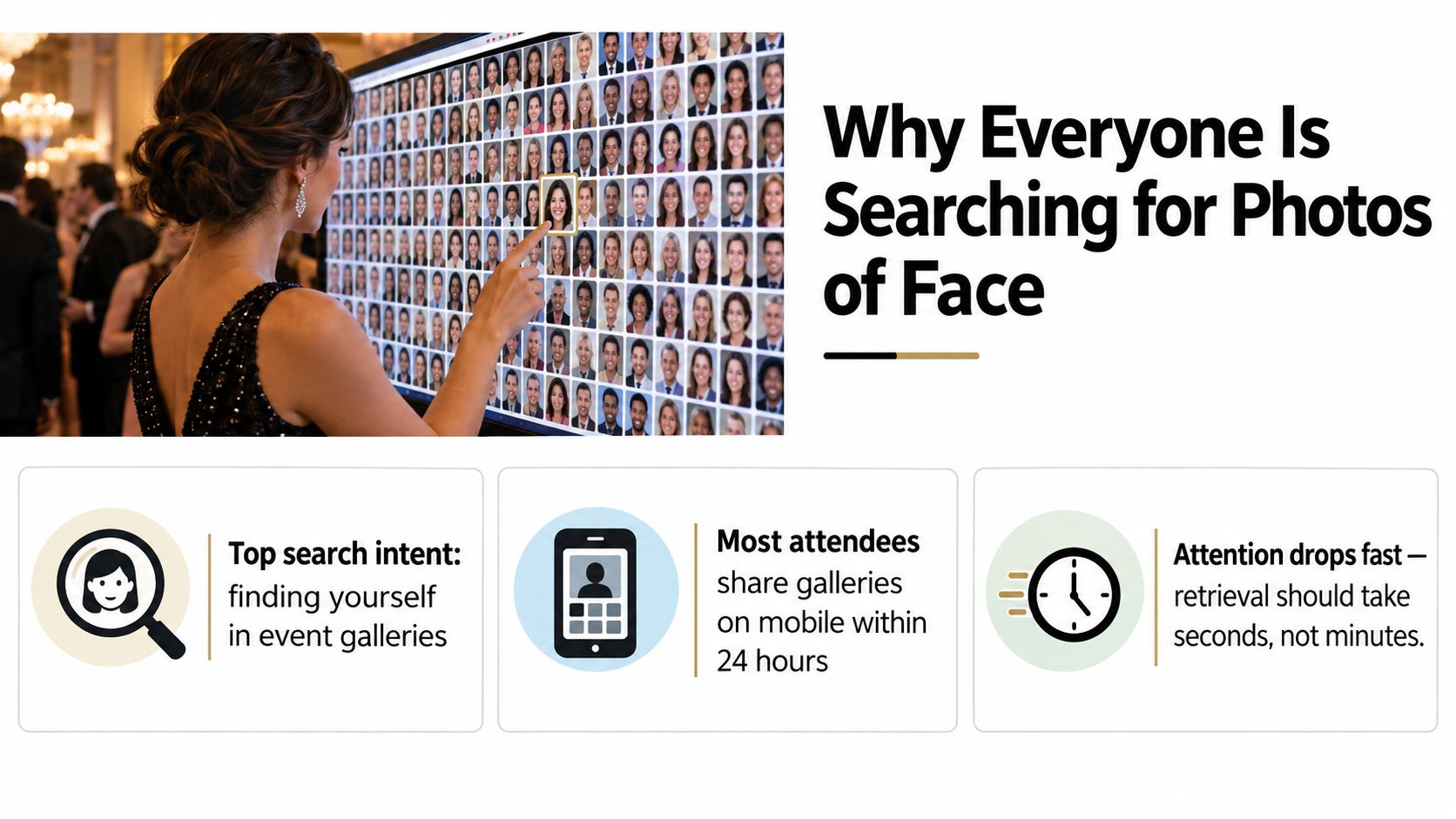
A guest at a gala doesn't think in terms of file structure or metadata. They think, “Where am I in here?” If the gallery has hundreds of smiling strangers, tables, speeches, and dance floor shots, the actual task is finding the few images that contain their own face.
That same phrase means something different to each person in the room. A parent at a sports tournament wants to find their child in a long game-day album. A photographer wants to produce usable face photos with better light, sharper focus, and less cleanup later. An organizer wants to distribute event photos quickly without exposing everyone's images in a public folder.
A search term with three jobs
The easiest way to read the keyword is to split it into three tasks. First, personal retrieval, where attendees want to see only the photos they appear in. Second, capture quality, where photographers try to make face photos easier to match and more pleasant to look at. Third, distribution, where teams need a way to share large galleries with a crowd that's already expecting mobile-first access.
That expectation didn't appear out of nowhere. Facial photography became mass-market through a long chain of digital shifts, from Steven Sasson's 1975 digital camera prototype to the Dycam Model 1 in 1990, then camera-phone adoption through the Kyocera VP-210 in 1999. By 2023, an estimated 6.92 billion people owned a smartphone, about 86% of the global population, and more than 1.4 trillion photographs were taken annually, or roughly 44,000 images every second. Those figures help explain why event guests now expect their images to arrive on the device they already use most, through a QR code photo gallery or an event photo sharing link, rather than through a clunky download folder. CNBC TV18's overview of photography's digital shift shows how fast that habit became normal.
Practical rule: if an attendee can't find their own face in seconds, the gallery feels broken even when the photos are good.
The rest of the issue is simple to state and hard to execute. Speed matters, privacy matters, and the best workflow has to respect both at once.
What People Actually Mean by Photos of Face
When someone types photos of face, they usually aren't asking for a technical definition. They're trying to solve a concrete problem, and the context tells you which one.
Personal retrieval
The most common intent is personal. A conference attendee wants to know which photos include them. A wedding guest wants the image where they're laughing with friends. A marathon runner wants the few frames that caught them crossing the finish line. In each case, the search is really about finding myself in the gallery.
Capture quality
Photographers and photo booth operators are asking something else. They want face photos that are easier to work with later, which means sharper focus, better expression, and fewer technical problems during upload and matching. A face shot that looks fine on camera can still be hard to retrieve if it's blurry, cropped poorly, or taken in bad light.
Distribution
Organizers and marketing teams care about scale. They might have thousands of event images and need a way to share them with everyone from VIP guests to volunteers without creating chaos. A trade show team may use a QR code at the venue, while an alumni association may post a shareable link in email or WhatsApp. The challenge is not just sending photos, it's sending them in a way that doesn't create a privacy mess later.
A useful mental model is this. If you're a guest, you want discovery. If you're a photographer, you want usable input. If you're an organizer, you want controlled delivery. Those are different jobs, so they need different controls.
One source of confusion is assuming all face-photo tools do the same thing. Some are just galleries. Some are search tools. Some use selfie photo matching. Some are simple folders with a nicer wrapper. The right choice depends on whether your event is a small private gathering or a high-volume event where people expect fast self-service access.
Consent and Privacy Rules for Face Photos
Face photos become more sensitive the moment they're used for identification. Under GDPR, a photo can move from being an ordinary image to biometric data if it's processed to identify someone. That shift matters because the legal bar rises, and casual “we posted the gallery” thinking is no longer enough.
The safest position is to separate three things. Sharing photos, processing photos for matching, and using photos for identification are not the same activity. A public album of event highlights is one thing. Automated selfie matching that helps a guest find their images is another. A system that identifies someone from their face for access control is a third, more serious category.
For biometric processing, explicit consent is often the clearest lawful basis, and a data-protection impact assessment is the right next step when you're using a system that creates privacy risk. The UK Information Commissioner's Office guidance says that where biometric recognition is used, a DPIA is advisable and a specific, informed lawful basis is needed, with explicit consent likely to be the most appropriate condition for special-category biometric data. If you're building this into an attendee flow, the safest posture is to plan for disclosure before upload, not after a guest complains.
Here's the operational version of that thinking. Put clear signage at the venue. Tell people how photos will be used. Offer an opt-out path. Keep a retention policy for both raw uploads and processed galleries. And don't make biometric matching the only way in.
Practical rule: if a guest can't understand how their face photo will be used from one clear notice, the consent flow is too weak.
For teams that need a practical way to structure attendee access and account handling, the permission and identity flow should be designed before the gallery goes live, not patched in later. One useful reference point for a controlled login and access layer is Saucial's authentication flow, especially if your event team needs separate treatment for organizers, photographers, and attendees.
The CCPA-style privacy expectation is similar in spirit, even when the legal details differ by jurisdiction. People want to know what's collected, who can see it, how long it stays online, and how to request deletion. That means your checklist should include notice, access limitation, and a clean deletion path, not just a pretty gallery.
What Face Recognition Gets Wrong
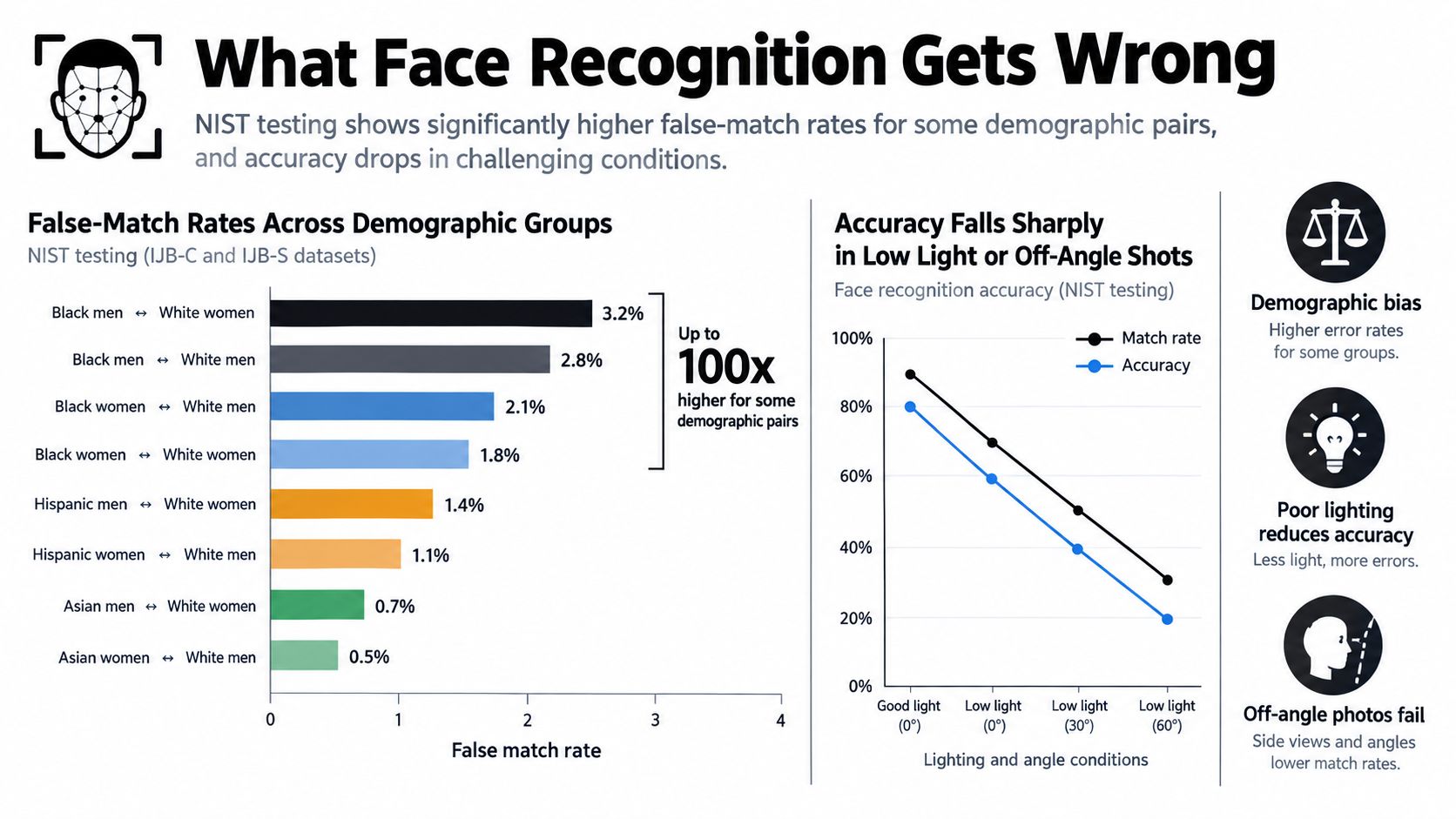
A lot of event teams treat selfie matching like a magic lens. It isn't. NIST's large-scale testing shows that demographic differences affected the majority of evaluated algorithms, and that in one-to-one verification, false-positive rates were higher for Asian and African American faces than for Caucasian faces in many systems, with differences that could range from 10-fold to 100-fold depending on the algorithm. That's a strong reason to be careful about how you frame the tool.
False negatives and false positives are different problems
A false negative happens when the system misses a valid match, so a guest doesn't see a photo they're in. A false positive happens when the system thinks two different people are the same person. Both can create bad event experiences, but they fail in different ways.
False negatives frustrate guests because they miss legitimate memories. False positives are more serious because they can expose the wrong person's images, which creates privacy and trust problems. That's why selfie matching should never be treated as proof of identity.
Image quality still matters
NIST also emphasizes that results vary by application and data quality, not by one universal accuracy rate. Lighting, pose, blur, resolution, and crop all affect the outcome. A great algorithm can still struggle with a poor selfie or a stage shot taken from an awkward angle.
Practical rule: candidate photos should be shown for confirmation, not pushed straight into sharing.
That's the design lesson for event galleries. Match for discovery, then let the attendee confirm. Keep access controlled. Avoid letting a system hide uncertainty behind a confident-looking interface. If the workflow can't handle ambiguity gracefully, it's not ready for real events.
Best Practices for Capturing and Sharing Face Photos
Good event delivery starts before anyone uploads a gallery. The photographer's camera settings, the room lighting, and the sharing flow all affect whether guests can find their images later.
Capture the face cleanly
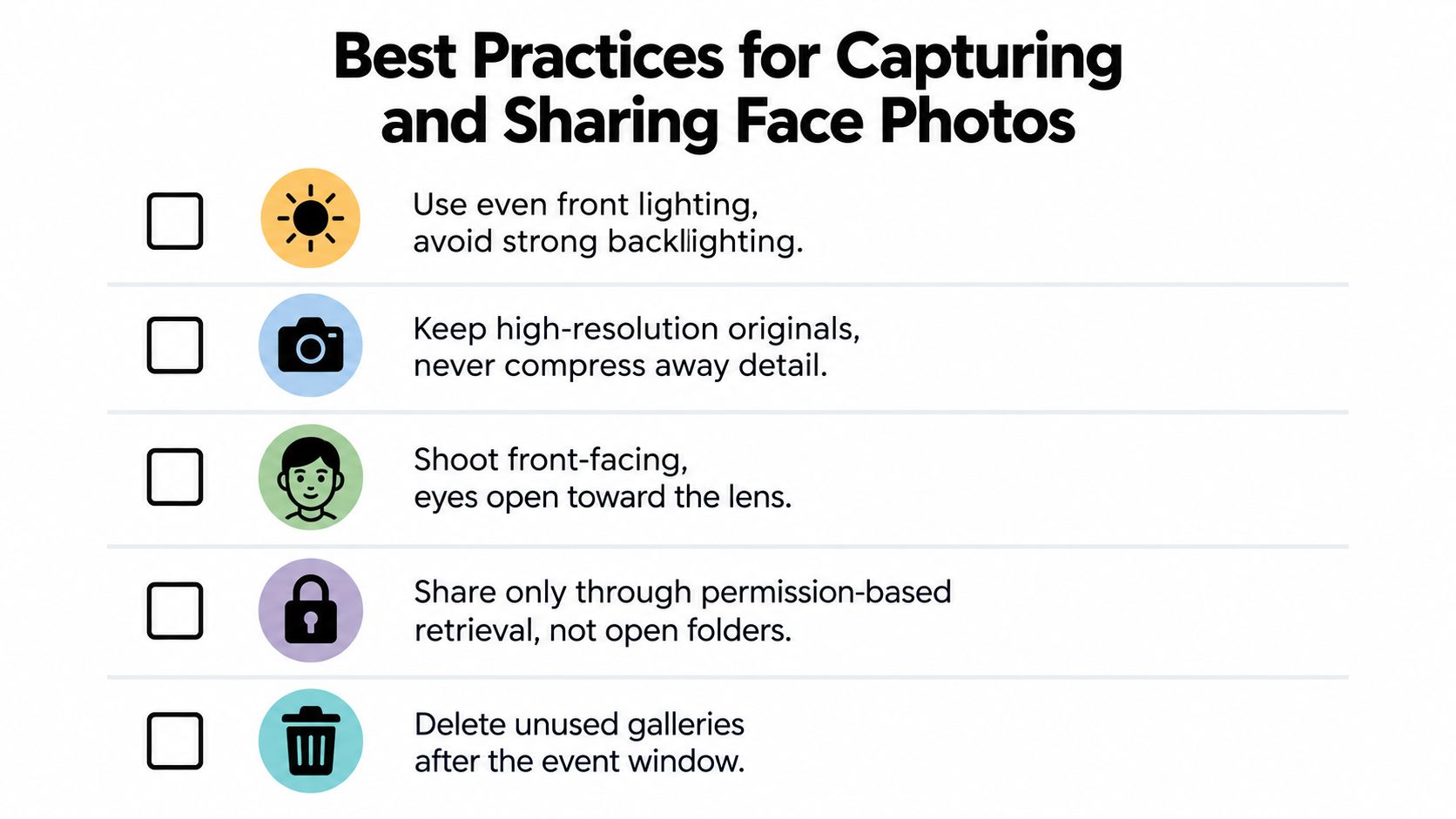
NIST's face-recognition guidance points to several practical failure points, including inadequate lighting, under-exposure of darker skin, over-exposure of lighter skin, camera pitch from large height differences, pose, low contrast, compression, cropping, and low spatial resolution. In an event setting, that translates into a few habits that matter immediately.
- Use even front lighting so faces aren't split between harsh light and shadow.
- Avoid strong backlighting that turns expressions into silhouettes.
- Keep high-resolution originals so matching has enough detail to work with.
- Shoot front-facing when possible because near-frontal images are easier to retrieve.
- Expect lower recall for motion, steep angles, sunglasses, hats, hair, or crowd occlusion.
A photo that looks stylish on social media may be harder to match later if it's technically weak. The event team has to choose whether the priority is artistic mood or searchable clarity, and at most events you need both.
Share with control
The sharing side is where privacy either gets handled well or gets messy. Use clear signage at entry, collect consent in the right place, and share through an access-controlled gallery rather than an open folder. If confidence is low, let the attendee retake the selfie instead of forcing a weak match.
If you need a workflow for drag-and-drop upload and controlled delivery, Saucial's upload flow fits that operating model. The value isn't just speed, it's that the event team can keep the gallery organized while attendees retrieve only the images they care about.
Practical rule: delete unused galleries after the event window closes, and don't leave old face photos floating around in a forgotten folder.
The run sheet version is easy to remember. Light the face well, keep the original files intact, label the sharing rule clearly, and plan for deletion from day one.
How a Find My Photos Workflow Balances Convenience and Privacy
A traditional gallery handoff is easy to describe. Someone uploads everything to a shared drive, sends the link, and hopes attendees sort it out. That works until the album gets large, privacy expectations rise, or one person outside the intended audience ends up with access to too much.
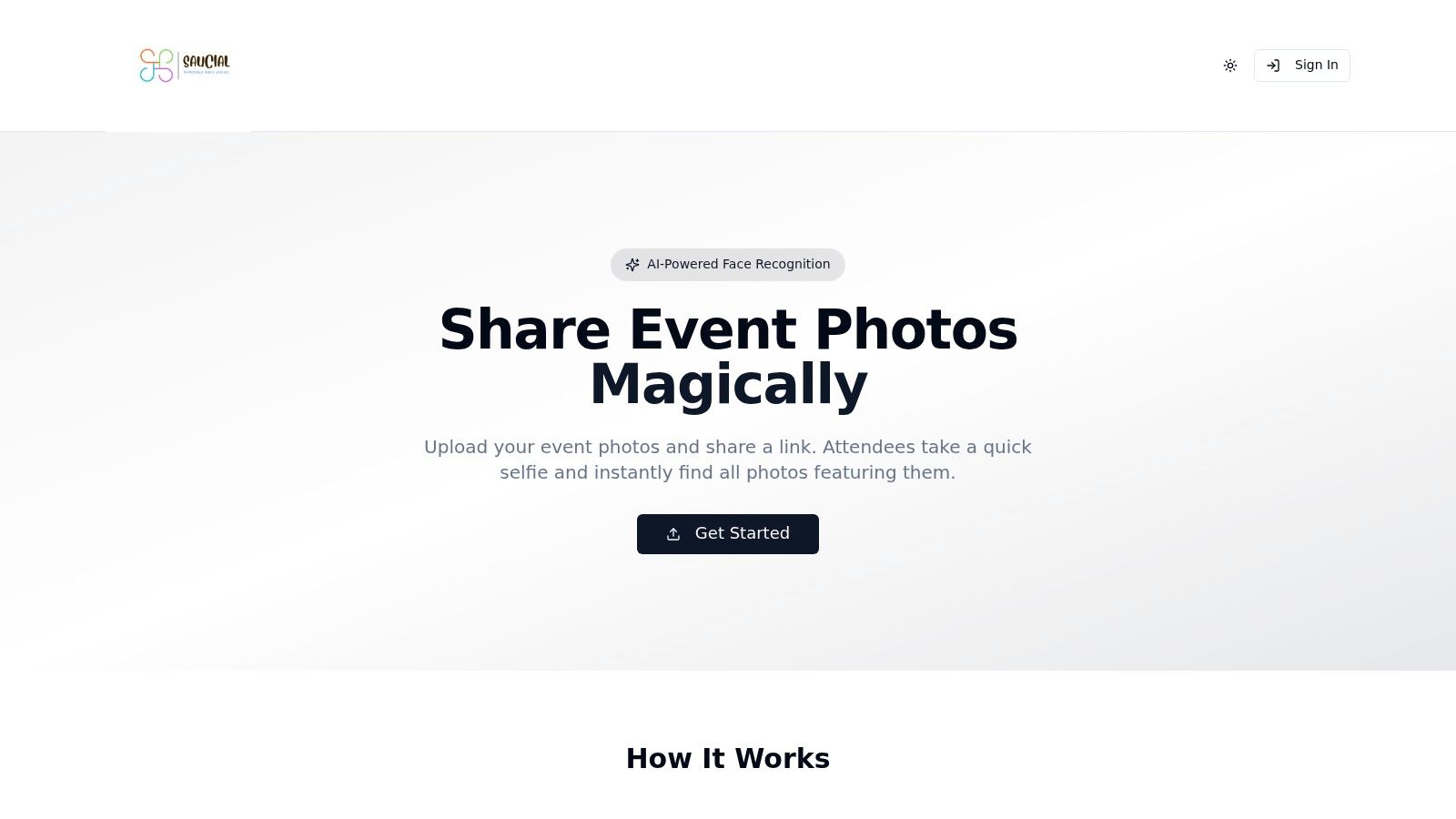
A selfie-matched find my photos workflow is more structured. The organizer or photographer uploads the event images, background processing indexes the faces, and the system generates a shareable link or QR code photo gallery. Attendees open it on their own device, take a quick selfie, and see only the photos they appear in. No app is required in the usual flow, and the retrieval step stays with the attendee instead of forcing everyone into the same folder.
That separation matters. Retrieval on the attendee's device reduces unnecessary browsing through unrelated faces, and organizer controls decide what gets shared in the first place. The model can also support different event outcomes, from free access to optional paid upgrades, while keeping the core discovery path simple.
The video below shows the kind of attendee-facing flow that makes this approach usable at real events.
Why the workflow changes the privacy conversation
The privacy advantage isn't just technical, it's behavioral. A guest who only sees a curated set of candidate photos is less likely to stumble across someone else's private moments. The organizer can keep galleries access-controlled, decide whether the experience is public or invite-only, and set deletion rules that match the event lifecycle.
That's why this model works well for galas, conferences, tournaments, festivals, and brand activations. It's designed for the reality that people want fast delivery, but they don't want a wide-open archive of everyone's face in one place. If your team is evaluating a platform for this kind of flow, Saucial's main site is one implementation of that retrieval model.
The comparison is simple. A shared drive gives access to everyone and solves almost nothing about discovery. A selfie-matched gallery narrows access, improves retrieval, and gives the organizer more control over what attendees can see and keep.
Key Takeaways for Ethical Face Photo Sharing
The cleanest event workflow treats face photos as a combination of consent, quality, and controlled retrieval. Get informed permission before biometric processing, use selfie matching as a discovery aid with human confirmation, and keep the gallery access-controlled with a clear deletion path.
Good capture habits reduce frustration later. Good privacy notices reduce legal risk now. Good sharing design respects the fact that the attendee is usually on their own phone and wants the few images that matter, not a giant folder full of strangers.
If you're revisiting your event photo process, open Saucial settings and map your gallery flow around notice, access, and deletion before the next event goes live. The goal isn't more photos of face, it's a smarter way to help people find the right ones without giving up control of the wrong ones.
If you want a privacy-conscious way to run event photo sharing, Saucial gives organizers and photographers a find-my-photos workflow built around selfie matching, access control, and attendee-side retrieval. Visit Saucial to see how it fits galas, tournaments, conferences, and other high-sharing events.