10 Photo Wall Display Ideas for Better Event Sharing

A guest steps in front of your branded backdrop, smiles for the photographer, and moves on. The image looks great, but the photo wall experience often ends there. If attendees can't quickly find, approve, download, and share the photos they're in, the wall becomes decoration instead of a useful event touchpoint.
The strongest photo wall display ideas connect the physical setup to a complete sharing workflow. Guests should see a clear “Find My Photos” prompt, scan a QR code photo gallery, use selfie photo matching where appropriate, understand the consent choices, and receive a simple follow-up link after the event. Organizers gain a controlled distribution channel, while photographers can offer optional prints, digital downloads, premium edits, or branded frames.
The ten ideas below move from personalized discovery to gallery organization, live engagement, privacy, branding, and photographer monetization. Each one explains what guests do, what the event team manages, and where operational friction can appear.
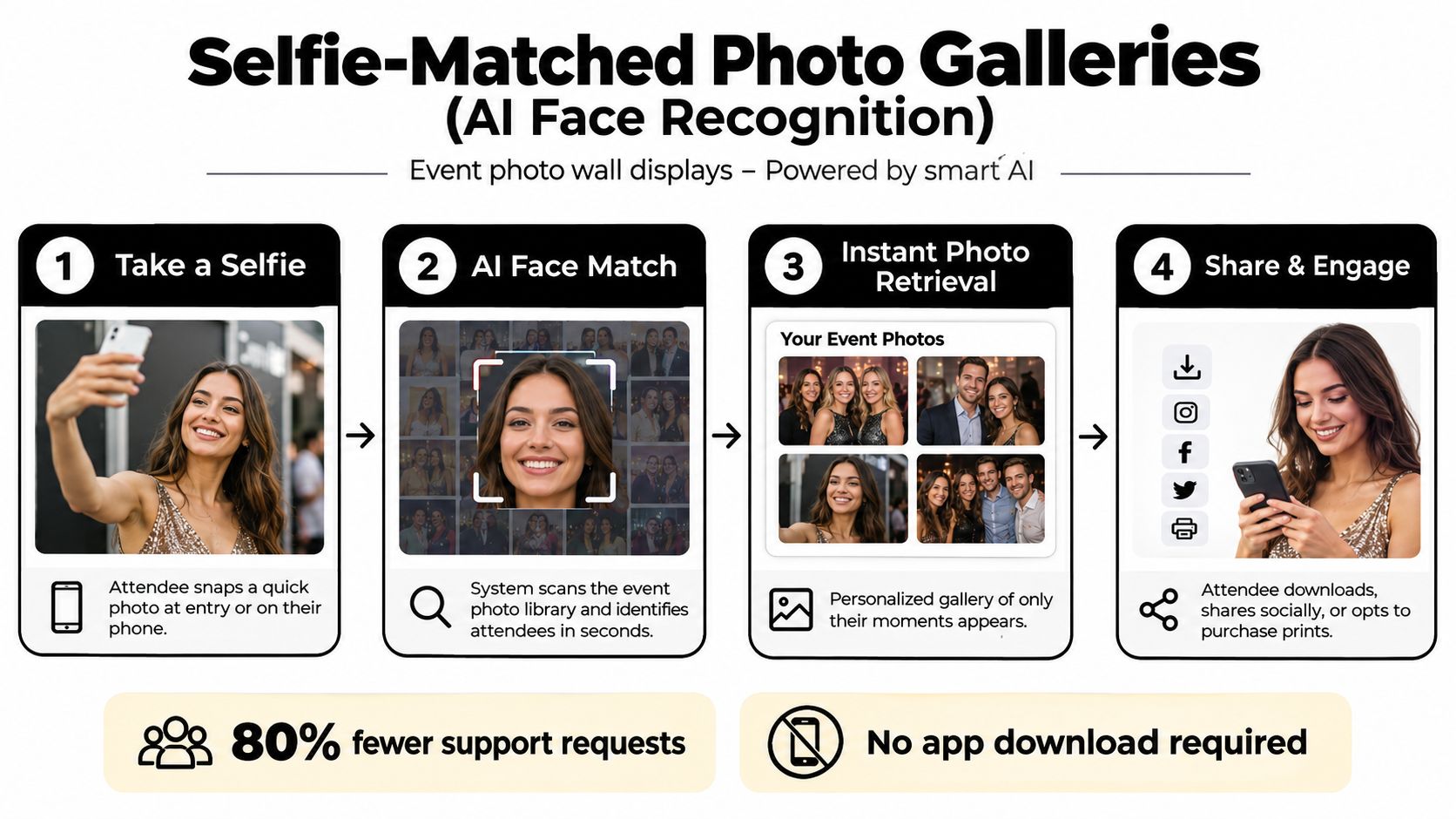
1. Selfie-Matched Photo Galleries With AI Face Recognition
A selfie-matched gallery turns a crowded event archive into a personal “Find My Photos” experience. An attendee scans a QR code, takes a quick selfie, and receives photos in which they appear, rather than scrolling through a large shared folder. That makes the physical photo wall the starting point for discovery, not the final destination.
This workflow works particularly well for a gala fundraiser, alumni dinner, sports tournament, trade show, or brand activation where photographers cover many people and moments. A guest might appear in a formal portrait, a candid networking image, and a group photo. Selfie photo matching gives that guest a faster path to all three, while the photographer can present optional downloads, prints, or premium edits after the match.
Practical rule: Treat recognition as an access experience, not a hidden technical feature. Tell attendees before the event what the selfie is used for, how long matching data is retained, and how they can request removal.
Make matching reliable and controlled
Lighting, camera angles, hats, glasses, movement, and crowd density can affect the retrieval experience. Test the workflow under the venue's actual conditions, including the darker corners of a ballroom and the harsh lighting of a trade-show floor. Put the first QR prompt near the entrance, then repeat it near the backdrop and exit so guests encounter it at natural moments.
The landing page should include a concise privacy summary and a visible consent choice. Organizers should decide whether galleries are public, restricted to matched attendees, or available only after a guest accepts the relevant terms. Photographers should also agree in advance on how unattributed group photos and sensitive moments are handled.
2. QR Code Photo Links As Instant Access Points
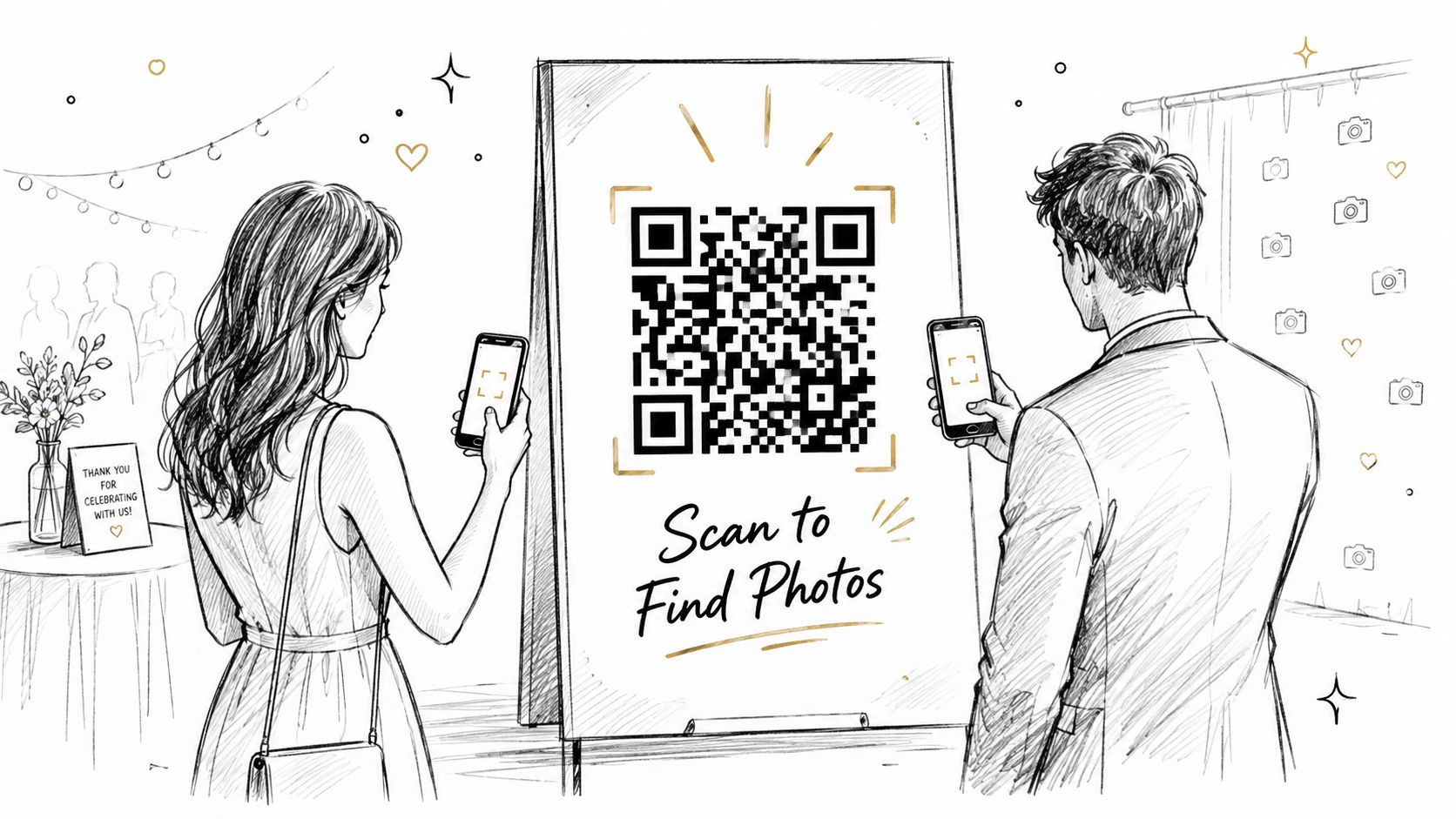
A QR code photo gallery gives every physical display a direct digital continuation. Place the code beside the backdrop, on table cards, at a booth exit, near the finish line, or on an event badge. The instruction should be unmistakable, such as “Scan to Find Your Photos”, rather than relying on a QR code that guests must interpret.
The best placement follows attendee behavior. A trade-show guest can scan after leaving a branded booth. A gala attendee can scan during dinner from a table card. At a sports tournament, the finish line and medal station are natural access points because participants already want to see and share the moment. A community festival can place separate codes near major stages or activity zones.
Design the code for real venue conditions
Use strong contrast, generous surrounding space, and a size that remains easy to scan from a standing position. Don't hide the code inside a busy sponsor graphic. The sign needs a short explanation, a clear action, and enough visual hierarchy for a guest to understand it while moving through the venue.
Each placement can lead to the same gallery or to a location-specific entry point. Separate links are useful when organizers want to understand whether the backdrop, exit, or table cards generate the most discovery. Test every code on several phones before doors open, including devices using the venue's guest Wi-Fi and cellular networks.
The follow-up workflow matters just as much. Put the same event photo sharing link in the thank-you email, event website, WhatsApp message, and social post. That gives guests another opportunity to retrieve images after the physical wall has come down.
3. Curated Photo Collections By Theme or Subject
Large event archives become easier to browse when organizers group images by what happened, not only by upload time. A gala fundraiser might offer Headshots, Award Winners, Table Groups, and Candid Moments. A trade show could use Booth Photos, Speaker Moments, and Networking Candids. A sports tournament might separate Action Shots, Medal Ceremonies, and Fan Moments.
The value comes from reducing the search problem for guests who know what they want. Someone looking for a professional portrait doesn't need to browse dance-floor images. A sponsor searching for booth content can go directly to its relevant collection. Photographers also gain clearer attribution and can attach an appropriate offer to a specific set, such as retouched headshots or a downloadable action sequence.
Keep the navigation understandable
Use a small set of plain-language categories. Too many labels create another search task, especially on mobile. Each collection should explain what it contains, identify the photographer when relevant, and show whether the gallery is still being reviewed or is ready for download.
Curation also needs an owner. If multiple photographers upload images, assign responsibility for each collection before the event. That prevents duplicate uploads, inconsistent editing, and confusion about who handles purchase requests.
A useful variation combines themed navigation with selfie photo matching. Guests can enter a collection manually if they want to browse, or match themselves to locate their own images within the relevant subject area. Organizers should review group photos carefully, since a single image may belong in more than one collection while still requiring the same privacy decision.
4. Interactive Photo Maps For Multi-Zone Venues
An interactive photo map works when the event itself is spread across recognizable spaces. Instead of presenting one long gallery, the organizer shows a simplified floor plan with clickable areas such as Stage, North Ballroom, Booth Row, Terrace, or Photography Station. Guests select the place where they remember posing, speaking, competing, or networking.
This is a natural fit for a multi-room conference, outdoor festival, campus alumni gathering, or large trade show. A vendor can open its booth gallery without searching the entire event archive. A festival guest can move from the main stage to the food court gallery. A conference attendee can check photos from a breakout room they visited earlier.
Build the map around guest language
Use the room names and zone labels people saw on event signage. An internal production label may make sense to the photography team but confuse attendees. The map should work smoothly on a phone, load quickly, and display a clear indication of how much content each zone contains.
Photographers need a location-tagging plan before the event starts. They can use agreed shooting zones, upload folders, or metadata conventions, but everyone must follow the same system. Without that preparation, the map becomes an attractive shell around poorly organized content.
A map helps guests remember where a photo was taken. It doesn't replace personal discovery when attendees appear across several rooms.
Pairing location browsing with selfie matching creates a stronger workflow. A guest can start with the zone they remember, then use matching to find themselves across other areas. Access controls should still apply at the gallery and image level, especially when a backstage room, private meeting, or restricted sponsor area is included.
5. Social Media-First Photo Feeds With Mobile Sharing
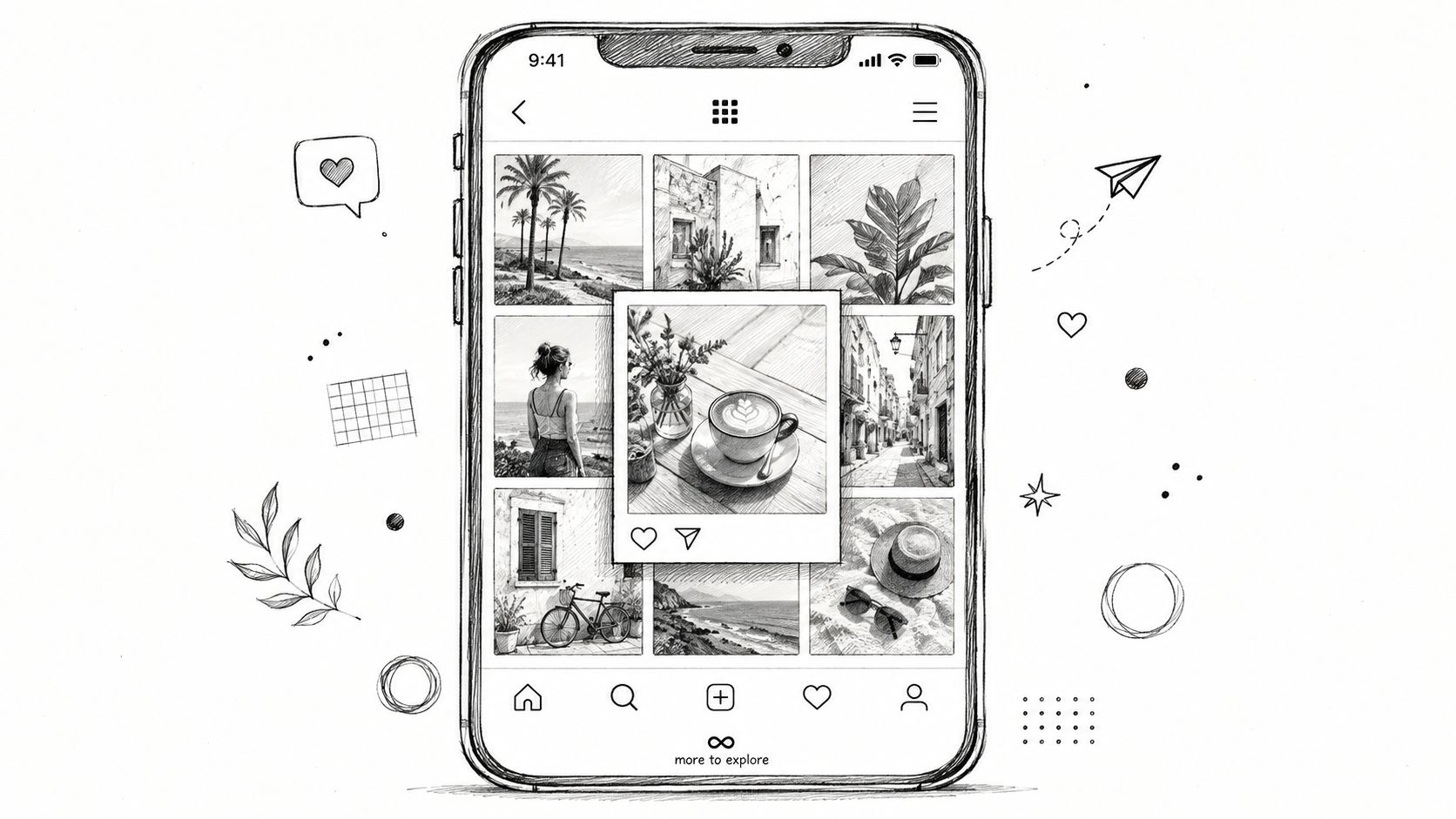
At a festival, guests may photograph a performance, check the event feed while waiting for food, and share a tagged image before leaving. A social-first feed supports that sequence through a familiar scrolling grid. Guests can open a photo, share it to Instagram, TikTok, WhatsApp, or another channel, then add captions, mentions, or event hashtags. It fits brand activations, festivals, school events, university fundraisers, and informal corporate gatherings where attendees already post user-generated content.
Design the workflow around retrieval first. Put a clear Find My Photos entry point near the feed, let a guest match or select images, then offer sharing with minimal steps. A polished image with the correct event handle and photographer credit travels farther when guests can access it quickly. Organizers should also decide whether shared files include a watermark, sponsor branding, or a purchase option for full-resolution downloads.
Moderate before the feed becomes public
A live social grid requires operating rules, not only attractive layout. Set comment controls, image-reporting steps, and a moderation process for captions and @ mentions. Brand activations should specify which logos, products, and guest interactions may appear publicly. Assign a person to review uploads during the event, or delay publication when the venue has limited staffing.
Offer private retrieval and controlled sharing for guests who do not want their images displayed in the public feed. Schools, community events, and programs involving minors need clear permission workflows, access settings, and a method for removing an image after delivery.
Use Saucial when the event needs a direct path from upload to personalized retrieval and sharing. The gallery can handle the social layer while reducing manual searching. Photographers can attach optional paid downloads, prints, or retouched versions after guests find the right image, keeping the free sharing route separate from commercial offers.
Voting prompts and sharing challenges suit a festival where reach and sponsor visibility matter. They may distract from a sensitive fundraiser or private corporate meeting. Choose the priority, whether reach, attendee convenience, sponsor exposure, or controlled delivery, before enabling public interactions.
6. Photographer Showcase Galleries For Attribution and Sales
When several photographers cover one event, organizing images by photographer can turn delivery into a portfolio experience. Each gallery can show a photographer's approach, whether that's candid coverage, formal portraits, sports action, or branded booth content. Attendees may discover a photographer whose style matches the images they want to buy or commission later.
This arrangement works well for weddings with primary and secondary photographers, large galas, corporate events, sports tournaments, and trade shows. It also solves an attribution problem. A guest who wants a print or future booking can identify the person responsible without asking the organizer to trace the file.
Give every photographer a clear commercial path
A photographer profile should include a short bio, specialty, social link, and contact route. The gallery can present optional offers such as premium downloads, prints, retouched portraits, or future event coverage. Keep those offers distinct from the organizer's access rules so a sales prompt doesn't make a free attendee gallery feel like a paywall.
Cross-gallery discovery still matters. A guest may appear in images from several photographers, so manual browsing by photographer can become tedious. Add face recognition event gallery functionality or another private matching route where consent permits it. The guest should be able to find relevant images first, then see the photographer credit and available purchase options.
For photographers, this is more than a branding detail. It creates a direct-to-attendee channel after the organizer receives the main delivery. The photographer can review which sets attract attention, improve future curation, and build relationships with attendees who may need portraits, team coverage, or sports tournament photo sales.
7. Customizable Private Gallery Access With Tiered Permissions
Not every image should be visible to every person. A tiered gallery lets organizers separate free previews, VIP content, team-specific photos, sponsor galleries, premium headshots, and paid downloads. This approach is useful when the event needs both broad sharing and controlled access.
A gala fundraiser might provide general event highlights while reserving polished headshots or table collections for approved guests. A sports tournament can separate team galleries from public action images. A trade show can give sponsors access to booth-specific content without exposing private vendor areas to everyone. An alumni event may organize galleries by class or reunion group.
Make the rules obvious before guests scan
Access tiers should appear in pre-event emails, check-in instructions, and the gallery interface. Use simple routes such as QR codes, email tokens, or selfie authentication. If an attendee reaches a restricted collection, explain why access is limited and what they can do next. Silent failures create support requests and encourage unauthorized screenshots or link sharing.
Organizers should test permissions with multiple roles before the event opens. Review whether links can be forwarded, whether downloads retain the correct rights information, and whether an image accidentally appears in a public collection. Consent and audience control are especially important for schools, alumni organizations, and brand activations where not every participant has the same sharing preference.
Photographers can use Saucial's secure access flow to support private retrieval while keeping optional paid upgrades separate. The commercial offer might include a print, high-resolution file, premium edit, or curated bundle, but the attendee should understand what is free and what requires payment.
8. Live Event Photo Updates With Real-Time Gallery Refresh
A gallery that refreshes during the event creates a reason for guests to return. A conference attendee can check for keynote images during a break. A festival visitor can see photos from an earlier stage. A sports participant can look for action coverage before leaving the venue. The photo wall becomes a live content channel rather than a post-event archive.
This workflow requires a defined publishing rhythm. Photographers should know which images are suitable for rapid upload, which moments require review, and who owns the final approval. A dedicated event staffer can moderate incoming images, or the team can use an automated ingestion process with a review queue.
Protect quality while keeping momentum
Fast publishing shouldn't mean releasing every frame. Establish a simple standard for focus, expressions, visible badges, sponsor placement, and sensitive situations. Tag images by moment or venue zone so guests can browse a fresh update without opening the entire archive.
Tell attendees when to expect updates, but don't flood them with notifications. A few well-timed prompts can direct people back to the gallery after a keynote, match, award, or performance. The same message can remind them that they can use Find My Photos to locate their own images as new uploads arrive.
Photographers can use Saucial's upload workflow to move images into the sharing system while the event is still active. Organizers should confirm network coverage, charging access, upload responsibilities, and backup procedures before relying on live delivery. Real-time galleries add excitement, but they also add pressure to the editing and moderation team.
9. Branded and Watermarked Galleries For Co-Branded Delivery
A branded gallery extends the event identity beyond the venue. Apply the organizer's logo, colors, typography, social handle, and photographer credit to the gallery interface and shared images. The result feels like an official event channel, not an anonymous folder forwarded after the fact.
Watermarks can protect credit and reinforce the event without overpowering the photo. Place them near an edge, use restrained opacity, and test the design on a phone before publishing. A sponsor may want stronger visibility in a booth gallery, while a wedding couple may prefer the photographer's mark to remain subtle.
Separate recognition from purchase value
A watermark should identify the creator, not make an image unpleasant to view. If the photographer sells unwatermarked files, state that clearly and keep the premium option easy to understand. Other offers may include prints, edited portraits, branded frames, or sponsor-approved image sets.
Branding also needs permission controls. Organizers should decide which photos can carry the event logo and which images require a photographer credit only. Guests may be happy to share a branded group photo but less comfortable with a personal portrait appearing in a public campaign.
Use Saucial's gallery settings to align the interface and distribution choices with the event's approved visual identity. Before launch, review shared-image previews on mobile, confirm that credits remain legible, and check how the watermark appears when an attendee crops or reposts the image. Good co-branding survives sharing without turning every photo into an advertisement.
10. Interactive Engagement Features With Voting and Sharing Contests
At a community festival with 500 attendees, a “Fan Favorite” vote for booth photos drove 120 submissions in 48 hours, with winners receiving free print packages. The same workflow can suit an alumni dinner's reunion-moment vote, a trade show's booth-photo challenge, or a sports tournament's standout-image selection. Each option gives guests a reason to find, share, and revisit event photos.
Choose the mechanic according to the audience and the event's privacy requirements. Voting suits light subjects with visible rules and active moderation. Comments require reporting tools, an assigned reviewer, and a response process. A public leaderboard can build energy at a festival, while a private corporate event may need invite-only participation and hidden results.
Give the interaction a defined finish
Set the opening and closing times, explain how votes are counted, and publish the prize or recognition before entries begin. Possible rewards include a print, event merchandise, a discount, or featured placement. Clear eligibility and judging rules reduce disputes and give staff a straightforward way to close the contest.
Connect participation to photo retrieval. Guests can locate their own images through selfie matching, then choose whether to vote, comment, or share. That step makes the gallery useful before the contest and gives attendees a reason to return after it ends. Organizers should also confirm whether voting requires an email, registration, or approval, since each added field can reduce participation.
Access controls should cover both entries and results. Staff need to remove inappropriate content, review reported comments, and decide whether winning images may appear on official social channels. Photographers gain additional visibility when credits stay attached, and winning images can support optional print or download purchases. The strongest contest is the one that supports the event's purpose without weakening consent or access controls, regardless of how many interactive features it includes.
10-Point Photo Wall Display Comparison
| Feature | 🔄 Implementation Complexity | ⚡ Resource Requirements | 📊 Expected Outcomes | 💡 Ideal Use Cases | ⭐ Key Advantages |
|---|---|---|---|---|---|
| Selfie-Matched Photo Galleries (AI Face Recognition) | High, facial‑match models, consent flows, onboarding 🔄 | Medium‑High, compute for matching, initial library upload, privacy/legal ⚡ | High, ⭐⭐⭐⭐; instant personalized retrieval, ↓ support requests (~80%) 📊 | Large events (500+), galas, trade shows, sports tournaments 💡 | Instant personalization; eliminates manual tagging; strong social sharing ⭐ |
| QR Code Photo Links (Instant Access Points) | Low, generate codes, place signage 🔄 | Low, printing/signage and reliable connectivity; minimal staff ⚡ | Medium, ⭐⭐⭐; increases visits, trackable scans 📊 | Booths, entrances, table cards, outdoor festivals 💡 | Low friction access; measurable analytics; cost‑effective ⭐ |
| Curated Photo Collections (Themed or By Subject) | Medium, taxonomy design and human curation 🔄 | Medium, editorial time, photographer coordination ⚡ | Medium, ⭐⭐⭐; clearer browsing by theme, supports upsells 📊 | Conferences, corporate events, trade shows, galas 💡 | Focused discovery; showcases photographer style; monetization paths ⭐ |
| Interactive Photo Map (Location‑Based Organization) | High, venue mapping, tagging, interactive UI 🔄 | Medium‑High, map assets, tagging workflow, development ⚡ | Medium, ⭐⭐⭐; spatial discovery, encourages exploration 📊 | Multi‑room venues, festivals, trade shows, campus events 💡 | Location contextualization; helps attendees recall where photos were taken ⭐ |
| Social Media‑First Photo Feeds (Instagram‑Style Grid) | Medium, social integration, moderation, mobile UX 🔄 | Medium, moderation, share integrations, mobile optimization ⚡ | High, ⭐⭐⭐⭐; high shareability and mobile engagement 📊 | Brand activations, music festivals, youth events, product launches 💡 | Familiar UX; maximizes virality and UGC-driven reach ⭐ |
| Photographer Showcase Galleries (Portfolio Organization) | Low‑Medium, organize by photographer, add bios 🔄 | Low‑Medium, coordination, per‑photographer uploads ⚡ | Medium, ⭐⭐⭐; drives photographer engagement and upsells 📊 | Weddings, corporate multi‑photographer events, galas 💡 | Direct attribution; supports photographer monetization and discovery ⭐ |
| Customizable Private Gallery Access (Tiered Permissions) | Medium‑High, auth, payment integration, access rules 🔄 | Medium, access management, payment processing, support ⚡ | High (monetization), ⭐⭐⭐⭐; paid tiers, privacy control, revenue streams 📊 | Fundraisers, VIP events, corporate with restricted content 💡 | Enables direct monetization; maintains privacy and brand control ⭐ |
| Live Event Photo Updates (Real‑Time Gallery Refresh) | High, real‑time ingestion, auto‑refresh, moderation 🔄 | High, robust uploads, connectivity, staff for moderation ⚡ | High, ⭐⭐⭐⭐; increases in‑event engagement and FOMO 📊 | Conferences, festivals, sports, live shows needing immediacy 💡 | Drives live excitement; immediate social sharing; real‑time feedback ⭐ |
| Branded and Watermarked Photo Galleries (Event Co‑Branding) | Low‑Medium, watermarking pipeline and themed UI 🔄 | Low, design assets and implementation effort ⚡ | Medium, ⭐⭐⭐; reinforces branding and protects IP 📊 | Corporate activations, galas, sponsored events, festivals 💡 | Protects copyright; consistent brand presence when shared ⭐ |
| Interactive Engagement Features (Voting, Commenting, Contests) | Medium, voting systems, comment moderation, contest rules 🔄 | Medium, moderation, prize fulfillment, UI components ⚡ | High, ⭐⭐⭐⭐; increases time‑in‑gallery, repeat visits, social proof 📊 | Alumni events, festivals, trade shows with UGC focus 💡 | Gamifies participation; drives repeat traffic and community insights ⭐ |
Choose the Display That Matches the Workflow
The right photo wall depends less on visual novelty than on the path guests must take after the shutter clicks. A large gala with many attendees benefits from personalized retrieval, clear consent language, and a photographer-controlled sales path. A small wedding may need a simple gallery link, a discreet QR sign, and optional print ordering rather than a public contest or live feed.
Venue layout should determine discovery. Use a mapped gallery when guests move through rooms, stages, booths, or outdoor zones. Use themed collections when the archive contains distinct content types, such as headshots, awards, action images, and candids. Use photographer showcase galleries when multiple professionals need attribution and direct attendee relationships.
Audience expectations matter just as much. A youth-focused festival or brand activation may respond well to a mobile grid, social sharing, voting, and branded templates. A corporate meeting may prioritize polished delivery, private access, and restrained branding. Alumni groups and schools should put permission, audience control, and removal requests ahead of public reach.
The display itself also needs the right technical specification. Professional digital walls commonly use 1080p to 4K-class panels with strong ambient-light performance. A professional benchmark includes a 55-inch direct LED display with 700 cd/m² brightness, 1920x1080 resolution, and a 178-degree viewing angle, while premium modular systems can reach 3840x2160 resolution, 1,600-nit peak brightness, 20,000:1 contrast, and 3,840 Hz refresh according to the Philips professional display specification. For indoor public spaces, prioritize a wide viewing angle and sufficient brightness before investing in decorative effects.
A wall-mounted connected frame also needs practical infrastructure. One current 32-inch Wi-Fi wall screen is designed for AC power only, while another 15.6-inch Wi-Fi photo canvas includes an IPS anti-glare display, 1920x1080 resolution, Wi-Fi connectivity, orientation and ambient-light sensors, and approximately 20W typical usage, as described by the KODAK Digital product information. Stable power, reliable Wi-Fi, anti-glare surfaces, and automatic brightness or orientation handling can matter more than the frame finish.
The broader wall-art category supports this shift toward intentional, personalized visual storytelling. One estimate values the global wall art market at USD 61.01 billion in 2025, with a projection of USD 99.15 billion by 2033 at a 6.4% CAGR, while another forecast estimates USD 66.89 billion in 2025 and USD 145.49 billion by 2034 at a 9.39% CAGR, as reported by Grand View Research's wall art market analysis. The exact forecast differs by methodology, but both point to a large, expanding decor category in which personalized displays have durable relevance.
Digital purchasing and ready-to-install formats reinforce the opportunity. Online distribution represented 58% of wall art sales, and 59% of consumers purchased art online in 2024, while 64% invest in wall art to enhance home aesthetics, according to canvas print wall-art market data. For event teams, the practical lesson is that guests already understand visual decor as something personal, shareable, and purchasable online.
Finally, don't default to the densest possible collage. Current gallery-wall guidance emphasizes minimal layouts, three or four large frames, black-and-white portraits, and seasonal rotation, according to Frameology's gallery-wall coverage. Sparse displays can give important images more attention and make refreshes easier. In an event setting, that may mean showing a few strong highlights on the physical wall while directing guests to a private digital gallery for the complete collection.
Use this launch checklist before opening the doors:
- Test every QR placement: Scan each code under the venue's actual lighting and network conditions.
- Confirm gallery permissions: Review public, private, matched, sponsor, VIP, and paid access paths with test accounts.
- Brief photographers: Agree on upload timing, image selection, attribution, privacy flags, and attendee offers.
- Prepare the signage: Use plain-language instructions such as “Scan to Find My Photos” and explain selfie matching before collection.
- Choose the sales options: Decide whether prints, digital downloads, premium edits, branded frames, or sponsored sets are enabled.
- Plan follow-up: Send the event photo sharing link after the event, include removal or privacy contact details, and keep the gallery available according to the organizer's retention policy.
The strongest photo wall display ideas make the guest journey obvious. A person sees the physical display, understands how to retrieve an image, controls what they share, and receives a useful follow-up route. The organizer gets a measurable distribution workflow, while the photographer gains an approved opportunity to turn delivery into optional attendee purchases without making access feel forced.
Saucial helps organizers and photographers create a Find My Photos experience with selfie photo matching, QR code photo galleries, controlled access, and direct event sharing links. Visit Saucial to turn your next photo wall into a faster, more private, and more valuable event photo workflow.



