Photo Sharing Link for Events That Actually Get Shared
You've just finished an event, and the photos are ready. Someone sends a Google Drive folder to the attendee list, the link gets buried under follow-up emails, and the next day people start asking, “Where are my photos?” The organizer forwards the same folder again. The photographer searches through filenames. Most attendees give up before they find a picture worth sharing.
A photo sharing link should solve that moment, not create another step. A useful event link helps each guest reach the right images quickly, works on a phone without an app, and gives the organizer control over who can view, download, or search the gallery. The difference is simple but important: a folder makes people browse, while an event photo workflow helps them find their own moments.
This guide treats the link as more than a URL. You'll see how a hosted gallery, QR code distribution, selfie photo matching, permission settings, and follow-up measurement fit together. You'll also learn why delivery speed matters, how to share event photos with attendees responsibly, and how photographers can create approved paths for prints, downloads, premium edits, or sponsored frames.
Introduction Why Your Event Photos Deserve Better Than a Folder Link
At an alumni dinner, guests usually remember the photographer during the event and the gallery after it. They want the handshake with a former classmate, the table photo, or the candid moment near the stage. They don't want to open a large folder, scan hundreds of thumbnails, download unrelated images, and guess which file contains them.
A generic folder link places the sorting job on the attendee. It also gives the event team little insight into what guests can access or how easily they can share a moment. A purpose-built event photo sharing link changes the experience from “search through everything” to “find my photos.”
Operational rule: If an attendee needs instructions longer than the link itself, the distribution workflow has too much friction.
Timing makes that friction more expensive. One industry source reports that most guests share event photos within the first two hours, with most social sharing happening on the same day. The same source reports that engagement drops by 80% after the first two hours, and that a delay of 2–3 days can push the share rate below 30%. See the event photography timing data for the source and context.
That doesn't mean every gallery must be live before guests leave. It means your team should design delivery around the period when memories, conversations, and social activity are still active. A QR code at the venue, a short follow-up message, and a mobile-first gallery can work together instead of relying on one buried email.
For organizers comparing options, Saucial's event photo sharing platform illustrates the workflow-first model: attendees use a link to reach a Find My Photos experience, while the event team controls the gallery and distribution.
What a Photo Sharing Link Really Is and How It Works
Think of a basic folder link as handing someone a bundle of keys. They may be able to enter the right room, but they still have to search every cabinet. A smart photo sharing link acts more like a front door with a clear entry path. It takes the attendee to a hosted gallery, then guides them toward the images they want.
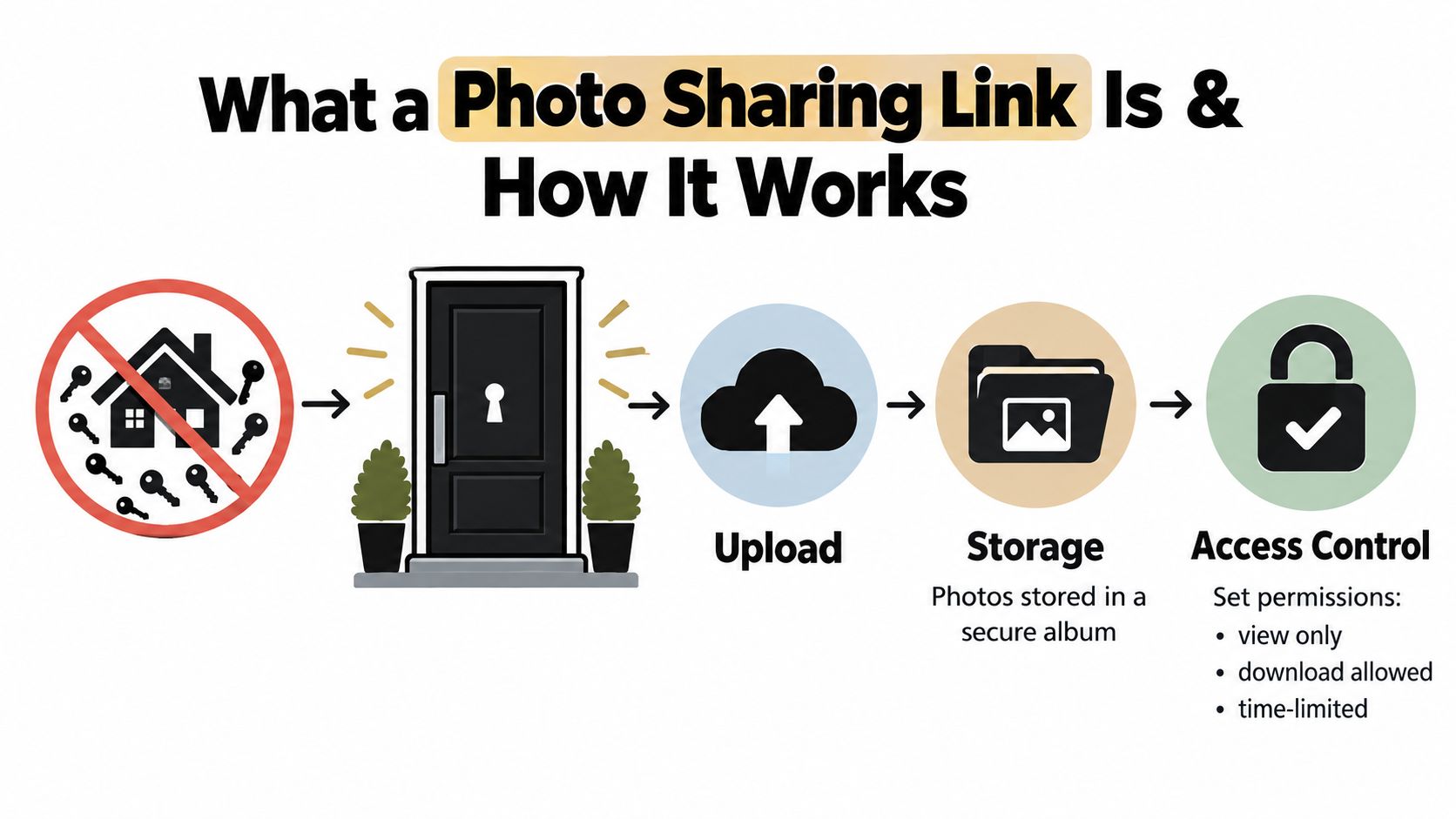
The basic workflow
Upload the event photos. The organizer or photographer adds the selected images to a hosted album. This creates one organized destination instead of a loose collection of attachments or folders.
Prepare the gallery. The system stores the images and applies the settings chosen by the organizer. Those settings may include view-only access, downloads, an expiration time, or an invite requirement.
Create one shareable URL. The URL becomes the central distribution point. It can appear in an email, text message, event website, social post, or printed sign.
Add a QR code when people are on site. A QR code photo gallery gives guests a fast way to open the same destination from a phone. They don't need to remember a long address or install an app.
Let attendees find relevant images. In a Find My Photos workflow, a guest may take a selfie and receive event-specific results. This is commonly described as selfie photo matching or a face recognition event gallery, but the practical goal is straightforward: reduce manual scrolling.
The link is therefore a distribution system, not just a web address. It connects storage, attendee access, search, and organizer decisions in one flow.
Why this differs from a cloud folder
A cloud folder is useful for internal handoff, archival storage, or controlled collaboration. It isn't automatically designed for a room full of attendees with different levels of technical comfort and different expectations about privacy.
A dedicated gallery can make the attendee journey clearer:
- One entry point: Guests open one link instead of choosing between folders.
- Self-service discovery: People can look for their own images without messaging the photographer.
- Mobile access: The gallery can be designed for the device guests already carry.
- Organizer controls: The team can decide whether visitors can download, share, or access the gallery after a set period.
The smart front door analogy matters because the organizer isn't only delivering files. They're deciding how guests enter, what they can see, and which actions are available once they arrive.
Where an Event Photo Sharing Link Creates the Most Value
The right workflow depends on what attendees want to do with the images. A gala fundraiser, a sports tournament, and a trade show may all need a gallery, but they don't have the same audience intent or commercial opportunity.
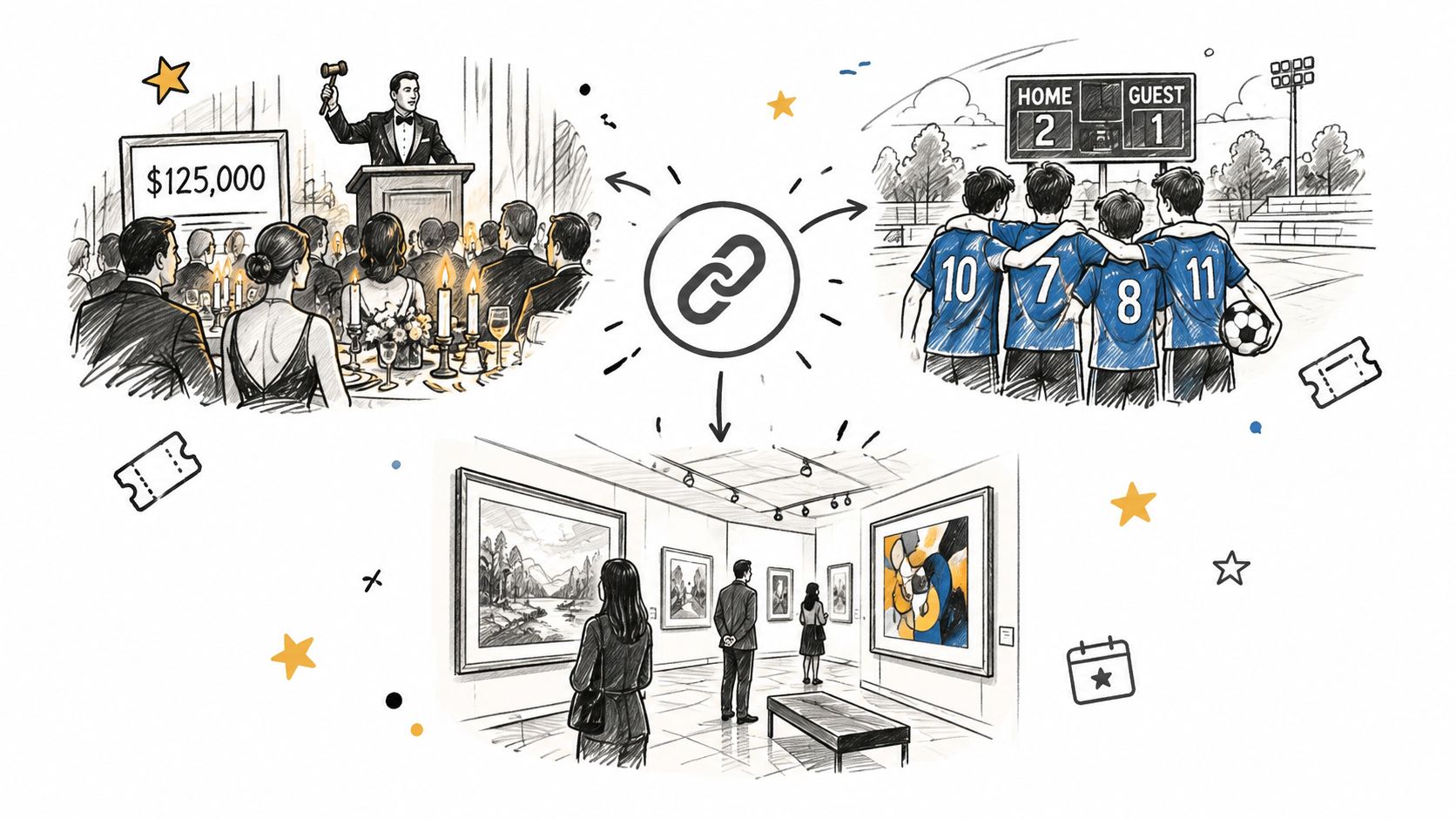
Gala fundraiser photo gallery
A donor leaves a gala with a photo of their table, a conversation with a guest speaker, or a branded step-and-repeat portrait. Their intent is often immediate sharing or a keepsake. The organizer wants the gallery to reinforce the event's community and fundraising message without exposing every guest to an unfiltered folder.
A branded landing page, QR code on table signage, and clear download rules can support that goal. The photographer may also offer approved prints, polished portraits, or event-branded frames as an optional photographer upsell to attendees. The important distinction is that the gallery serves the relationship after the event, not only the photographer's delivery obligation.
Sports tournament photo sales
Parents and athletes don't want to inspect every match image. They want to locate one athlete, team, or game quickly. A Find My Photos flow can make that search more practical than a filename-based folder, particularly when the photographer has captured many participants across several fields or courts.
The organizer's goal may be a smooth participant experience, while the photographer's goal includes sports tournament photo sales. That can mean separating free previews from approved digital downloads, prints, packages, or highlight edits. The link becomes a storefront and retrieval tool only if the permissions, pricing, and event rules make those options clear.
Trade show photo sharing
At a brand activation, attendees often want a photo with the installation, product, booth, or staff. The brand team wants trade show photo sharing to generate UGC from events, extend the activation beyond the venue, and keep the experience connected to the campaign.
An open folder makes brand discovery harder. A QR code near the activation can take guests directly to the gallery, while the gallery itself can present the approved brand context. The team should decide whether attendees can download original files, whether branded overlays are included, and whether the link remains available after the campaign.
Other event formats
- Alumni dinners: Help guests find table and reunion photos without asking staff to search manually.
- Community festivals: Use a public-facing gallery only when the event team has reviewed the access and consent model.
- Conferences: Connect speaker, sponsor, and attendee moments to follow-up communications.
- Weddings and private celebrations: Favor invite-only access when the images include children, private guests, or unannounced moments.
The same URL structure won't fit every event. Start with the attendee's reason for opening the gallery, then choose the access and monetization path around that reason.
How to Create and Distribute a Photo Sharing Link That Gets Used
A usable link begins before distribution. Your team needs a clean upload, a clear gallery name, a retrieval method, and a channel plan that puts the link where attendees already look.
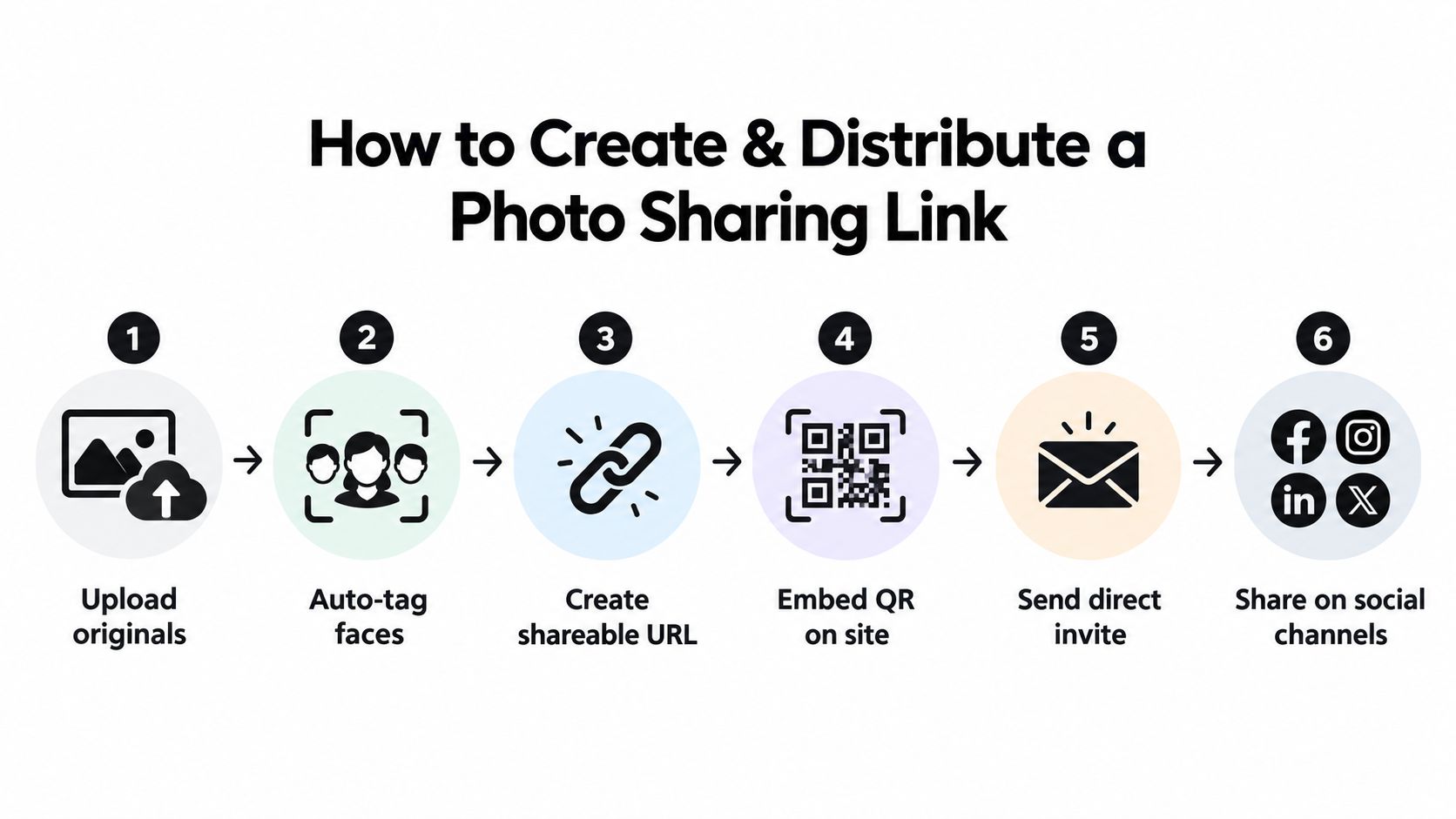
Build the gallery first
Start by uploading the event set through a drag-and-drop workflow. Keep the album name specific, such as “Spring Alumni Dinner” or “Northside Tournament Finals,” rather than using a vague label like “Event Photos.”
If the platform supports background facial processing, allow that work to complete before sending the link. The attendee shouldn't receive a destination that opens before the retrieval experience is ready. For a Saucial workflow, the organizer can use the event photo upload page to begin the gallery setup.
Then confirm the attendee path on a phone:
- Open the link as a guest.
- Check whether the gallery explains what to do.
- Test the selfie matching flow with an approved test image.
- Confirm that results stay within the intended event.
- Verify view, download, and expiration settings.
- Copy the QR code only after the destination is final.
A short test catches the failure that matters most: a guest scans the sign, sees an unclear page, and leaves.
Match channels to the event
Use more than one route, but give each route a job.
| Channel | Best fit | Execution choice |
|---|---|---|
| QR code at the venue | Guests who are still on site | Place it near exits, registration, tables, or the photo area with a direct instruction |
| Registered attendees | Put the link in the main body and repeat the event name | |
| WhatsApp or SMS | Small groups and active event communities | Send a concise message while the event is still familiar |
| Event website | Longer-lived event information | Add the gallery to a clearly labeled page |
| LinkedIn or Instagram | Public brand and community moments | Share approved images and the gallery destination when access rules allow |
QR codes have become a familiar access pattern across markets. A 2026 market report estimates about 11 billion QR code scans daily worldwide, projects that 99.5 million Americans will scan QR codes by the end of 2026, and reports that the United States generates 43.9% of global QR code scans. The report also describes significant adoption in Asia Pacific, including China's reported over $5.5 trillion in QR-based transactions and Japan's 9.36 billion QR code transactions in 2023. These figures are projections and reported market estimates from the global QR code adoption report, not a guarantee that every event guest will scan.
Place the QR code where people naturally pause. Add words such as “Find My Photos” rather than presenting an unexplained square. Send the direct link through email, WhatsApp, or SMS so guests have a second route if they don't scan.
The delivery window matters. Since the cited event photography source reports that sharing activity is concentrated early, prepare the message and signage before the event ends, then send the gallery as soon as the approved images are ready.
Here's a short demonstration of the kind of mobile-first flow organizers should test before launch:
Privacy Permissions and Trust for Selfie Photo Matching
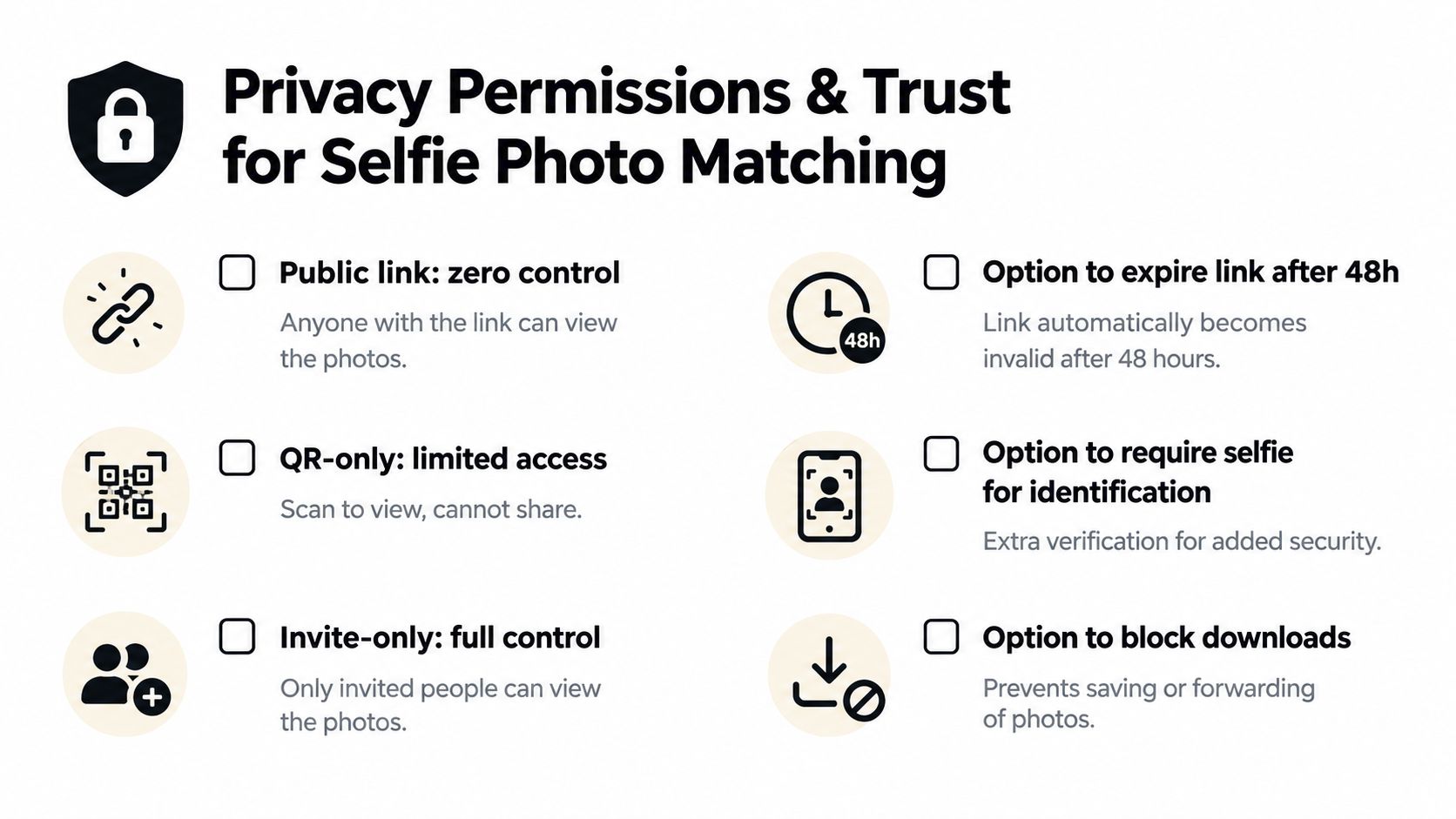
A public link gives zero control. Anyone who receives or forwards it may be able to reach the gallery, so an organizer should choose open access only when the event, image set, and consent model support it.
QR-only access can reduce accidental discovery, but it isn't the same as identity verification. Invite-only access gives the event team a stronger way to limit viewers, especially for private celebrations, school events, corporate gatherings, or images involving children.
What changes when guests use a selfie
A selfie matcher creates a facial template from a probe image and compares it with a reference gallery. The National Academies discussion of facial recognition notes that these templates aren't one-way hashes and may leak attributes such as sex. That means the matching index deserves protection similar to other sensitive biometric data.
The risk doesn't stop at identification. Independent research on retrieval-based privacy intrusion describes how a single face image can enable broader cross-dataset linkage, including associated images and identity-linked content. An event gallery should therefore keep the search narrowly scoped to that event and avoid creating a reusable public face index.
Permission before convenience: Explain the selfie step in plain language, ask for explicit consent where required, and provide a deletion path.
A practical trust checklist
- Explain the purpose: Tell guests that the selfie is used to locate matching images in the event gallery.
- Limit the scope: Return event-specific results instead of searching across unrelated collections.
- Control retention: Set a clear deletion schedule for selfies, templates, embeddings, and mappings.
- Restrict access: Use QR-only or invite-only settings when a public gallery would expose too much.
- Offer a non-biometric route: Let guests browse a curated gallery or contact the event team if they don't want to use selfie matching.
- Control downloads: Disable downloads when the organizer needs to protect private or sponsor-approved images.
- Document deletion: Give guests a clear way to request removal of their selfie or related records.
Independent event-privacy guidance emphasizes that the harder problem isn't the URL itself. It recommends access controls, plain-language notice, and explicit consent when a selfie is converted into a biometric template. Before launch, review the wording with the event owner and appropriate privacy counsel for the jurisdictions involved. A useful login and access control starting point is available through Saucial's authentication page, but the organizer remains responsible for choosing an appropriate permission model.
Measuring What Matters After You Share the Link
A gallery can look polished and still underperform if nobody reaches it. Measure the path from delivery to attendee action, then connect those actions to the event's actual purpose.
Start with post-event engagement. Track link visits, QR scans where the system supports that measurement, gallery sessions, searches, shares, downloads, and approved user-generated posts. Don't treat every visit as equal. An attendee who finds one image, shares it, and returns for a download shows more value than someone who opens the page and leaves immediately.
Use a simple before-and-after view
Compare the new workflow with the previous delivery method using the same event type and similar audience conditions. Your report can include:
- Discovery: How many people reached the gallery through QR, email, SMS, or social?
- Find My Photos usage: How often did attendees use selfie retrieval or another search method?
- Support demand: Did requests such as “can you find my photos?” decrease?
- Time saved: How much less time did staff and photographers spend searching, tagging, and answering individual messages?
- Sharing activity: How many attendees shared images or posted approved UGC from events?
- Revenue actions: Did guests choose prints, digital downloads, premium edits, featured sets, or sponsored frames?
Avoid claiming that the link itself caused every outcome. A gala may receive more shares because the images are especially relevant. A tournament may see more download interest because parents already expect individual athlete photos. Record the delivery timing, gallery size, access model, and promotion channels so the next comparison is meaningful.
Connect speed to the result
The cited event photography source reports that most guests share within the first two hours, that same-day sharing dominates, and that engagement falls sharply after the early window. Use those findings as an operational reason to prepare the message, QR signage, and approval process before the event concludes, rather than as a promise of a particular result.
A useful stakeholder report might read: “The team replaced a general folder with a searchable gallery, distributed it through the exit QR code and attendee email, and tracked discovery, shares, support requests, and sales.” That statement is more useful than a vague claim that the gallery “performed well.”
For photographers, the link also creates a direct attendee relationship that an organizer-only handoff doesn't provide. Keep the commercial options event-approved, label free and paid choices clearly, and make sure a guest can still retrieve an included image without being forced into an upgrade.
Choosing the Right Photo Sharing Link Setup for Your Next Event
Choose the setup by balancing speed, control, audience behavior, and revenue goals.
An open link is easy to distribute but gives limited control once it spreads. A QR-only route adds a physical access point, while invite-only access is more appropriate for private galleries. Selfie matching reduces search effort, but it requires clear notice, consent handling, retention limits, and a non-biometric alternative.
Use this launch checklist:
- Prepare the album: Upload approved images and give the gallery a recognizable event name.
- Test retrieval: Confirm the Find My Photos experience on the phone types your guests use.
- Set permissions: Decide who can view, download, search, or share.
- Create distribution assets: Generate the URL and QR code, then place the QR code beside a clear instruction.
- Plan the message: Prepare email, SMS, WhatsApp, website, and approved social copy before the gallery is ready.
- Document consent: Explain selfie processing, retention, deletion, and alternatives in plain language.
- Choose value paths: Decide whether the gallery supports free access, prints, downloads, premium edits, or sponsored frames.
- Measure the outcome: Record visits, searches, shares, support requests, time saved, and approved sales activity.
Keep the first test manageable. Use a smaller event to validate the upload, link, QR placement, permission settings, and attendee instructions before applying the workflow to a large festival or tournament. Review the gallery settings options as part of that final permission check.
A strong photo sharing link doesn't ask guests to become file managers. It gives them a fast, understandable, and appropriately controlled way to reach the moments that matter to them.
Saucial offers a Find My Photos workflow with an event photo sharing link, QR code distribution, and selfie-based retrieval so attendees can reach relevant images without sorting through a cluttered folder. Visit Saucial to set up a faster, permission-conscious photo distribution experience for your next event.



