Photo Gallery Software for Events: Compared by Use Case

The thank-you email is due tomorrow, and the only gallery you have is a folder link nobody wants to open. Guests want their own moments. Sponsors want their tables. The photographer wants a path to prints that doesn't feel like a paywall on a free download. You're comparing photo gallery software after the event, which is the worst moment to learn that a shared drive, a wedding proofing site, and a guest-facing gallery solve different jobs.
Speed belongs on the shortlist. So do consent, privacy controls, and whether the photographer can still offer an optional sale. No single tool fits a school tournament, a trade-show booth, and a portrait client. Start with who is supposed to find the photos, then check what happens to face data and to the guest's wallet.
Choosing a Platform Category and Event Type
Four categories cover almost every demo you'll sit through. Read each row with three questions. Can attendees find their own photos? Can the platform sell to them? What consent or privacy controls exist? The table compares categories, not vendor rankings. Plan limits and pricing change, so confirm them on each provider's page before you sign.
| Platform Type | Best For | Face Matching | Built-In Attendee Sales |
|---|---|---|---|
| Event photo sharing platform (Saucial) | Galas, sports tournaments, trade shows, festivals | Yes, selfie matching | Optional prints, downloads, premium edits |
| Client proofing galleries (e.g., Pixieset, Pic-Time) | Portrait and wedding clients | Pic-Time yes; Pixieset no | Prints and file orders |
| Desktop catalog software (Adobe Lightroom) | Editing and archiving a photographer's library | Not attendee-facing | Not attendee-facing |
| Shared cloud folders (Google Drive, Dropbox) | Ad hoc file delivery | No | No |
An event photo sharing platform is built so a guest reaches personal frames without an account. A client proofing gallery is built for a named couple or family who already expect a private link and an order form. Desktop catalog software keeps the photographer's library searchable and non-destructive, then stops at export. A shared cloud folder moves files. It does not search faces, and it does not sell.
Quick picks by event type
- Galas and alumni dinners. Use opt-in selfie matching plus print sales. Privacy risk is medium because guests are mostly adults who still didn't agree to a biometric search by buying a ticket.
- Sports tournaments. Team and family sets with parent purchases fit the day. Risk is high because minors appear, so parental consent and short retention are required before any face search goes live.
- Trade shows. A booth-level QR gallery works when the notice sits next to the code. In 2024, 66% of trade show exhibitors named on-site engagement their most critical event metric, and 58% named post-event connections important, according to Event Marketer's EventTrack 2024 study. If you also collect badge data, that notice has to be separate from the photo link.
- Fundraisers. Sponsor-branded frames and opt-in matching suit the room. Risk stays low to medium if the sponsor placement is approved and matching stays optional.
- Community festivals. Broad QR access is the right default. Limit face matching to controlled areas, because a crowd makes meaningful consent hard.
- Wedding and portrait clients. Keep proofing and order forms inside a client proofing gallery. The buyer is one household, not a ballroom.
The deciding factor is not storage but who finds the photos.
Most buyers can sort themselves with that one question. If the guest must hunt, you bought a folder. If a named client must order, you bought proofing. If a stranger at a table must see only their own frames, you bought event retrieval.
Why Event Galleries Became a Search Problem
At a 1,000-photo event, guests can spend more time scrolling than finding the moments they want. Smartphones account for most photos taken, and event galleries compete with a steady flow of images shared in chats and social apps.
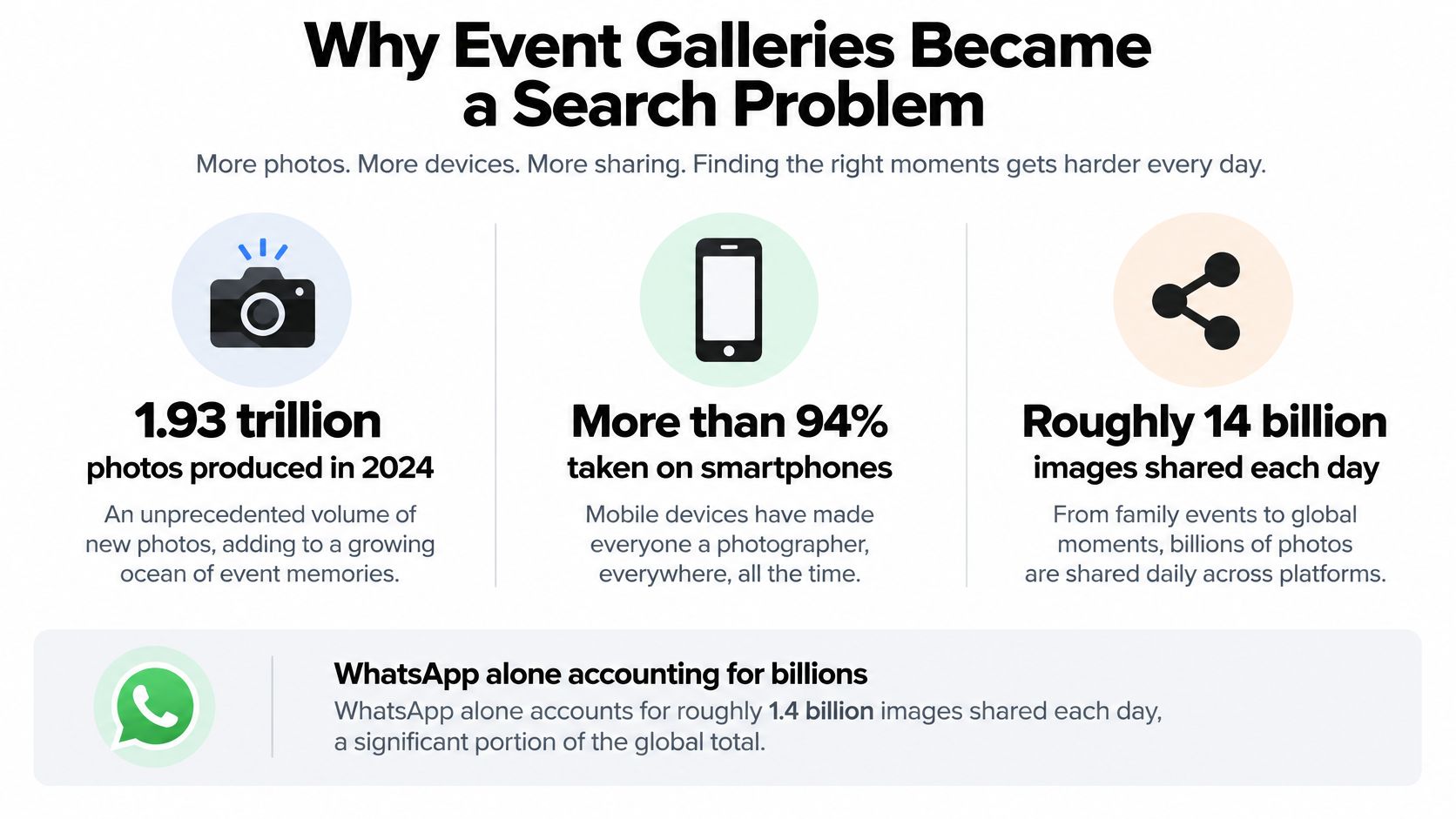
Guests expect to find relevant photos quickly. The practical question is how many steps it takes to get from the event link to a personal photo, and whether the gallery requires an account.
Storage-first versus retrieval-first
Compare platforms by time from upload to the first guest view, the steps required to find a personal photo, and whether guests must sign in.
Storage-first tools, such as folders and desktop catalogs, are built to keep originals organized. Guests may need to open folders named by time or camera card, and access can depend on someone sharing the right link. This works when preservation and photographer control matter more than quick guest access.
Retrieval-first tools put finding photos first. An event link or QR code can open a live gallery, while selfie matching can help attendees locate photos featuring them. The trade-off is that face-based search uses personal data, so organizers need clear permissions, retention rules, and private access controls alongside speed.
Choose a gallery around the way attendees will use it. A collection that is easy to store but hard to search may leave guests browsing instead of finding their photos.
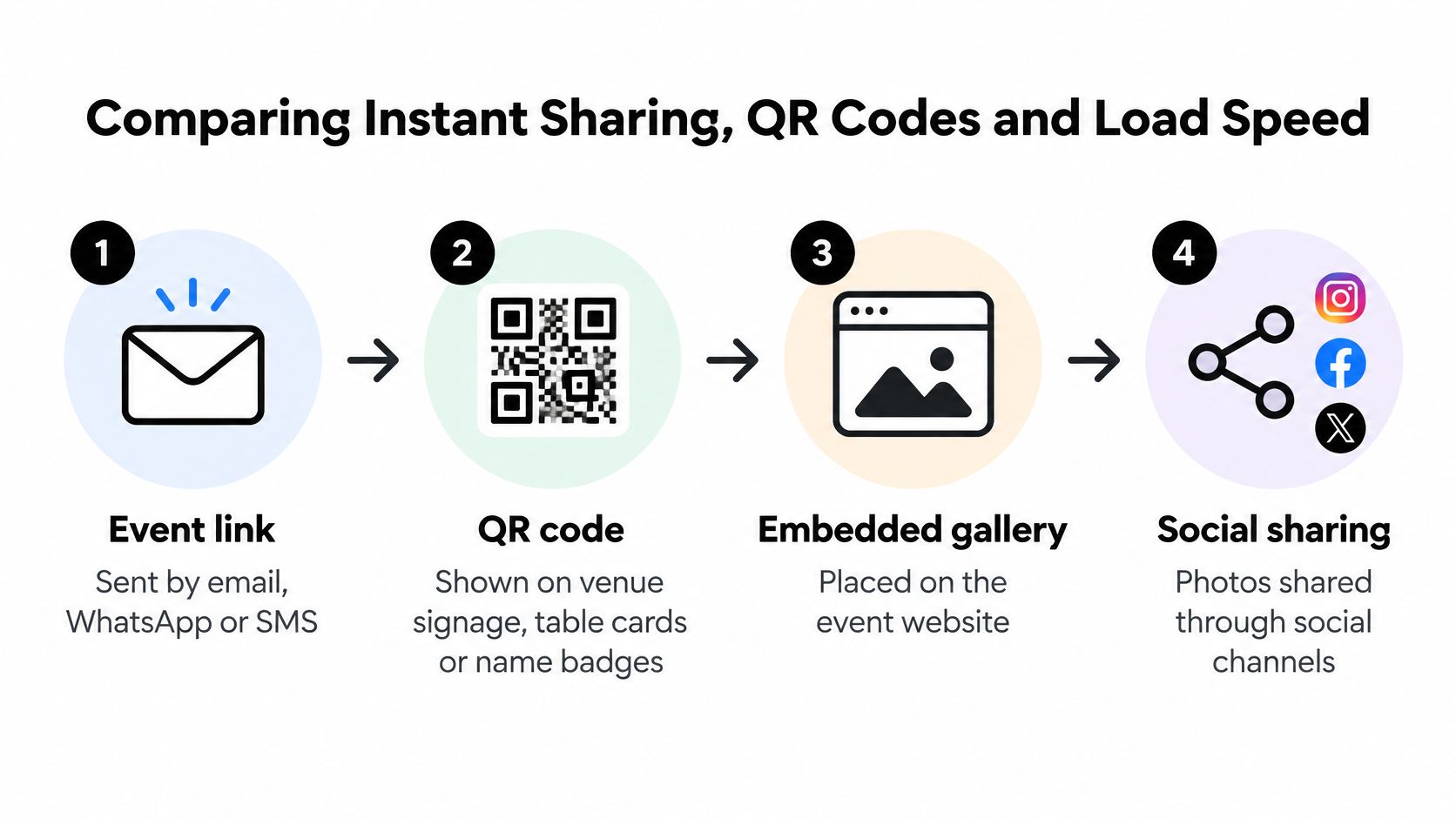
Comparing Instant Sharing, QR Codes and Load Speed
Attendees at a gala may open a link from a follow-up email, while guests at a tournament may scan a QR code between matches. Each route should lead to the same clear gallery, with a first screen that loads quickly.
Event link. Share it by email, WhatsApp, or SMS with people who have provided contact details. Send reminders if the original message is likely to get buried.
QR code. Put it on venue signage, table cards, or name badges so guests can open the gallery on site. Weak indoor signal can leave the page loading, so provide an event link as an alternative.
Embedded gallery. Add it to the event website as a stable destination for staff and late visitors. Keep the first screen light; a large, full-resolution image can delay access.
Social sharing. Guests can share photos after finding them, extending their reach beyond the room. Social views do not show whether attendees themselves could access the gallery.
What the first screen has to do
On more than 70% of webpages, the largest above-the-fold element is an image, so image loading affects Largest Contentful Paint, as web.dev explains in its guide to image performance. A production gallery should provide responsive image sizes so phones do not have to download camera originals. Avoid lazy-loading the first visible image. WebP can reduce file sizes compared with JPEG, PNG, and GIF. AVIF can save more than 50% versus JPEG in some tests, but browser support is less universal. Serve AVIF where supported, with WebP or JPEG as fallbacks. Caching, thumbnails, and progressive loading can help the gallery appear sooner.
The guest path should keep working from the first tap.
- Guests scan the QR code or open the event photo gallery link. A link that fails to load can end the visit.
- They see a thumbnail grid. A fast first screen matters on crowded networks.
- They browse or use selfie matching to find relevant photos. Either route depends on the gallery loading first.
- They download or share a photo. A slow final step can undo the benefit of a quick start.
Track time to first image and share rate. The first indicates how quickly guests can view the gallery; the second helps show whether they found photos worth sharing.
How Selfie Matching Works and Where It Fails
The guest path is three steps, and none of them is a guarantee. The organizer uploads the event photos. AI processes faces in the background. The guest takes a selfie and sees photos that feature them.
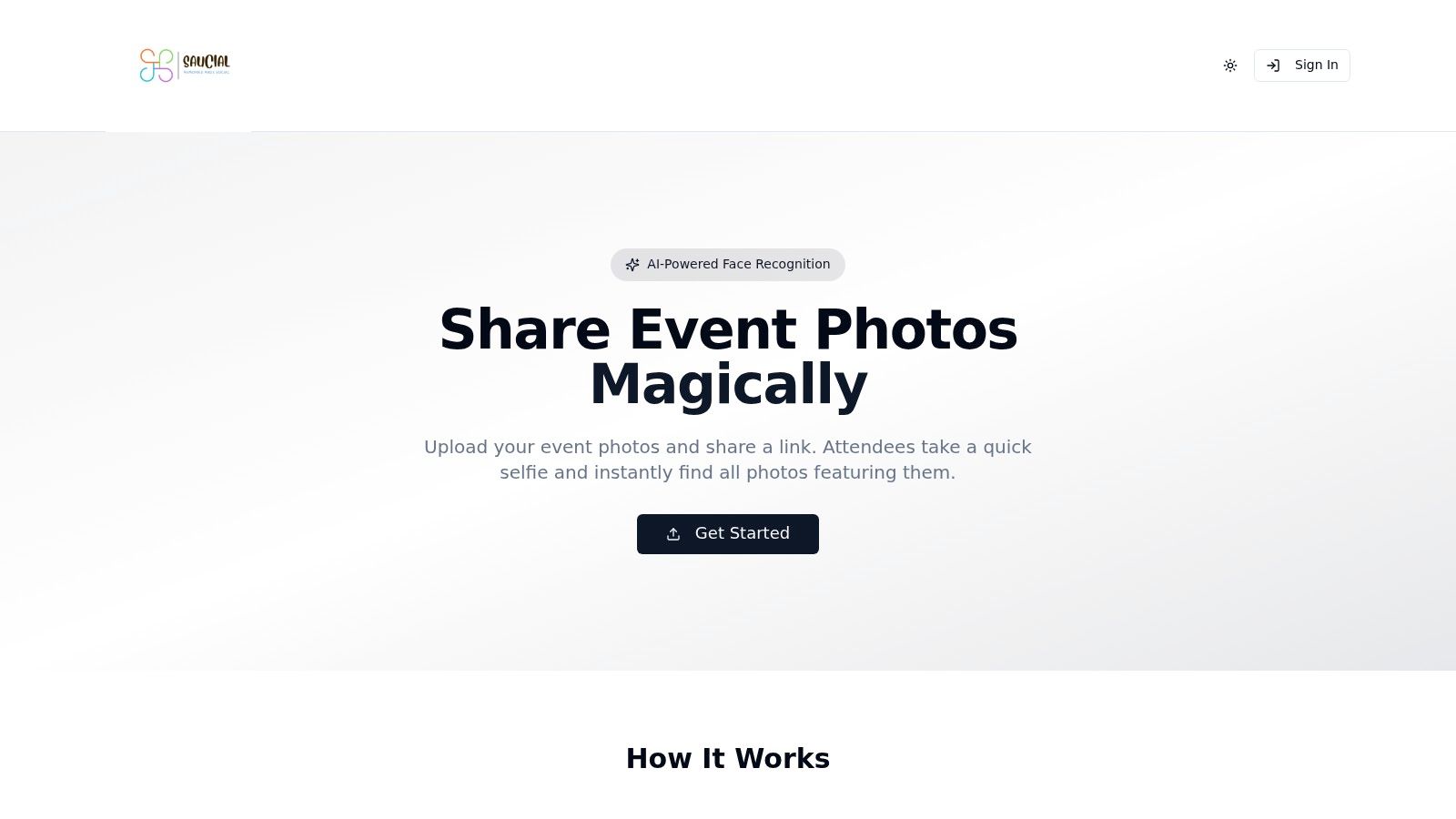
Organizers upload by dragging and dropping files, and our AI processes faces in the background. Attendees take a selfie and instantly see the photos that feature them. Saucial uses AI-powered face recognition for that retrieval. Treat it as biometric retrieval, not a promise that every face will match.
NIST testing of nearly 200 face-recognition algorithms from almost 100 developers, using more than 18 million images of over 8 million people, found wide variation in accuracy across demographic groups. False negatives, missing two images of the same person, depend strongly on image quality. Poor face photography can produce demographic effects, and results can also shift with who is in the non-match pool.
Questions to put on the vendor call
- Thresholds. How are confidence cutoffs set, and can you raise them for a cautious event?
- Fallback. Can a guest ask for more results, or is there a manual review path when the selfie returns nothing?
- Hard photos. What happens with poor lighting, sunglasses, or a crowded background?
- Leakage. Can one guest's results expose unrelated private images?
- Where matching runs. Are results retrieved privately on the guest's device rather than dumped into a public grid?
Before you rely on matching for the whole room, run 20 to 30 volunteer selfies under the venue's actual lighting. Log every miss and every wrong match. Split false negatives and false positives by lighting, pose, and image quality. If the miss rate is ugly in the actual room, keep matching as an optional extra and leave ordinary browsing open.
A short walkthrough of that guest flow is worth watching with the operations lead, not only with the photographer.
Galas, schools, sports tournaments, and trade shows are the events where a wrong public match does the most harm, especially when minors or people who never opted in are in frame. If the test log is full of misses, don't bet the night on the model.
Permission and Privacy Controls Organizers Should Require
For an event gallery, privacy decisions shape the guest experience as much as search speed does. Before enabling face matching, confirm what information the process collects, whether participation is optional, how long matching inputs are kept, and who can request their deletion. Guests who decline should still have a clear way to browse the standard gallery.
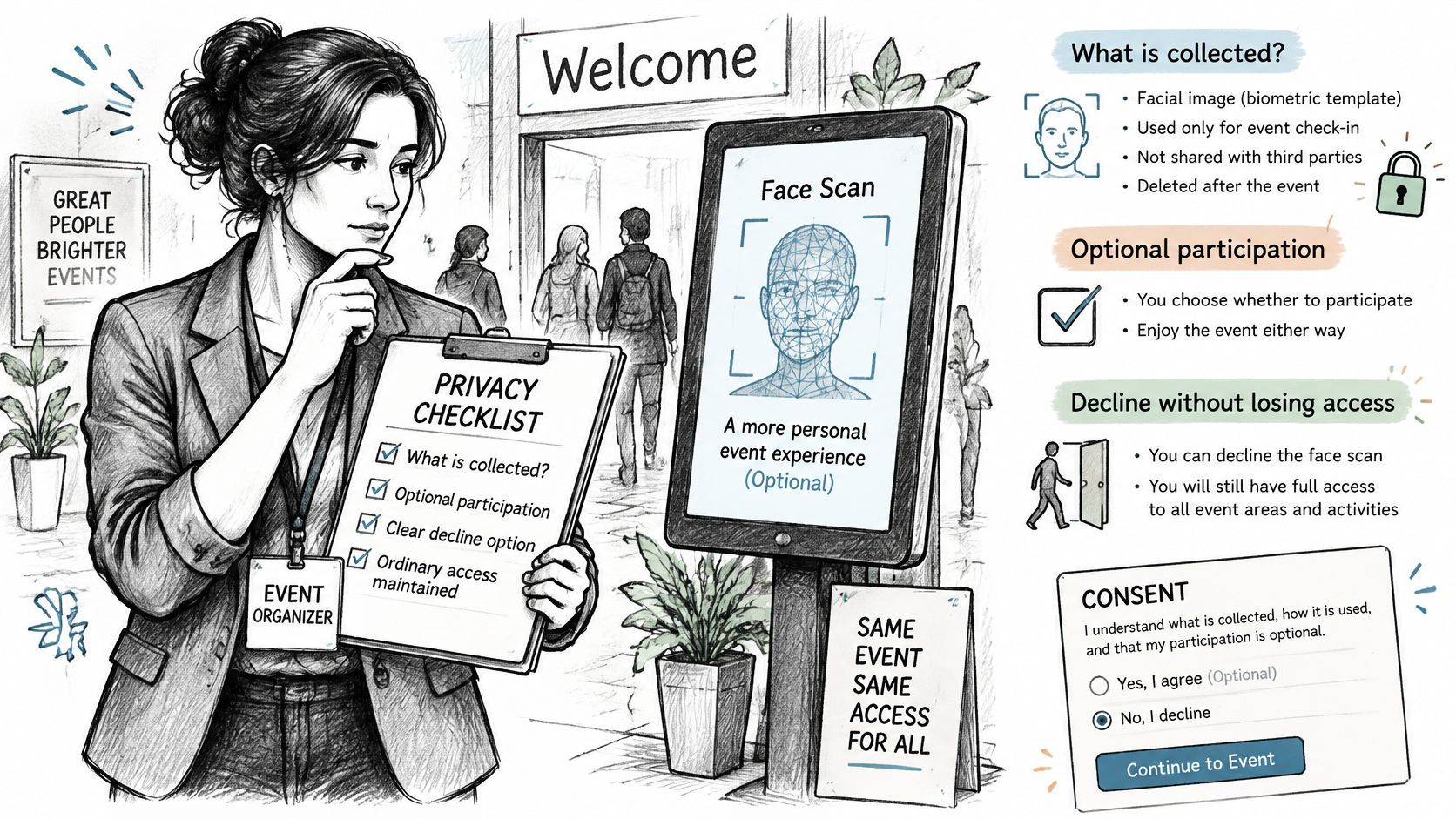
Eventiere's 2025 event photography review notes that consent expectations intensified in 2025, and that separate, visible consent requests are viewed as stronger than permission buried inside general registration terms. Put retention and deletion terms alongside the consent request. The goal is a useful gallery that does not leave guests guessing about how face matching works or what happens to their information.
A venue-neutral checklist
- Pre-event notice. Explain what is collected and that face matching is separate from viewing the gallery.
- On-site signage and QR wording. Repeat the same clear explanation on signs and QR materials, not only in a footer.
- Separate opt-in. Ask for permission to use face matching separately from event registration.
- Opt-out access. Let guests who decline open the standard gallery.
- Publishing permissions. If the platform supports them, limit who can publish, delete, or change retention settings. Review the platform's organizer access and settings before the event.
- Deletion timeline. State when matching inputs are removed and who can request earlier deletion.
- Incident process. Assign responsibility for handling a reported wrong match promptly.
- Plain language on misses. Tell guests how to report a failed or unexpected match.
Match the process to the audience. Adult galas and alumni dinners need a clear opt-in; schools and youth sports need parental consent and a defined retention period. At trade shows, explain the process to both exhibitors and visitors, since their expectations may differ.
A fast gallery matters, but so does a guest's ability to make an informed choice. Clear consent, practical access controls, and a defined deletion process help organizers protect trust while keeping photo sharing straightforward.
Monetizing Attendee Access Without Blocking Free Viewing
Let attendees find and view their event photos before presenting paid options. A photographer can offer print sales, high-resolution downloads, premium edits, or curated sets without putting ordinary gallery access behind a checkout.
A 2025 survey of the photography industry covered more than 4,500 photographers across 70 countries. It found that viewing appointments increased revenue by as much as 20% for some photographers. Event and sports photographers reported a 13% revenue lift from viewing appointments and an 18% lift from product sales. The research also found that 65–70% of photographers faced higher business costs in 2024, while established photographers benefited from print sales as well as digital delivery.
| Revenue Path | How Guests Use It | Best Event Type | Control Needed |
|---|---|---|---|
| Print sales | Guest orders prints from the gallery | Galas, sports tournaments | Organizer approves print pricing |
| Digital downloads | Guest buys high-resolution files | Sports, trade shows | Clear labels on paid versus free photos |
| Premium edits | Guest buys edited versions of a shot | Galas, alumni dinners | Photographer sets edit scope |
| Curated or featured sets | Guest buys access to a highlight collection | Festivals, fundraisers | Organizer chooses which sets are sold |
| Sponsor-branded frames | Guest adds an approved sponsor frame | Fundraisers, trade shows | Organizer approves sponsor placement |
| Free access only | Guest downloads without payment | Community events | No sales controls needed |
Set pricing and approve sponsor placement before publishing the gallery. Keep ordinary photos free, and label paid items clearly so guests know what requires payment. If an account is required, place that step at the paid offer rather than the free gallery. For example, a guest account sign-in page should not block access to free photos.
Track match-to-view rate, share rate, download and print conversions, average order value, and photographer hours saved on attendee photo requests. An event photo sharing link can make photos easy to find while keeping purchases optional.
Choose Your Platform and Confirm Permissions Before the Event
- Write down the event type and the main goal, sharing, sales, or both, because that goal picks the category.
- Shortlist one platform per category that matches the goal, so you aren't demoing four tools that do the same job.
- Request written answers on retention, deletion, opt-out access, and incident handling before you sign.
- Run the volunteer selfie test and log misses and wrong matches before you go live.
- Draft the consent notice and QR wording, and place a separate opt-in for face matching.
- Publish the gallery link within 24 hours of the event, then track share rate and time to first image.
A platform such as Saucial fits galas, alumni dinners, sports tournaments, and trade shows where selfie matching and guest self-service are the goal. Confirm current pricing and feature details on the product site before you commit, because plan limits change.
Saucial gives organizers a find-my-photos gallery for high-sharing events, with a link or QR code, optional selfie matching, and room for approved print or download offers that don't block free viewing. If your next gala, tournament, or trade show needs guests to locate their own frames without a shared-folder scramble, review how the flow works and start an event gallery at Saucial.