Photo Booth Business: How to Start and Scale
You've priced a booth shell, found a camera, and started thinking about weddings or corporate bookings. Then an organizer asks how guests will get their photos, whether the gallery is private, and what happens when the venue Wi-Fi fails. Those answers matter as much as the equipment.
A sustainable photo booth business sells a complete service: capture, delivery, guest support, and clear permissions. Start with equipment you can transport and troubleshoot, then build packages that pay for the work after the camera stops.
Startup Costs and Equipment for Your First Booth
| Item | Typical Cost (USD) | Why It Matters |
|---|---|---|
| Enclosed or open booth shell | Quote the frame, enclosure, shipping, and transport case together | An open frame reduces construction complexity but changes the guest experience |
| Camera body and fixed lens | Price a compatible body, lens, power supply, and tether cable | Reliable focus and suitable framing matter more than an expensive body |
| Lighting kit | Quote the light, modifier, stand, and spare power supply | Consistent lighting keeps skin tones steady throughout the event |
| Touchscreen kiosk or tablet | Include the device, secure mount, and capture software | Runs the capture app and guides guests |
| Dye-sub or inkjet printer with spare media | Include printer, transport case, and replacement media | A media shortage stops print sales |
| Backdrops, props and sponsor frame | Price washable props, a stable stand, and approved artwork | Creates a deliberate setting without obstructing guest movement |
| LTE hotspot and router | Include hardware, activation, and the event data allowance | Provides a delivery route when venue Wi-Fi isn't usable |
| QR signage and table cards | Quote reusable holders and replaceable event inserts | Helps guests reach the correct gallery without staff assistance |
Use current supplier quotes, not an assumed startup total. Published market forecasts don't establish equipment prices. The photo booth market forecast published by openPR projects category expansion, but that isn't evidence that a particular hardware purchase will pay for itself.
Buy the working system before the decorative shell
Prioritize the camera, kiosk, and hotspot. Add the printer immediately if your first package promises prints; otherwise, rent it for testing before committing. Choose a fixed lens only after checking framing in your available booth footprint. A sharp lens that crops out groups isn't a useful purchase.
Save on a tested used lens, an open frame, and a neatly tensioned DIY backdrop. Don't save on stable light stands, secure mounts, cable protection, or transport cases. Include insurance, software, storage, payment processing, and vehicle space in your purchasing worksheet.
Practical rule: For print-led packages, the biggest avoidable sales interruption is running out of compatible media. Pack replacements where the operator can reach them without dismantling the booth.
Your minimum viable kit is a tested camera-and-kiosk system, controlled lighting, safe mounting and power, a simple backdrop, upload connectivity, and working gallery signage. It must capture reliably and deliver the promised gallery that day. A decorative enclosure can wait.
Pricing Packages That Cover Your Costs
Calculate your event cost floor before choosing a selling price:
Monthly fixed costs ÷ realistic planned bookings + direct event costs + delivery and support labor.
Fixed costs include insurance, software, cloud storage, your hotspot plan, and equipment depreciation. Direct costs include travel, parking, setup, staffing, teardown, print media, payment fees, and fulfillment. Pay yourself for preparation and post-event work, not just booth attendance.
The tiers below are package designs, not market-price benchmarks. Build their USD prices from your own cost sheet, then add profit and compare the offer with local alternatives.
| Package | Coverage | Delivery Included |
|---|---|---|
| Digital-only | A defined capture session with digital strips; price from labor, travel, software, and support | QR gallery, downloads as agreed, and a written link-expiry date |
| Prints and gallery | A longer staffed session with an explicit print allowance; add media and printer handling | On-site prints, QR gallery, and an agreed hosting period |
| Premium event | Extended coverage, prints, downloads, and an approved sponsor frame; add design and fulfillment labor | Branded gallery, attendee downloads, and separately priced extended hosting |
Avoid promising unlimited printing without defining reprints, group copies, and service interruptions. Likewise, specify whether digital purchases are additional or included. The gallery needs its own quote line, even if you bundle its price into the package.
Make the quote easy to approve
Collect the date, location, guest count, operating duration, staffing needs, branding, and delivery requirements before sending a proposal. Specify who uploads, when access begins, who can download, and when access ends.
SchedulingKit's photography statistics reports that inquiries answered within one hour convert at 3.2 times the rate of slower responses, but doesn't identify an independently audited methodology or sample size. Treat that as directional, not a promised result.
Use prompt response as an operating standard. Confirm bookings with a deposit and signed terms, and put a venue-network delivery test on the job sheet.
Track inquiry-to-quote rate, quote-to-booking rate, and revenue per event. If bookings rise but earnings don't, inspect unpaid setup, gallery administration, and support before cutting prices.
Consent Rules for Face-Matched Galleries
Can attendees find their photos without giving up biometric data? Answer that before offering selfie photo matching. A guest shouldn't have to accept face processing just to receive a photo they've already paid for.
The convenience is straightforward: attendees take a selfie and instantly see all photos featuring them. Operationally, that selfie is a sensitive input, not just another image to leave in storage indefinitely.
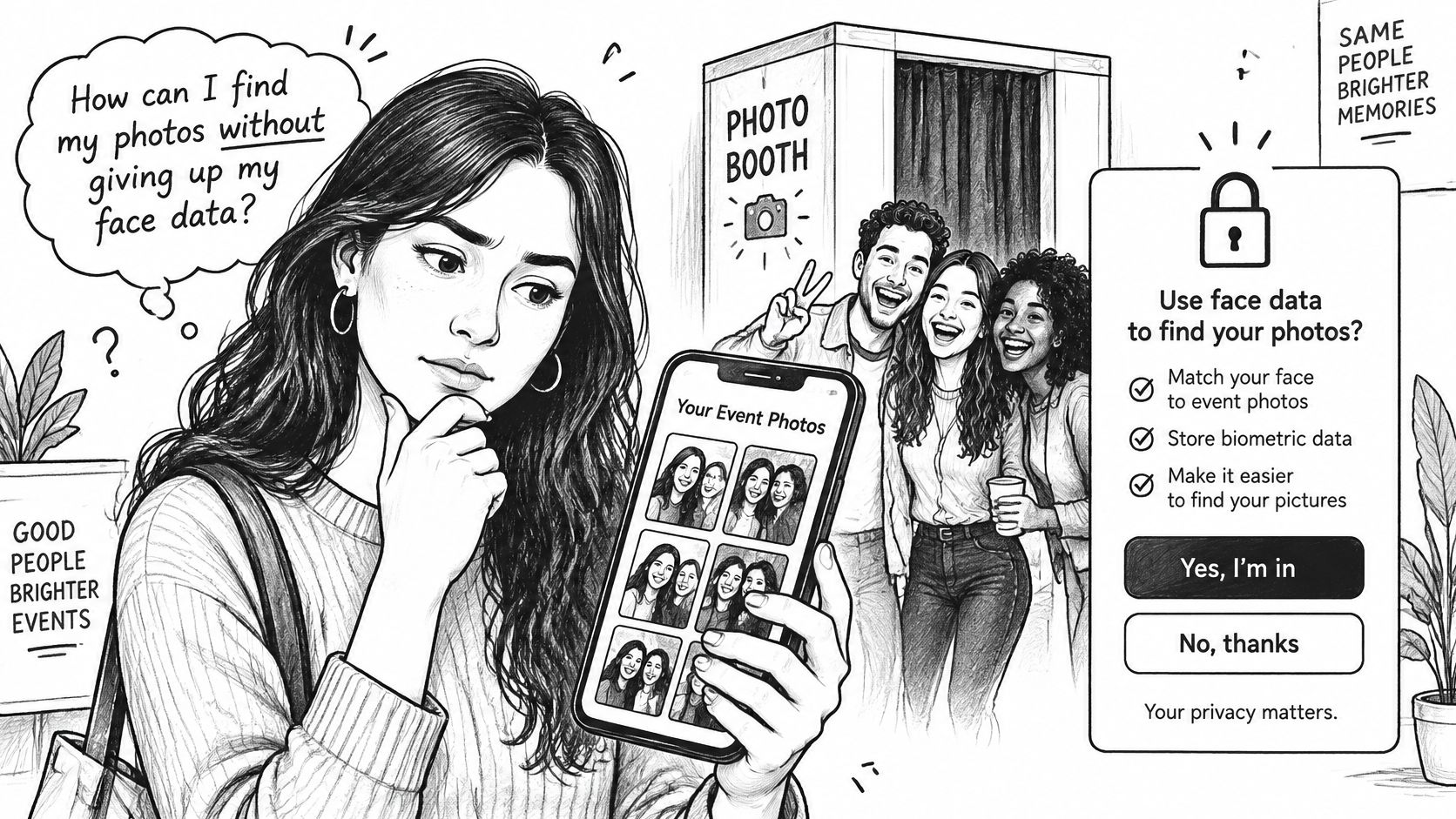
Orrick's analysis of facial recognition requirements explains that Illinois requires informed written consent for biometric collection and permits private lawsuits; Colorado requires notice, affirmative consent, and retention and deletion controls; California treats biometric information used for unique identification as sensitive personal information; and GDPR and UK GDPR may classify biometric data as special-category data, often requiring explicit consent and a data-protection impact assessment.
The applicable obligations depend on the jurisdiction and processing arrangement. Have qualified counsel review your actual workflow rather than copying consent text from another operator.
Build an alternative into the guest journey
- Visible notice: Explain face processing at registration and every QR entry point, before a guest submits a selfie.
- Affirmative choice: Separate matching consent from general event attendance or marketing permission.
- Accessible alternative: Offer photographer-assisted retrieval or an appropriately restricted non-biometric browsing route.
- Limited purpose: Use matching inputs for the stated retrieval purpose, not unrelated advertising or identification.
- Defined retention: State when selfies and derived matching data will be deleted, separately from the photo archive.
- Written responsibilities: Document processor arrangements and identify who handles access, export, and deletion requests.
- Tested withdrawal: Make sure staff know how to stop processing and escalate a request.
Don't treat a successful match as proof of privacy. Check what else a guest can access, whether shared links expose other attendees, and what happens after deletion.
Take particular care with schools, alumni events, tournaments involving minors, and donor galas. The organizer needs a workable consent process before you enable a face recognition event gallery, not an explanation after complaints arrive.
How to Set Up Instant QR Delivery at the Booth
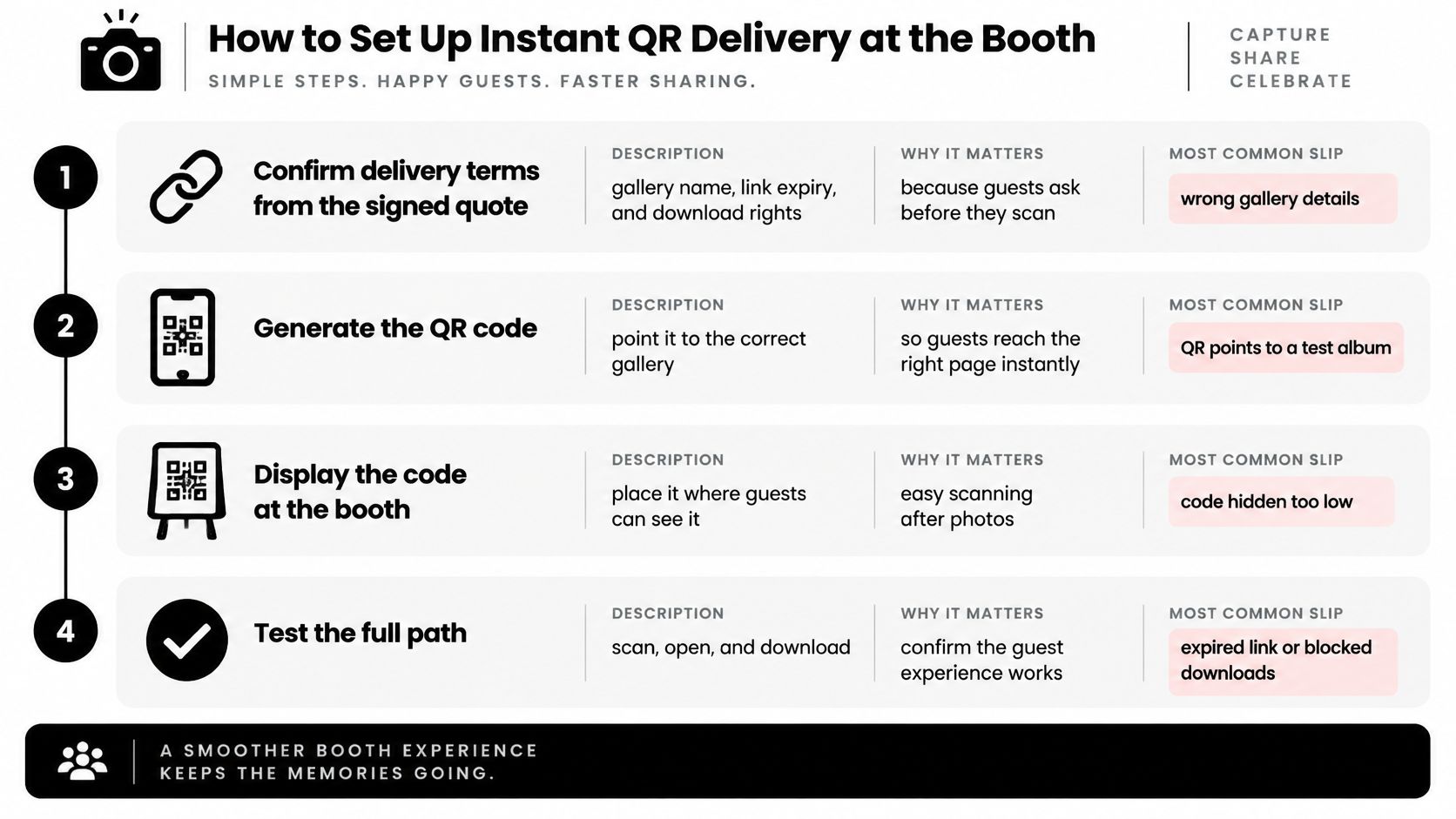
A guest scans the QR code, but an empty gallery or stalled upload still leaves them without their photos. Set up and test the full delivery path before doors open. The QR code is just the entry point.
Prepare and test the full path
Confirm the signed delivery terms. Check the gallery name, expiry, download rights, and authorized audience against the quote. Reusing details from a previous event can send guests to the wrong gallery or expose photos to the wrong audience.
Create and publish the event gallery. Upload a test image, then open the guest-facing page rather than relying on the organizer dashboard. An unpublished gallery can look ready to staff while guests see an empty page.
Generate and display the QR code. Point it to the final guest destination. Place it on table cards and an entrance sign, not only behind props or in a spot where a queue can block it.
Test venue Wi-Fi and the hotspot. Time a complete capture-to-visible upload on each available connection. A connected device does not prove that uploads are finishing.
Show the destination after capture. Put the gallery instructions on the kiosk's completion screen and any printed strip. Digital-only guests need to know where to go after they leave the booth.
Run the guest journey on different phones and networks. Scan, retrieve, and download using devices that are not logged into your administration account. Staff credentials can conceal permission errors.
Assign an upload monitor. Name an operator to check the queue throughout service and clear stalled transfers. A busy capture screen does not show whether delivery is working.
Finish capture without prematurely closing access. Send the find-my-photos link through the organizer's approved channels, then close access at the contracted expiry. Ending the booth session and ending gallery availability are separate tasks.
Keep processing separate from quality control
With Saucial, organizers upload event photos by dragging and dropping them, and AI processes faces in the background. Attendees take a selfie to instantly see the photos featuring them. Review images and retrieval issues, and confirm that the gallery follows the organizer's sharing choices.
Event Photojournalism's delivery guide reports that 68% of younger clients expect a preview within 48 hours, while 42% want the full gallery in under 14 days. Treat these as client-expectation benchmarks, not guarantees or proof of a revenue lift.
Set achievable delivery commitments in writing. Publish approved highlights promptly, address retrieval problems, and complete the archive within the promised window.
For an unrestricted gallery, check that the QR destination opens without a login. For a private event, keep the agreed access controls in place. Test thumbnails, full images, and downloads on a phone before calling delivery complete. See how Saucial's event photo-sharing platform supports selfie photo matching for event galleries.
Upsells Attendees Buy After the Event
Start by testing prints. They give guests a tangible purchase they can understand immediately, whether collected at the booth or ordered afterward. Don't assume they're your bestseller until your own sales show it.
The purchase path should be as clear as the capture path.
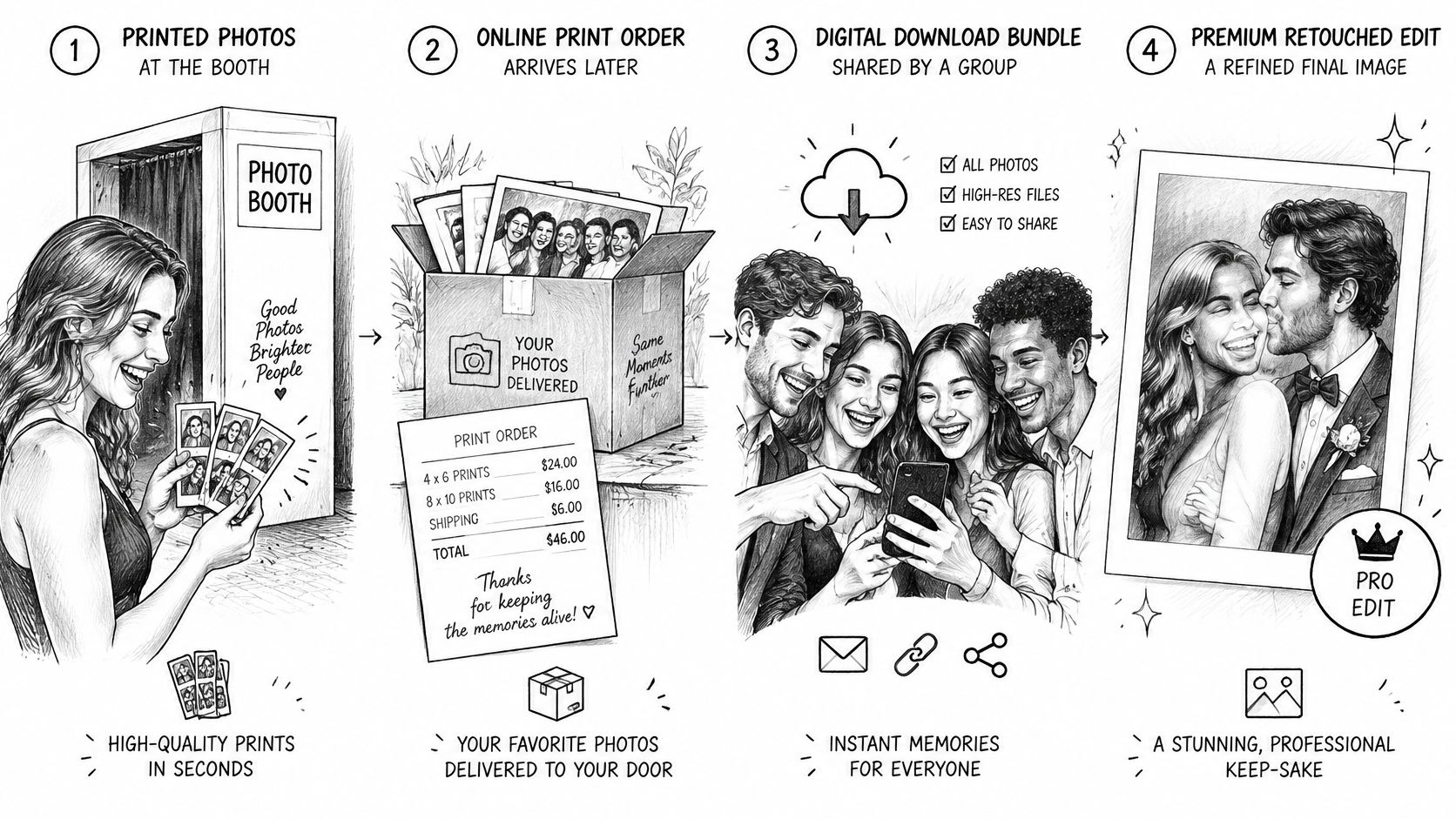
Next, test group download bundles, then premium edits such as retouching or background changes. Featured sets can suit teams and families, but someone must curate them and resolve missing images. Charge for that work rather than treating it as free administration.
Sponsor frames require written organizer approval. Confirm the artwork, placement, permitted images, and distribution rights before putting a sponsor's identity on attendee photos.
Price fulfillment, not just files
Attach the offer to the delivery message, where guests can see the images before deciding. Use a clear order deadline tied to fulfillment and gallery access, rather than artificial urgency.
For a download bundle, state which files are included, their intended use, and whether edits cost extra. For prints, cover media or lab charges, packaging, shipping, transaction fees, and the time required to check and fulfill the order. A round selling price is useful only if it preserves that margin.
Review the service sequence before adding another offer.
Keep purchasing available to guests who decline matching. Staff-assisted retrieval can connect an approved image selection to the same order process without forcing a biometric opt-in.
Don't charge attendees again for downloads the organizer already purchased for them. Separate included access from optional upgrades, and make refunds or corrections straightforward when an order contains the wrong image.
Sell the moment after delivery, not the moment in the booth.
Proving Post-Event ROI with Gallery Metrics
| Metric | What It Tells You | How to Review It |
|---|---|---|
| Unique gallery visitors | Reach of the delivery link | Compare with event attendance |
| Successful photo matches | Retrieval quality | Manually review accepted matches and missed images |
| QR scans | Signage effectiveness | Separate results by placement |
| Shares | Recorded sharing activity | Normalize against attendance; don't equate shares with impressions |
| Download or print conversion | Purchase rate among visitors | Divide purchasing visitors by unique visitors |
| Time from upload to access | Delivery speed | Review the median for each event |
| Opt-outs and support tickets | Consent and instruction problems | Normalize by attendance and categorize the reasons |
Successful matches alone don't establish accuracy. Review incorrect matches and missed photos too. Similarly, a QR scan isn't a qualified lead, and a download isn't necessarily a paid purchase.
Measure the outcome the organizer bought
For a fundraiser, connect gallery engagement with permitted donor follow-up without claiming that photos caused donations. For trade show photo sharing, identify qualified interactions rather than celebrating raw scans. For sports tournament photo sales, distinguish athletes, parents, and spectators where you can do so appropriately.
Use consistent definitions between events. Keep a record of distribution channels, attendance estimates, package inclusions, refunds, and staff hours so differences have an explanation.
DataIntelo's photo booth market forecast projects category expansion, but forecasts use different definitions and assumptions. None proves that your activation generated profitable sales or valuable relationships.
Measurement caution: Gallery engagement shows activity. Financial ROI requires attributable returns and the full cost of providing the service.
Calculate contribution from attendee sales after fulfillment, fees, and extra support. Keep that separate from organizer booking revenue so you can see whether an upsell helped.
Automate repetitive administration where your tools support it:
- Delivery reminders: Schedule approved messages rather than sending them manually.
- Support replies: Template answers about access, downloads, orders, and deletion.
- Gallery closure: Set expiry controls and verify that they work as contracted.
Log the time spent before and after automation. Hours saved per event becomes useful evidence only when you compare equivalent tasks, including exception handling.
Confirm Your First Booking and Scale Without Losing Control
Use the coming week to prove the service, not finish a showroom.
- Write the quote template: Include capture coverage, delivery responsibilities, access expiry, retention arrangements, and reviewed consent wording.
- Build a test event: Connect the camera, kiosk, hotspot, and QR signage, then record the complete upload journey.
- Invite an organizer to a dry run: Ask them to retrieve an image without coaching and note where they hesitate.
- Attach an appropriate offer: Make included downloads and optional purchases unmistakable.
- Review the weakest step: Fix the slowest or least reliable operation before adding features.
Expand after the workflow holds up
Buy another booth when repeat demand and measured delivery performance justify the expense, not because the first event went well. Bring in another trained operator when bookings overlap and you can provide a repeatable setup, support, and teardown checklist.
Keep a job sheet with equipment checks, venue contacts, access instructions, approved artwork, and escalation responsibilities. A replacement operator should be able to deliver the contracted service without borrowing your memory.
For the matching layer, our workflow uses AI-powered face recognition to find the event photos featuring each attendee. Organizers retain control over what is shared, how it's distributed, and which attendee upgrades are enabled; guests don't need to install an app.
Don't let software selection delay a basic operational test. Book a small event this month before buying the full kit, using rented or borrowed equipment where needed and promising only what you've successfully rehearsed.
Saucial gives photo booth operators a drag-and-drop upload workflow and selfie-based photo retrieval, helping turn delivery into a managed part of the service. Visit Saucial to explore the attendee experience, then test it alongside your capture setup and consent process before your next booking.