Online Photography Galleries: A Practical Guide for Events
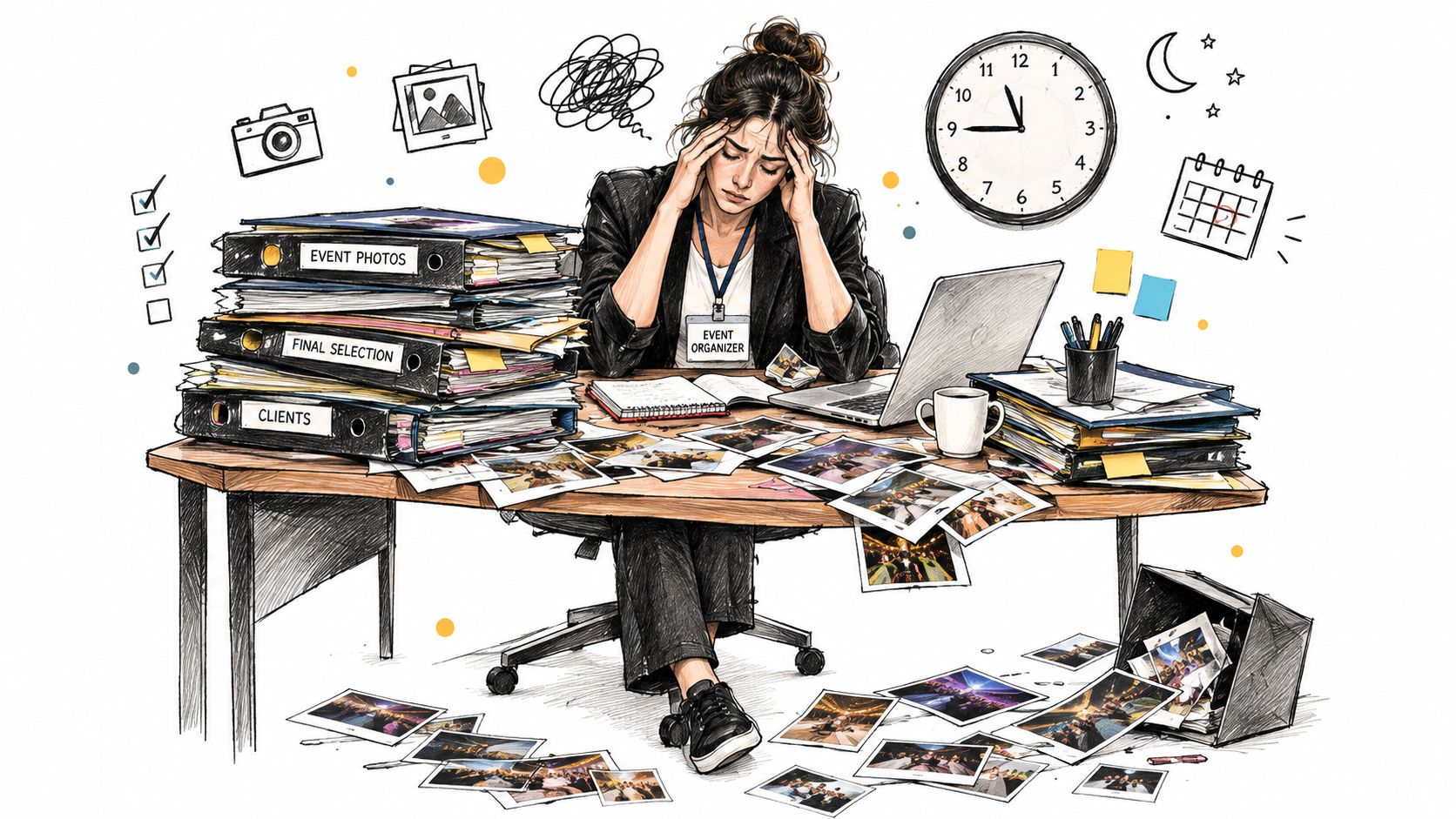
Four hundred guests have just left a gala. The photographer delivers a folder containing 1,200 images, and the organizer is suddenly expected to get the right photos to the right people. Someone asks for a download link, someone else can't find the image they're in, and the communications team starts forwarding the same folder through email, WhatsApp, and social channels.
That's the problem online photography galleries are meant to solve. They turn a large batch of images into a controlled, searchable, mobile-friendly distribution experience. The important question isn't whether the gallery can store photos. It's whether attendees can find, view, share, and sometimes buy the right images without creating more work or privacy risk for the event team.
The practical decisions come down to four jobs: understanding what a gallery is, matching it to the right use case, measuring the value for organizers and photographers, and designing access and consent before the first QR code goes live.
The After-Event Chaos That Galleries Solve
A folder handoff puts the organizer in the middle of every request. The photographer sends the files, the organizer shares a link, and guests browse a long list of filenames or thumbnails hoping to recognize themselves. That approach can work for a small private shoot. It breaks down quickly at a gala fundraiser, sports tournament, festival, or trade show.
Online galleries emerged as digital imaging moved onto the web in the mid-to-late 1990s. Early services often connected photo-finishing businesses with online albums, letting customers upload images, order prints, and access a centralized collection. Platforms including Webshots, SmugMug, Yahoo! Photos, and Flickr made browser-based galleries more accessible in the early 2000s, while Flickr, founded in 2004, helped establish tagging and photography communities as part of the experience. The history of image sharing explains how those services shaped expectations around centralized access, searchable collections, links, and on-demand viewing.
What changes after the upload
A working event gallery replaces scattered delivery with one managed destination. The photographer uploads the collection, the organizer decides what should be visible, and attendees receive a link, code, or QR route that works on their own devices.
That single destination serves several groups at once:
- Organizers: They can distribute approved images without answering repeated “can you send me this photo?” requests.
- Photographers: They can present work professionally and create a route to downloads, prints, or other approved offers.
- Attendees: They can browse or search for their own moments without requesting access to the entire archive.
- Sponsors and communities: They can share branded or community-relevant images while keeping organizer control over publication.
Practical rule: Treat the gallery as the event's distribution layer, not as a digital attic where every original file gets dumped.
Start with the audience journey. Decide how guests will reach the gallery, how they'll locate relevant images, what they're allowed to download, and what happens when they can't find themselves. Those choices matter more than adding another decorative slideshow or a long list of customization options.
What an Online Photography Gallery Actually Is
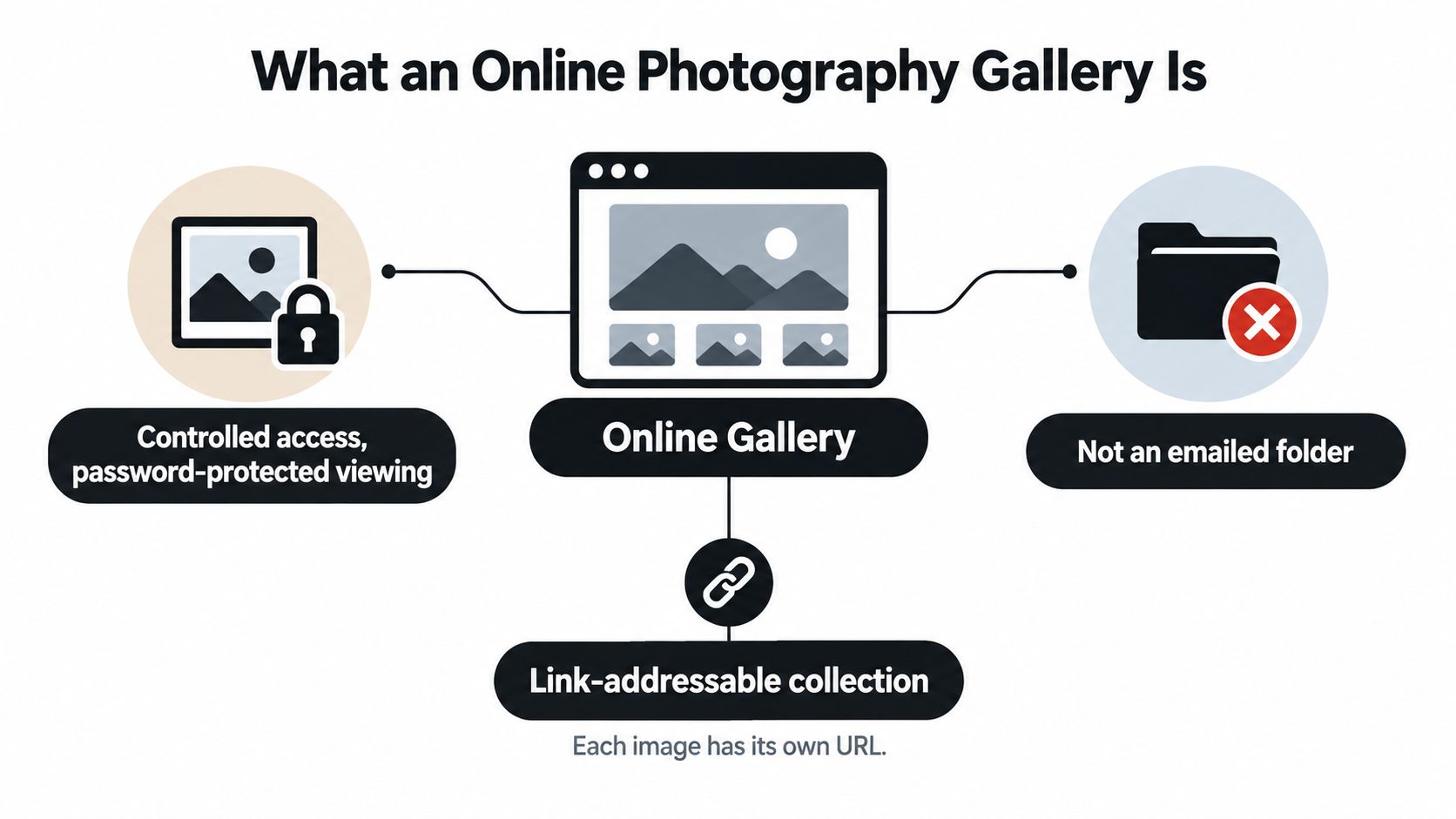
An online photography gallery is a browser-based, link-addressable collection of images with controls for access, viewing, retrieval, and delivery. It isn't a cloud folder with a nicer cover image. A folder primarily answers, "Where are the files?" A gallery answers, "How should each person experience and retrieve the images?"
Think of the difference between a locked lobby display and a public billboard. The lobby display can be available to invited people, organized for viewing, and managed by the venue. The billboard is visible to anyone passing by. A gallery may be public, unlisted, password-protected, code-based, login-based, or connected to a selfie matching workflow. The access model should match the event, the images, and the people shown in them.
The four working parts
Most useful galleries combine four layers:
- Storage and delivery: The platform holds the uploaded images and serves suitable versions to browsers and devices.
- Access control: Guests enter through a link, password, event code, account, or another approved method.
- Viewing experience: A grid, lightbox, slideshow, album structure, or mobile interface helps people move through the collection.
- Retrieval mechanism: People browse manually, use metadata or search, or receive likely matches through a selfie workflow.
The distinction matters because a shared cloud folder usually gives you storage and a link, but not a complete attendee journey. It may lack controlled downloads, clear browsing, audience-level privacy, matching, performance optimization, and a useful way to measure what happens after publication.
For an organizer, the gallery is a communication asset. It should support an event photo sharing link, a QR code photo gallery, post-event email, and approved social distribution. For a photographer, it's a delivery surface that can support curation, watermarking, selection, downloads, and sales without forcing every client into an email thread.
Before uploading, ask a vendor how images are processed, what access options exist, whether original files are exposed, how deletion works, and what attendees see when a match fails. Also review the difference between a gallery platform and a broader event workflow. For example, Saucial's event upload workflow illustrates the kind of event-specific path that connects uploaded images with attendee retrieval rather than treating the collection as a generic folder.
Where Online Galleries Earn Their Keep
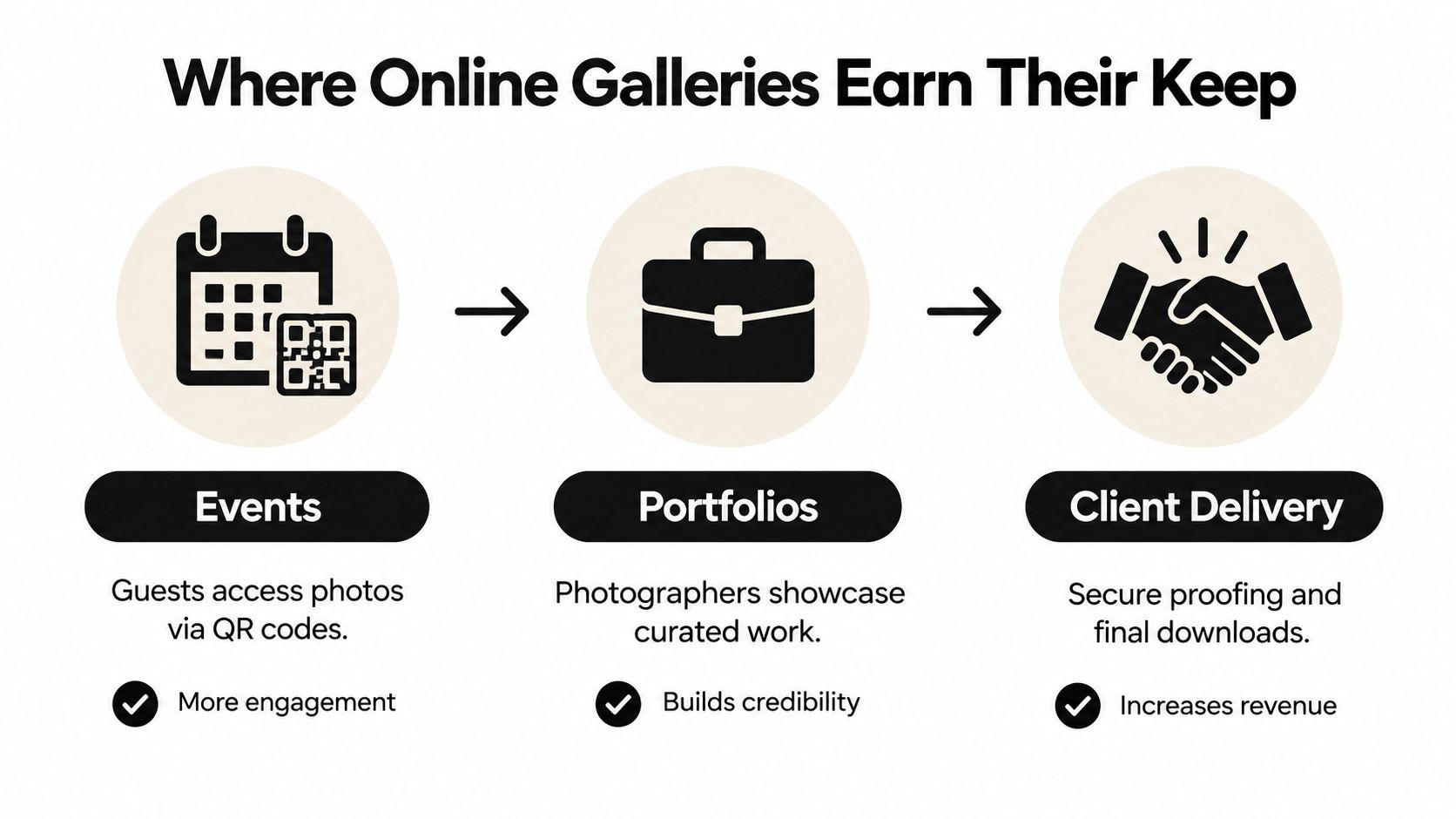
Online galleries earn their place when the audience needs a clear route to a specific collection. Three situations appear repeatedly in event and photography operations: public or semi-private event distribution, professional portfolios, and private client delivery.
Events need speed and relevance
At a gala, the photographer may cover arrivals, speeches, sponsors, portraits, and the dance floor. At a sports tournament, the collection may include repeated action shots across teams and fields. At a trade show, attendees may want images of their booth, presentation, or conversation with a colleague.
A gallery gives the organizer one place to publish approved images and one destination to promote. The right configuration is usually mobile-first, with a shareable link, QR code support, clear permissions, and a retrieval method that doesn't force every guest to scan the entire collection. If the images are private or commercially sensitive, use an access code or restricted route rather than an openly indexed page.
Configure for events:
- Access: Use a link, code, or private route that matches the audience.
- Organization: Separate moments, teams, sessions, or sponsors when manual browsing still makes sense.
- Downloads: Decide whether guests receive web copies, high-resolution files, or no download option.
- Sharing: Make it easy to share approved images without exposing the entire archive.
A practical event setup should also include a fallback for people who don't find a match. Don't make the most automated path the only path.
Portfolios sell judgment
A portfolio gallery isn't a storage destination. It's a curated argument for a photographer's style, reliability, and fit for a commission. A wedding photographer might present a complete story, while a commercial photographer may show selected work grouped by industry or production type.
Keep portfolio access simple unless the work is confidential. Use a branded presentation, deliberate sequencing, and image-level descriptions where they help a prospect understand the work. Avoid publishing every technically acceptable image. Selection demonstrates judgment, and judgment is what clients are hiring.
The takeaway is straightforward: configure a portfolio for presentation and inquiry, not mass download. A prospect should understand the photographer's strengths without navigating an unedited archive.
Client delivery needs control
A private client gallery serves a different purpose. A wedding couple may need final downloads, a portrait client may need to select favorites, and a corporate team may need approved headshots. In these cases, passwords, expiry settings, download rights, watermarking, and album structure become operational tools.
For proofing, the client should be able to mark favorites or selections without confusing those actions with final downloads. For final delivery, use clear labels and a direct instruction such as “download the full-resolution collection.” For commercial work, separate internal review from public-facing delivery.
You can also connect the gallery with an upload or client workflow tool. Saucial's upload page represents an event-oriented approach, while traditional photographer galleries may prioritize proofing, print sales, or long-term client delivery.
The decision rule is simple. Events prioritize discovery, portfolios prioritize persuasion, and client galleries prioritize controlled delivery. Don't configure all three the same way.
Why Organizers and Photographers Both Win
The value of a gallery is split across two businesses. Organizers need distribution without administrative drag. Photographers need a professional delivery channel that can preserve control and create legitimate post-event commercial opportunities.
The organizer's gain
A single gallery link replaces much of the email back-and-forth that follows a large event. The organizer can publish approved images, place a QR code at the venue, send the link after the event, and direct social traffic to the same destination. That creates a cleaner workflow and makes post-event engagement easier to observe.
The scale of image publishing explains why manual browsing becomes a weak default. Mary Meeker's 2014 Internet Trends report estimated approximately 1.8 billion digital images uploaded online each day, or about 657 billion uploads annually, as reported in The Atlantic's analysis of online photography volume. The same source notes that Facebook reported more than 250 million photo uploads per day during the three months ending December 31, 2011, while a 2013 estimate placed Facebook's daily image uploads at 350 million. Those figures are historical context, not a forecast, but they show why a gallery needs search, matching, permissions, and deliberate delivery rather than an undifferentiated folder.
Track the organizer-side outcome with practical measures:
- Turnaround: Time from photographer upload to public or approved release.
- Engagement: Gallery visits, image views, shares, and return visits.
- Support load: Requests asking where a photo is or how to download it.
- Distribution quality: Failed image requests and mobile usability.
- Fundraising or campaign value: Approved downloads, sponsor visibility, or event-page actions.
The photographer's gain
A gallery lets the photographer reach attendees directly while keeping the organizer in control of publication. That matters for a fundraiser, sports tournament, or branded activation where the photographer's work is seen by many people beyond the contracting client.
Possible commercial paths include print orders, digital downloads, premium edits, featured sets, or sponsor-approved branded frames. Those options must be explicit and appropriate to the event. Don't turn a community gallery into an aggressive storefront without agreement from the organizer.
Performance affects all of these outcomes. The 2025 Web Almanac reports median image payloads of approximately 1,059 KB on desktop pages and 911 KB on mobile pages in its page-weight analysis, available through the Web Almanac's image performance data. Serving full-resolution originals in the first gallery grid can therefore slow browsing and increase transfer demands. Use thumbnails for the first viewport, medium previews for browsing, and originals only after an intentional download action. Lazy loading, HTTP caching, WebP, and AVIF can reduce unnecessary transfer.
| Stakeholder | Primary gain | Practical outcome | Metric to track |
|---|---|---|---|
| Organizer | Faster controlled distribution | Fewer repeated requests and clearer event communication | Release time and support requests |
| Photographer | Direct attendee reach | More opportunities for approved downloads, prints, or upgrades | Conversion from gallery visit to selected action |
| Attendee | Faster photo discovery | Less time scanning unrelated images | Search completion and failed-match requests |
| Sponsor or host | Continued event visibility | Approved images remain connected to the event identity | Shares, branded views, or campaign actions |
Measurement principle: A gallery is working when people find relevant images quickly and the team can explain what happened after publication.
How Shareable Links, QR Codes, and Selfie Matching Fit Together
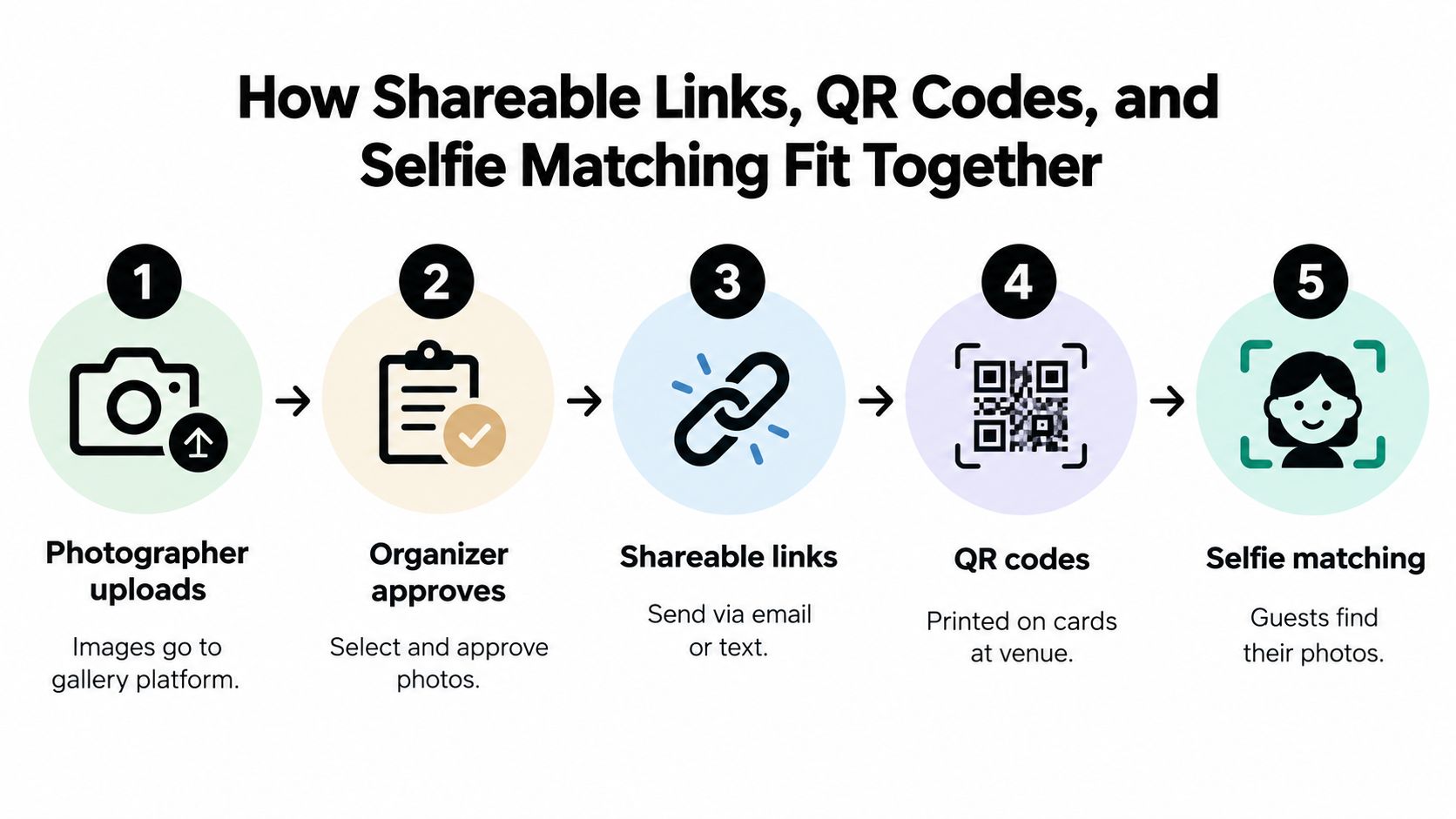
The strongest event workflow connects several simple steps instead of asking one feature to do everything. The link provides a destination, the QR code removes typing, and selfie photo matching reduces the effort required to locate relevant images.
Build the sequence before the event
Use this distribution sequence for a gala, tournament, fundraiser, or conference:
- Upload: The photographer sends images to the gallery platform, preferably in the background while curation continues.
- Approve: The organizer or photographer removes accidental, sensitive, duplicate, or unauthorized images.
- Publish a link: Create one event photo sharing link that can appear in email, SMS, WhatsApp, the event website, and social posts.
- Place QR codes: Put the QR code on table cards, signage, registration materials, sponsor displays, or the event program.
- Offer retrieval: Let attendees browse, search, or use selfie photo matching to see likely images.
A pre-event teaser can tell guests where photos will appear. An on-site QR code captures attention while the event is still fresh. A post-event email gives people a second route when they're ready to share or download. Each channel should point to the same controlled destination.
For event teams comparing tools, review settings for access, consent, retention, download permissions, and fallback support. Saucial's settings workflow is an example of the type of organizer control that should be checked before publication.
Why matching helps, and where it fails
Manual browsing works when the collection is small or carefully divided. It becomes frustrating when guests must scan hundreds or thousands of images. A face recognition event gallery can reduce that search burden by presenting likely matches after a selfie, but it shouldn't be treated as an infallible identity system.
NIST distinguishes false negatives, where the system fails to associate photos of the same person, from false positives, where it associates photos of different people. Its face recognition demographic effects guidance also explains how image quality and demographic factors can affect performance. Motion blur, low light, profile views, occlusion, distance, and crowded group shots all create practical failure points.
Before going live, answer four questions:
- Visibility: Who can see each image, album, or match?
- Retention: How long are the images and face-related data kept?
- Control: Can the organizer suppress an image or revoke access?
- Fallback: Can a guest browse manually or request help without using a selfie?
That checklist belongs in the venue coordinator's runbook. Convenience is valuable, but only when the workflow remains understandable and controlled.
Privacy, Permission, and the Real Cost of Frictionless Matching
A fast selfie search can make an event gallery feel effortless. It can also create a biometric-processing problem that the organizer hasn't properly explained. Frictionless access isn't automatically responsible access.
If a platform creates or uses face-related data to identify images, the organizer needs a clear position on consent, purpose, retention, and deletion. A general event-registration checkbox may not be enough under GDPR-style regimes. Event teams should obtain current legal advice for the relevant market, but the operational requirements are clear even before counsel reviews the wording.
Decide what guests are agreeing to
A consent notice should explain, in plain language:
- what the attendee submits, such as a selfie or face-derived representation;
- why the system uses it, such as locating event images;
- where processing occurs and which parties handle it;
- how long the face-related data and event images remain available;
- how a person opts out without losing access to other event services;
- how minors are handled;
- how deletion or access requests are submitted.
Consent should be separate from unrelated registration choices whenever the law or context requires that separation. Don't hide matching inside a broad “I agree to event terms” sentence. Guests need to understand the choice before they use the feature.
Access design also matters. A restricted gallery, event code, or authenticated route can reduce accidental exposure, while an open link may be inappropriate for sensitive events. Saucial's authentication route illustrates why account and access decisions should be considered part of the event experience rather than left to a last-minute upload setting.
Build for errors, not perfect demos
False positives create the most serious discovery risk because a guest may see another person's image. Use confidence thresholds, suppress low-confidence results, and label matches as suggestions rather than guarantees. Give attendees a manual browse or support route when the system doesn't identify them.
Privacy rule: Never make automated matching the only door into an event gallery.
The organizer should also define deletion ownership. If the photographer controls the files, the event host still needs a documented process for takedown requests and unauthorized images. If a third-party platform processes the matching, review its retention and deletion controls before the event, not after a complaint.
A responsible face recognition event gallery balances three outcomes: relevant discovery, restricted exposure, and understandable consent. If the team can't explain what happens to a selfie or how an attendee opts out, the workflow isn't ready.
Putting It All Together This Week
Choose the use case first: event distribution, portfolio presentation, or client delivery. Then define the access model, approval process, download rights, consent language, retention period, and manual fallback. Run a small test with real mobile devices before scaling to a gala, tournament, or fundraiser.
Test accessibility alongside speed. A polished gallery can still exclude people with low vision, dyslexia, cognitive disabilities, limited bandwidth, or difficulty completing a selfie step. Check alt text, color contrast, keyboard navigation, readable QR instructions, screen-reader labels, and a non-face-matching route for requesting photos. The 2025 WebAIM findings reported 54.1 accessibility errors per homepage on average, with missing alternative text on 55.5% of pages and low-contrast text on 79.1%, as summarized by Arts Professional's coverage of arts and culture website accessibility.
Start with one event, measure release time, engagement, failed matches, support requests, and approved sales actions, then refine the workflow before adding complexity.
Saucial helps event teams publish photos through a shareable event gallery, QR code access, and a “find my photos” selfie workflow, with organizer controls for distribution and attendee experience. Visit Saucial to see how it can fit your next gala fundraiser photo gallery, sports tournament, or trade show photo-sharing process.