Online Photo Gallery for Clients: The Complete Guide

You've probably lived this already. The event is over, the photos are edited, and the gallery link goes out. A week later the organizer is asking why nobody opened the folder, and the attendees are still sending the same message, “Can you find my photos?” because they don't want to scroll through hundreds of strangers to find three shots of themselves.
That failure isn't really about image quality. It's about retrieval friction. A shared folder asks people to browse everything, while a real online photo gallery for clients should help them find their own moments fast, on their phone, without needing a file tutorial.
Why Traditional Photo Delivery Fails Event Clients
A 900-photo Drive link feels efficient when you upload it. It feels unfinished the moment the first attendee opens it and closes it again. The problem is not that the photos are bad, it's that generic file delivery forces the wrong behavior, people are asked to sift instead of search.
For event teams, that creates a familiar spiral. The photographer delivers once, the organizer forwards the link, then the inbox fills with people asking for the same faces, the same group shot, the same stage moment. That's not a photography issue, it's a workflow issue.
The gallery is supposed to reduce work, not create it
A purpose-built gallery changes the model from “here's everything” to “find my photos”. That shift matters because attendees usually don't want a complete archive, they want access to the images that include them. If the gallery doesn't make that easy, engagement drops and the support burden climbs.
The event-photo workflow works best when it separates upload, organization, identity matching, and delivery into distinct stages, with publishing through a browser gallery or QR entry point at the end. That structure reduces friction because guests don't have to scan a generic folder, and it gives organizers a cleaner control path for privacy, release timing, and approvals.
Practical rule: if the attendee has to ask where to start, the delivery system is already failing.
The broader market has moved in this direction because mobile, cloud, and link-based access are now standard expectations. The photo sharing market reached nearly $5.67 billion in 2025 and is projected to rise to $7.58 billion by 2030, with a further forecast to $9.77 billion by 2035 The Business Research Company. That growth makes sense when you watch real event behavior, people expect fast access on the device already in their hand.
How a Modern Event Photo Gallery Works
At a busy event, the weak point often appears after the photos are taken. Guests receive an unopened Drive link, scroll through hundreds of unrelated images, and message the organizer, “Can you find my photos?” A modern gallery removes that search burden by treating delivery as a managed retrieval service.
A useful comparison is a mailroom. Packages arrive, staff sort them by recipient, and each person collects what belongs to them. An event gallery follows the same logic with photographs, moving from upload and organization to matching, permissions, and delivery.
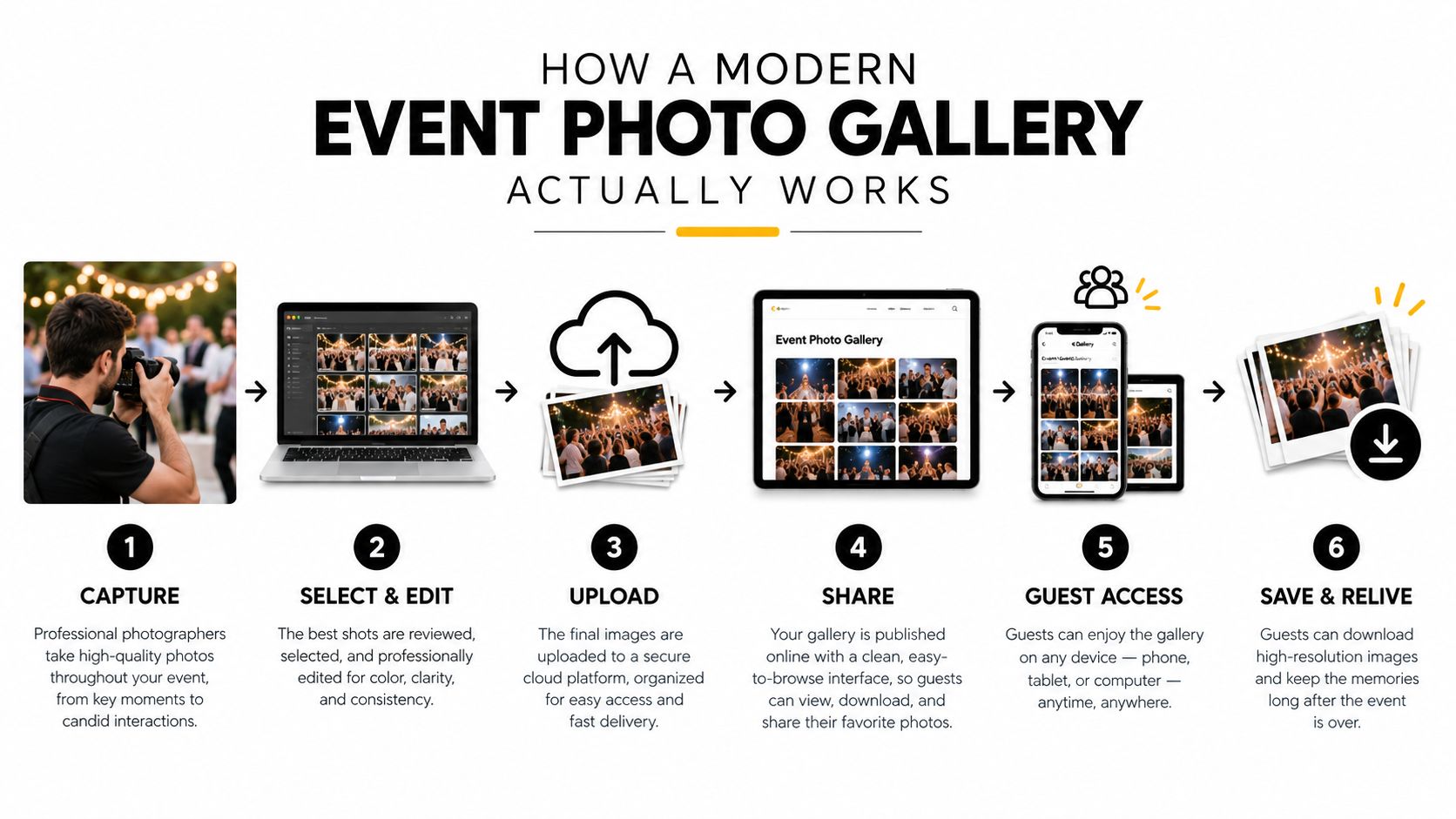
The process begins with ingest. Photos enter an event workspace after upload, giving the team one controlled source instead of a loose file pile. The system can then group images by event or session, making the library easier to manage before anything is published.
Identity matching changes retrieval
The next stage is identity matching. With selfie-based systems, a guest submits a quick selfie or uses a camera scan, and the gallery identifies images that include them. That turns the gallery from a long browse into a self-serve search experience.
The delivery point can be a browser link or a QR code photo gallery. Organizers can place the code on venue signage, table cards, backdrops, badge inserts, email follow-ups, or an event app. Guests reach the gallery with the phone already in their hand, without installing an app or working through a lengthy login.
The attendee path should stay short: scan or open the link, complete selfie matching when required, and view the permitted images. Consent and access rules still matter, especially at public events where attendees may not want unrestricted browsing.
For the production team, the upload stage should be equally straightforward. A drag-and-drop workflow such as Saucial's upload flow keeps image intake separate from attendee retrieval, so organizers can prepare the gallery without adding steps for guests.
Before release, the organizer can apply privacy settings, approval rules, and timing controls. The gallery then publishes the selected images through the chosen access point. This creates a clearer handoff from event capture to attendee delivery and reduces the messages that follow a poorly organized folder link.
A browser gallery is also easy to explain to clients: “We upload the event, use matching to help guests find their images, then share access through a link or QR code.” That description covers the working parts without technical jargon.
The experience on the guest's phone
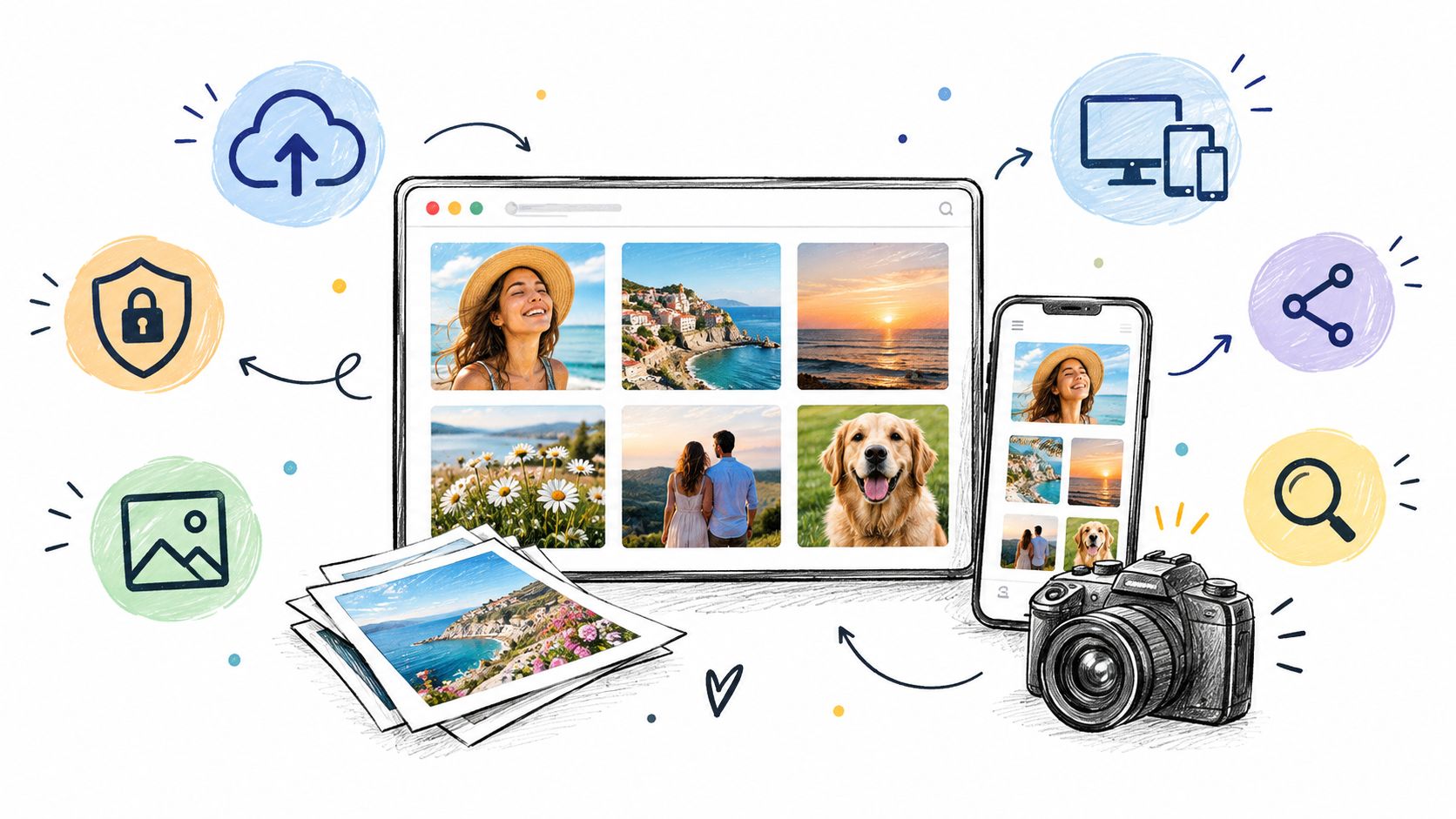
On a phone, the best galleries feel immediate. The guest opens the link, sees a clear interface, and reaches the relevant images without managing folders or downloading files first. That retrieval experience is what makes QR entry, selfie matching, and consent-first access useful beyond ordinary cloud storage. It also creates a direct route for offering downloads, prints, or other attendee purchases when the organizer chooses to monetize delivery.
Must-Have Features for Client Photo Galleries
A professional gallery doesn't need every bell and whistle, but it does need a few essentials. If one of these is missing, the gallery usually breaks at the exact moment a client tries to use it.
You want fewer taps, fewer guesses, and fewer support messages. Every feature below should remove a failure mode, not add a menu.
Access, retrieval, and control
Private access controls matter first. If a gallery isn't private by default, a public event can turn into a browsing free-for-all, and the organizer ends up policing who saw what after the fact.
Shareable links and QR codes solve distribution. The link works for email, WhatsApp, SMS, and post-event follow-up. The QR code works on venue signage, table cards, backdrops, badge inserts, and printed handouts.
Selfie or face-match retrieval is the feature most traditional galleries skip. Without it, a guest may have to scroll through a huge set of strangers before finding a few usable images. With it, the gallery becomes a self-serve search experience instead of a long browse.
Delivery options that actually help clients
Download controls should be easy to understand. Clients need to know whether they can save full-resolution files, web-size versions, or both, and organizers need to know whether downloads are open, limited, or approved.
Print options matter when the gallery doubles as a sales channel. If the platform can't support orders or at least connect cleanly to a print flow, you're leaving post-event revenue on the table.
Organizer-side permissions are easy to overlook, but they matter. Someone on the event team should be able to decide what's shared, when it's shared, and whether the gallery is curated, private, or open to a defined audience.
The event gallery guidance from Saucial's settings area reflects that same control-first mindset, where the organizer sets the rules before the gallery goes live.
Here's the practical checklist I use:
- Private by default: protects public conferences, internal events, and family-friendly gatherings.
- QR and link delivery: makes distribution flexible across on-site and post-event channels.
- Face or selfie matching: gets attendees to their own photos faster.
- Downloads and print handling: supports both access and monetization.
- Organizer controls: keeps approval, privacy, and release timing in one place.
A strong gallery should feel invisible to the guest and decisive to the organizer. If the platform makes either side work too hard, it's not a client gallery yet.
Real Workflows for Organizers and Photographers
An event gallery fails at the handoff. The organizer shares an unopened Drive link, attendees lose it, and the photographer spends the next week answering, “Can you find my photos?” A working process gives each person one clear job and keeps retrieval with the attendee.
The organizer's path
Before the event ends, the organizer should decide how guests will reach the gallery. After delivery, they share one access point through email, WhatsApp, SMS, venue signage, or social channels. A QR code adds a practical on-site route, letting guests scan while the event is still fresh.
That early exposure matters. Guests who see the QR code in the room can open the gallery later and share it with colleagues or friends. The organizer is distributing access, not sorting individual requests.
The guest flow should take only a few steps: scan the code, open the gallery in a browser, then browse curated images or use selfie-based matching to retrieve personal photos. No app installation or account setup should stand between the attendee and the images.
The photographer's path
The photographer needs a delivery process that works after capture. Batch upload keeps attention on the event, while background face processing can identify attendees and organize the set without requiring another manual sorting round.
That workflow changes the support burden. Publish once, then hand the organizer a single link and QR code. The platform handles retrieval from there, so the photographer is not repeatedly searching for particular guests.
A platform such as Saucial can fit this model when it supports batch upload, background face processing, and attendee access through a link or QR code. The relevant question is not whether it stores images, but whether it moves guests from arrival to retrieval without creating another task for the photographer.
In practice, these steps hold up well:
- Batch upload after the event: keeps on-site work focused on photography.
- Background processing: prepares matching while the photographer handles other delivery tasks.
- Published link plus QR code: gives organizers practical routes for both in-room and post-event sharing.
- Selfie-based retrieval: lets attendees locate their own images instead of sending repeated requests.
- Consent-aware access: keeps the retrieval experience aligned with the event's privacy choices.
The handoff works because each role stays distinct. The organizer distributes access. The photographer publishes the finished set. The attendee retrieves relevant images and can share them without waiting for personal assistance. That is the difference between an event product and a folder full of files.
Privacy and Permission Best Practices
Privacy rules must be set before the gallery goes live. Once an event gallery has been shared publicly, correcting a loose access setting is harder than preventing it.
Use private first as the default. Access can be widened after review, while a public gallery can expose sensitive images before the organizer understands the consequences. Public conferences, corporate events, schools, alumni gatherings, and events involving minors all benefit from that starting point.
What privacy-conscious face matching should do
Privacy-conscious systems can use facial embeddings to match an attendee with their photos without retaining a loose library of raw face images. A practical retention rule is to purge the selfie and matching data within 24 hours of the event, unless the attendee has given a clear reason to keep it longer. Well-built systems delete the selfie and its matching data immediately after retrieval, and gate access behind explicit attendee consent.
That approach reflects BIPA-style biometric consent expectations: explain the matching process, obtain permission before processing, and limit retention. It still gives attendees a self-serve “find my photos” flow while reducing the organizer's exposure if a gallery link is shared beyond the intended audience.
A solid pre-launch checklist should cover:
- Upfront notice: tell attendees that photos are being captured and explain how retrieval works.
- Opt-out path: give people a real way to avoid appearing in the gallery when the event context requires it.
- Who can see what: define whether access is attendee-only, organizer-only, or event-wide.
- Retention and deletion policy: state how long photos, selfies, and matching data remain active.
- Release timing: decide whether the gallery goes live immediately or only after organizer review.
Don't wait for a complaint to define the rules. By then, the gallery has already been distributed.
Consent also needs to fit the retrieval method. If guests are using a selfie to locate their own images, the permission screen should appear before matching, use plain language, and explain what happens to the selfie afterward. QR entry can make access quick, but it should not bypass that consent step.
For events where guests mainly want their own images, privacy and retrieval should be designed together. Mainstream gallery advice often stops at a password-protected folder, even though the attendee experience depends on who can search, what data is retained, and how access is withdrawn.
The guidance in Saucial's authentication flow follows that permission-based approach, connecting access and retrieval instead of treating a generic public folder as the complete solution. Legal and communications teams can review those choices before launch.
Turning Photo Delivery Into Revenue
A gallery can earn revenue after it solves the attendee's first problem: finding the right images. A guest who has just located a photo of themselves, their team, or their table has a clear reason to consider a purchase. An unopened Drive link or anonymous folder creates no such moment.
Keep access free by default, then offer paid options where the event supports them. That protects the attendee experience while giving photographers and organizers a direct-to-attendee sales channel.
Monetization options compared
| Monetization Path | Setup Effort | Attendee Appeal | Revenue Potential |
|---|---|---|---|
| Print sales | Moderate | High for keepsakes and family events | Strong when the gallery includes memorable moments |
| Digital downloads | Low to moderate | High when speed matters | Solid for convenience-based purchases |
| Premium edits | Moderate | Medium, depends on event type | Good for VIPs, brands, and polished deliverables |
| Curated featured sets | Moderate | High when the set feels personal | Strong for gala highlights and sponsor-friendly recaps |
| Sponsored or branded frames | Higher | Medium, needs event fit | Useful when the organizer approves the branding |
The event should determine the offer. A sports tournament can suit quick digital purchases and prints. A gala fundraiser may support curated highlight sets or branded presentation. A corporate activation usually needs a lighter touch, since attendee trust matters more than adding another sales prompt.
Platforms that support attendee-level monetization let organizers enable print sales or paid downloads per event. They can keep the main gallery free, switch sales on only when appropriate, and offer curated paid sets instead of placing every guest behind a paywall. That setup also gives photographers control over which images become products and which remain complimentary.
A few observations hold up across events:
- Warm intent is highest right after retrieval. The guest has already found a relevant image, so the purchase prompt has context.
- Optional monetization works better than forced paywalls. Access should come first, with payment reserved for prints, downloads, edits, or selected sets.
- Event-approved branding can help if it feels native. Branded frames and sponsor layouts should support the event rather than interrupt the attendee's search.
Use QR entry and selfie-based retrieval to shorten the path from arrival to discovery, then place the offer beside the images people care about. Consent-first access still applies, and organizers should avoid turning personal photos into an unexpected checkout screen.
Done well, the gallery becomes part of the revenue path rather than a delivery cost. Done badly, it adds friction after the photographer has already done the hard work.
How to Choose the Right Gallery Platform
The right platform starts with the event's retrieval needs. A gala fundraiser may require private access and curated sets, while a sports tournament depends on fast selfie matching. A trade show needs QR distribution that works across a busy venue.
Start by asking how attendees will find their photos. Selfie-based matching suits events where guests need personal results quickly. A simpler browser gallery may be enough for a controlled delivery archive. If the gallery also supports sales, review how it handles prints, downloads, and optional upgrades.
A practical decision checklist
Privacy architecture. Set visibility and permissions before launch, with private access as the default.
No-install guest access. Confirm that attendees can open the gallery in a browser without downloading an app.
Distribution options. Look for shareable links, QR codes, and mobile-friendly pages that work at the venue.
Monetization flexibility. Check whether access can remain free while prints, downloads, or selected upgrades stay optional.
Organizer control. Make sure the event team can manage approvals, release timing, and gallery visibility.
Saucial combines event photo sharing links, QR access, and selfie-based matching in a browser, covering the retrieval, distribution, and no-install requirements above.
Test the platform against the actual event workflow before committing. Ask how a guest enters, finds a photo, receives access, and reaches support when a result is missing. Also check how quickly organizers can release images and adjust visibility after the event.
Choose the platform that answers “Where are my photos?” without sending attendees through folders or repeated support messages. Folder delivery may work for a small, known recipient list, but public events need faster retrieval and clearer control. A short live test with sample images and a phone on venue Wi-Fi will expose gaps that a feature list can hide.