How to Use Instagram Filter for Event UGC
Most advice on how to use Instagram filter is stuck in an older version of the platform. The biggest mistake event teams still make is treating custom branded AR effects like a dependable channel, when that third-party ecosystem is gone and the practical workflow has shifted toward native effects plus a controlled photo gallery.
The modern question isn't how to build a filter empire. It's how to use the filters that still exist to spark UGC from events without making attendees depend on a disappearing social workflow or giving up control of their photos.
The Post-2025 Reality of Event AR Effects
The old playbook was simple, publish a custom filter, watch guests spread it, and hope the brand travels with every Story. That playbook broke when Meta Spark shut down on January 14, 2025, which removed third-party effects from Instagram, Facebook, and Messenger while Meta-owned effects remained available. The result is a split that many tutorials still ignore, built-in editing filters are not the same thing as Meta-owned camera effects, and neither one is the same thing as the former creator or brand AR ecosystem.
That distinction matters because a removed third-party effect doesn't come back through app cleanup rituals. Reinstalling Instagram, clearing cache, or searching the old creator name won't restore a filter that Meta has already removed. For event teams, that means branded AR should no longer be treated as a permanent distribution asset.
Practical rule: If the effect depends on a platform you don't control, don't build the event experience around it.
A better approach is to treat native Instagram effects as the social hook, not the archive. Let guests use the remaining in-app tools for quick, public-facing content, then anchor the serious photo experience elsewhere, where access, retention, and consent are under your control. That marks the shift in how to use Instagram filter for events now, not chasing dead links, but designing a resilient workflow around what's still supported and what needs to live outside Instagram. For more context on controlled event photo distribution, see the organizer upload workflow.
Applying Native Filters in the Camera Interface
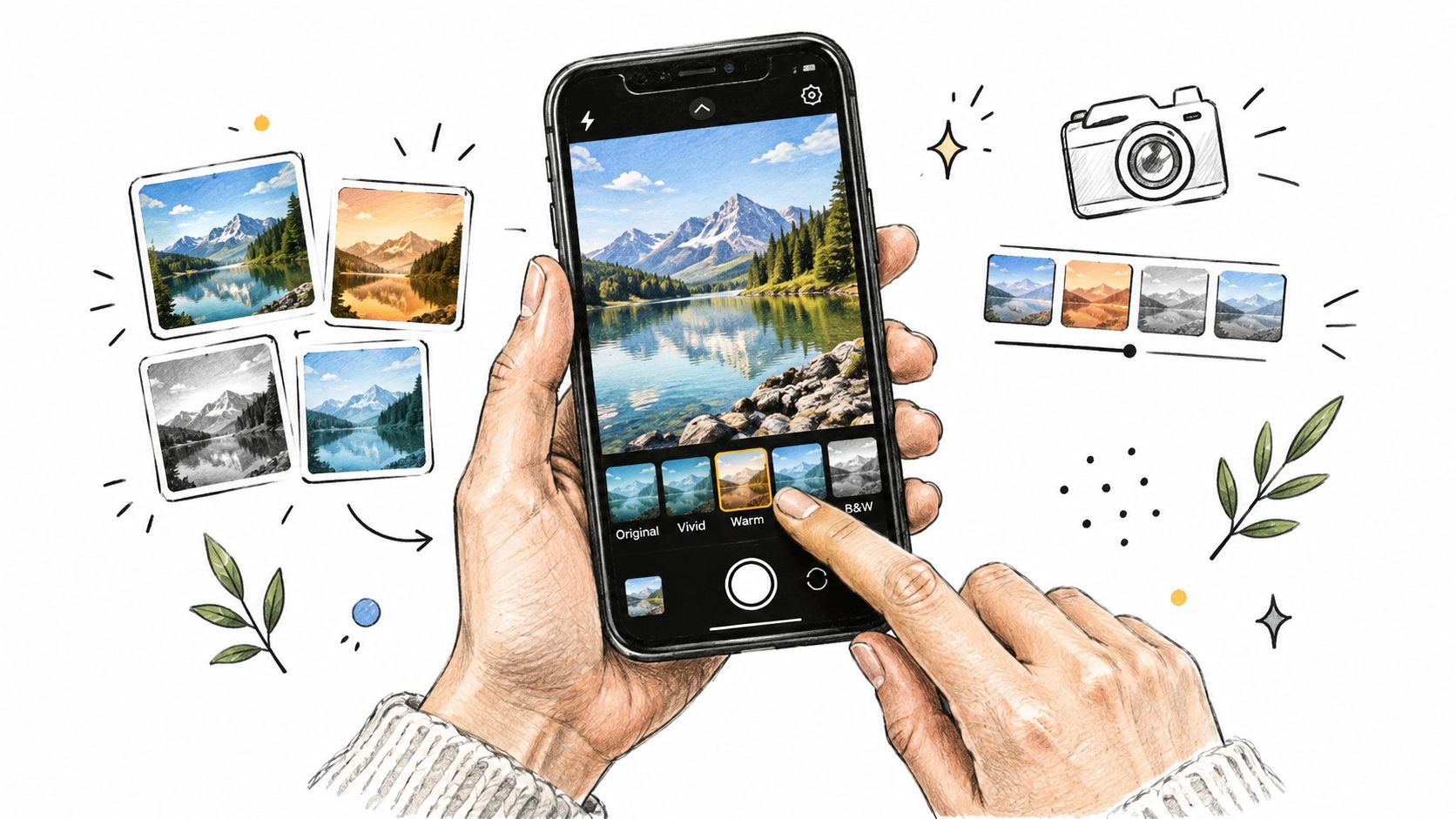
Instagram's current camera workflow is still straightforward, and that simplicity is useful when you're managing event content live. Open the camera from a Story, a Reel, or the post composer, then browse the effects tray and preview what's still available. For event teams, the key is not just finding an effect, but confirming that the frame, text, or visual treatment still looks readable once it leaves your screen.
Use the camera like a production tool
For Reels, Instagram supports visual effects alongside music, original audio, text, and multiple clips, and Reels can be up to three minutes long. That gives you enough room to capture a guest reaction, a sponsor moment, or a short behind-the-scenes clip without forcing the content into a cramped format. The trick is to keep the effect subtle enough that it doesn't compete with the event itself.
Before you post, test the effect on both front- and rear-facing cameras, because the view can change more than people expect. A frame that feels clean on the selfie camera may cover signage or a call-to-action when the rear camera is used in a booth or venue walkthrough. Lighting matters too, so check the filter under the actual venue conditions, not just under office light.
Use this standard: If a filter hides your branding, makes the text hard to read, or weakens the CTA, it's the wrong filter for the job.
A simple capture sequence works best in practice:
- Open the Story or Reel camera.
- Select the effects tray and preview the look.
- Check whether your event identifier, logo, or caption area stays visible.
- Record while the effect is active.
- Review the clip before publishing.
If you want a practical way to pair the filter with the rest of the event workflow, the gallery handoff belongs in a separate system, not inside the effect itself. That's where a controlled photo retrieval path, such as a QR code photo gallery setup, becomes part of the bigger content chain.
Connecting Social Filters to Controlled Galleries
A filter earns attention fast. It does not manage long-term photo access. Event teams get better results when they stop expecting Instagram to do both jobs.
Use Instagram for the moment, not the memory
The stronger workflow is a native effect on the social side, then a controlled retrieval experience on the gallery side. Guests can post a Story or Reel with a subtle branded look, tag the organizer, and create immediate visibility. After that, they need a private, organizer-controlled gallery for the official images.
That split matters because a searchable gallery solves a different problem than a filter. The filter creates energy and visible participation. The gallery helps people find the images they want later. Selfie photo matching belongs here, because it gives guests a fast way to retrieve their own photos without scrolling through a cluttered folder or relying on platform discovery.
The event floor should reflect that division. Put the QR code near the booth, the bar, the stage exit, or the registration desk, wherever people naturally pause with their phones in hand. Then make sure the social caption or Story prompt sends them to the gallery instead of treating the filter itself as the destination.
A simple rule works well. The filter is the teaser, the gallery is the delivery. If the event has a sponsor frame, a branded overlay, or a group-shot moment, let the filter drive the public-facing content, then route attendees to the place where they can find, save, and share their images. For teams refining how to use Instagram filters for events, the gallery side should stay separate, and the find my photos upload flow gives that handoff a cleaner path.
Testing Effects Across Devices and Lighting
The biggest technical mistake is trusting a filter that looked perfect on one phone in one room. Event environments punish weak effects fast, especially when the device mix is uneven and the lighting is unpredictable.
Test for the worst case, not the designer's phone
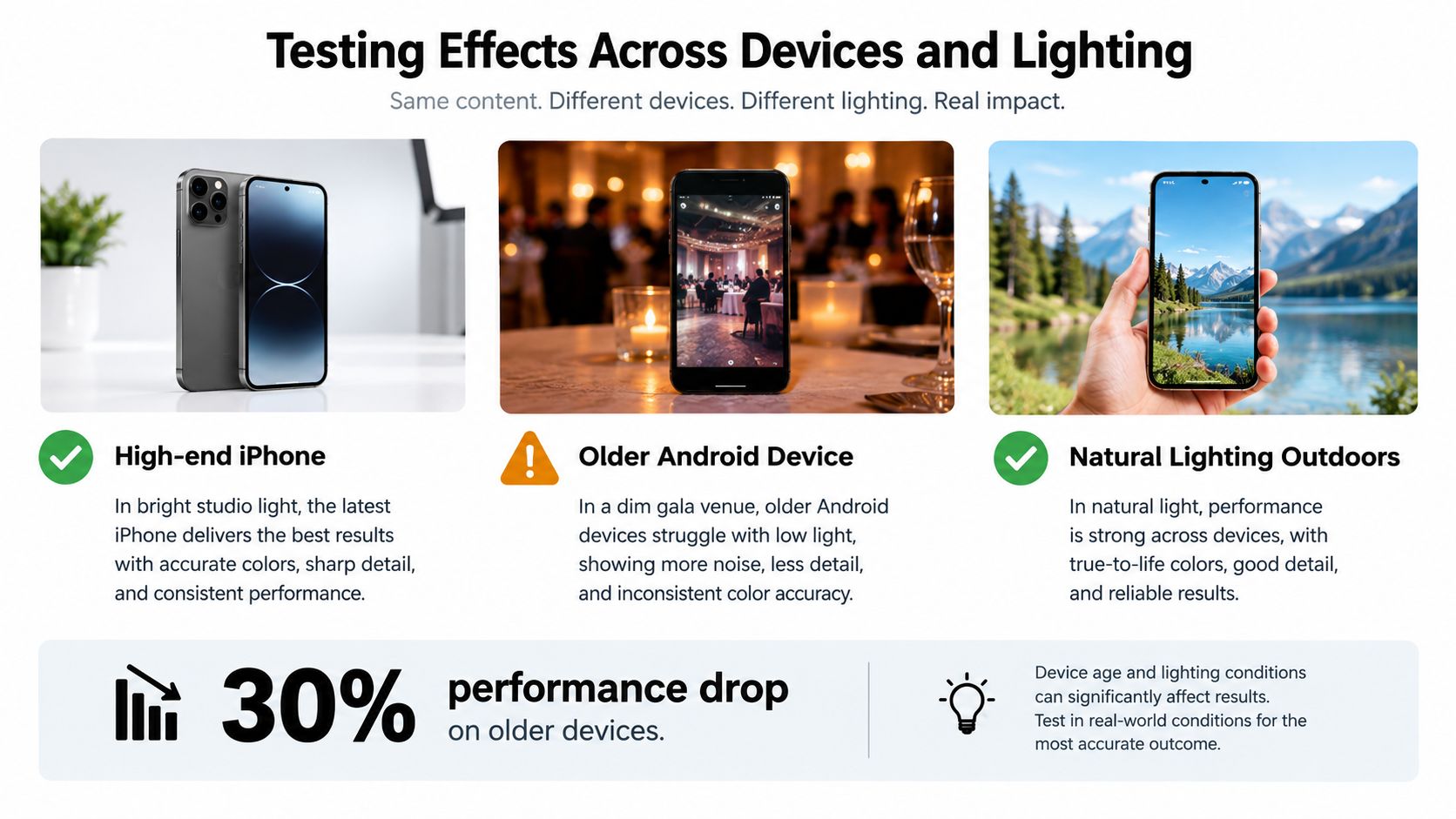
Custom AR effects, when they existed, could use face, body, hand, world, or image-target triggers, which made them flexible but also sensitive to device quality, camera angle, and lighting. Even now, the testing logic still applies to any visual effect you plan to use in an event setting. Older phones, dim rooms, and mixed skin tones can expose issues that never appear in a controlled studio.
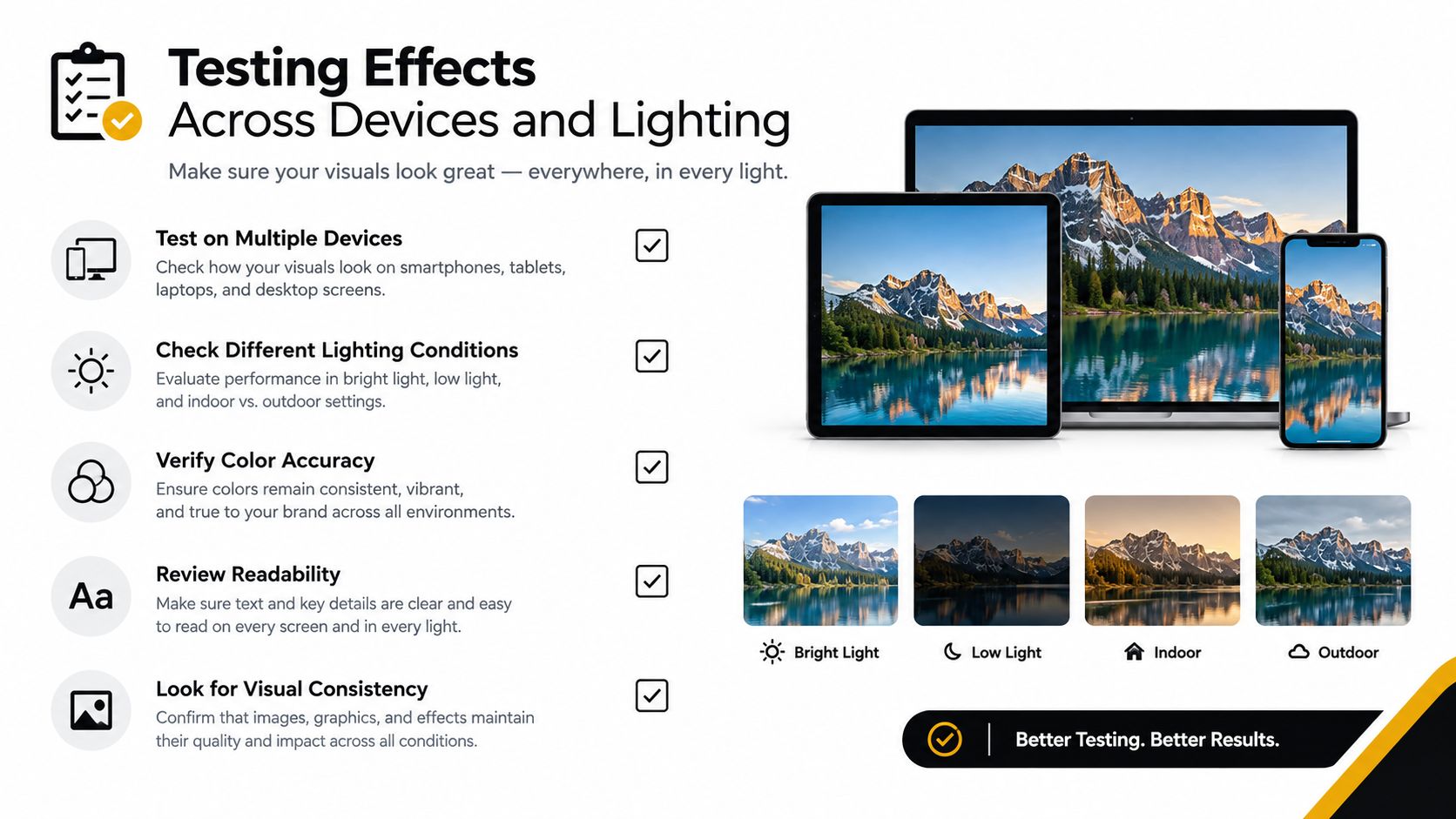
A practical QA check should include ten or more people, three lighting conditions, both camera orientations, and at least two distances from the lens. That's enough to surface whether the effect jitters, loses face anchoring, clips text, or becomes unreadable under pressure. Don't skip the venue lighting test, because the same filter can feel crisp in daylight and fall apart in a dark ballroom.
Keep notes on failure types, not just on whether the effect “worked.” Track whether the effect lags, whether overlays collide with faces or hands, and whether the text stays legible at arm's length. That's especially important if the effect carries a sponsor message or event CTA, because unreadable branding isn't a small defect, it's a failed asset.
Working standard: If the effect can't survive a low-light venue and a mid-range Android phone, it isn't ready for guests.
For teams building a privacy-first gallery layer around event photos, the operational side matters as much as the visual side. A settings workflow for organizer-controlled access helps keep distribution and visibility decisions deliberate instead of accidental.
Prioritizing Privacy and Attendee Consent
The privacy problem with filters is often ignored until someone feels uncomfortable. A face-based effect can flatten features, misread expressions, or look off on a guest who didn't ask for that kind of treatment. At events, that's not a minor UX issue, it's a consent issue.
Separate playful capture from public sharing
There's a meaningful difference between applying an effect privately before posting and broadcasting that content through a public Story or Reel. Guests should be able to enjoy the playful side of social capture without being pushed into a public workflow they didn't approve. That's why unfiltered originals still matter.
If you're running photo coverage, offer a clean version of the image alongside any social-friendly crop or effect. Ask permission before posting identifiable guests, especially when a face or body overlay makes the person more visible than they expected. This is also where accessibility comes in, because some effects create visual clutter or discomfort for people with low vision, motion sensitivity, glasses, or mobility needs.
Consent rule: If someone wouldn't be comfortable seeing the image reposted without warning, don't post it without asking.
The safest event setup is a clear separation of roles. Instagram handles the public-facing spark, while a no-app, organizer-controlled gallery handles access, distribution, and retention. That lets people participate in event UGC without being forced into a public social identity layer.
For teams that need a formal entry point for attendees, a private authentication flow keeps the access model deliberate rather than improvised. The point isn't to make sharing harder, it's to make it more respectful and more usable for everyone involved.
Executing the Event Distribution Sequence
The cleanest execution starts before the filter goes live. If the audience never sees the post, the effect stays decorative instead of driving photo retrieval.
Move from capture to gallery in one clean path
Publish the filtered Story or Reel while the event is still active. Add the venue or event identifier, tag the organizer or photographer, and keep the call to action visible long enough for someone to act on it. Then send viewers to the event photo sharing link, because the filter should create interest, not end the journey.
Physical promotion still matters. Put QR codes on signage, mention them during host announcements, and point people to the gallery path from the event's main Instagram profile. In a busy room, nobody stops to decode a hidden workflow later, so the handoff has to be obvious in the moment.
Track each signal separately. Completion rate, profile visits, link taps, and tagged posts tell different stories from raw filter usage. If you flatten them into one engagement number, novelty can look like actual post-event demand.
A short distribution checklist helps keep the process tight:
- Publish the filtered content: Make the Story or Reel live while the event is still active.
- Attach the venue context: Add the location or event identifier so the post stays discoverable.
- Credit the right account: Tag the organizer or photographer to consolidate attention.
- Route to the gallery: Send viewers to the official photo sharing link.
- Track behavior separately: Review taps, visits, tags, and shares on their own.
That's the cleanest answer to using Instagram filters in a modern event workflow. It keeps the social moment visible while protecting the photo experience from platform churn and missed consent. For a privacy-first event photo system that supports this workflow, visit Saucial to see how it handles gallery delivery, attendee retrieval, and organizer control in one place.