Fundraising Event Software: How to Choose the Right One
94% of respondents in the 2024 Donor Management Systems Study, based on an online survey of 379 nonprofit organizations conducted between October 2023 and March 2024, reported using a donor management system, compared with 75% in 2014. Having software isn't the advantage anymore. Choosing fundraising event software that fits your event, pays out when you need cash, protects attendee consent, and keeps working after the room empties is the advantage.
Fundraising Event Software Categories at a Glance
| Category | Strongest at | Typical buyer | Main gap |
|---|---|---|---|
| Registration-first event platform | Forms, deposits, payment plans, check-in | Galas and seated dinners | Thin donor history |
| Donor CRM with event module | Donor records and gift history | Mid-size nonprofits already using a CRM | Basic event features |
| Auction and ticketing platform | Live and silent auctions, mobile bidding | Auction-heavy benefit nights | Weak post-event follow-up |
| Photo and engagement add-on | Attendee photo retrieval, QR galleries, sharing | Galas, alumni dinners, festivals | Needs a separate ticketing or CRM source |
Registration First Platforms
A registration-first platform earns its fee when registration is complicated. Conditional questions, VIP tiers, sponsored tables, deposits, installment plans, meal choices, guest names, and seating all need to stay in sync. If a sponsor swaps two guests on event day, the roster, seating plan, and check-in screen should update without a volunteer retyping a spreadsheet.
The weakness shows up later. These tools often know who bought a ticket but not who gave last year, who lapsed, or which household should receive stewardship. You'll need a clean export or CRM sync, and you should test it before you rely on it.
CRM and Auction Platforms
A donor CRM with an event module reverses that trade-off. Donor history, gift records, pledges, and communications sit in one record, which helps fundraisers after the event. The event module may handle simple tickets well, but branching forms, table logic, and fast check-in can feel basic. Don't assume an event checkbox means event-ready.
An auction and ticketing platform is built for revenue in the room. Mobile bidding, bid alerts, paddle raises, item catalogs, and fast checkout matter more than elegant registration forms. Its gap is usually follow-up. Winning bidders get receipts, but non-winning bidders, guests, and table hosts may receive little that turns a good night into a next gift.
Photo and Engagement Add-Ons
A photo and engagement add-on covers the period most platforms neglect. A photo and engagement add-on gives attendees a way to find their own photos, share them, and return to your event while the memory is fresh. It doesn't replace ticketing, bidding, or donor records, so treat it as a layer on top of your core system.
Practical rule: Pick the category that matches the event first, then compare vendors inside that category. A strong platform in the wrong category still leaves your team filling gaps by hand.
I would start by naming the job that creates the most risk. If seating fails, registration comes first. If bidding fails, auction capability comes first. If donor history is fragmented, the CRM leads. Then add only the layer that closes a named gap.
Best Fit by Event Type and Budget
Start with the gala, because it's the highest-stakes test. VIP tiers, sponsored tables, unnamed guests, dietary requests, and payment plans create operational risk before anyone reaches the bar. Your priority isn't a pretty ticket page. It's conditional forms, seating logic, and payment status staying aligned through check-in, including when Wi-Fi fails.
| Event type | Priority feature | Likely category | Main thing to test |
|---|---|---|---|
| Gala with VIP tiers and sponsored tables | Conditional forms, seating logic, payment plans | Registration-first platform with event module | Seating updates with check-in offline |
| Hybrid fundraising dinner | Virtual attendance and donor records together | Donor CRM with event module | Hybrid attendance tracked in donor history |
| Auction benefit night | Live bidding and mobile checkout | Auction and ticketing platform | Post-event donor follow-up |
| Sports tournament or festival | Mass check-in and photo sharing | Registration plus photo add-on | Volume pricing at peak check-in |
| Trade show or brand activation | Lead capture and user-generated content | Photo add-on with CRM export | Lead fields and consent capture |
Where the Priority Changes
A hybrid fundraising dinner shifts the question from seating to identity. You need virtual attendance, chat or paddle-raise participation, and in-room giving written back to the same donor record. That matters because in 2024, 76% of nonprofits using hybrid fundraising events met or exceeded their fundraising goals, according to OneCause's 2025 Fundraising Outlook. Test whether a remote guest who watches, bids, and donates appears once, not three times, in your records.
An auction benefit night needs speed under pressure. Bidders shouldn't create accounts at the table, lose items because alerts lag, or queue at checkout while staff resolve duplicate bids. Test bid placement on a phone with a weak connection, then test what happens to underbidders the next morning.
A sports tournament or community festival is a volume problem. Families arrive in waves, names are misspelled, and photos matter because participants want proof they were there. Mass check-in and photo distribution beat deep donor segmentation on the day, while volume pricing can change the economics fast.
Trade shows and brand activations sit at the edge of fundraising event software. Lead capture, consent, and shareable content may matter more than donations, so judge the export. If names, consent status, and content interactions can't reach your CRM cleanly, the activation creates a dead list.
Set a budget ceiling per event before demos. Per-transaction fees scale with ticket volume and price, so a platform that's cheap for a small dinner can become expensive for your largest night.
Pricing Models and Payout Timing Compared
Say you sell 200 gala tickets at $250. Gross ticket revenue is $50,000. At about 1.5% per transaction, an example reported in a published comparison of nonprofit registration software, the platform cost is $750. At a 3% platform fee, the second example in that comparison, you'd pay $1,500 before card or ACH processing. That $750 difference buys a lot of printing, but only if the cheaper system can handle your forms, payments, and check-in.
| Fee model | Published example | When cash arrives | Cost to model |
|---|---|---|---|
| Percentage per transaction | About 1.5% per transaction | Confirm payout schedule in writing | Refunds and chargebacks |
| Platform fee plus processing | 3% platform fee plus card or ACH processing | Often follows processor schedule | Processing on top of platform fee |
| Processor-connected account | Platform fee confirmed in written quote | Follows Stripe, PayPal or Square schedule | Manual merge if the ledger is separate |
| Flat or subscription | Written quote for term and modules | Processor schedule confirmed in contract | Add-on modules billed separately |
Model the Whole Transaction
Percentage pricing is easy to forecast but punishes high ticket prices. A sponsored table can cost more to process than dozens of community tickets, even though it's one buyer. Ask whether the percentage applies to donations, auction wins, raffle tickets, add-ons, and refunds, or only to admission.
A platform fee plus processing needs a second calculation for payment method. Card and ACH don't cost the same, and donor-covered fees change who pays, not whether the fee exists. If donors can cover fees, check the wording at checkout and whether covering the fee is pre-selected. Aggressive defaults can raise net revenue and complaints at the same time.
Flat or subscription pricing suits organizations running several events, but the quote rarely tells the whole story. Auction tools, texting, seating, premium support, extra users, and photo features may sit in separate modules. Price the configuration you'll use for your largest event, not the starter configuration in the demo.
Payout Timing Is a Cash Flow Decision
Fees determine margin, while payout timing determines whether you can pay the venue. In a comparison of nonprofit registration systems, providers paid weekly, typically within two to three business days, or usually each business day, while systems connected directly to an organization's Stripe, PayPal, or Square account followed the processor's payout schedule.
Measure the interval from successful attendee payment to usable funds. Ask who owns the processor account, whether card and ACH settle on different schedules, who absorbs chargebacks, how refunds are funded, and whether reserves can be held. Then reconcile a sample export against a bank deposit. Transaction IDs, buyer names, ticket types, fees, taxes where relevant, and refund status should line up without manual detective work.
Photo add-ons need the same discipline. Ask whether gallery hosting and selfie matching are priced per event, per photo, or per attendee, and whether that charge sits on top of ticketing fees. If attendees can buy downloads or prints, confirm attribution and reconciliation before launch.
Photo Sharing and Post-Event Engagement Features
Most fundraising event software stops at checkout. Attendees don't. They go home wanting the photo with their table, their award moment, their team, or their friends in formal dress. When that photo sits in an unlabelled folder for two weeks, your organization loses the easiest post-event touch you'll ever get.
This short walkthrough shows how a gallery can move from upload to attendee retrieval without handing everyone a giant folder.
Three Ways Attendees Get Photos
- Event photo sharing link: Send one link by email, WhatsApp, SMS, the event website, or social channels. It's simple to distribute, but attendees may still need to browse.
- QR code photo gallery: Place a QR code at entry, on tables, and near exits so attendees open the gallery on their own phones. This works best when signage says what they'll get and when photos will appear.
- Selfie photo matching: An attendee takes a quick selfie and sees photos they appear in. This creates a find my photos experience without scrolling through hundreds of strangers.
The workflow is straightforward. The photographer uploads images during or after the event. The organizer receives the link and QR code, shares them through channels attendees already use, and reviews clicks, gallery visits, shares, repeat visits, and follow-up actions. Branding should stay subtle. Attendees share photos because they like how they look, not because your logo covers the corner.
In-person photography deserves that attention because 83% of surveyed organizations planned to host at least one in-person event in 2025, according to the OneCause Fundraising Outlook 2025. A weak gallery wastes part of that investment after the venue closes.
On Saucial, organizers upload event photos by dragging and dropping them, our AI processes faces in the background and uses AI-powered face recognition to find photos featuring each attendee, and organizers receive a unique link they can share through any channel.
The image below shows the practical end of that workflow, where an attendee finds event photos and chooses how to share them.
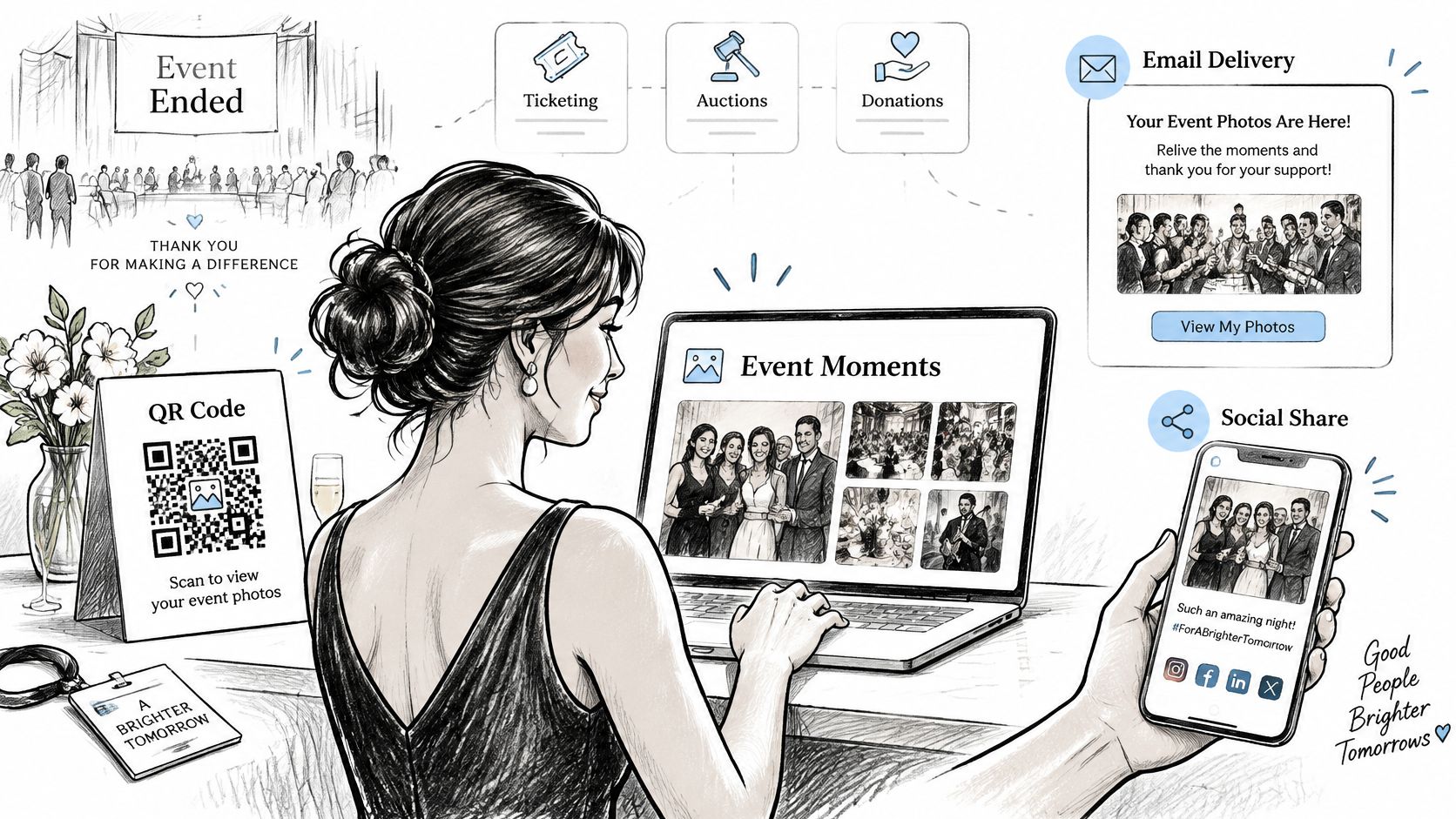
More technology doesn't automatically create more engagement. If attendees must download an app, create an account, or search a large folder, your team collects data while attendees give up.
Judge the feature by completion, not novelty. Count how many attendees open the gallery, find at least one photo, download or share, and return later. Then connect that activity to a thank-you message, survey, membership offer, or next-event invitation while the goodwill is still specific.
Privacy, Consent and Face Matching Safeguards
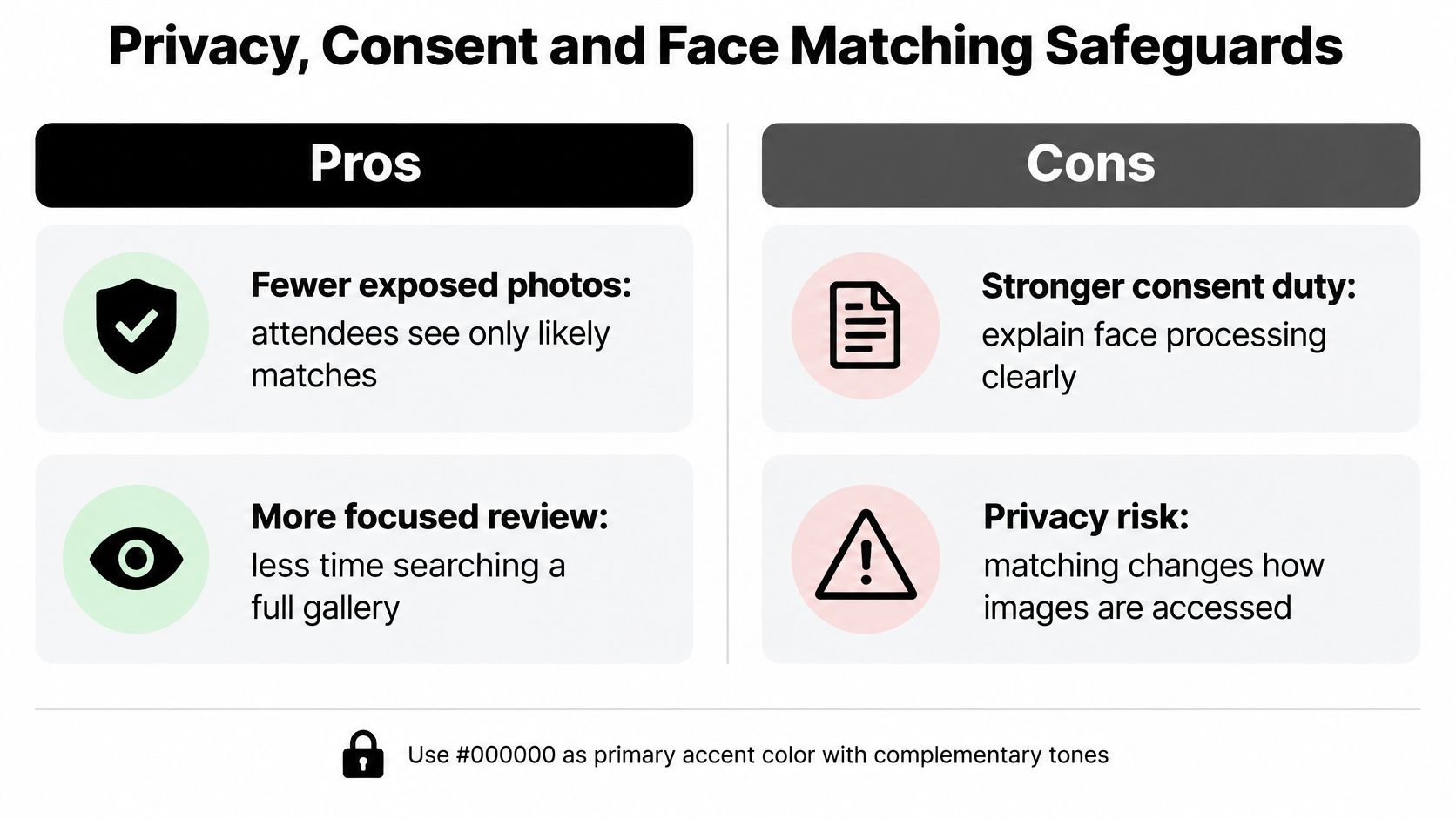
Face matching can reduce exposure compared with publishing an unrestricted gallery because attendees see only likely matches. That privacy benefit comes with a stronger duty to explain what's happening. A person who submits a selfie is giving you more than a search term, and your notice should treat it that way.
The stakes aren't theoretical. A 2026 nonprofit-technology conference framed fundraising tools as capable of unwanted intrusion, donor-data exposure, and personal safety risks, while 49% of organizations in a 2025 fundraising outlook report were using or planning to use AI for donor management, up 15 percentage points from the prior year. Adoption is moving faster than many consent processes.
Private Retrieval Versus Public Tagging
Private retrieval limits what each attendee sees and avoids naming people publicly. It's a better default for donor events, youth activities, health-related causes, and any setting where attendance itself may be sensitive. The cost is governance. You need clear wording about face processing, retention, deletion, and mistaken matches.
Public tagging is familiar and can spread quickly on social platforms, but it exposes attendance, relationships, and location to people outside the room. It also puts control in the platform's tagging system rather than yours. I wouldn't use public tagging as the only route to photos.
If you manage account access for staff or photographers, review the account sign-in and access controls before event day so gallery permissions don't depend on one person's login.
Consent Checklist Before Launch
- Attendee notice: Put plain-language notice in registration, confirmation email, venue signage, and the gallery itself.
- Opt-in matching: Let attendees choose selfie matching, with a manual search or staff-assisted alternative.
- Deletion timeline: Name when selfies and any face templates are deleted, and assign an owner.
- Photo retention: Set a limit for originals, downloads, backups, and photographer copies.
- Minors: Apply separate, stricter rules and check them against local law and your safeguarding policy.
- Permissions: Confirm photographer rights, sponsor branding, and approved uses before upload.
- Mistaken matches: Provide a visible way to report and remove an incorrect photo quickly.
Measure governance like you measure engagement. Track the share of attendees who choose matching, complaints received, removal requests completed, and deletion confirmations returned. Privacy expectations and laws differ by market, so confirm your notice and retention plan with counsel. Generic claims that a tool is secure won't answer an attendee who asks what happened to her selfie.
Criteria, Demo Tests and Sign-Offs Before You Buy
Shortlist two or three platforms in the category that matches your event. A longer list produces feature tourism, where every vendor shows its best screen and your team never tests the ugly cases. A sponsored table changes guests. A donor pays half now and half later. Wi-Fi drops at check-in. Those cases decide whether fundraising event software helps.
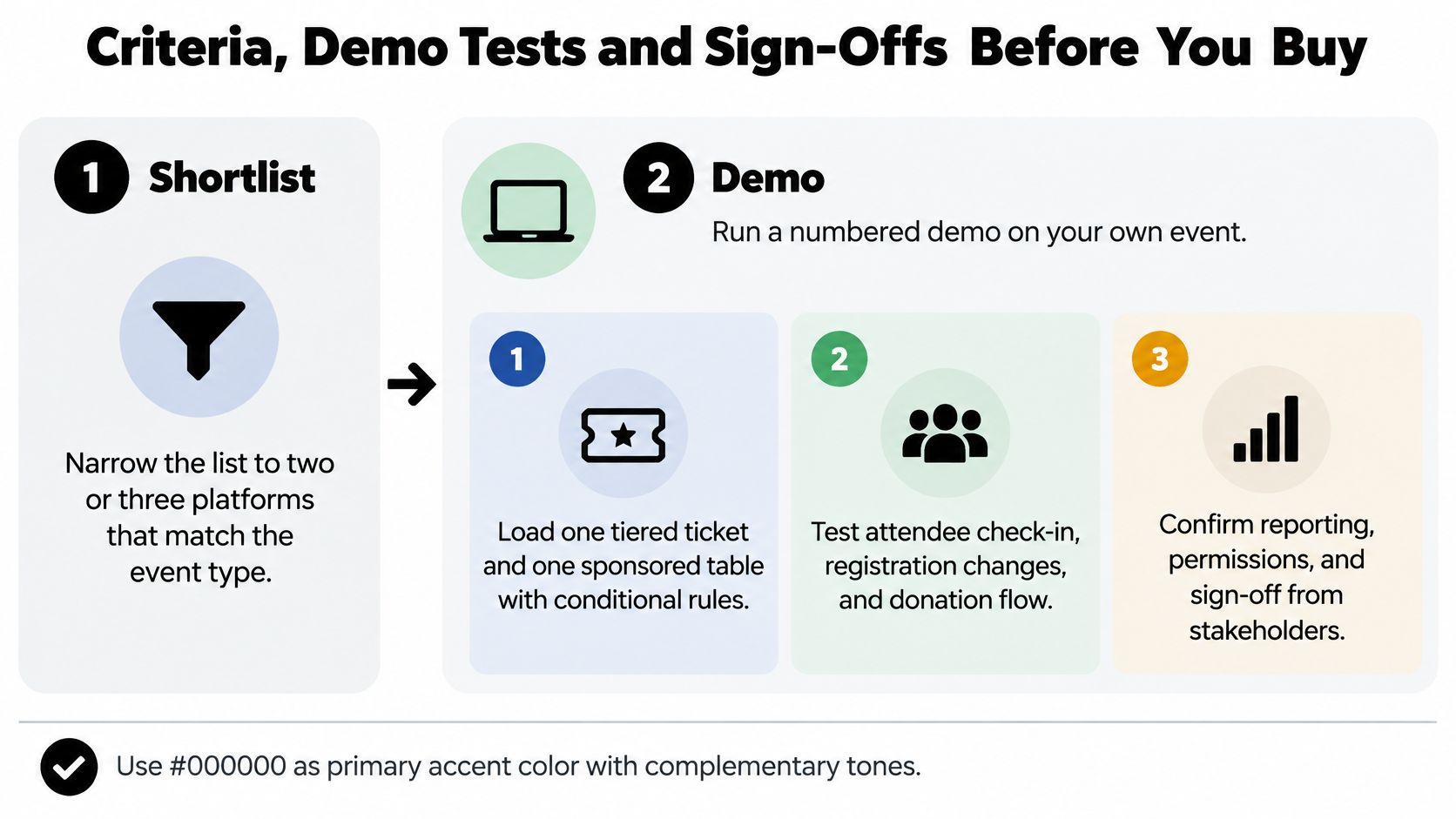
Run This Demo on Your Own Event
- Load ticket logic: Build one tiered ticket and one sponsored table with conditional questions. Confirm deposits, installment plans, guest substitutions, refunds, and approval steps work without vendor workarounds.
- Change a registration: Move a guest between tiers and tables. Registration, payment status, seating, meal choice, and check-in should update from one source of truth, with an audit trail your staff can read.
- Check in offline: Turn Wi-Fi off, scan or search attendees, add a walk-up guest, then reconnect. Watch for duplicates, lost changes, and conflicts when two devices sync.
- Test money exports: Export transactions and reconcile them to a test payout. You need transaction-level attribution for tickets, donations, auction items, fees, refunds, and chargebacks, not just a daily total.
- Check data access and CRM sync: Confirm who can view, export, and delete donor data. Test whether CRM sync runs both ways, how duplicates are matched, and what happens when a guest uses a personal email but the CRM holds a work email.
- Interrogate AI features: Ask what attendee data each AI feature processes, where it's retained, whether it trains models, and whether you can switch it off. Get the answer tied to your contract, not a sales slide.
- Run the photo flow: Use sample images from a past event and the consent notice. Submit a test selfie, find matches, report a wrong match, use the manual fallback, and request deletion.
Add a photo-sharing provider such as Saucial to the shortlist only if it passes the same tests as your ticketing and CRM finalists. If your team will manage permissions, branding, galleries, or retention centrally, review the relevant organizer settings during the demo rather than after contracts are signed.
Score the Same Tasks Every Time
Give each platform the same attendee records, ticket types, table changes, payment scenarios, and export requests. Score completion, time taken, number of manual fixes, and clarity of error messages. A platform that needs the vendor's solutions engineer to complete a basic guest swap will need your strongest staff member on event night.
Involve the people who inherit the data. Finance should approve exports and payout reports. Fundraising staff should approve donor records and follow-up lists. The person running check-in should test search speed with misspelled names. If photos are involved, the photographer should test upload size, ordering, replacements, and takedown.
Demo rule: If a vendor says a workflow is supported, make the vendor perform it with your data while your team watches. Screenshots don't reveal reconciliation work.
Three Sign-Offs Before Payment
First, get the payout schedule in writing, measured from successful attendee payment to usable funds. Include card and ACH timing, refund funding, chargeback responsibility, reserve rights, processor ownership, and the exact export format finance will receive.
Second, approve the consent notice before registration opens. It should cover photography, gallery access, optional selfie matching, sponsor use, minors, and how attendees can opt out or request removal. The registration wording, signage, and gallery text must say the same thing.
Third, name one person responsible for the deletion timeline. That owner tracks selfies, face templates where applicable, original photos, exports, and backups, then confirms deletion with each provider. Put the date in an operational calendar. A policy nobody owns becomes an archive nobody intended to keep.
I would pay only after those sign-offs are written and the scored demo uses your event, your money flow, and your attendees. The right stack may be one platform or a core system plus a focused add-on. Either can work. What doesn't work is buying checkout first and discovering payout, consent, and post-event engagement after tickets are on sale.
Turn your next gala gallery into a private find my photos experience with one shareable link and QR code, so attendees can retrieve and share their own moments without scrolling through a cluttered folder. Visit Saucial to see how organizer-controlled photo distribution fits alongside your ticketing, auction, and donor follow-up tools.