Face Identifier Software for Events: Complete Guide

You've just finished a gala, tournament, or brand activation. The photos are ready, but attendees face a familiar problem: they open a shared folder, scroll through hundreds of images, and still can't find the moments they're in. Meanwhile, the photographer receives a steady stream of “Can you find my photos?” messages.
Face identifier software changes that workflow. Instead of asking guests to search manually, an organizer can offer a find my photos experience. An attendee takes a selfie, the system compares it with faces in the event gallery, and the relevant images appear in a private results view. The convenience is obvious, but responsible deployment requires equal attention to accuracy, consent, retention, and alternatives for people who don't want to participate.
The Event Photo Sharing Problem and How Face Identifier Software Solves It
Traditional event photo delivery puts the search burden on the attendee. A photographer might upload a large gallery to cloud storage, organize images by time or camera, and send a link. That approach works for a small, tightly curated album. It becomes frustrating when guests appear across candid shots, group portraits, sponsor activations, and fast-moving action sequences.
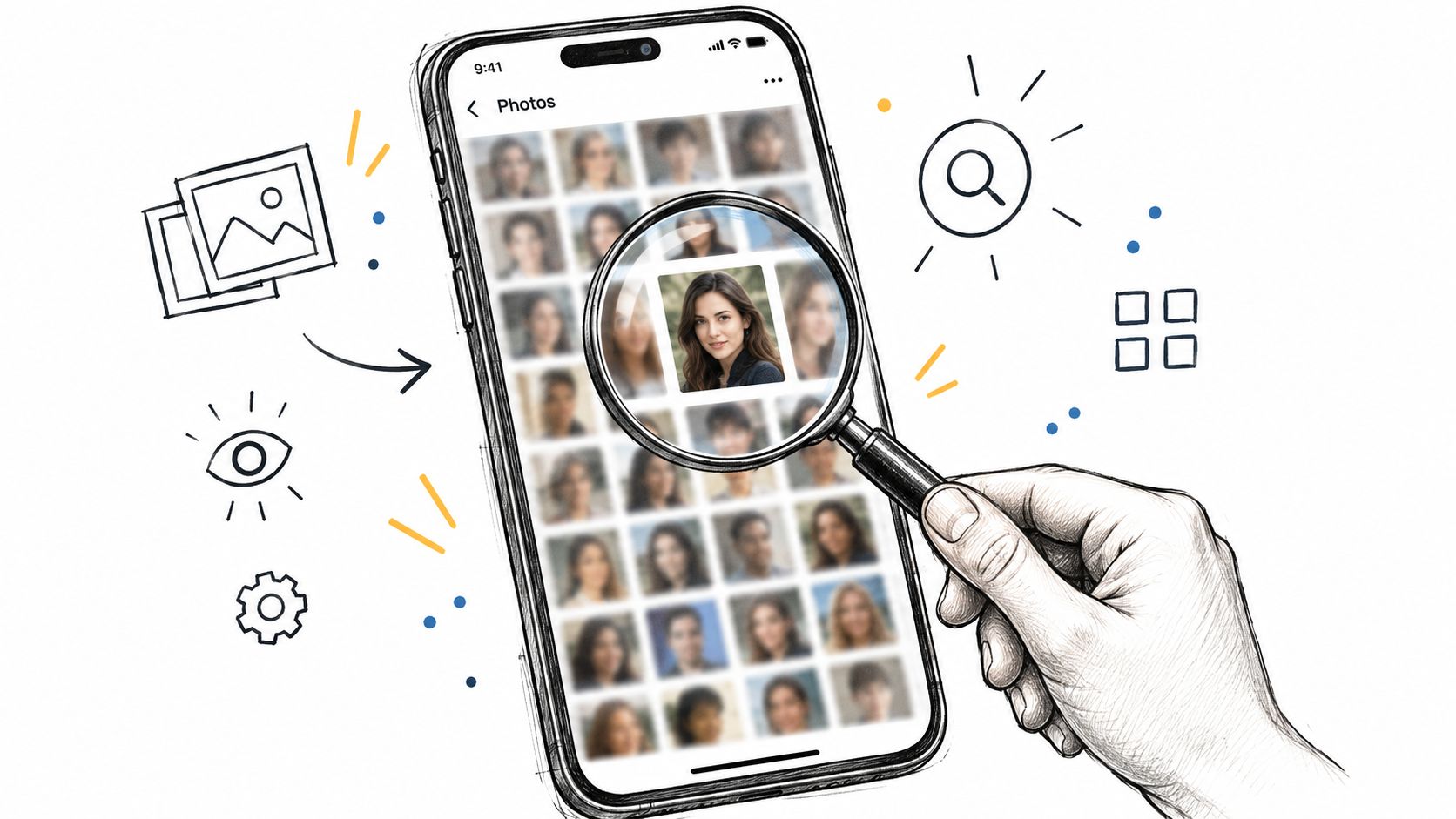
A face recognition event gallery reverses the process. The photographer uploads the collection, the platform processes detectable faces in the background, and the attendee starts with their own selfie rather than an enormous folder. The result isn't just faster browsing. It changes the emotional experience from “I hope I'm in there somewhere” to “these are my event memories.”
Platforms such as Saucial are designed around this kind of attendee-led retrieval, with a shareable gallery experience rather than a required app download. That distinction matters at events, where guests may be using different devices, may not want another account, and may discover the gallery through a QR code at the venue or a message after the event.
What the workflow looks like
A practical deployment usually has four parts:
- Gallery preparation: The photographer uploads the event images and checks that the collection contains the intended content.
- Face indexing: The software detects and indexes faces so it can compare a guest selfie with the gallery.
- Attendee access: The organizer distributes an event photo sharing link, QR code, email, SMS, or social post.
- Private retrieval: The attendee submits a selfie and receives a filtered set of likely matches.
The system doesn't remove every operational problem. It won't recover a face hidden behind another person, and it can't guarantee that every candid image will match. It does, however, eliminate the most wasteful part of the old process: asking every guest to inspect the entire gallery manually.
Practical rule: Treat selfie photo matching as a discovery layer, not as a replacement for a complete gallery, clear privacy choices, or a fallback search route.
For photographers, that distinction protects the delivery workflow. Guests can find their own images, while the photographer spends less time responding to individual searches and more time handling curation, editing, sales, or future assignments.
Understanding Face Recognition Technology for Event Photo Matching
At a busy event, an attendee may remember being photographed but have no idea which gallery image contains them. Face identifier software reduces that search to a selfie and a filtered set of likely matches. The convenience is real, but the workflow must make consent and data handling as visible as the result.
From uploaded image to candidate match
The process generally works like this:
- Upload: The event team adds the gallery to the platform.
- Detection: The system locates faces in each image and separates them from the wider scene.
- Representation: Facial characteristics become a numerical template or embedding.
- Comparison: A guest selfie is compared with indexed faces in the gallery.
- Thresholding: The platform returns results that meet a configured confidence threshold.
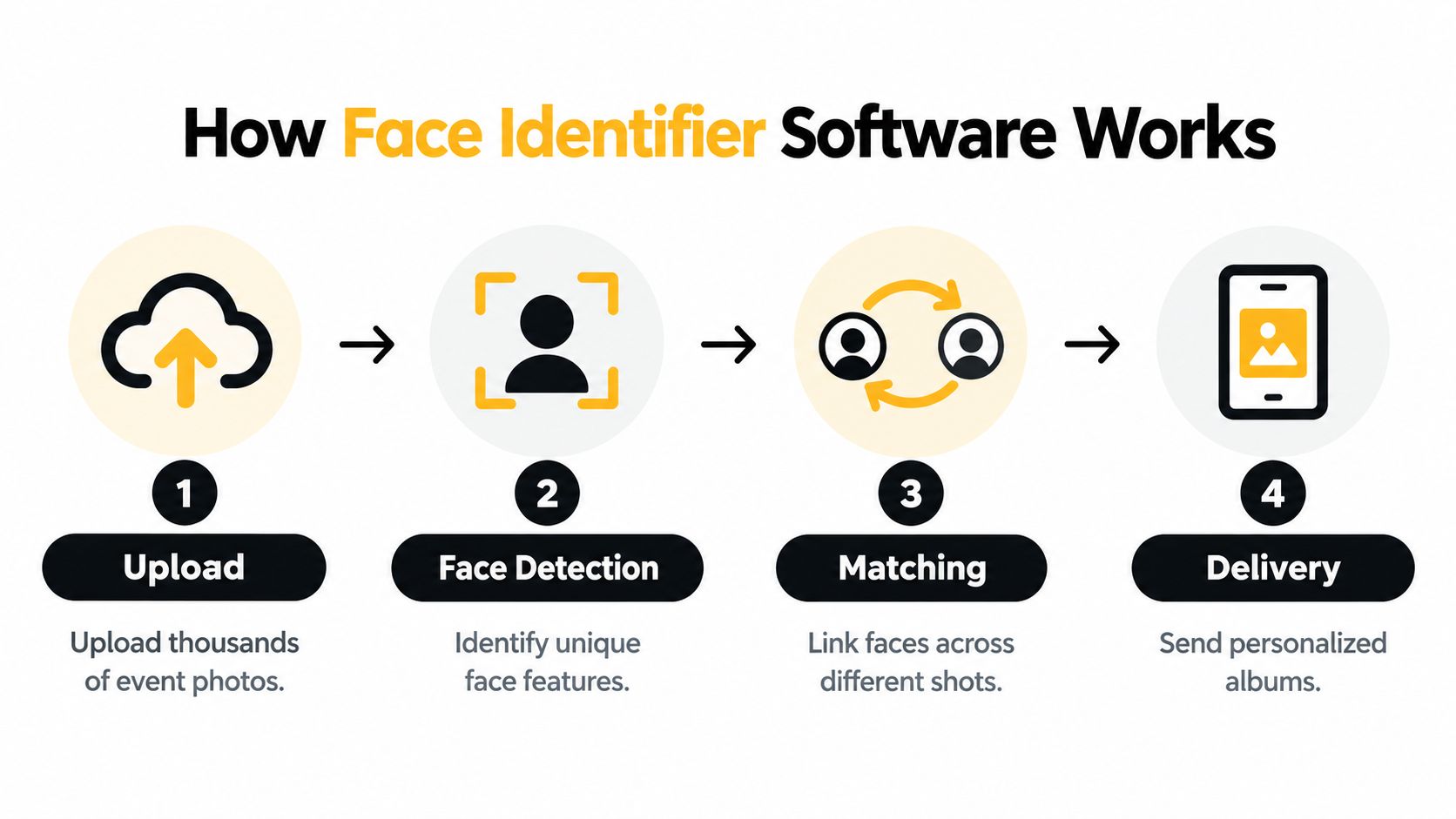
The software compares visual patterns associated with a face. It does not rely on names, clothing, or the event context. That allows one attendee to find images across different poses without manually tagging every file. The quality of the starting selfie still matters. A clear, forward-facing image gives the system more usable information than a dark selfie, a partial face, or a frame containing several people.
Research and evaluation have moved face recognition beyond informal demonstrations. The FERET database, released by the U.S. Defense Department in 1996 after a USD 6.5 million build, contained 14,126 images of 1,199 individuals collected over 15 photography sessions in three years, helping establish measurable testing. These figures are documented in the NIST FERET program documentation. NEC's summary of NIST evaluation results also shows how test scale affects interpretation. In one 1:N evaluation using still images of 12 million people, NEC reported an authentication error rate of 0.07% under that test setting.
A benchmark does not predict an event gallery exactly. Controlled evaluations can limit image quality, enrollment conditions, and search settings. Live events add motion, changing angles, stage lighting, obstructions, and people who appear only briefly.
Why the guest experience feels simple
The attendee sees a selfie prompt and a results page. The platform handles indexing, similarity scoring, threshold decisions, privacy controls, and delivery permissions behind that interface. Organizers should keep the interaction easy while explaining the choices that affect consent.
Tell guests what the selfie does, whether it is stored, how long matching data remains available, and how to use a non-biometric alternative. A clear explanation at the point of access supports the “find my photos” experience without treating convenience as permission.
Event Use Cases That Transform Photo Sharing Experience
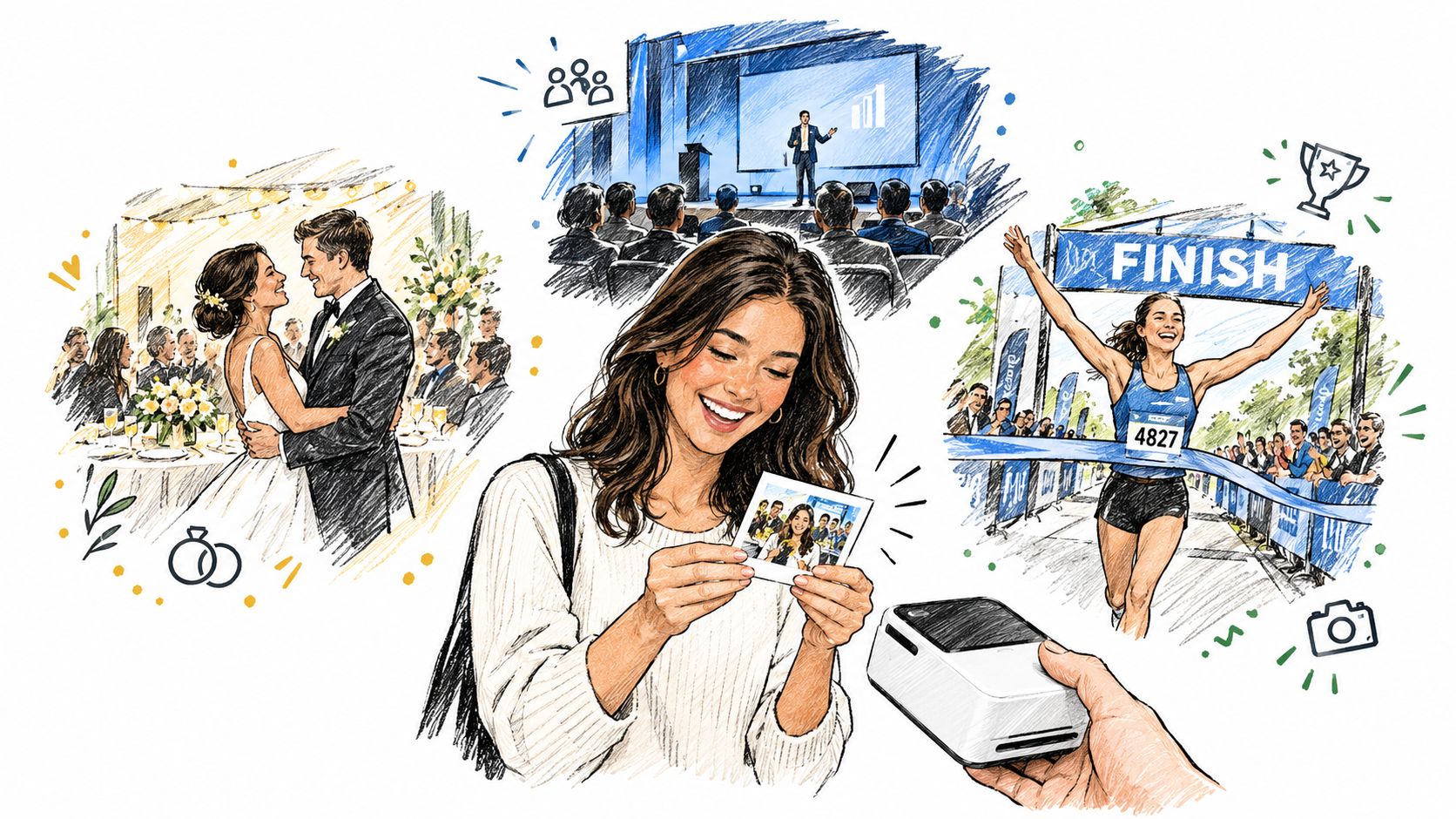
The same face identifier software can serve very different event objectives. A photographer wants to reduce delivery administration. A gala organizer wants guests to share polished moments. A sports photographer needs to connect athletes with images from multiple parts of a competition. The technology is similar, but the gallery design and consent workflow should reflect the event.
Match the implementation to the event
| Event type | Primary problem | Practical use of matching |
|---|---|---|
| Gala or fundraiser | Guests want polished memories without searching a large album | Place a QR code near the exit and offer a branded, private gallery |
| Sports tournament | Athletes appear across games, locations, and action sequences | Let athletes or families retrieve likely images, then offer curated sets |
| Trade show or brand activation | Organizers want shareable moments connected to the brand | Deliver attendee photos with approved branding and clear distribution controls |
| Community or alumni event | The value continues after the gathering | Use a simple link to encourage post-event discovery and sharing |
| Professional photography delivery | Manual tagging creates repetitive support work | Provide attendee-led retrieval while preserving photographer control |
A gala fundraiser photo gallery benefits from speed and presentation. Guests may be more willing to share images when the result is already curated, branded, and easy to open on a phone. A photographer may also use the same delivery channel for approved print sales or premium edits, provided the organizer has agreed to that commercial experience.
Sports tournament photo sales require a different standard. Action images may contain side profiles, helmets, motion blur, or distant subjects. The platform should set expectations that matching helps surface likely photos, but it shouldn't be presented as a perfect roster search. A manual browsing option, athlete name filter, team gallery, or photographer review can protect the buying experience when facial matching misses an important image.
Trade shows and brand activations often prioritize UGC from events. Here, the result may include a sponsored frame, event hashtag, or social-sharing prompt. The organizer should separate optional branding from biometric participation. Someone who declines face matching should still be able to access the general event gallery or request a conventional photo route.
For photographers testing the upload workflow, Saucial's event photo upload represents one example of a platform built around attendee retrieval and post-event distribution.
A short product walkthrough can help teams visualize the guest journey before launch:
The strongest implementations define the purpose first. If the goal is faster delivery, keep the gallery simple. If the goal is sports sales, build in curation and fallback search. If the goal is brand sharing, review every branded element and consent message before publishing.
Accuracy Realities and Performance Limitations in Live Events
A guest may submit a clear selfie and still receive too few results after a crowded reception. Faces can be turned sideways, partly hidden, distant from the camera, or captured under uneven lighting. Accuracy reflects the event conditions as much as the software.
Gallery size also affects identification results. NIST's FRVT 1:N identification report records median false negative identification rates rising from 0.61% at 640,000 identities to 10.34% at 12 million identities. An event gallery is usually smaller than those test galleries, but the practical lesson remains: enrolled-face volume and search conditions shape the result.
Benchmark results aren't event guarantees
Event teams should test the conditions that affect matching:
- Lighting: A well-lit portrait provides more usable detail than a dark dance-floor image.
- Distance: Close-up candid images usually show more facial detail than wide crowd scenes.
- Angle: A frontal face supplies more information than a side profile.
- Motion: Fast movement can create blur and weaken a match.
- Obstruction: Hats, glasses, hands, masks, and nearby people may hide important features.
- Gallery composition: Many group images create more opportunities for partial or ambiguous detections.
A practical overview of facial-recognition technologies and event conditions notes that real-world match rates depend heavily on photo quality, lighting, and subject distance, with close-up candid coverage generally more favorable than wider or darker scenes. Use that principle to set expectations, then test samples from the actual venue, camera setup, and event format.
Threshold selection creates a direct trade-off. A stricter threshold can reduce false matches, while also excluding legitimate photos. NIST-related analysis reported through the cited technical research notes that, over the past five years, industry false non-match rates fell by about 50× at a false match rate of 1 in 1,000,000. That improvement does not eliminate the operational choice between prioritizing precision and showing more possible matches.
Operational insight: A guest can dismiss one extra candidate. A guest who never sees a genuine image may conclude that the photographer missed them.
Give attendees practical recovery options. Let them submit a clearer selfie, broaden candidate results where appropriate, or browse manually. Staff assistance can resolve high-value cases, particularly at sports events, evening programs, and venues with wide-angle coverage or difficult lighting. Consent also depends on this experience: guests should not have to accept face matching just to recover a photograph.
Privacy Best Practices and Consent Workflows for Event Organizers
An event photo gallery can feel informal, but facial data deserves a formal privacy workflow. Organizers should decide what they're collecting, why they're collecting it, how long it remains available, and what happens when someone says no.
Guidance from the Office of the Australian Information Commissioner on facial-recognition privacy risks treats facial recognition data as sensitive information under Australia's Privacy Act and emphasizes accuracy testing, communication of limitations, and human verification. In the United States, requirements remain fragmented. The same guidance identifies a Connecticut 2026 signage and policy-link mandate for businesses using facial recognition on premises.
Design consent before the doors open
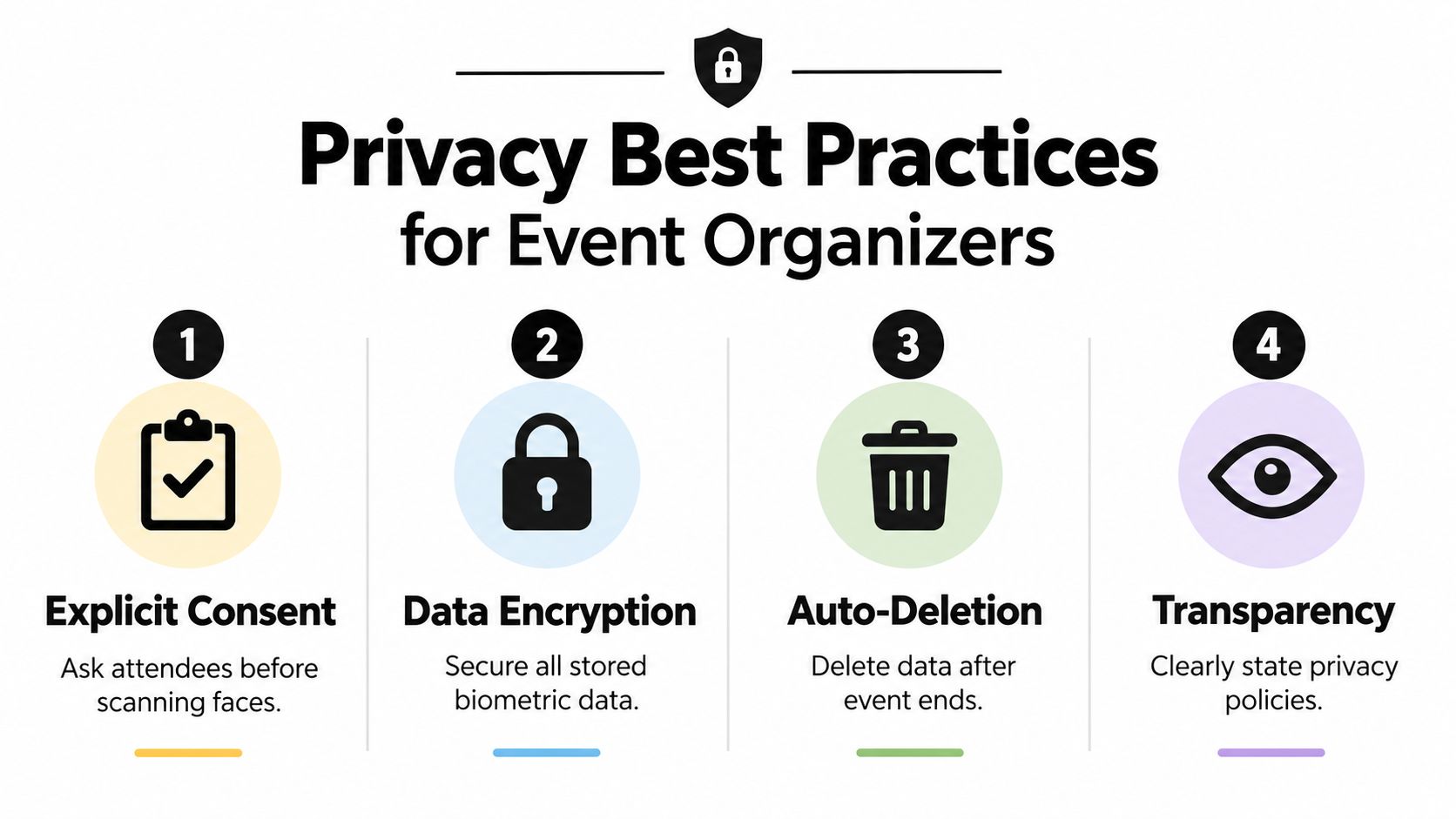
Use a visible notice at registration, ticketing, check-in, and the gallery access point. The notice should explain that face matching is optional, identify the purpose, link to the privacy policy, and tell guests how to obtain photos without submitting a selfie.
A practical consent workflow includes:
- Explicit choice: Ask before processing a selfie for matching. Don't bury participation inside unrelated event terms.
- Useful notice: Explain the matching process in plain language, including whether the selfie or derived template is retained.
- Real alternative: Offer a general gallery, photographer search, event code, or staff-assisted route for guests who opt out.
- Limited retention: Set a deletion schedule for selfies, templates, and temporary processing data, then verify that deletion occurs.
- Access controls: Restrict gallery and biometric administration to the people who need it for delivery.
- Human review: Provide a way to resolve a missed match or disputed result without treating the automated result as definitive.
Privacy controls should be visible in the platform settings and reflected in the organizer's operational checklist. A tool such as Saucial's settings area can serve as a reference point for teams reviewing how distribution and attendee experience controls are configured.
Don't collect a selfie merely because the platform makes it possible. Collect it for a defined delivery purpose, make the benefit clear, and give attendees a meaningful alternative. That approach protects trust while preserving the convenience that brought organizers to face identifier software in the first place.
Implementation Considerations for Event Photo Sharing Platforms
A successful deployment starts before the photographer uploads the first file. The team needs a clear owner for the gallery, a distribution plan, a consent message, and a support route for guests whose results are incomplete.
Build the workflow around failure as well as success
The photographer should be able to upload through a simple drag-and-drop interface while processing runs in the background. The organizer should receive a shareable link and, where useful, a QR code photo gallery that can appear on venue screens, printed signage, table cards, email, WhatsApp, SMS, or the event website.
The attendee flow should avoid unnecessary friction. A guest shouldn't need to install an app or create a complex account just to retrieve a photo, especially when the event team can provide a controlled private results page. At the same time, easy access doesn't mean unrestricted access. Organizers should decide which images are public, which are private, whether downloads are enabled, and whether sponsored or branded elements are appropriate.
Questions to settle during setup
- Who owns delivery: Identify whether the photographer, organizer, venue, or agency handles guest support.
- What gets indexed: Confirm whether every uploaded image is processed or whether sensitive, backstage, or staff images are excluded.
- How guests opt out: Prepare a non-biometric route before publishing the gallery.
- What gets sold: Agree on print sales, digital downloads, premium edits, featured sets, or no commercial upsell.
- What happens after the event: Document retention, deletion, and link-management procedures.
- How testing works: Upload representative images, including group shots, motion, low light, and side profiles.
For photographers, the workflow should turn delivery into a direct attendee channel without surrendering curation. For organizers, it should support post-event engagement without creating an unapproved biometric database. Teams setting up access can review Saucial's authentication entry point as one example of how a platform may separate organizer controls from guest access.
The best platform is the one that fits the event's operational reality. Fast upload, background processing, flexible distribution, and a clear fallback matter more than a polished demo that only works with ideal portraits.
Measurable Outcomes and Future of Face Identification in Events
The business case for face identifier software isn't limited to novelty. When attendees can find relevant images without inspecting an entire gallery, photographers reduce repetitive search requests and organizers gain a more usable post-event distribution channel. The improvement is qualitative at first, but teams can measure it through gallery visits, completed searches, shares, support requests, downloads, and optional purchases.
Photographers also gain a more direct relationship with the people pictured. That can support print sales, digital downloads, premium edits, featured sets, or event-approved branded frames. The commercial opportunity works only when the offer remains optional and the organizer has approved the terms.
The category's broader expansion reinforces why event teams should treat the technology as infrastructure rather than a novelty. Global market estimates from Global Market Insights place the facial-recognition market at about USD 8.49 billion in 2025 and USD 9.92 billion in 2026, with a projection of USD 31.72 billion by 2035 at a 13.8% CAGR. Other major trackers place the 2026 value near USD 9.95 billion or USD 10.02 billion, indicating a category operating at roughly the USD 10 billion scale in the mid-2020s.
That growth doesn't remove the need for judgment. Event teams still need to test conditions, explain consent, support opt-outs, tune thresholds, and keep a manual route available. The winners won't be the platforms that promise perfect recognition. They'll be the workflows that combine fast discovery with honest limitations and accountable data handling.
Start with one representative event. Define the consent notice, publish an alternative search route, test real gallery conditions, and decide what success means before measuring it. Then choose a platform that gives organizers control over distribution and gives photographers a practical way to deliver and monetize images without making attendees work for their own memories.
Saucial provides an AI-powered event photo sharing workflow where organizers and photographers can upload galleries, create a shareable link or QR code, and let attendees use a quick selfie to find their photos without a required app. If you're planning a gala, tournament, fundraiser, trade show, or community event, visit Saucial to evaluate a more convenient, permission-conscious way to deliver event images.