Best Photo Gallery App for Events: The Complete Comparison
You're probably here because the usual handoff already failed in your head. The photographer sends a Drive link. The album has everything in one place. Guests open it on their phones, scroll for a minute, give up, and start texting, “Do you have the photo of me at the entrance?” That's the actual test for the best photo gallery app. Not whether it stores images, but whether it gets the right photo to the right person fast, privately, and without turning your event team into unpaid photo support.
I've seen this break the same way over and over. The first 30 minutes after delivery decide whether attendees share, save, and talk about the event, or whether the gallery becomes another neglected link in someone's inbox. If you run galas, alumni nights, fundraisers, tournaments, conferences, or brand activations, your gallery choice is really a workflow choice. It's a decision about speed, permissions, mobile access, and findability.
The Event Photo Problem Most Solutions Miss
The failure usually starts with a folder.
An organizer gets the final images, drops them into a shared album, pastes the link into email or WhatsApp, and assumes the job is done. Then the replies start. One guest wants only family shots. Another wants stage photos. Sponsors want branded moments. VIPs want privacy. Staff want quick downloads for social. Nobody wants to dig through hundreds or thousands of files on a phone to find two pictures that matter to them.

What actually goes wrong
The problem isn't just clutter. It's misaligned distribution.
Most tools were built either for private personal libraries or broad file sharing. Event delivery sits in the middle. You need one gallery that can serve many people, but each person wants a personalized result. A donor wants their table shots. A runner wants their finish-line photos. An exhibitor wants booth traffic images. A public album treats all of those needs like they're the same. They aren't.
Practical rule: If attendees have to browse like archivists, your gallery is doing storage, not delivery.
That's why generic “best photo gallery app” roundups miss the point. They compare editing tools, cloud storage, or everyday photo organization. They rarely deal with the ugly operational question event teams care about most. Who can see what, and how fast can they get it without friction?
The messy public album problem
For events, the decision that matters is governance. Recent privacy-focused app comparisons frame the core job as controlled publishing, not just storage, and they highlight concerns around private links, password controls, retention, and what a provider can see on the server in this review of private photo sharing apps. That's the gap most buyers miss.
A polished gallery means nothing if access is sloppy. If every attendee gets the same open album, you create three avoidable problems:
- Privacy confusion: Guests don't know who else can view the images.
- Support overhead: Your team fields requests that the gallery should've handled.
- Lower sharing: People won't post what they can't quickly find.
The best option for events isn't the one with the longest feature list. It's the one that removes search pain and keeps distribution under control.
Why Generic Storage and Native Apps Fall Short
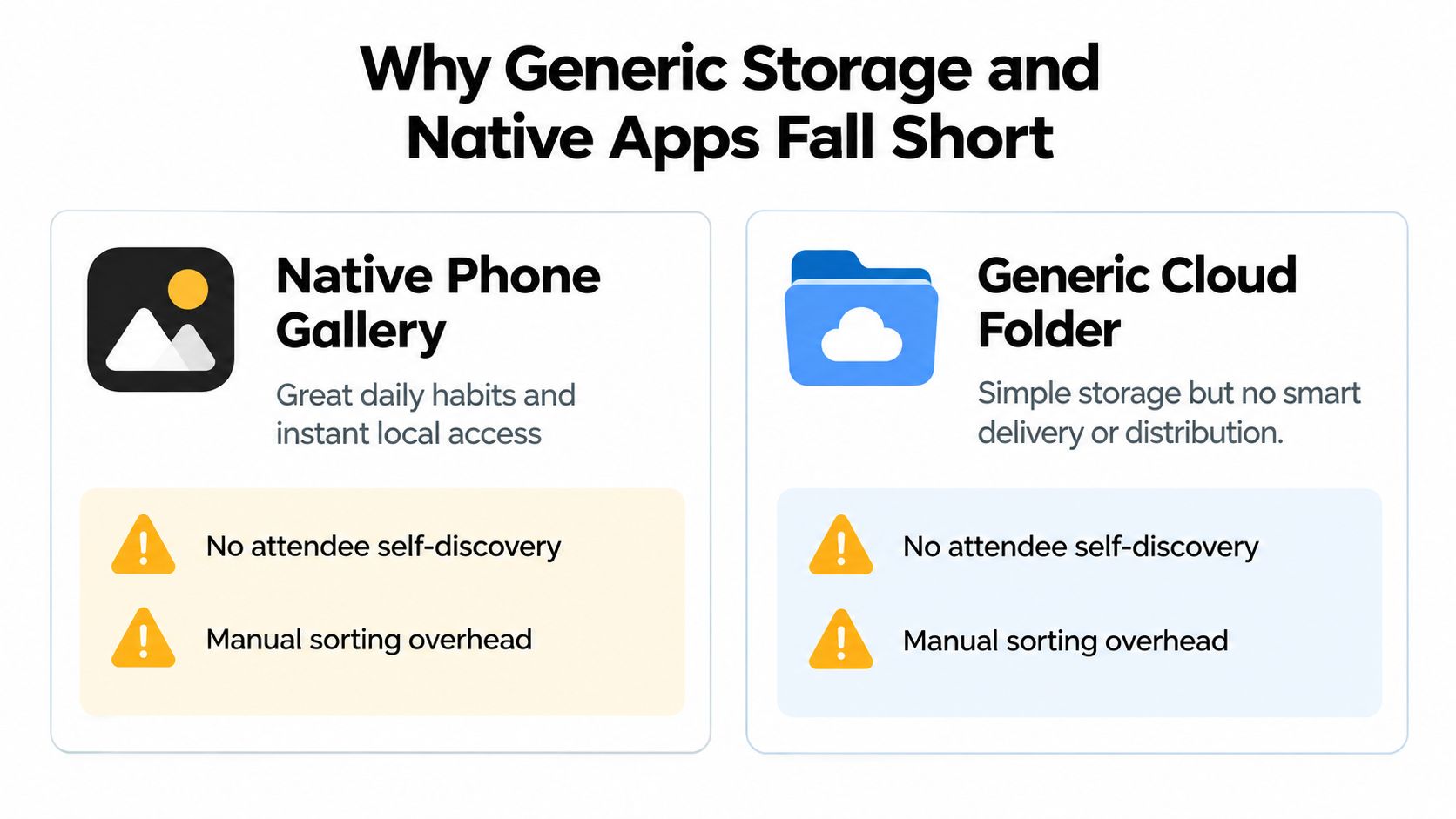
Your phone's built-in gallery is excellent for personal use. It's just the wrong tool for event distribution.
One benchmark says iPhone users open the Photos app about 9.6 times per day, spend roughly 14 minutes per day inside it, and 61% use built-in search at least weekly to find images by location, date, or recognized objects, according to this iPhone photo behavior benchmark. That tells you something important. People expect a gallery to be fast, searchable, and frictionless. They don't treat photos like archived files. They revisit them constantly.
Native gallery apps are personal, not distributive
Native galleries shine when the photos are already on the device. Expert comparisons of local-first apps note that they keep images on the phone or SD card unless the user chooses to sync, which supports very fast local browsing, no third-party analysis, and better privacy control in this comparison of Android gallery approaches. That matters for personal libraries.
It doesn't solve event handoff.
A native gallery can't act as your attendee delivery system. It doesn't give the organizer a clean way to publish one event collection, control viewing rules, and let each guest find their own moments. It's excellent at me using my photos. It's weak at me delivering photos to hundreds of people.
Shared folders are easy to send and hard to use
Cloud folders look convenient because they produce a link fast. But event teams pay for that convenience later.
A folder link usually means flat browsing, weak presentation, poor personalization, and vague permissions. If you need attendees to self-serve, it falls apart. A generic folder says, “Everything is here.” An event gallery should say, “Your photos are here.”
That difference matters most in settings where access rules matter. If you're evaluating delivery controls, it's worth checking how gallery permissions are handled in something like Saucial account settings, because event workflows need more than open-link access.
Comparison table
| Solution type | What it does well | Where it fails for events |
|---|---|---|
| Native phone gallery | Fast local viewing, familiar search, personal convenience | No attendee distribution layer, no event-wide governance |
| Generic cloud folder | Quick upload, simple link sharing | Weak discovery, messy permissions, no personalized retrieval |
| Event-focused gallery platform | Structured delivery, viewer controls, mobile-first sharing | Requires choosing a workflow-built tool instead of default storage |
A storage link ends the organizer's task. A real gallery completes the attendee's task.
Saucial vs Traditional Solutions for Events
If your only options are “send a folder” or “post a public album,” you're choosing between two kinds of friction.
Traditional shared albums work when the audience is tiny and the stakes are low. Family picnic, maybe. Small internal team gathering, fine. But once you have sponsors, guests, donors, athletes, exhibitors, or a broad attendee list, the handoff needs to do more than publish files. It needs to support private discovery.
The old workflow
Here's what traditional delivery looks like in practice:
- Photographer uploads everything: One large batch lands in Drive, Dropbox, or a shared album.
- Organizer distributes a single open link: Email goes out, social post goes live, maybe a QR code is added late.
- Attendees do the sorting work: They scroll, zoom, skip duplicates, and often stop before finding anything useful.
- Support requests follow: “Can you send just mine?” “Do you have the red carpet shot?” “Where are the team awards photos?”
This is the part people underprice. Manual retrieval becomes a customer service problem.
What changes with a find-my-photos workflow
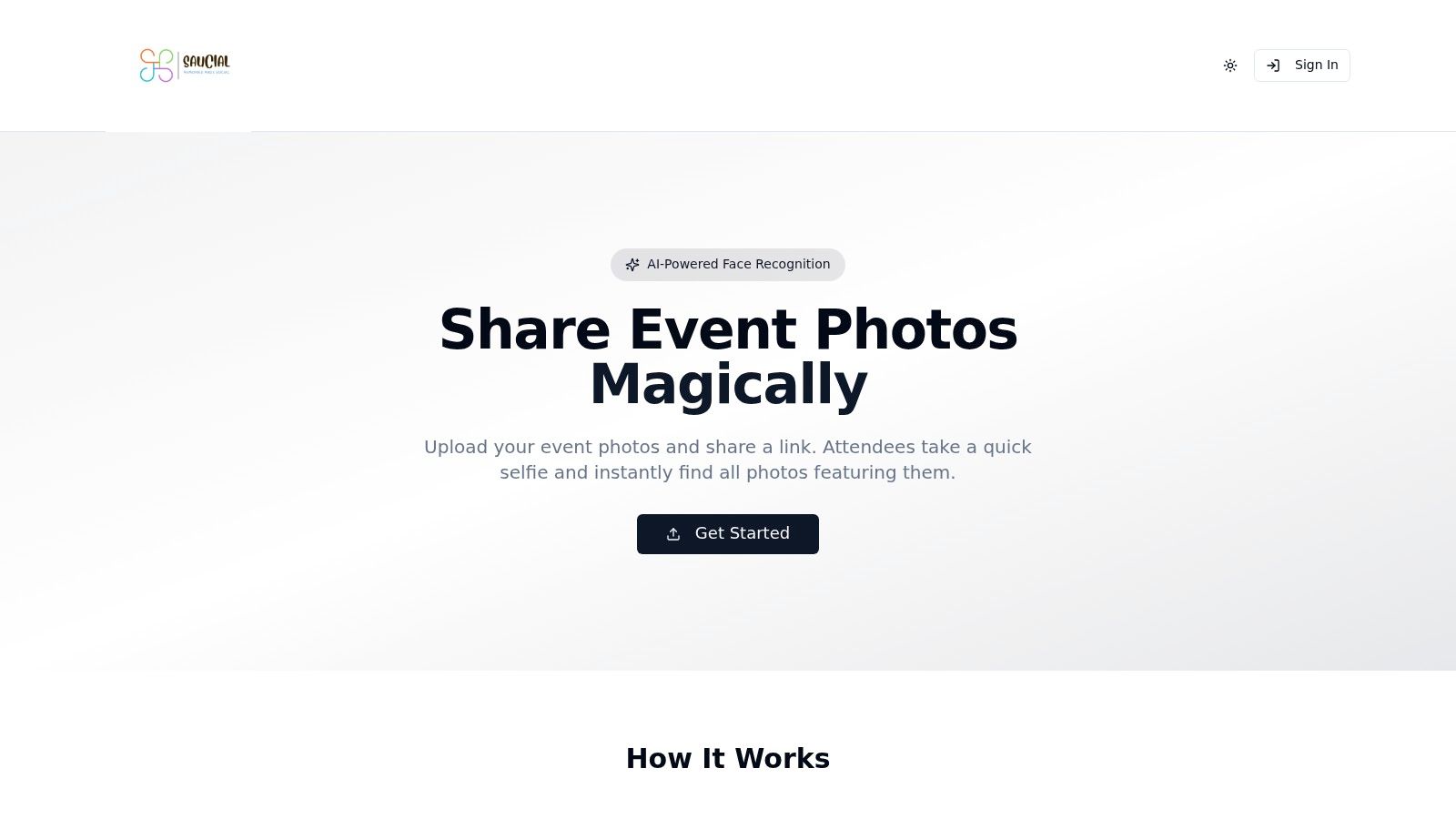
A platform like Saucial takes a different approach. The organizer uploads event photos, shares a gallery link or QR code, and attendees use selfie photo matching to see photos they appear in, instead of browsing the whole archive. That's not just a nicer interface. It changes the operating model from bulk access to personal retrieval.
The difference is practical:
| Decision point | Traditional folder or album | Selfie-matched event gallery |
|---|---|---|
| Guest experience | Scroll through everything | Find personal photos quickly |
| Privacy posture | Broad visibility unless tightly managed | More controlled, person-centered access |
| Organizer workload | Repeated manual requests | Fewer one-off retrieval asks |
| Sharing behavior | Delayed by search effort | Easier to save and share once found |
My recommendation
If you're running an event where people actually care about finding themselves, don't use a general cloud folder as your primary delivery method. Use a gallery built around identity-based discovery and controlled access.
The best photo gallery app for events isn't the one with the prettiest grid. It's the one that prevents the flood of “where's my photo?” messages before they start.
That's especially true for sports tournaments, galas, alumni events, and conferences, where attendees want fast personal retrieval and organizers need cleaner distribution rules.
Choosing the Best Photo Gallery App Key Criteria
Feature checklists are where buyers get distracted. For events, the right checklist is shorter and tougher. A gallery either supports the handoff you need, or it doesn't.
Essential Event Photo App Criteria
| Criterion | Why It Matters for Events |
|---|---|
| Private distribution controls | You need to decide who sees the gallery, how they access it, and whether the event feels public or permission-based. |
| Mobile-first viewing | Most guests won't sit at a desktop to browse event photos. They'll open the link on a phone, often while still in transit. |
| Fast personal discovery | If guests can't quickly find themselves, they stop engaging and ask your team for help. |
| No-app access | Requiring a download kills momentum. A link-based experience removes friction. |
| QR code compatibility | On-site signage, stage slides, table cards, and booths all benefit from instant scan-and-open access. |
| Organizer governance | You need clear control over what's shared, when it's available, and what attendee experience is enabled. |
| Photographer monetization options | Some events need direct attendee sales, premium edits, or paid downloads instead of a flat delivery handoff. |
| Clear privacy handling | Face-based retrieval raises consent, retention, and deletion questions. The tool should make those decisions manageable, not murky. |
What to prioritize first
Start with distribution and permission logic.
If the tool can't support a clean event photo sharing link with sensible access control, stop there. Everything else is secondary. Editing features don't matter if attendees can't reach the right images without confusion.
Then check access friction. Guests should be able to open a link, optionally authenticate in a lightweight way, and proceed without account drama. If you want to review a direct attendee entry point, Saucial authentication flow reflects the kind of low-friction gate many event teams look for.
What photographers should evaluate differently
Photographers should think beyond delivery and ask whether the gallery can become a direct-to-attendee channel.
That matters for:
- Sports tournament photo sales: Attendees often want their own action shots, not the whole event set.
- Premium edits or downloads: A gallery can support selective value capture instead of one flat organizer handoff.
- Post-event upsell: Once people find their own photos, they're more likely to act on add-ons.
The wrong way to choose
Don't choose based on AI buzzwords alone. And don't choose based on storage capacity if retrieval is the primary pain.
Buyer check: If a gallery app explains how it stores photos before it explains how attendees find only theirs, it was probably not designed around event operations.
The best photo gallery app for events should feel more like controlled publishing than passive archiving.
The Rise of AI and Mobile-First Delivery
The market is moving away from passive galleries. Good. Passive galleries were always lazy delivery.
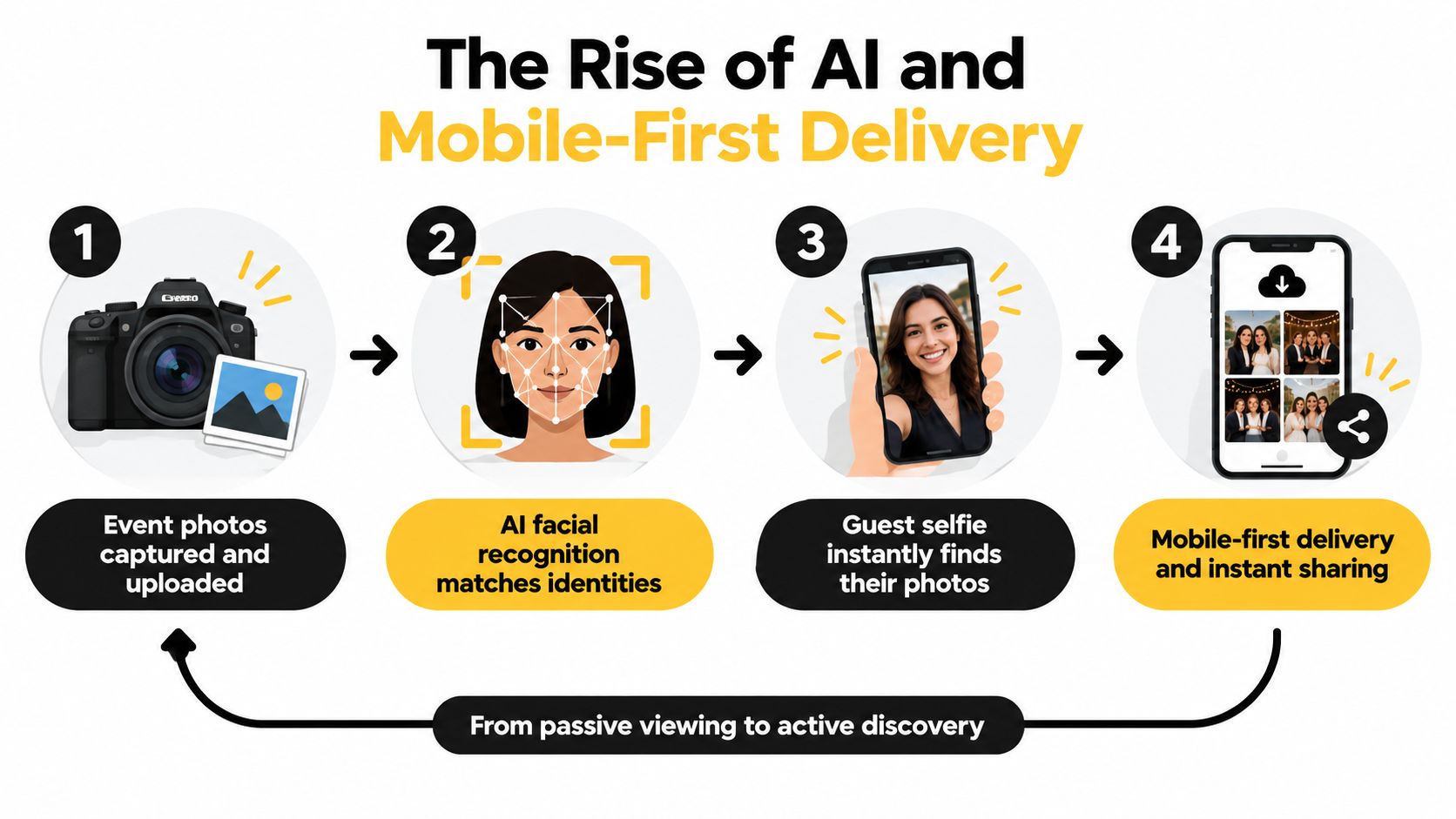
Recent 2026 event photo coverage points to a major shift toward fast, mobile-first, identity-matched retrieval, with guests expecting to find their own photos from a phone in seconds rather than scroll through large galleries. The same coverage notes that face recognition reduces “where's my photo” messages and manual sorting, which changes post-event operations in a meaningful way in this report on face search and mobile delivery.
Why this shift is happening
Event attention is brief. People care most when the moment is still warm.
One event photography benchmark says 69% of guests share event photos on social media within 24 hours, more than 80% view event photos on a phone, social engagement drops by 80% after the first two hours, same-day delivery generates 4.2 times more social shares than traditional timelines, and a third of attendees never download from generic Drive or Dropbox links, according to these event photography timing benchmarks. That's the business case for mobile-first delivery in plain terms. Delay and friction kill sharing.
AI changes the guest experience and the admin workload
This is where face recognition event gallery workflows earn their place.
Independent technical summaries of photo software note that facial recognition and metadata-driven retrieval are now key differentiators across platforms, helping reduce manual album sorting and improving retrieval across large collections in this review of face-recognition photo software. For events, the value isn't novelty. It's operational relief.
Instead of asking guests to browse a mass archive, AI narrows retrieval to the person. That means:
- Less scrolling: Guests get to their moments faster.
- Fewer support tickets: Teams spend less time hunting photos manually.
- Stronger post-event engagement: People share what they can find.
My take
For events with meaningful attendance, AI-assisted retrieval is no longer a premium extra. It's becoming the expected standard for a polished guest experience.
Fast photo delivery used to mean “the gallery is live.” Now it means “I can find my photos immediately on my phone.”
If your gallery still treats every attendee like a generic browser, it's already behind.
Best Photo Gallery App Choices for Different Events
The right choice depends less on brand name and more on the shape of the event.
Sports tournaments and races
These events need speed, volume handling, and personal retrieval. Athletes and families don't want to scan broad albums by bib, team, or time block if they can avoid it. Pick a gallery with find my photos logic, phone-first access, and room for sports tournament photo sales if monetization matters.
Gala fundraisers and alumni dinners
These need privacy and presentation. Guests expect polish, but they also expect discretion. Open albums feel careless here. Choose a platform centered on private links, controlled viewing, and easy sharing for attendees who want red carpet, table, and stage moments without exposing the full gallery to everyone.
Trade shows and brand activations
These need QR code distribution and fast brand reuse. Booth visitors, speakers, and sponsors want content while the campaign window is still open. A QR code photo gallery works well because people can scan on-site and return later without friction. If the event depends on UGC from events, mobile retrieval matters more than editing features.
Weddings and private celebrations
Here, simplicity wins. The best photo gallery app is usually one that doesn't force guests to install anything or create accounts. Couples should favor tools that feel intimate, controlled, and easy for all age groups to use on a phone.
Conference and community events
These sit in the middle. You need broad distribution, but not chaos. Look for an event photo sharing link that supports many attendees without turning the gallery into a public dumping ground.
My recommendation is simple. Match the tool to the retrieval problem. If guests only need broad viewing, a conventional gallery can work. If guests need to find only their own photos fast, use a platform designed for that specific job.
How to Set Up Your First Event Gallery
A good setup starts before the first upload. Not with design. With rules.
Decide who the gallery is for, what access should feel like, and how attendees will receive it. If you skip that, you'll end up rebuilding the handoff after the event, which is exactly when everyone is already busy.
Step 1, decide the delivery model
Pick one of these before you upload anything:
- Open browsing: Fine for low-risk public events where broad viewing is acceptable.
- Private link access: Better when you want controlled circulation.
- Personal retrieval: Best when attendees mainly want their own photos.
This choice affects everything downstream, from signage to support load.
Step 2, prepare the gallery for phones first
Most guests will meet your gallery on a small screen. That means your event photo sharing link should be easy to open from email, SMS, WhatsApp, or a QR scan. Keep the journey short. Link, land, find, save.
A good launch kit usually includes:
- A QR code for the venue: Put it near exits, registration, photo booths, and stage screens.
- A message template: One short line for SMS or WhatsApp beats a long email.
- A naming convention: Clear event names prevent confusion if guests attend multiple programs.
Step 3, upload and test the attendee path
Use a tool with a simple intake flow. For example, Saucial upload is built around drag-and-drop event delivery, which matches how most photographers and organizers already hand off batches. The important part isn't the upload itself. It's testing what the guest sees after the upload is complete.
Run three checks on your own phone:
- Discovery check: Can a first-time user understand how to find their photos?
- Privacy check: Is it clear what's visible and what isn't?
- Sharing check: Once a guest finds an image, can they act on it without friction?
Don't test your gallery on office Wi-Fi and call it done. Test it in the hallway, on cellular, with one hand, while distracted. That's how guests will use it.
Step 4, launch while the event still feels current
Timing matters more than is often admitted. The cleaner move is to publish as soon as the gallery is ready and distribute through the channels attendees already use. For some events, that's a QR code at the venue. For others, it's WhatsApp, SMS, or a follow-up email before the next morning.
Step 5, plan for the questions before they happen
Even a strong gallery benefits from clear communication. Tell people:
- How to access the gallery
- Whether they need an account
- How to find their own photos
- Who to contact if something looks wrong
That last point is small but useful. It prevents the entire event team from becoming the default support desk.
A smooth gallery launch doesn't need complicated production. It needs a deliberate access model, mobile-first delivery, and a retrieval experience that respects the fact that nobody wants to scroll through a giant event dump on their phone.
If you need a cleaner way to share event photos with attendees, Saucial gives you a hosted gallery, a shareable link or QR code, and selfie photo matching so guests can quickly find their own images without downloading an app. It fits the exact workflow most events struggle with, private distribution, mobile access, and less manual follow-up after delivery. See how it works at Saucial.



