Qr Code Photo Album: Create, Share, and Impress Guests (qr code photo album)
A QR code photo album is a ridiculously simple way to share event pictures. Instead of sending out messy folder links after the fact, you give attendees a single code they can scan with their phone. That one scan takes them right to a curated gallery where they can often find their own photos in seconds. It makes sharing photos immediate, engaging, and dead simple for everyone.
Moving Beyond Cluttered Event Photo Folders
Let's be honest, the old way of sharing event photos was a total drag. Days or even weeks after an event, you’d get an email with a generic link to a chaotic Google Drive or Dropbox folder. Then came the endless scrolling through hundreds—sometimes thousands—of pictures, just hoping to find a decent shot of yourself. It was a time-suck for guests and a logistical nightmare for organizers.
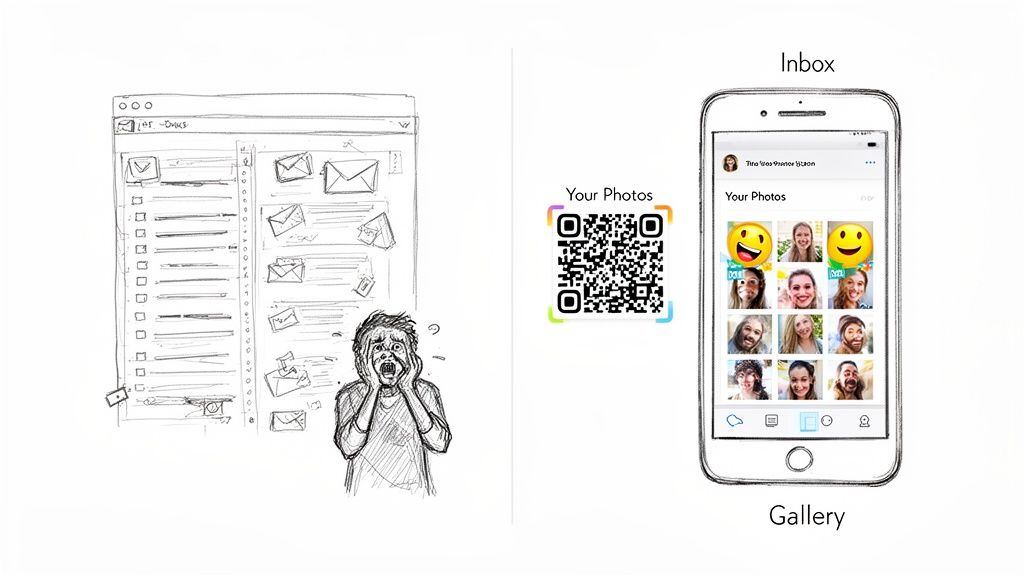
The modern approach completely flips the script. Pairing a simple QR code with a smart gallery creates a direct and instant "Find My Photos" experience. This is a game-changer for events like galas, fundraisers, and sports tournaments where capturing and sharing memories is a huge part of the day.
A Better Attendee Experience
Think about it: instead of sifting through a digital mess, your guests can pull up photos right there at the venue while the buzz is still in the air. It gets even better when you add selfie photo matching into the mix. A guest can snap a quick selfie, and the system instantly pulls up a personalized album of every photo they're in. We're talking about a massive shift from passive scrolling to active, personal discovery, which sends post-event engagement through the roof.
The real magic is moving from a one-to-many broadcast (one clunky link for everyone) to a one-to-one experience (a personal gallery for each attendee). That simple change makes guests feel seen and valued.
Streamlining the Workflow
This isn't just a win for the guests; it's a massive relief for event organizers and photographers. The entire distribution process gets simplified, cutting out the need for tedious follow-up emails and one-off photo requests.
For professional photographers, a QR code photo album cracks open entirely new revenue streams that connect them directly with attendees. Suddenly, they can offer things like:
- Digital Downloads: Guests can buy high-resolution digital copies of their favorite pictures on the spot.
- Print Sales: An integrated storefront lets people order prints, canvases, and other photo products with a few taps.
- Sponsored Content: Brands can pay to have their logo on digital photo frames, creating another way to monetize the gallery.
In the end, this method is a win-win-win. It delights guests, simplifies life for organizers, and helps photographers capture more value from their hard work—all through one elegant, scannable solution.
Prepping Your Photos for a Smart Gallery
Any AI-powered gallery is only as good as the photos you feed it. Before you even think about creating your qr code photo album, you need a solid preparation workflow. This goes way beyond a quick cull or slapping on a preset filter—it's about optimizing your images so the selfie face-matching feature is dead-on accurate for every single guest.
Think of it from the AI's perspective: it needs clear facial data to work its magic. Photos that are blurry, horribly lit, or have faces covered up are just going to trip it up and lead to poor results. Your first pass should be ruthless. Get rid of anything out of focus, shots with heavy motion blur, or images where faces are lost in deep shadows or blown-out highlights.
Organizing for Context and Clarity
Once you’ve whittled it down to the keepers, your next job is getting them organized. Please, don't just dump hundreds of photos into one giant folder. Grouping them into sub-folders that follow the event's timeline or different locations gives the final album much-needed context and makes it a breeze for guests to navigate.
For a wedding or corporate gala, I'd typically structure my folders something like this:
01-RedCarpet-Arrivals02-CocktailHour-Networking03-AwardsCeremony-Speeches04-AfterParty-Candids
This kind of logical structure carries over directly into the guest's viewing experience. It also makes your life easier if you have to troubleshoot a specific batch of photos later. You can get a better feel for how this works by exploring the different photo upload options.
Technical Details That Make a Difference
With your folders all set, the last piece of the puzzle is the technical side of things. Resolution and file size are always a balancing act. You want images sharp enough for the AI to analyze faces, but not so massive that they take forever to upload or bog down the gallery's loading speed for attendees.
A great rule of thumb I've landed on is exporting my JPEGs with the longest edge at 2500 pixels. This is plenty of resolution for fantastic on-screen viewing and even small prints, but it keeps the file sizes from getting out of hand. For an event with 1,000 photos, this one step can literally save you gigabytes of data and hours of your time.
Pro Tip: Don't underestimate a good file naming system. Instead of leaving it as
_DSC4782.jpg, rename it to something descriptive likeGala2024-RedCarpet-001.jpg. Trust me, your future self will thank you when you need to find a specific shot months from now.
By nailing these three steps—culling for clarity, organizing for context, and optimizing for performance—you’re paving the way for a smooth upload and a truly impressive "Find My Photos" experience that guests will love.
Turning Your Photos into an Interactive Album
Alright, your photos are culled, polished, and ready for their debut. Now comes the fun part: transforming that folder of images into a dynamic, interactive experience for your event guests. This is where the magic of a qr code photo album really comes to life. Don’t worry, it’s not nearly as complicated as it sounds; most modern platforms use a simple drag-and-drop interface.
You'll start by creating a new event gallery in your chosen tool. From there, you just upload the organized folders you already prepared. As the images hit the server, the system’s AI gets to work in the background, meticulously scanning every face to build a unique recognition model just for your event. This is the engine that powers the "Find My Photos" feature, letting attendees pull up every shot of themselves just by snapping a quick selfie.
This simple workflow is key to getting your photos ready before you even think about uploading.
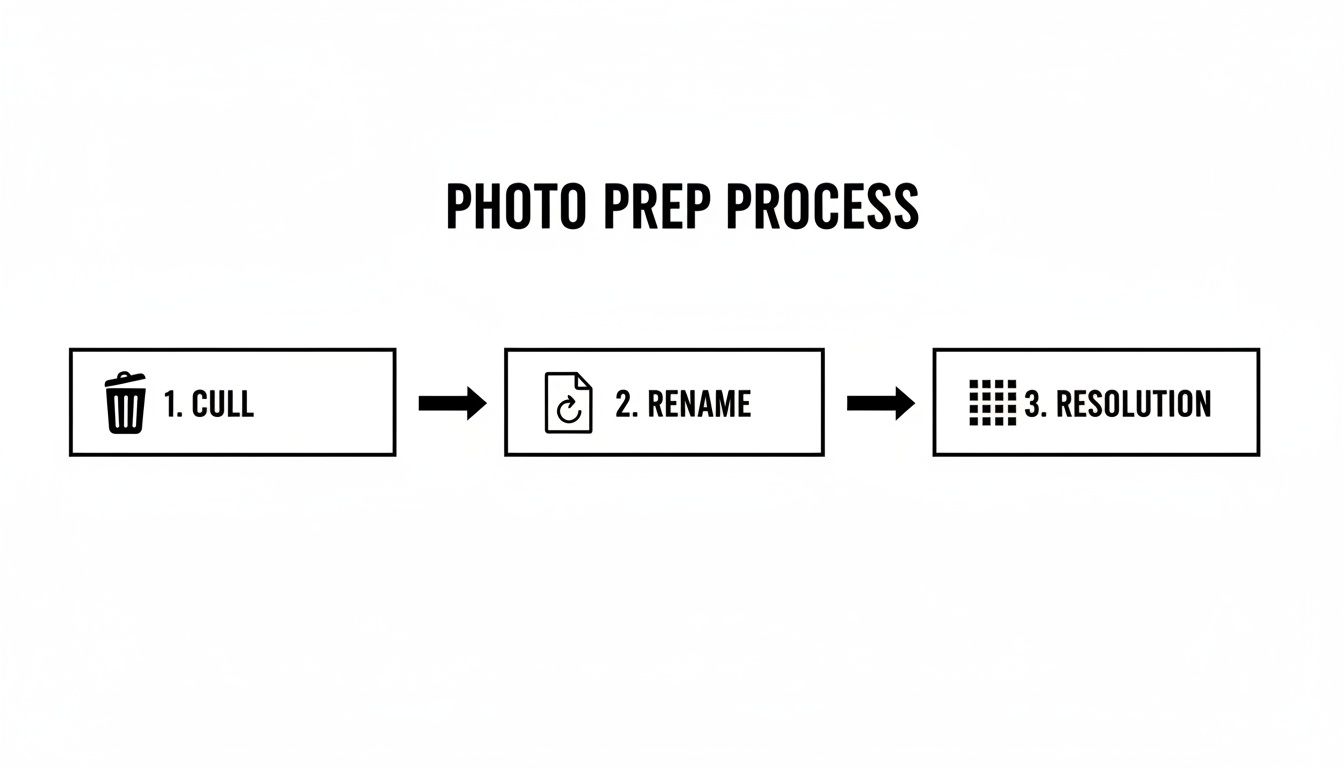
Nailing this prep work—culling, renaming, and adjusting resolution—makes for a much smoother upload and far more accurate facial recognition. Trust me, it's worth the effort.
Generating Your Unique Shareable Link
Once the upload is done and the AI has worked its magic, the platform will spit out a unique, shareable URL for your new gallery. Think of this link as the master key to your entire photo collection.
From this single URL, you can generate the QR code that guests will scan. Most platforms do this for you automatically, giving you download options like PNG or SVG so it looks sharp when you print it on signs, table tents, or even cocktail napkins. This link is the central hub for your entire photo-sharing strategy; it’s where every scan, click, and share will lead.
Configuring Your Gallery Settings
Hold on, don't start printing those QR codes just yet. Before you share that link with the world, you absolutely have to dial in your gallery settings. This is your command center for controlling the attendee experience, protecting guest privacy, and even setting up monetization. Spending a few minutes here will save you a world of headaches later.
Here are the critical settings you'll want to review:
- Privacy Controls: Is this a public-facing album, or do you need to lock it down? You can often add a password or make it accessible only to those with the direct link, which keeps it off Google.
- Download Permissions: This is a big one. Do you want guests to download high-res photos for free, or will you disable downloads? For a photographer, this is a crucial decision for driving print or digital sales. You might allow low-res, watermarked downloads to upsell the full-quality versions.
- Attendee Experience: Now, make it look good. Add the event logo, a custom welcome message, or tweak the brand colors. These small touches make the gallery feel like a seamless part of the event itself.
These controls aren't just toggles and switches; they're your tools for managing your work and your client's expectations. For a corporate client, you might disable downloads entirely to maintain strict control over brand imagery. For a wedding, you might enable a watermarked download option that links directly back to your professional sales gallery.
Carefully adjusting these parameters is what makes your qr code photo album not just a cool gimmick, but a secure and professional tool that aligns with your specific goals. If you want to see what a comprehensive backend looks like, you can explore the various gallery settings available on platforms built for this purpose. Getting these details right is the final, crucial step before you're ready to go live.
Putting Your QR Code Where It Counts: Getting in Front of Every Guest
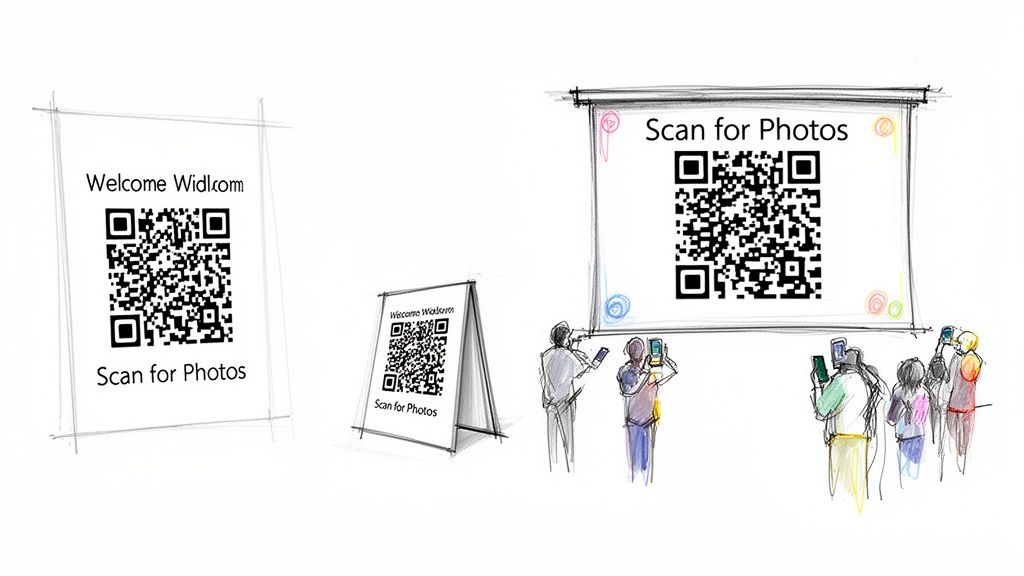
You can have the most stunning photo gallery in the world, but it's completely useless if nobody sees it. Once your QR code is ready, the real work begins: getting it placed in high-traffic, low-friction spots where attendees will actually stop and scan it.
This isn't about just printing one giant sign and calling it a day. The secret is to weave the QR code into the natural flow of the event, making it feel like a helpful, integrated part of the experience. And don't just show the code—tell people exactly what they're getting. A simple, action-oriented phrase like, “Scan to Find Your Photos Instantly!” makes a world of difference in getting people to pull out their phones.
Smart On-Site Placement: The Key to Instant Engagement
Think about the event from a guest's perspective. When are they most likely to have their phone out with a few seconds to spare? Those are your golden opportunities.
- Welcome Area & Registration: This is your first impression. A large, beautifully designed sign right at the entrance or registration desk immediately sets the expectation that photos will be easy to find.
- Table Tents: A small, tasteful card on every table is perfect. It gives guests something to do while waiting for a speech to start or for their food to arrive. It's a captive audience.
- Bars and Lounge Areas: People naturally gather in these spots. Putting a QR code on the bar menu, on coasters, or on a small sign where they order drinks is a clever way to catch their eye.
- Digital Displays & Projections: If the venue has screens, use them. A rotating slide with the QR code and clear instructions ensures everyone sees it multiple times throughout the event.
Here's a pro tip from the field: One of the most overlooked yet effective spots is the bathroom mirror. It sounds weird, I know, but it works. Guests have their phones, a private moment, and good lighting—a perfect combination for a quick, easy scan.
Choosing where to put your QR codes is a game of strategy. Different locations serve different purposes, and a mix-and-match approach usually yields the best results.
QR Code Placement Strategies for Maximum Scans
| Placement Location | Best For | Pros | Cons |
|---|---|---|---|
| Entrance/Registration | Making a strong first impression and capturing early arrivals. | High visibility; sets the tone for photo access immediately. | Guests may be rushed or distracted during check-in. |
| Table Tents | Captive audiences during meals or presentations. | Long dwell time; guests are seated and relaxed. | Can create table clutter; smaller size may be missed. |
| Bar/Food Stations | High-traffic areas where guests are waiting in line. | Reaches a large percentage of attendees multiple times. | Can be crowded; guests may be focused on ordering. |
| Digital Screens | Broadcasting to the entire room simultaneously. | Dynamic and eye-catching; can be updated easily. | Can be missed if guests aren't looking at the right time. |
| Event Programs | Providing a take-home reminder for guests to scan later. | Tangible and portable; encourages post-event access. | Easily misplaced or discarded; relies on guest follow-through. |
Ultimately, a multi-location strategy ensures that no matter where your guests are, they're never far from an opportunity to connect with the photo gallery.
Beyond the Venue: Keep the Momentum Going
The life of your qr code photo album shouldn't end when the event does. That same shareable link is your best tool for keeping the excitement alive long after the last guest has gone home.
A follow-up email is your most direct and powerful channel. Don't just bury the link at the bottom of a generic "thank you." Make it the star of the show. A clear, compelling call-to-action like, “Relive the Gala: See All Your Photos Here!” will drive a massive amount of traffic back to your gallery.
A Multi-Channel Approach to Digital Sharing
Email is just the start. To get the most mileage out of your photos, share the gallery link across every relevant digital platform.
- Social Media: Post the link in your Instagram Stories, on LinkedIn, or in a private Facebook group for the event. Always encourage guests to share their favorites using a unique event hashtag to amplify your reach.
- Event Website: Add a prominent "View Photos" button to your post-event landing page. This turns the gallery into a permanent resource that attendees can easily find and revisit.
- SMS Blasts: For a more immediate touchpoint, a simple text with the direct link can re-engage attendees who might have missed the email or social posts.
By combining a thoughtful on-site strategy with a persistent digital follow-up, you guarantee every guest has multiple chances to find and enjoy their photos. This is how you transform a simple gallery into a lasting, shareable experience. To see how a platform can support this kind of wide-reaching distribution, you can easily create an account and check out the built-in sharing tools.
Turning Your Gallery into a Revenue Stream
For a working photographer, a QR code photo album is so much more than a modern way to deliver photos. It’s a direct line to every single person at an event, turning your gallery into a sales engine that works for you long after you've packed up your gear.
You're no longer just handing off a gallery link to a single client and hoping for the best. Instead, you're putting your work directly into the hands of hundreds of potential customers. They get to browse and relive the best moments of the event while their excitement is still high, and a beautiful print or digital download is just a tap away. It's a world of difference from sending a follow-up email that will probably get lost in a crowded inbox.
Enabling Direct-to-Attendee Print Sales
The easiest place to start is with print sales. Modern gallery platforms make this incredibly simple by connecting directly with professional print-on-demand labs. Attendees can order high-quality prints, gorgeous canvases, and even photo books right from their phones. You just set your prices, and the lab takes care of all the printing and shipping.
Imagine a guest at a charity gala finds a fantastic candid shot of their friends laughing. Instead of just taking a blurry screenshot, they can order a professional 8x10 print on the spot. You've just created a sale with zero extra effort beyond the initial setup.
This isn't just about selling photos; it's about selling memories. By making the purchase process instant and easy, you capture impulse buys that would otherwise be lost. The value is in the convenience.
You can also offer high-resolution digital downloads for a fee. This is perfect for guests who want a clean, professional file for their own use. I’ve found that offering simple packages works well, like a single download for $15 or a bundle of five for $50.
Creating Upsell and Sponsorship Opportunities
This is where you can get really creative and partner with the event host to generate even more revenue. A QR code photo album opens up some fantastic opportunities that go beyond just selling prints.
Here are a few upsell tactics that have worked well for me:
- Sponsored Digital Frames: For corporate events, talk to the organizer about offering sponsors a branded digital photo frame. When guests share their pictures, the sponsor's logo goes right along with it. It’s a powerful marketing tool for them, and data shows branded content can boost brand recall by as much as 59%.
- Premium Curated Sets: I like to create a "Photographer's Picks" or "Best of the Night" collection within the main gallery. This becomes a premium, hand-picked set of the absolute best moments, which you can offer as a paid digital download.
- Time-Limited Promotions: Nothing drives sales like a little urgency. Try offering an early-bird discount—"20% Off All Orders This Weekend!"—for the first 48 hours after the event. A simple banner at the top of the gallery can make a huge difference in those initial sales.
Measuring Engagement to Prove Your Value
Finally, remember that your gallery analytics are pure gold. This data is what proves your worth to event organizers and helps you book more gigs. Keep a close eye on metrics like total gallery views, unique visitors, how many photos were shared, and—most importantly—the total sales you generated.
When you can go back to the event host with a report showing the incredible engagement your photos created, you're no longer just a photographer. You're a partner who delivered measurable value. This is how you build a reputation and secure that next contract. A platform like Saucial is built to help you manage and monetize your galleries with exactly these kinds of powerful tools, turning your photography into a tangible asset for any event.
Got Questions About QR Code Photo Albums? Let's Talk.
Whenever you roll out a new way of doing things, questions are bound to pop up. It’s completely normal. Let’s walk through some of the things that event planners and photographers ask most often when they're setting up a QR code photo album for the first time. Getting these cleared up now will save you headaches down the road.
What About Privacy?
This is, without a doubt, the number one concern I hear. "I don't want my event photos all over the internet." And that's a perfectly valid point, especially if you're shooting a corporate retreat or an intimate wedding.
The good news is that professional-grade platforms are built with this in mind. You should have precise control over who gets to see the album. Look for features like password protection or the ability to create an unlisted gallery, which means only people with the direct link can view it. This keeps it from showing up in Google searches and protects your client's privacy.
Do Guests Need to Be Tech-Savvy?
Another big question is about the guest experience. Will attendees need to download a special app or sign up for an account? The answer, if you're using the right tool, should be a firm "no." The whole point of a QR code system is to make it dead simple.
A well-executed platform should work right from a phone's built-in camera and web browser.
- A guest points their camera at the code.
- The gallery opens instantly in their browser.
- They snap a quick selfie to see all their pictures.
That's the entire process. The moment you force someone to download an app or create a login, you introduce friction. That friction can be a killer, sometimes causing as much as a 70% drop-off in guest engagement. The goal is to make photo access effortless, not to give your guests another task to complete.
The golden rule here is zero friction. If a guest needs instructions to find their photos, the system isn't working. For high engagement, simplicity is non-negotiable.
What If the Venue's WiFi Is Terrible?
We've all been there—a beautiful venue with WiFi that feels like it's from 1999. While a great connection is always a plus, it's rarely a deal-breaker these days. Most people have solid cellular data on their phones.
A modern, mobile-optimized web gallery is designed to be lightweight and load quickly on a standard 4G or 5G connection. The platform’s efficiency is what really matters. Before you commit to a service, test its demo gallery on your own phone using only cellular data. See how it performs in a real-world scenario. This quick test ensures your qr code photo album will work for everyone, no matter how bad the venue’s network might be.
Ready to give your guests an incredible photo experience they'll actually use? With Saucial, you can get an AI-powered "Find My Photos" gallery up and running in just a few minutes. Make your guests happy and your life easier. See what's possible at https://saucial.com.


