A Modern Guide to QR Code for Wedding Pictures
Let’s be real for a moment. Scrolling through a clunky, disorganized hashtag feed to find your wedding photos is a chore nobody enjoys anymore. Social media algorithms have made hashtags a completely unreliable way to gather pictures, and couples are missing out on hundreds of incredible candid moments because of it.
The modern, and frankly much smarter, solution is a QR code for wedding pictures. It gives guests a direct, instant link to upload their photos into one private, organized gallery. Simple, clean, and effective.
The Problem with Lost Wedding Memories
Every couple dreams of reliving their special day through photos, but the professional shots only tell part of the story. Your guests are the ones who capture the unfiltered, behind-the-scenes magic—the belly laughs during speeches, the tearful reactions from family, and the hilarious dance floor moves. The biggest challenge has always been getting those priceless photos off everyone's phones.
This is where the old methods just don't cut it. Wedding hashtags get buried in messy social media feeds, and the whole "text me your photos later" approach usually ends with awkward follow-ups and a trickle of pictures, if you're lucky. This isn't just a minor inconvenience; it's a genuine loss of memories.
Why Old-School Methods Don't Work
The fundamental issue is friction. The moment you ask a guest to do something complicated or remember a task for later, you've probably lost them.
- Hashtags are a dead end: Instagram’s algorithm doesn't show a simple chronological feed anymore. Many posts using your hashtag will simply never be seen by the couple.
- Manual collection is a nightmare: Who wants to spend their first week of marriage chasing down photos from 100 different people via text and email? It’s a huge headache.
- App downloads are a non-starter: Forcing guests to download a specific app just to share photos is a massive barrier. Most people just won't do it.
Here's a hard truth: without a seamless system in place, a staggering 88% of guest photos never actually make it to the couple. That's a massive gap in their wedding album and highlights just how broken the old ways are.
This is precisely where a QR code photo gallery completely changes the game. It eliminates all that friction. Guests simply point their phone's camera at a code—something they already do all the time—and are instantly taken to a private upload page. No accounts to create, no apps to download, and no "I'll get to it later" excuses.
This immediate, easy process is why platforms like a Saucial event photo sharing link work so well. It transforms a tedious chore into a fun, interactive part of the celebration itself, ensuring every precious moment is captured and saved in one beautifully organized place.
Wedding Photo Sharing Methods Compared
Still not convinced? Let's break down the real-world differences between sticking with a hashtag and upgrading to a QR code gallery. The contrast in both guest experience and final results is pretty stark.
| Feature | Wedding Hashtags | QR Code Photo Gallery |
|---|---|---|
| Ease of Use for Guests | Requires opening social media, remembering the hashtag | Just scan a code—no app, no login, no fuss. |
| Photo Privacy | Public by default; anyone can see or use the photos. | Completely private; only you and your guests have access. |
| Photo Collection | Incomplete and unreliable due to algorithms. | 100% of uploaded photos are saved in one place. |
| Photo Quality | Social media platforms compress images, reducing quality. | Full-resolution photos are preserved. |
| Organization | A messy, jumbled feed of posts. | A clean, organized, and chronological gallery. |
| Video Clips | Limited by platform (e.g., Instagram Reels/Stories). | Guests can upload video clips directly. |
The table makes it clear: QR code galleries offer a far superior, more reliable, and private experience for everyone involved. It's about making it effortless for guests to share their joy and ensuring the couple gets a complete collection of their memories.
Setting Up Your Wedding Photo Gallery in Minutes
Creating the central hub for all your wedding memories should be fun, not another technical headache on your to-do list. Thankfully, setting up a gallery for your qr code for wedding pictures is now an incredibly fast process. Forget clunky software or confusing settings; you can get a fully functional, shareable gallery up and running in less time than it takes to choose a first dance song.
I’ve found that using a tool built for this, like Saucial, makes the whole thing a breeze. You start by creating a new "event" on the platform, which is basically the digital bucket for every photo and video from your big day. Give it a personal name guests will recognize—something like "The Anderson Wedding" or "Jenna & Mark's Big Day"—and maybe add a quick, warm welcome message.
As soon as you plug in those simple details, the system instantly generates your two most important assets: a unique QR code and a shareable link. That's it. Seriously. You now have a direct gateway for every single guest to upload their photos.
This is a huge leap forward from the old days of using a wedding hashtag and hoping for the best.
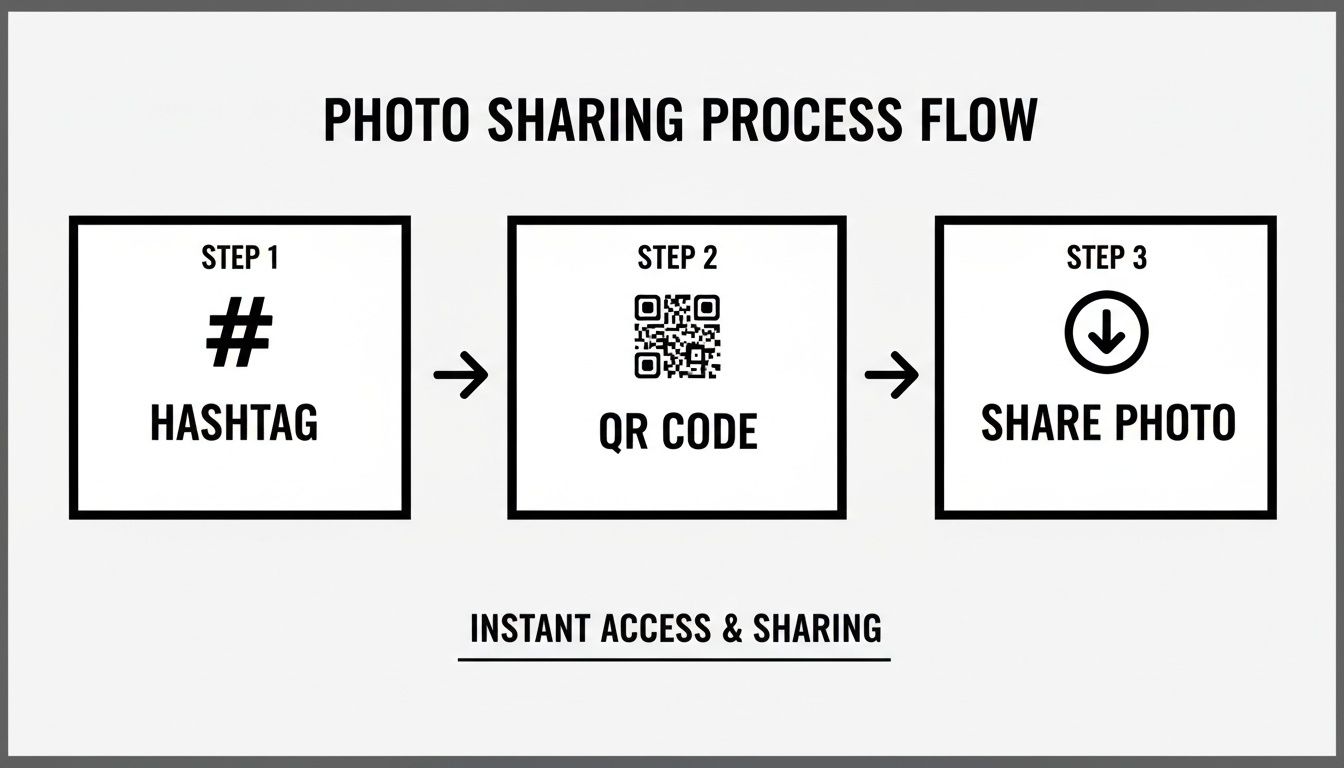
As you can see, a QR code cuts out the unreliable social media middleman, connecting your guests straight to your private gallery.
From Generation to Guest Experience
That QR code you just made is more than a link—it's your secret to getting tons of photos from your guests. When someone scans it, they land directly on a simple upload page right in their phone's web browser. There are no apps to download and no accounts to create. Those are the two biggest hurdles that stop people from sharing photos, and this process removes them completely. That immediate, frictionless access is key to getting high participation.
The core idea is to remove every single barrier. The less a guest has to think, the more likely they are to share their pictures. The goal is to make sharing a photo as easy as taking one.
Behind the scenes, some really cool features can make the experience even better. Many modern platforms now include AI-powered selfie matching that works quietly in the background. Days after the wedding, guests can visit the same link, snap a quick selfie, and instantly see every photo they’re in. This "find my photos" feature is a total game-changer for guests, saving them from scrolling through hundreds of pictures to find themselves. If you want to see it in action, you can easily create an event and upload photos to test it out.
Key Features to Look For
As you're setting up your gallery, here are a few non-negotiable features that will make your life easier and give your guests a better experience.
- Unlimited Uploads: Make sure the platform doesn’t put a cap on how many photos or videos can be shared. You want to capture every last moment, not worry about hitting a limit.
- Full Resolution: Social media platforms crush the quality of your images. A proper photo-sharing gallery should save every picture in its original high resolution.
- Privacy Controls: You need to be in the driver's seat. Look for the ability to moderate photos, hiding any blurry shots or that one picture of Uncle Bob after his third trip to the open bar.
By choosing a tool with a simple setup, you can check this task off your list and get back to the more exciting parts of wedding planning, knowing a modern, streamlined system is ready to catch every candid moment.
Creative Signage and Placement Ideas That Actually Work
Your QR code for wedding pictures is a powerful tool, but it's completely useless if no one sees it. The secret isn't just having one sign by the entrance; it's about weaving these little prompts into the very fabric of the event. Think of them as friendly nudges that become a natural, interactive part of the celebration.
A guest might walk right past the gift table, but they'll definitely spot a sign at the bar while ordering a drink. Your goal is to catch people in those high-traffic spots where they naturally have their phones out anyway. This strategy ensures you get a full spectrum of memories—from the cocktail hour buzz to the wild energy on the late-night dance floor.
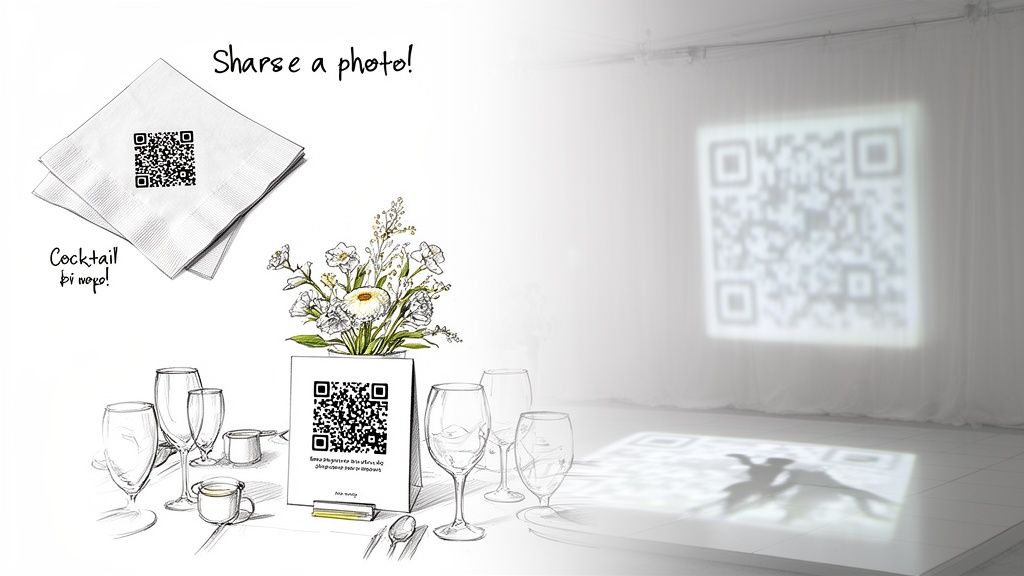
This kind of strategic repetition makes sharing photos feel easy and intuitive, not like a chore.
High-Impact Placement Locations
For the best results, you need to place your QR code signage where guests hang out or have a little downtime. I've seen these spots get the most scans time and time again:
- At the Bar: This is my number one recommendation. It's almost foolproof. People are relaxed, waiting for a drink, and their phone is usually in their hand.
- On Every Table: Weave the QR code right into the decor. You can add it to the table numbers or as a small, elegant card tucked into the centerpiece. It gives guests something to do while waiting for dinner.
- Bathroom Mirrors: It might sound strange, but it works surprisingly well. A small, classy decal on the mirror is an unmissable and clever prompt that catches people off guard in a good way.
- Near the Guest Book: When guests are signing the book, they're already in a "contributory" mood. This is the perfect time to also ask them to contribute their photos.
The biggest mistake I see is treating the QR code like a corporate check-in. Don't do that. Make it part of the wedding's aesthetic. Get it printed on cocktail napkins, project it onto a wall near the dance floor, or even include it on the back of the printed menus. The more it feels like it belongs, the more guests will actually use it.
Writing Instructions That Don't Sound Robotic
The words you choose for your signage are just as important as where you put them. Ditch the generic, techy phrases like "Scan to Upload." Instead, use warm, inviting language that explains what you want them to do and why it matters. Guests want to help you capture memories; your job is to make it sound fun.
Call-to-Action Examples That Work:
- "Caught a Great Moment? Share it here!"
- "Help Us Capture the Love! Scan to add your photos to our album."
- "See a great shot? Send it our way!"
- "Got Photos? We want to see them all! Scan to share."
This kind of friendly language turns a simple piece of technology into a personal invitation. When you combine creative placement with encouraging instructions, you give every guest a chance to help build a richer, more complete story of the day.
Making Sure Your Guests Actually Use the QR Code
Even the most brilliant photo-sharing system is useless if your guests don't know how to use it. You've got to give them a little nudge. The key is making the instructions feel like a fun part of the wedding, not a technical task. Think warm, direct, and super simple—something they can grasp in a few seconds between conversations.
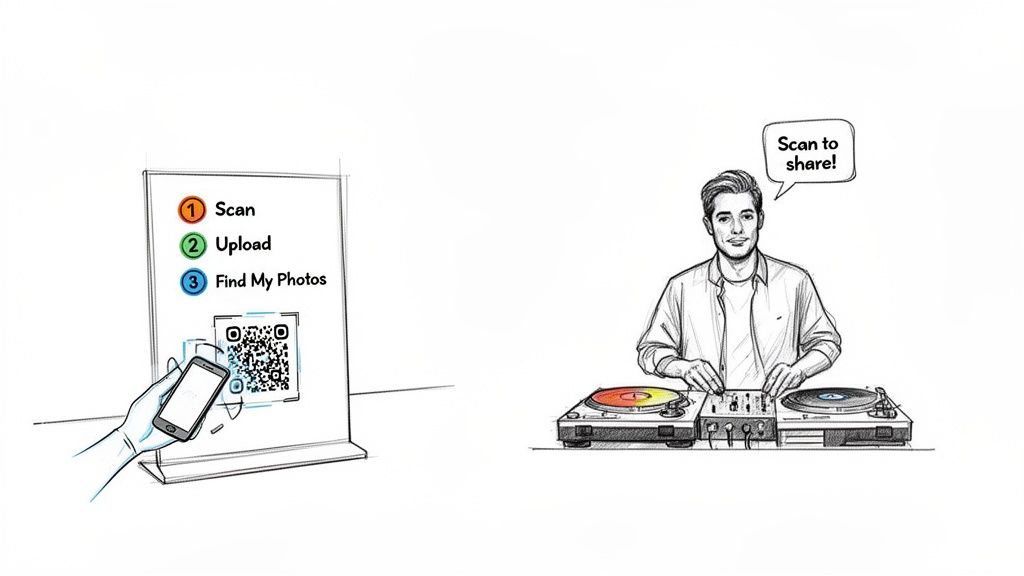
From my experience, success comes down to getting ahead of their questions and making the whole process feel effortless. When you explain why you have a qr code for wedding pictures—because you genuinely want to see the day through their eyes—it changes everything. Scanning a code suddenly becomes a meaningful way for them to contribute.
Getting Your Signage Wording Just Right
Your instructions need to be short, sweet, and to the point. Guests are busy celebrating, so you have to cut through the noise. Ditch the jargon and tell them what's in it for them.
Here are a few templates I’ve seen work wonders on signs:
- Simple & Sweet: "Help us capture the love! Scan here to share your photos and videos from tonight. No app needed!"
- Action-Oriented: "Caught a great moment? We want to see it! Scan here to add your photos to our private wedding album."
- Benefit-Focused: "Find all your photos from our wedding! Scan to upload your pics and use our selfie search to see every photo you’re in later."
See how each one is friendly and highlights how easy it is? Adding phrases like "no app needed" is a game-changer for guests who might be a bit tech-shy. If you want to see just how simple it is from their perspective, you can set up your own event gallery and test out the guest view yourself.
Get Your MC or DJ in on the Action
Honestly, one of the best things you can do is have your DJ or MC make a quick announcement. A well-timed prompt from someone with a microphone can spark a huge wave of photo uploads right away.
Don't just tell your DJ to "mention the QR code." Hand them a fun, personable script. From what I’ve seen, a great announcement can boost initial photo uploads by over 50% in the first hour alone.
Here’s a sample script you can give them: "Hey everyone, I've got a quick message from our happy couple! They want to see the wedding through your eyes, so if you're taking photos tonight, they’d love for you to share them. Just scan the QR code you see on your tables. It’s super easy—no apps or accounts needed. It’ll take you right to their private gallery. Let's help them build an amazing album of memories!"
This works so well because it's a shared, in-the-moment instruction that gets everyone involved at once. When you combine clear signs with a verbal cue from the MC, you've covered all your bases. Every single guest will know exactly how to help you create an incredible visual story of your big day.
How Photographers Can Create New Revenue Streams
For professional photographers, a QR code gallery is so much more than just a slick way to deliver photos—it's a business tool that can completely change your post-event game. Think about it: the old model was delivering a gallery link just to the couple. This new approach opens up a direct-to-attendee marketplace, turning every guest from a passive observer into a potential customer.
This isn't about changing how you shoot; it's about changing how you deliver. You're no longer just handing over a static folder of files. Instead, you're creating an interactive experience that adds real value for every single person at the wedding, all while opening up new income streams for your business.
Turning the Gallery into a Marketplace
The big idea here is to move past the single-client transaction. With platforms like Saucial, you can build e-commerce features right into the photo-sharing link you give out at the event. When guests find their photos, they can immediately buy them in different formats.
This creates a hands-off, self-service model that keeps working for you long after you've packed up your gear.
- Offer Direct Print Sales: Let guests order high-quality prints of their favorite moments right from their phones. You can set up different sizes and finishes and even partner with a print lab to handle fulfillment automatically.
- Sell Digital Downloads: How many times have you captured a fantastic shot of a guest who'd love a high-res version for their socials? Offering individual downloads for a small fee is a simple, high-margin revenue source.
- Curate "Best Of" Collections: Package together premium, curated sets for sale. Imagine offering a "Best of the Dance Floor" or a "Candid Moments" collection as a special digital bundle for attendees.
This strategy directly tackles a massive missed opportunity in event photography. You capture incredible moments of the guests, but the value of those specific photos often gets lost. By creating a direct sales channel, you capture that value without any extra work.
Advanced Upsell and Monetization Strategies
Beyond simple print and digital sales, a face recognition event gallery opens the door to more creative upsell opportunities that can seriously boost your revenue per event. You can create specific offers that appeal to a much wider audience than just the wedding couple.
Let's look at the bigger picture. With 20% of couples now using AI in their wedding planning—a figure that doubled from just 10% in 2023—guests are more comfortable with smart technology than ever before. This tech-savviness is on full display with selfie-matching experiences like Saucial’s "Find My Photos." It seamlessly connects your professional shots with guest candids at events where photography can account for 16-31% of the total budget.
For you, this means simple drag-and-drop uploads and instant photo access for guests, which puts an end to the endless stream of "can you send me that photo?" emails. You can dive deeper into this wedding tech shift on threads like WeddingWire’s forums.
This comfort with technology creates new ways to monetize your work. For example, at a corporate event or a sponsored wedding, you could offer branded digital photo frames as an add-on. A company sponsoring the event could have its logo elegantly placed on every photo purchased by guests, instantly turning your gallery into a marketing tool. This kind of photographer upsell to attendees adds a valuable new service to your offerings, making you a go-to partner for high-end events.
Common Questions About Wedding QR Codes
Even with the best instructions, anytime you introduce something new like a QR code gallery at a wedding, questions are bound to pop up. Being ready for these common queries from couples, photographers, and planners means you can head off any confusion and avoid last-minute surprises on the big day.
Let's walk through the most common questions we get and give you the straightforward answers.
How Do We Manage Privacy and Control Shared Photos?
This is usually the number one concern, and for good reason. You want to control the narrative of your wedding album. Modern photo-sharing platforms are designed with privacy as a top priority, giving you, the host, complete administrative control.
You can set the entire gallery to private, so only people with the direct link can see it. More importantly, you have the power to moderate all guest uploads. This means you can personally approve or reject any photo before it goes live for everyone else to see. It’s the ultimate peace of mind, ensuring no blurry, duplicate, or less-than-flattering shots make it into your final collection.
For a deeper dive, you can learn more about adjusting gallery settings to get your privacy just right.
Do Guests Need to Download an App?
Nope, and honestly, that’s the magic of it. The best systems are completely browser-based, which removes the biggest hurdle to getting people to participate. When a guest scans your QR code, it just opens a webpage in their phone's native browser, whether that's Safari, Chrome, or something else.
They can start uploading photos and videos immediately without any friction—no app store, no downloads, no creating an account. This simple, elegant process is what makes it so easy for everyone, from your tech-savvy cousins to your grandparents, to join in and share their memories.
The whole point is to make sharing effortless. We've seen data showing that forcing guests to download an app can cause a staggering 70% drop-off in participation. A browser-based system is simply more respectful of your guests' time and their phone's storage.
What Is the Best Way to Test the QR Code?
You absolutely need to do a full test run a few days before the wedding. Don't just scan the code on your laptop screen. Print out your actual signage—the welcome sign, the table cards, whatever you're using—and test it like a real guest would.
Here’s a quick checklist for a solid test:
- Try Multiple Phones: Grab an iPhone and an Android device to make sure it works seamlessly on both.
- Test From a Distance: Can you scan it from a few feet away? A guest sitting at a table won't be holding the sign right up to their phone.
- Walk Through the Whole Flow: Don't just stop at the scan. Actually upload a test photo and try out key features, like the selfie search, to ensure the entire experience is smooth from start to finish.
This whole process takes maybe five minutes, but it's invaluable. It guarantees everything will work flawlessly on the wedding day and gives you a chance to fix any little hiccups ahead of time.
Can We Combine Professional and Guest Photos?
Yes, and this is where a unified QR code for wedding pictures really shines. It gives you a single, beautiful gallery that tells the complete story of your day from every possible angle.
The photographer or the couple can easily upload the high-resolution, professional shots directly into the very same event album where guests are sharing their candid moments. This creates a much richer, more dynamic collection for everyone to enjoy.
Think about it: when guests come back to the gallery to find photos of themselves, they'll be treated to a wonderful mix of the photographer's stunning images right alongside the heartfelt, spontaneous snaps from friends and family. It’s truly the best of both worlds, all in one easy-to-access place.
Ready to create a seamless photo experience for your next event? With Saucial, you can set up an AI-powered gallery in minutes, allowing guests to find their photos with a simple selfie. Start building your gallery today at https://saucial.com.


