A Modern Guide to Photo Sharing for Wedding Guests
Remember the old days of trying to collect wedding photos? You’d spend weeks chasing people down, scrolling through endless social media feeds, and sending awkward text messages, all to piece together the story of your own wedding. Modern photo sharing for wedding guests throws that whole mess out the window. Now, you can use a single, private online hub where everyone—from your great-aunt to your college roommate—can easily add their pictures.
This simple shift means you get to see every candid moment, without the headache of managing hashtags or hoping people remember to send you their camera roll.
Why Your Guest Photos Are So Important
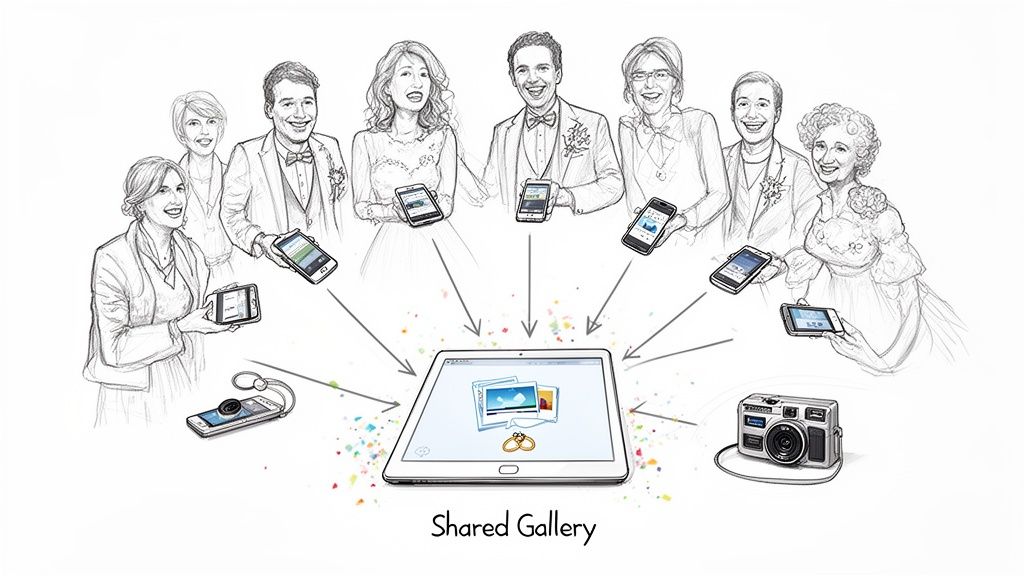
Your professional photographer is a non-negotiable. They’re the experts at capturing the stunning, perfectly lit moments—the first kiss, the flawless family portraits, and all the gorgeous details you spent months obsessing over. But here’s the thing: they can’t be everywhere at once. The real, unfiltered story of your celebration often lives on your guests' phones.
These are the snapshots that catch the spontaneous, hilarious, and genuinely touching moments that happen when no one thinks a professional is looking. It's your college friends cracking up over an old inside joke during cocktail hour. It's your little nephew’s priceless reaction to the best man’s speech. These are the memories that give your wedding story its true personality and heart.
A Shift in Wedding Priorities
More and more, couples are zeroing in on creating a truly unforgettable experience for their guests. In fact, The Knot's 2023 Real Weddings Study revealed that a staggering 75% of couples prioritize the guest experience above almost everything else.
With the average wedding hosting around 115 guests, that’s a huge opportunity. A seamless photo-sharing system becomes an essential part of that experience, letting you gather hundreds of unique perspectives. You can get more details from The Knot's wedding study findings.
This new focus means ditching methods that feel like homework for your guests, like confusing hashtags or asking them to download yet another app. A modern approach to photo sharing for wedding guests should feel completely natural and effortless, blending right into the celebration.
A dedicated, private gallery doesn't just collect photos; it validates your guests' role in your celebration. You’re telling them, "Your perspective matters, and we want to see our day through your eyes."
The Power of a Complete Visual Story
When you combine your professional photos with all the pictures your guests contribute, you’re not just getting more photos—you’re building a complete narrative of your wedding. You get the polished, frame-worthy shots right alongside the raw, in-the-moment candids.
This combined collection becomes a far more authentic and whole reflection of the day you planned and the joy everyone shared. This guide will show you exactly how to set up a simple, effective system that honors both your memories and your guests' experience.
Setting Up Your Photo Collection System Before the Wedding
A great system for photo sharing for wedding guests doesn't just happen on the wedding day—it's built weeks in advance. A little bit of planning is your secret weapon for gathering hundreds of candid guest photos without adding an ounce of stress to your celebration. It’s all about setting the stage and making it incredibly simple for your friends and family to join in.
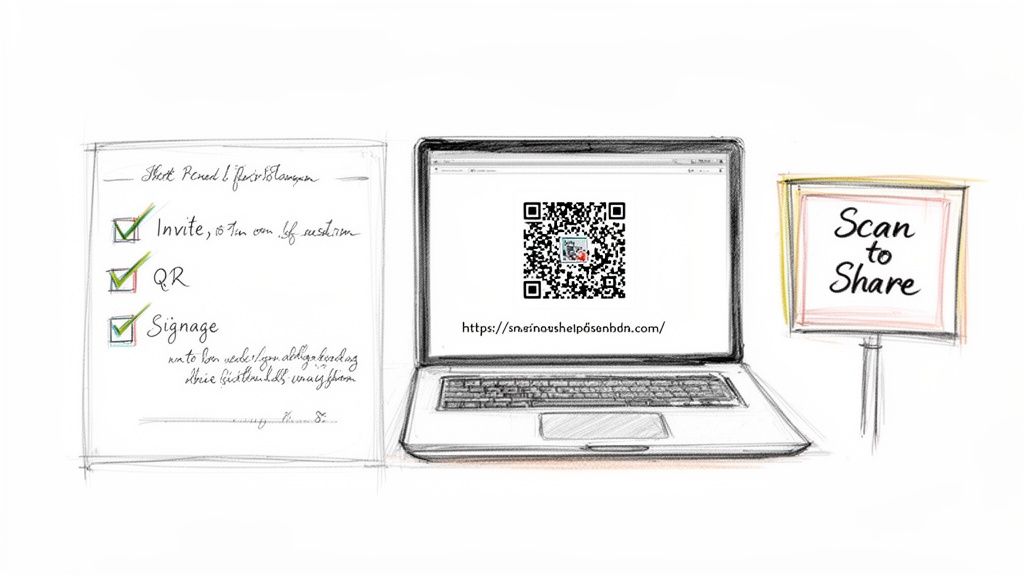
Your first move? Communication. Start planting the seed early on your wedding website and with your invitations. You want to frame this as a fun, collaborative way to build your wedding album together, not as a chore. A short, sweet message is all it takes.
For example, a quick note on your website works wonders: "Help us capture every moment! We’ve set up a private gallery where you can share your favorite photos from our day. Just look for the QR codes at the wedding to upload yours!"
Getting the Word Out Effectively
How you talk about your photo-sharing plan is half the battle. Your goal is to make it feel like an organic part of the day, not some clunky tech requirement.
Let's look at the numbers. Wedding hashtags have seen a 30% drop in usage since 2018, and today, only about 23% of couples still use them. In contrast, QR codes are popping up everywhere, with their use for wedding details growing 18% year-over-year. This shift tells us guests prefer a direct, private way to share, which is a huge opportunity. You can read more about these and other photo booth industry trends.
To make sure your message lands, give guests clear and simple instructions everywhere you can:
- On Invitations: Tuck a small, nicely designed insert card into your invitation suite with a QR code or a short, easy-to-remember URL.
- On Your Website: Carve out a spot on your site with the link and QR code ready to go.
- Pre-Wedding Emails: In your final reminder email a week before the big day, include a direct link to the upload page.
Hitting people on multiple channels like this pretty much guarantees everyone knows what to do when they arrive.
Pro Tip: Don't just use a standard black-and-white QR code. Design it to match your wedding's color scheme or even add your monogram in the middle. It’s a small touch that makes the whole thing feel more intentional and less like a checkout counter.
Prepping Your Digital and Physical Tools
Once you've figured out your communication plan, it's time to get the actual tools ready. The first step is to set up your online gallery. This will be your central hub for every photo. Most modern platforms let you customize the experience—you can write a welcome message, add your wedding logo, or even set up separate albums for the ceremony and reception. It's worth exploring the Saucial gallery settings to see just how much you can tailor it to your day.
Next, you'll want to design the signs for the venue. Think small, tasteful cards or framed signs with the QR code and a few simple instructions. Place them in high-traffic spots where people will naturally see them. Good locations include:
- The welcome table
- At the bar (a guaranteed hotspot!)
- On cocktail tables
- Next to the guest book
Want to get people really engaged? Add a fun "photo scavenger hunt" list to your signs. Prompts like "Snap a photo of the best dance move" or "Find the loudest laugh" can turn photo sharing into a fun little game for your guests. It’s a great way to encourage them to capture those genuine, unscripted moments you’ll cherish the most.
Making Guest Photo Sharing Effortless on the Big Day
After months of planning, your wedding day is finally here. The last thing you want is for your guests to feel like they're tackling a tech project. The goal is simple: make sharing photos a natural, fun part of the celebration.
Success comes down to two things: visibility and simplicity. The easier you make it for guests to contribute their pictures, the more amazing, candid moments you’ll end up with. It's all about putting the opportunity right where they'll see it, when they're most likely to have their phones out.
Where to Put Your QR Codes for Maximum Impact
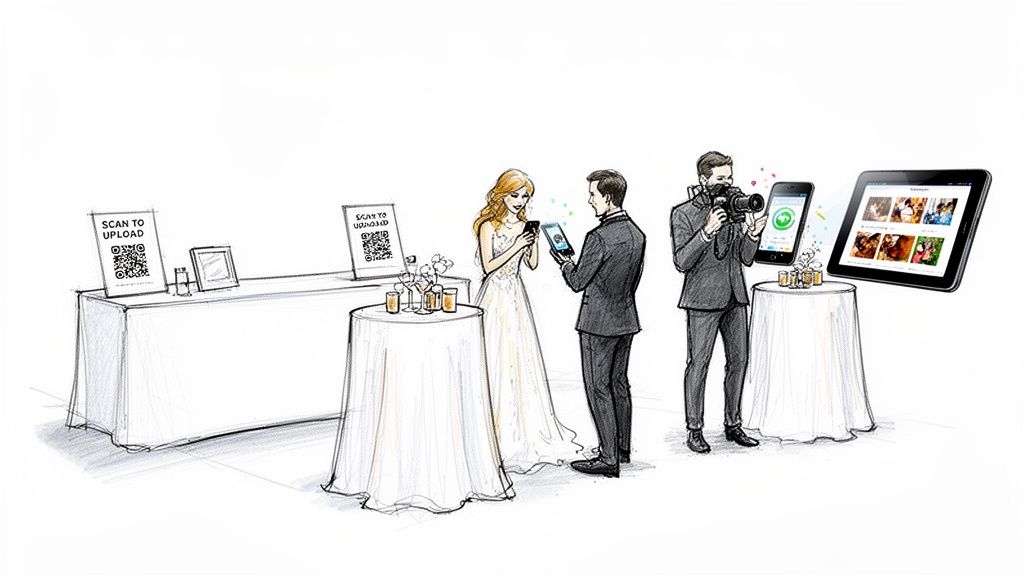
Think about where people gather, wait, and mingle. These are your prime real estate locations for QR code signage. You want the signs to feel like a seamless part of your decor, not a corporate-looking instruction manual.
Here are a few spots I’ve seen work wonders:
- The Bar: This is a guaranteed hotspot. People wait for drinks, chat, and almost always have their phones. A small, elegant sign here is a no-brainer.
- Cocktail & Dinner Tables: A simple, beautiful card on each table catches everyone’s eye during downtime.
- Bathroom Mirrors: It sounds a little strange, but it’s incredibly effective! Guests have a private moment and often their phone in hand, making it a perfect, low-pressure spot to upload a few pictures.
- Near the Guest Book or Gift Table: Guests are already in a participatory mood in these areas. Placing a sign here nudges them to contribute in another meaningful way.
Here’s the non-negotiable part: the process has to be frictionless. Guests scan a code and are taken directly to the upload page. No app downloads. No new accounts. No passwords. Just instant access. That’s what gets everyone from your tech-savvy cousin to your grandma involved.
What Guests Actually Experience in the Moment
Let’s picture it. Your uncle snaps a hilarious photo of your cousin’s questionable dance moves. He spots a small card on the table, scans the code, and his phone’s browser opens to your private gallery. In just a few taps, the photo is uploaded. He never had to leave the party atmosphere. That seamless workflow is the secret sauce to successful photo sharing for wedding guests.
And this isn't just for your guests! Your professional photographer can get in on the action, too. By uploading a handful of killer shots throughout the night, they can give everyone a real-time sneak peek of the professional gallery.
This turns the album into a living, breathing story of the day, told from every angle. When you provide an easy way to upload their wedding photos, guests feel less like spectators and more like co-creators of your memories.
A Nudge is All it Takes
Great signage is your foundation, but a little personal encouragement really seals the deal. Ask your wedding party or a few outgoing friends to be your "photo ambassadors." They can casually mention the shared album to people and even help anyone who seems a bit unsure.
A quick, upbeat announcement from your DJ or MC can also be a game-changer. Something simple like, "Hey everyone, the happy couple wants to see the day through your eyes! Just scan the QR code on your table to add your photos to their collection."
This mix of well-placed signs, an incredibly simple process, and a few friendly reminders is all it takes to gather a treasure trove of genuine memories that capture the real spirit of your day.
Using AI to Instantly Deliver Personal Photo Albums
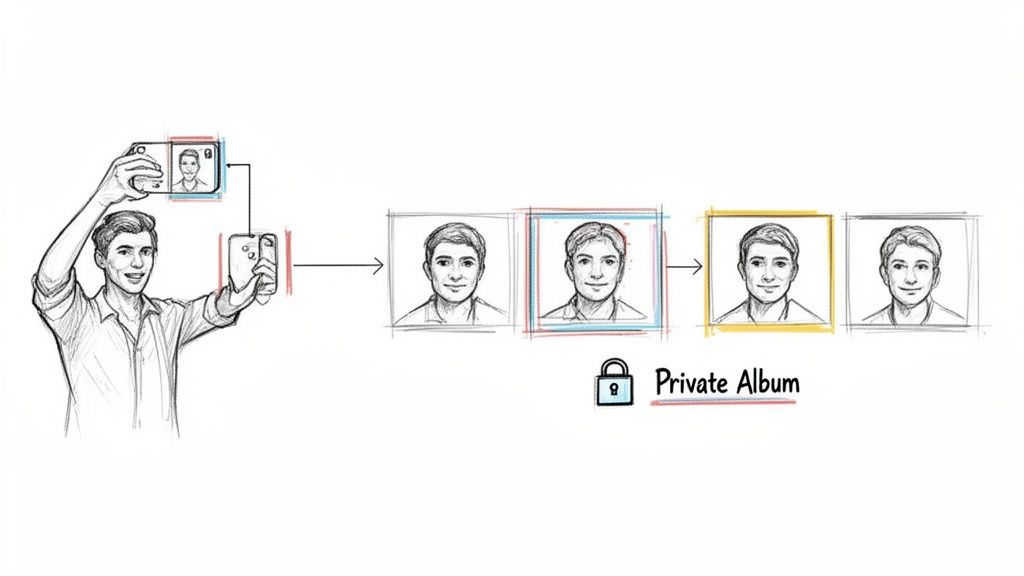
The wedding is over, the last song has played, and you’re now sitting on a mountain of incredible photos. This is where modern photo sharing for wedding guests completely changes the game. It turns what used to be a monumental sorting project into an instant, personal experience for every single person who attended.
Forget forcing your guests to scroll through a gallery of a thousand images just to find the five they’re in. AI-powered systems do all that heavy lifting for you. The whole process is surprisingly straightforward: just upload your entire collection—from the professional shots to all the guest contributions—into one private, centralized gallery.
The "Selfie Flow" and How It Works
Once your photos are uploaded, an AI engine gets to work behind the scenes, scanning every single image to identify faces. This facial indexing happens automatically, meaning you don't have to spend hours tagging a single person.
When you're ready to share, you just send out one simple, private link. From your guests' perspective, it's a seamless experience:
- They open the link on their phone or computer.
- The platform prompts them to take a quick, one-time selfie.
- The AI instantly matches that selfie to all the photos in your gallery.
- A second later, they’re looking at a curated album with every single photo they appear in.
This "selfie flow" is a genuine 'wow' moment for guests. It feels personal, immediate, and incredibly convenient. A massive photo dump is instantly transformed into a custom collection for each attendee, making it dead simple for them to find, download, and share their favorite memories from your day.
This technology solves the single biggest post-wedding photo problem: discovery. It ensures every guest finds their moments without the frustrating manual scroll, turning your photo gallery into a truly engaging and personalized thank-you gift.
Handling a Massive Volume of Photos
An automated approach like this is almost essential when you consider the sheer volume of photos from a modern wedding. We know that 90% of couples hire professional photographers, and when you add guest photos into the mix, that can easily increase the total collection by 2-3 times. You can see more on this and other wedding marketing statistics to get a sense of the scale.
AI-powered platforms automate the sorting and sharing of this huge volume, turning a logistical nightmare into a chance for genuine post-event engagement. Best of all, it requires zero manual tagging. This means you can share thousands of photos without overwhelming anyone, and every shot—whether from your pro or a guest's phone—gets seen by the people who will value it most.
Addressing Privacy and Security
Of course, any time you mention facial recognition, privacy questions come up. It's a valid concern. Reputable platforms are designed with security as the absolute top priority. The selfie a guest provides is used for one purpose and one purpose only: to find their photos within your private, event-specific gallery.
This data isn't stored long-term, it's never shared with third parties, and it's certainly not used for anything else. Think of it as a closed-loop system designed to respect privacy while delivering a fantastic user experience. You stay in complete control of the gallery, and your guests’ information remains secure, ensuring their personal memories stay just that—personal.
Keeping the Party Going After the Wedding
The celebration doesn't have to end when the music stops. Think of your photo gallery as the after-party—a way to keep the excitement buzzing and let everyone relive the best moments from your wedding day. How you share those photos can turn a simple gallery link into a shared, exciting experience.
The key is timing. If you drop everything on your guests at once, it can feel like a content avalanche. Instead, I've found that a staggered release builds a little anticipation and gives everyone something to look forward to.
Your Post-Wedding Photo Release Plan
A two-part release strategy is my go-to recommendation. It's a fantastic way to keep the energy high while you're waiting on the final professional shots to come back.
The Sneak Peek (within 48 hours): Get a small, curated gallery of the best guest-submitted photos out the door while everyone is still on a high from the wedding. This gives them an immediate reward and shows them how their own photos are helping tell the story of the day. It’s a simple thank you that goes a long way.
The Main Event (1-2 weeks later): This is the grand reveal. Once your photographer has delivered the final images and you've uploaded them, it's time to send out the link to the full, complete gallery. This is when guests can really have fun with features like the selfie search to instantly find every photo they're in.
This approach offers the best of both worlds: a quick hit of joy right away, followed by the polished, professional collection everyone is waiting for.
How to Announce Your Gallery
The way you share the link is just as important as the photos themselves. Don't just send a generic notification! Your announcement should feel personal and celebratory, matching the vibe of your wedding day.
My best advice? Keep the message short, sweet, and focused on the fun. The goal is just to get them excited enough to click the link and dive back into the memories.
Here are a couple of templates I've seen work really well. Feel free to tweak them to sound like you.
Email Template for the Sneak Peek:
Subject: A First Look at Our Wedding Photos!
Hey everyone,
We are still absolutely glowing after celebrating with all of you! We couldn't wait to share some of the amazing moments you captured. Here’s a first look at some of our favorite guest photos—thank you for helping us document the day!
[Link to Your Sneak Peek Gallery]
We'll let you know as soon as the full professional gallery is ready!
All our love,
[Your Names]
Text Message Template for the Full Gallery:
They're here! ✨ The official wedding photos are ready. Relive the day with us and find all of your pictures instantly with a quick selfie. We hope you love them! [Link to Your Full Gallery]
A thoughtful follow-up makes your photo sharing for wedding guests feel less like a task and more like one last, wonderful gift from your celebration.
Your Questions on Wedding Guest Photos Answered
Let's be honest, figuring out the best way to handle photo sharing for wedding guests can bring up a lot of questions. From getting people to actually upload their pictures to making sure everything stays private, you want to get it right. Here are some straightforward answers to the things we hear most often from couples.
How Can We Encourage Guests to Actually Share Their Photos?
The real secret is to make it fun, easy, and completely obvious. The last thing you want is for guests to feel like it's a chore.
Start by planting the seed early. Put a note about your shared photo gallery on your wedding website. Then, have your DJ or MC make a quick, fun announcement during the reception. A simple shout-out like, "Help the newlyweds see the day through your eyes! Grab your phones and share your best shots!" works incredibly well.
The biggest hurdle is friction. If it’s complicated, people just won't do it. That's why a simple, browser-based process is key.
- No App Downloads: No one wants to download another app they'll only use once.
- No Account Creation: Avoid any system that forces guests to sign up or create a password.
- Clear Signage: Put stylish QR codes everywhere people will see them—at the bar, on cocktail tables, and right next to the guest book.
When your guests realize they can upload photos in seconds and later find their own pictures just by snapping a quick selfie, you'll see a massive jump in how many photos you get.
Are AI Photo Sharing Platforms Private and Secure?
Yes, absolutely. Any reputable platform is built from the ground up with privacy as a top priority. Unlike a public hashtag on social media that throws your photos out for anyone to see, a dedicated gallery is a closed environment. It's only accessible through a unique, private link that you control.
The AI facial recognition is used for one thing and one thing only: sorting photos within your specific event. A guest's selfie is never stored long-term or used for anything else. This ensures everyone’s memories and data remain completely personal and protected.
This approach gives you the best of both worlds—incredibly powerful sorting technology and total peace of mind.
What Is the Best Way to Combine Professional and Guest Photos?
From my experience, the most seamless way is to use a single, central hub where both your photographer and your guests can add their images. This creates one massive, beautiful album that tells the complete story of your day from every single angle.
Managing this after the wedding couldn't be simpler. You can easily authenticate and access your gallery and look for a service with a straightforward drag-and-drop uploader. This makes it a breeze for you or your photographer to add all the high-resolution professional shots without any technical headaches.
Article created using Outrank


