How to Identify People in Pictures Smarter Not Harder
If you want to find someone in a picture instantly, your best bet is an AI-powered tool that can match a single selfie to an entire event gallery. This simple trick finds every photo of a person in seconds, saving everyone from the soul-crushing task of manual scrolling and tagging. For photographers and event organizers, it's the difference between a post-event headache and creating a genuinely shareable, exciting experience for attendees.
Why Manually Identifying People in Pictures Is a Thing of the Past
Remember the last time you had to hunt for your photo in a massive online gallery? You probably spent ages scrolling through hundreds, maybe even thousands, of images. It's a pain, and event photographers and organizers know this struggle all too well.
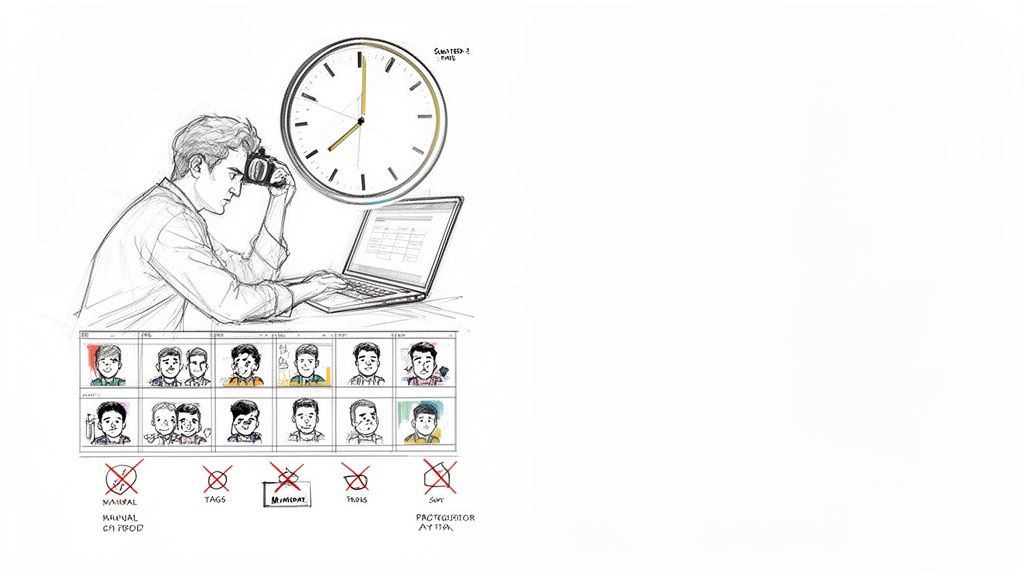
The traditional method of sharing event photos—just dumping a folder of JPEGs into a generic Dropbox or Google Drive link—is fundamentally broken. It’s a surefire way to turn a memorable moment into a frustrating chore.
When attendees have to work that hard, many just give up. For organizers, that means a ton of missed opportunities for social sharing, post-event buzz, and genuine connection. The investment in professional photography gets completely lost when the right people can't even find their own pictures.
The True Cost of Old-School Methods
The problem runs deeper than just user frustration. Photographers get bogged down for hours, sometimes days, responding to a flood of "can you find my photo?" emails, pulling them away from shooting, editing, and growing their business. All the while, the excitement an attendee felt at the event fizzles out with every minute they spend searching.
This massive inefficiency is exactly why the industry is moving on. The global facial recognition market hit USD 7.03 billion in 2023 and is on track to reach USD 21.12 billion by 2032. This isn't just a tech trend; it's a direct response to a real-world problem. Event pros are adopting face recognition gallery tech to automate the grunt work.
In fact, photographers who switch to these systems often report cutting down their "find my photo" requests by more than 50%. That’s a game-changer. You can learn more about the market's rapid expansion to see just how big this shift is.
The biggest bottleneck in event photography isn't capturing the images—it's connecting those images to the right people afterward. Solving this distribution problem is key to unlocking the full value of your work.
Modern platforms that identify people in pictures with AI offer a far more elegant solution. Instead of a messy, disorganized folder, you deliver a clean, personalized experience. Guests simply upload a selfie and instantly see every photo they're in. It turns a tedious task into a moment of pure delight. This doesn't just save time; it elevates the entire post-event experience for everyone involved.
Comparing Event Photo Sharing Methods
A quick look at the old way versus the new way makes the choice pretty clear. The differences in attendee experience, organizer workload, and overall impact are night and day.
| Feature | Traditional Method (Dropbox or Google Drive) | Modern Method (AI Photo Platform) |
|---|---|---|
| Photo Discovery | Manual scrolling through hundreds/thousands of photos. | Instant. Guests find photos via a selfie or QR code. |
| Attendee Experience | Frustrating and time-consuming. High abandonment rate. | Fun, fast, and personalized. Feels magical. |
| Social Sharing | Low. Requires downloading and re-uploading. | High. One-click sharing with branded overlays. |
| Organizer Workload | High. Constant "find my photo" requests. | Minimal. The system handles all discovery automatically. |
| Lead Generation | None. Just a link to a folder. | Built-in. Can capture emails or data upon photo access. |
| Sponsor Value | Limited. Maybe a logo on a landing page. | High. Branded galleries, overlays, and targeted content. |
Ultimately, sticking with old-school methods means leaving value on the table. A modern, AI-driven approach not only solves the core problem of photo delivery but also creates new opportunities for engagement, marketing, and creating a lasting positive impression.
Setting Your Gallery Up for Flawless Identification
Before you even think about running your photos through an identification tool, there's a bit of groundwork that can make or break your results. Honestly, this is where most people trip up. They get excited and just dump a thousand raw photos into a system, then wonder why the matches are all over the place.
Spending just 30 minutes on prep can save you hours of headaches later. Think of it as setting the stage—a clean, well-organized gallery not only gives the AI a fighting chance but also makes the whole experience better for your attendees.
First Things First: Cull Ruthlessly
Your first job is to cut down the gallery. Not every shot is a winner, and feeding an AI a bunch of blurry, dark, or duplicate photos is a recipe for disaster. It just confuses the software.
Go through and get rid of anything that's:
- Out of focus: If you can't see sharp faces, neither can the algorithm.
- Badly lit: Deep shadows or blown-out highlights will hide the very features the software needs to see.
- Redundant: Got ten shots of the same group? Pick the one where everyone’s eyes are open and ditch the rest.
This isn’t just about cleaning house for the AI; it’s about curating a better final product. A tight gallery of high-quality shots is far more impressive and shareable. For a faster workflow, you can learn how to batch upload and manage your event galleries to keep things moving.
I can't stress this enough: a well-culled gallery is the single biggest factor in getting accurate facial recognition results. You're basically clearing out the static so the software can hear the signal.
Get Your Naming and Editing in Order
Okay, you've got your best shots selected. Now, let's get them organized. Ditch the generic "IMG_5834.jpg" file names. It’s a small thing, but renaming your files to something like "CorporateGala2024-001.jpg" looks way more professional and makes it a breeze to find a specific image later.
Next up is batch editing. I live in Adobe Lightroom for this. You can sync color correction, exposure tweaks, and cropping across the entire gallery in minutes. This creates that cohesive, professional look clients love. More importantly for our task, a well-lit and balanced photo is much easier for an algorithm to read. Just don't go overboard with heavy-handed filters or skin smoothing—keep the edits natural so you don't accidentally erase the facial features you're trying to identify.
Don't You Dare Skip the Metadata
This is the last step before you export, and it's a non-negotiable one for any working pro. Embedding metadata is like putting your digital business card on every single photo. It protects your work and provides crucial context.
Make sure you fill out these key fields in your editing software:
- Photographer's Name/Credit: This is your copyright. Own it.
- Event Name and Date: Essential for keeping your archive straight.
- Contact Information: Makes it dead simple for someone who loves your work to hire you.
- Usage Rights: Spells out exactly how the photos can (and can't) be used.
When you embed this info, it travels with the image file wherever it goes online. It’s a simple, professional touch that lays the final piece of the foundation for a smooth and successful identification process.
Let AI Do the Heavy Lifting with Instant Photo Matching
Okay, you've put in the hard work preparing your gallery. Now it’s time for the fun part, where you get to trade all that manual labor for an intelligent, automated process that finds people in photos with remarkable accuracy. This is where modern AI, especially selfie-to-gallery matching, really shines and completely transforms event photo delivery.
The whole process is brilliantly simple. You start by uploading your curated gallery to a platform like Saucial. From there, the system's AI gets to work, creating a unique facial index for every single person it finds in your photos. It's not storing personal data; instead, it's building a mathematical model of facial features—think the distance between the eyes or the shape of the jawline—which it uses to make a match.
This visual gives you a quick look at the essential prep work that sets the AI up for success.
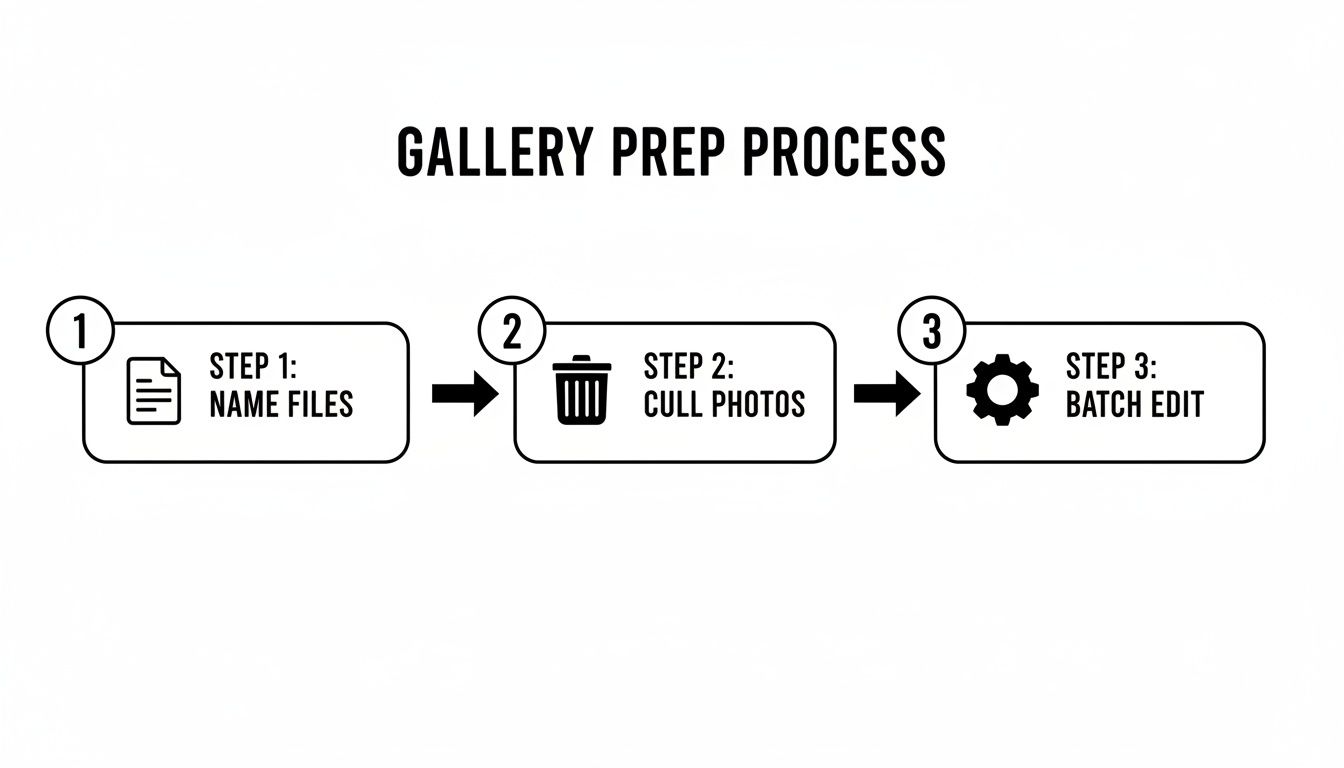
This workflow is so important because solid naming, culling, and editing practices give the AI clean, high-quality data to work with, which is the key to getting the best results.
From Gallery to Guest in Seconds
Once your gallery is fully indexed, all that’s left is to share a simple QR code or link with your attendees. This is their key to a personalized experience, and the best part is there's no clunky app to download or complicated login to remember.
Picture this real-world scenario: at a recent corporate conference, attendees leaving the venue were met with a large sign displaying a QR code and the words, "Find All Your Photos Instantly!" They scanned the code, which took them to a branded page prompting for a quick selfie. In literally seconds, the system matched that selfie against the entire event gallery, instantly delivering a personal collection of every photo they were in.
What used to be a frustrating hunt for photos becomes a moment of pure delight. This one simple interaction feels modern and effortless, leaving guests with a fantastic final impression of your event.
This isn't some futuristic pipe dream; it's technology people already trust and use daily. In fact, by 2025, an estimated 68% of users will be using facial verification to unlock their devices, and 51% will use it for mobile apps. This widespread comfort level is fueling a market projected to jump from USD 9.30 billion in 2025 to USD 36.75 billion by 2035. You can dig into the full research on these facial recognition trends to see just how common this tech has become.
The Real-World Payoff for Organizers
A great guest experience is one thing, but the operational wins for event organizers and photographers are just as huge. This straightforward workflow delivers some serious advantages.
- Eliminates Admin Headaches: Say goodbye to that endless flood of "Can you find my photos?" emails. The system automates the entire discovery process, freeing up your team for more important post-event work.
- Boosts Social Media Buzz: When people can find and download their photos instantly, they are far more likely to share them. Removing that friction is a direct path to better organic reach and engagement.
- Adds a Modern, Professional Touch: Offering a "find my photos" link is a genuinely valuable service. It shows attendees you respect their time and are using smart tech to enhance their experience.
At the end of the day, a selfie-to-gallery workflow takes the guesswork out of identifying people in pictures at scale. It turns what was once a logistical nightmare into a slick and powerful engagement tool that connects people with their favorite moments, amplifies your event’s reach, and saves an incredible amount of time.
Look, AI-powered systems are fantastic for churning through thousands of photos from a big event, but they're not a silver bullet. Sometimes, you absolutely need a human touch to get the job done right. Knowing when to step in and take over from the algorithm is a crucial skill for any event photographer or organizer.
The truth is, an algorithm can't grasp the subtle context of an event. This is especially true for smaller, more intimate gatherings where every single guest plays an important role.
When to Go Fully Manual
For events like weddings or tight-knit family reunions, I almost always lean on manual tagging. Why? Because the goal isn't just about matching a face to a name; it's about understanding and preserving relationships. An AI won't know who the key players are.
I'll typically use a tool like Adobe Bridge to apply keyword tags directly to the photos. If I'm shooting a wedding with 75 guests, I’ll create a quick keyword list of the VIPs: the couple, their parents, siblings, and the wedding party. This simple step means that when the client asks for every photo of the maid of honor, I can pull them up instantly.
A purely automated system might find every photo of the bride’s cousin, but it won't understand that the slightly blurry shot of her laughing with her grandmother is one of the most priceless images of the day. That's where human curation and emotional context win out.
The Power of a Hybrid Approach
For most situations, the sweet spot is blending the raw speed of AI with the focused precision of a human eye. This hybrid model is my go-to for mid-sized events like corporate retreats or awards ceremonies, where you need both efficiency and guaranteed accuracy for the key people.
Here’s how a practical hybrid workflow looks in the real world:
Let the AI Do the Heavy Lifting: First, I'll dump the entire gallery into a platform like Saucial and let the AI do its thing. It will automatically identify and group 80-90% of the faces, saving me hours of tedious work right off the bat.
Manually Polish the VIPs: Once the AI has made its first pass, I'll go in and focus only on the most important people—the CEO, the keynote speakers, the award winners. Instead of hunting through thousands of images, I'm just quickly reviewing and confirming the tags for a handful of key individuals.
Crowdsource the Final Details: For a corporate event, you can even delegate. I’ve had great success sharing a private link with a department manager and asking them to help tag their team members in group shots. They know the faces better than anyone, ensuring you get near-perfect accuracy without adding a ton to your own plate.
This balanced approach really gives you the best of both worlds. You get the brute-force efficiency of AI to handle the bulk of the work, and then you can apply your own expertise where it really counts. It’s a smart, scalable way to identify people in pictures for just about any event you can think of.
Handling Privacy and Consent Like a Pro
Let's be real: using technology to identify people in photos is incredibly powerful. But with great power comes the absolute responsibility to handle it ethically. This isn't about scaring you off; it's about building genuine trust with your guests and showing them the respect they deserve.
The cornerstone of that trust? Clear, upfront, and informed consent.
Just because you're taking pictures at your event doesn't mean you have a green light to run facial recognition on them. You need to be crystal clear about how you're using this tech to help people find their photos. A buried sentence in the terms and conditions just won't cut it.
Getting Explicit Consent
The best place to start is right at the beginning—during event registration. A simple, easy-to-understand checkbox is your best friend here.
Think about adding a line like this:
"We use AI photo matching to help you find your pictures after the event. Check here to have your photos included in our private gallery, where you can find them instantly just by uploading a selfie."
But don't stop there. On-site communication is just as important. Post clear, visible signs at the entrance and in high-traffic areas. Something friendly and direct like, “We’re taking photos today! Find yours in a snap with our AI photo finder. Just scan the QR code on your way out,” works perfectly. It’s transparent and sets expectations from the moment they walk in.
The golden rule is this: an attendee should never be surprised to find their photo in an AI-powered gallery. When you're proactive and clear, what could be a privacy issue becomes a cool, modern perk of your event.
Choosing a Platform That Puts Privacy First
The tools you use are just as critical as your communication strategy. You absolutely need to choose a platform built with privacy at its core. It’s non-negotiable. The right platform gives you control and, more importantly, protects your attendees' data.
Here’s what to look for when you're vetting a service:
- Secure Data Handling: The system should convert facial data into secure, anonymized mathematical models—not store identifiable personal info. This is a huge deal.
- Organizer-Controlled Galleries: You need to be the gatekeeper. Look for features like unlisted or password-protected galleries, which are essential for keeping private events private.
- Attendee-Initiated Matching: The most ethical approach, by far, involves the attendee taking action themselves. A selfie-to-gallery matching system is a perfect example. When a guest uploads their own photo to find their pictures, that action is a form of explicit consent.
At the end of the day, you want to deliver an amazing experience without making anyone feel uneasy. You can learn more about how to manage your photo gallery settings to keep attendee privacy locked down. By pairing clear consent with the right tech, you can connect your guests with their memories responsibly and effectively.
Driving Engagement with Smart Photo Distribution
You've done the hard work of identifying everyone in your event photos, but that's really just the first step. The real magic happens when you get those images into the hands of your attendees while they're still buzzing with excitement. Sending a generic link to a massive gallery in a follow-up email just doesn't cut it anymore.
To turn those photos into genuine engagement, you need to think about distribution differently. It's about meeting people where they are and making it incredibly easy—and fun—for them to find their pictures.
Create Buzz on the Spot
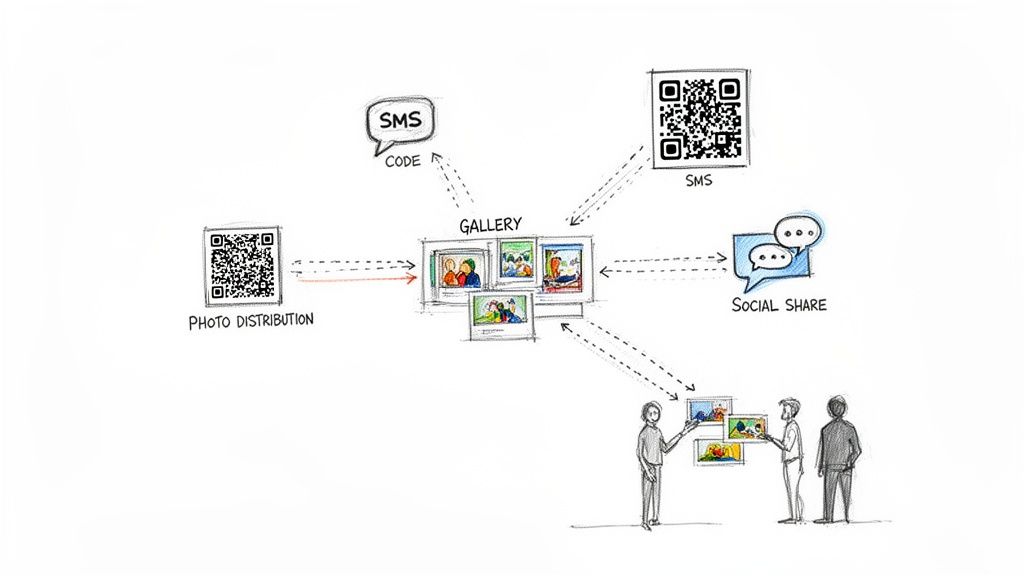
Why wait until the event is a distant memory? Weave photo access right into the experience itself. A big, bold QR code at the exit is a fantastic way to do this. A simple sign that says, “Find your photos instantly! Scan here,” grabs people as they're heading out, full of good vibes.
SMS is another powerful tool. Imagine sending a text message an hour after the event wraps up with a direct "find my photos" link. This cuts through the noise of an overflowing email inbox and gets a much higher, faster response rate. The goal is to make finding their photos instant and effortless.
A New Playbook for Photographers' Business Growth
This approach isn't just better for attendees; it's a game-changer for photographers looking to grow their business. When you can connect every single person directly to a gallery of their own pictures, you've just created a one-to-one marketing channel.
The moment someone sees a photo of themselves they absolutely love is the prime opportunity to offer something more. An automated system can turn simple photo delivery into a powerful, direct-to-consumer sales engine.
This direct link opens up all sorts of new revenue streams that go way beyond the initial booking fee. Think about it:
- Print Sales: Let them order high-quality prints right from the gallery with a single click.
- Sponsored Content: Team up with event sponsors to offer branded frames or digital overlays.
- Digital Upgrades: Sell high-resolution downloads, premium edits, or even photo book options.
By using an AI-powered platform to automate this distribution, you're not just improving the guest experience—you're building a scalable business model. Top event pros are already using these AI-powered event photo sharing tools to transform photo delivery from a final chore into a core part of their business strategy.
Common Questions About Identifying People in Photos
Even with the best tools, diving into new tech for your event photography always brings up a few questions. From my experience working with event pros, these are the ones that come up most often.
How Accurate is AI Face Recognition for Event Photos, Really?
Honestly, modern AI is shockingly good, especially with decent photos. We're talking about systems trained on millions of images, so they're built to handle the chaos of a real event—weird lighting, people turning their heads, and even someone half-hidden behind a plant.
When you have clear, well-lit, front-facing shots, you can expect incredible accuracy. Where does it get a bit fuzzy? Think huge group photos or those moody, low-light candids. The AI might miss a few faces there. A pro tip is to let the AI do the first pass—it'll handle 90% of the work in seconds. Then, just do a quick manual check on your most important shots, like photos of speakers or VIPs, to get it perfect.
What's the Best Way to Get Consent from Attendees?
You absolutely have to be upfront about this. Transparency is key, and it's not complicated to do it right.
The best approach is to cover your bases in two ways. First, include a clear, simple clause in your event registration terms that explains photos will be taken. Second, put up visible, easy-to-read signs at the venue entrance and other high-traffic spots. A simple "Photos are being taken today!" notice goes a long way.
With selfie-matching systems, the consent process is built-in. An attendee has to actively upload their own picture to find their photos, which is a clear signal they're on board.
Can I Use This Kind of Tech for Private Events?
Of course. These systems are fantastic for private functions like weddings, corporate retreats, or milestone birthday parties.
The key is to use a platform designed for events that lets you create private, password-protected, or unlisted galleries. This means the gallery won't show up in a public search, and you have total control over who gets the link. It’s a great way to give guests a fun, modern way to find their pictures while keeping the whole experience private. If you're curious about how this works, you can learn more about how to manage secure access settings for your galleries.
Ready to stop wasting time and start creating unforgettable photo experiences? With Saucial, you can instantly connect every guest to their moments with a simple selfie. Start your free trial today.


