A Modern Guide on How to Tag People in Photos for Any Platform

Knowing how to tag people in photos is about more than just sending a notification. It's the secret sauce for boosting engagement and making memories stick. When you connect an image to someone's profile, you're not just labeling a picture; you're making it discoverable, shareable, and instantly interactive. You're turning a static photo into a living, breathing social moment.
Why Tagging Photos Is Your Secret Weapon for Engagement
Before we get into the nitty-gritty of how to do it on different platforms, let's talk about why this matters so much. In a world where we're all drowning in images, just dumping a photo gallery online and hoping for the best is a surefire way to get ignored. Tagging is the bridge that connects your content to real people, turning passive scrolling into active participation.
The Power of "Hey, That's Me!"
Think about the last party or conference you went to. As soon as the official photos dropped, what did you do? You frantically scrolled through, looking for yourself. We all do it.
Seeing a great photo of ourselves sparks an immediate, personal connection. It makes us want to show it off. For anyone running an event or taking the photos, this is pure gold.
When someone finds a killer shot of themselves, they're practically guaranteed to:
- Blast it all over their own social media feeds.
- Drop a comment on your post, thanking you for capturing the moment.
- Tag their friends who were there, pulling even more people into the conversation.
That single tag sets off a chain reaction, creating organic buzz that no paid ad can ever truly replicate.
Turning Your Guests into Your Best Marketers
Photos with tags aren't just snapshots; they're a powerful form of User-Generated Content (UGC). And let's be honest, people trust content from their friends way more than they trust slick, branded posts. When your guests share tagged photos from your event, they’re giving a genuine, heartfelt endorsement to their entire network.
This isn't just a hunch; the numbers back it up. User-generated content gets 28% more engagement than standard brand posts and racks up 4x higher click-through rates. On top of that, it’s seen as 2.4x more authentic, especially by younger crowds.
This should completely change how you think about event photography. It’s not just about documenting what happened. It’s about creating assets your attendees will actually use to tell their own stories, making your brand a part of their personal narrative. Understanding this dynamic is key to seeing why old-school manual tagging can be so limiting and why modern, automated tools are changing the game. You can dig deeper into these kinds of social media marketing trends with research from Sprinklr.
Getting Hands-On: A Guide to Manual Photo Tagging
Knowing your way around manual photo tagging is a core skill for anyone sharing pictures online. The methods change a bit from platform to platform, but getting it right means your memories get seen by the right people, whether you're just sharing with a few friends or managing photos for a small gathering.
Let's walk through the specifics for the platforms you probably use every day.
At its heart, a tag is a bridge. It connects your photo to someone's profile, sends them a heads-up, and opens up the image to their circle of friends. It's the simple act that turns a static picture into a shared moment.
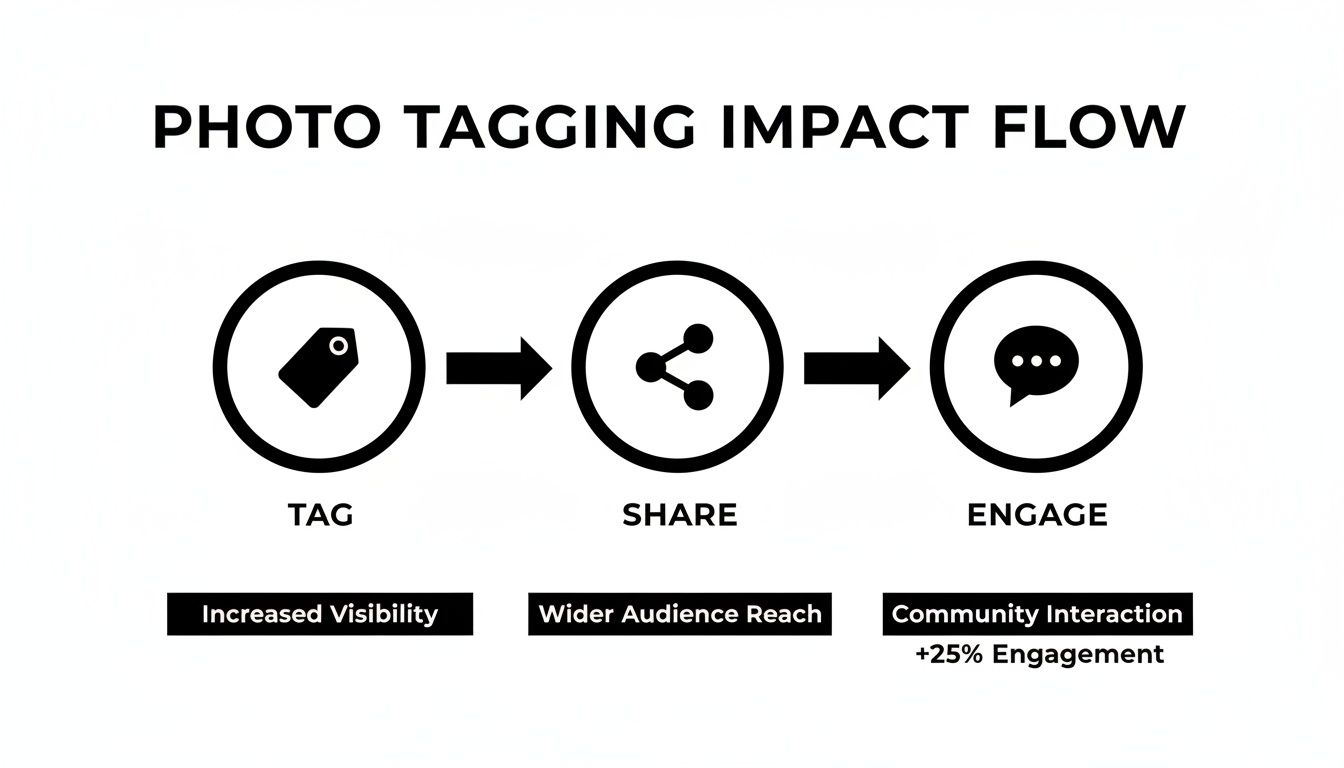
As you can see, that little tag does a lot of heavy lifting. It’s what kicks off the cycle of sharing, commenting, and broader engagement.
Tagging Photos on Facebook
Facebook is the old hand at photo tagging, and its process is pretty straightforward, whether you're posting something new or digging through an old album.
When you're uploading a new photo, look for the "Tag Photo" icon—it's the one that looks like a little price tag. Click it, then tap on a face in the picture. As you start typing a name, Facebook will suggest friends from your list to speed things up.
What if the photo is already up? No problem. Just find the picture, click to open it in the full-screen viewer, and you'll find the "Tag Photo" option in the menu below. The same tagging box appears, ready for you to add or edit tags.
One thing I've learned is that you can't always tag everyone. If you can't find a friend's name when you search, it's almost certainly because of their personal privacy settings. It's best to just respect their preferences and move on.
How to Tag People on Instagram
Instagram gives you a couple of different ways to link people to your content, and each has its own best use case. You can either tag them in a permanent feed post or give them a shout-out in a temporary Story.
For a new post on your feed, you'll see a "Tag People" option on the final screen right before you hit "Share." Tap that, tap anywhere on the photo itself, and then search for the person's username. Instagram lets you tag up to 20 accounts in a single post.
Tagging someone in an Instagram Story is a little different and feels more like a direct mention:
- After you’ve captured your photo or video, just tap the screen to open the text tool.
- Type the
@symbol and start writing their username. - A list will pop up—just tap the right person to confirm.
This creates a live, clickable link to their profile right in your Story. While it doesn't add the photo to their "Tagged" tab like a feed post does, they get a notification and can easily re-share it to their own Story.
Comparing Manual Tagging Methods Across Platforms
Each social platform handles tagging a bit differently. Here’s a quick rundown to help you decide which method works best for your situation.
| Platform | Tagging Process | Key Limitation | Best For |
|---|---|---|---|
| Click a face, type a name. Works for new or old photos. | Relies on friend connections and user privacy settings. | Sharing with family and friends within a closed social circle. | |
| Instagram Feed | Tap the photo, search for a username (@handle). |
20-tag limit per post. Less private than Facebook. | Public-facing content, brand collaborations, and reaching a wider audience. |
| Instagram Story | Mention using the @ symbol in the text tool. |
Disappears after 24 hours; no permanent tagged gallery. | Quick, informal shout-outs and driving immediate engagement. |
Ultimately, the right choice depends on whether you're aiming for a permanent memory on your profile or a quick, in-the-moment connection.
Organizing Your Own Library with Tags in Google Photos and Apple Photos
When you move away from social media, tagging becomes more about personal organization than public sharing. Both Google Photos and Apple Photos use powerful face recognition to group pictures of the same person, but they still need your help to put a name to the face.
In Google Photos, just open a picture and swipe up (or tap the three-dot menu). You'll see little thumbnail circles of every face the app detected. Tap on a face, and you can add a name. After you do this for a few photos, Google’s AI gets remarkably good at identifying that person in all your future uploads.
Apple Photos works in a very similar way. Open an image and tap the "i" info icon. You’ll see small circles over any detected faces. Tap one, select "Add Name," and link it to someone from your contacts. This makes searching your massive photo library for pictures of one person an absolute breeze. These tags are completely private and for your eyes only.
Of course, for event organizers trying to share hundreds of photos, this kind of manual work is a non-starter. It’s exactly why many have started using automated systems that let guests find their own photos instantly. Using an event photo sharing link can save you countless hours and give your attendees a much smoother experience.
Tagging Etiquette and The Importance of Consent
Knowing how to tag people in photos is more of a social skill than a technical one. It really boils down to respect and basic awareness. Before you hit that tag button, especially for a professional event, take a second to think about the person on the other end of that notification. A tag that seems harmless and fun to you could feel pretty intrusive to someone else.
The golden rule is simple: when in doubt, just ask. This is crucial for any photo that could be seen as sensitive, a little unprofessional, or even just unflattering. Not everyone wants their colleagues to see what they were up to at the late-night conference after-party. A quick DM saying, "Hey, mind if I tag you in this?" can save a lot of potential awkwardness and shows you respect their privacy.
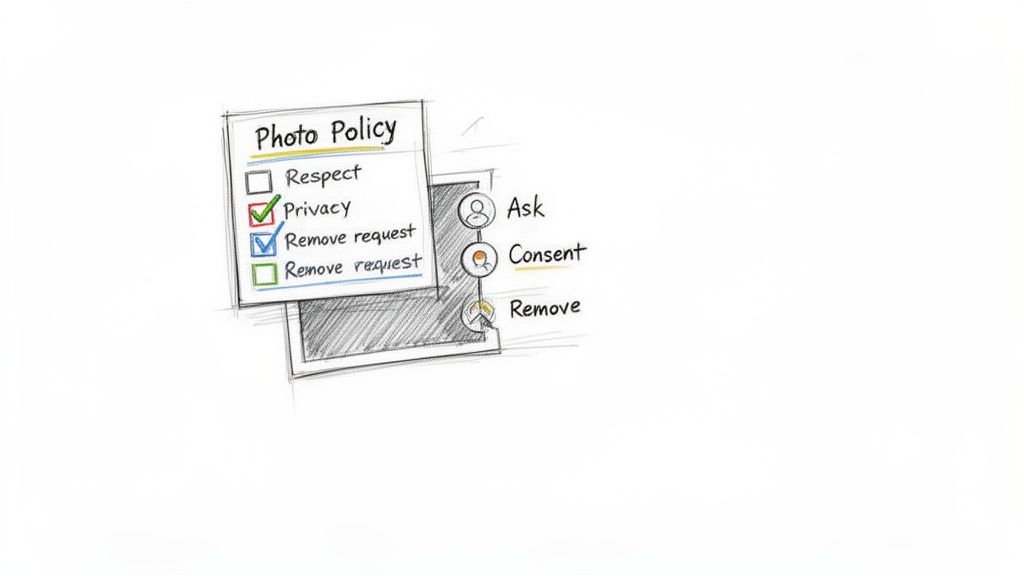
This idea is even more important for event organizers and professional photographers. If you want to build trust with your attendees, you need to be upfront about your photo policy long before the first flash goes off.
Setting Clear Expectations at Events
For any planned event, taking a proactive stance on photo consent isn't just a good idea—it's essential. The best way to make sure everyone feels comfortable is to clearly communicate how you'll be handling photography and tagging.
Here’s a practical way to do it:
- Communicate Before the Event: Add a quick photo notice to your registration emails or on the event's FAQ page. This gives people a heads-up and immediately sets a professional tone.
- Post Signage at the Venue: Put up a simple sign near the entrance letting people know that photos and videos will be taken. This is standard practice for everything from concerts to trade shows and works as a great final reminder.
Being upfront like this manages expectations from the get-go. It establishes a clear, professional boundary and demonstrates that you take your guests' privacy seriously.
At its core, a good photo policy isn't about legal jargon; it's about creating a positive and safe experience. It tells your guests, "We value your participation and your privacy equally."
Handling Tag Removal Requests Gracefully
Sooner or later, someone will ask you to remove a tag or take down a photo entirely. It happens. When it does, your response should always be the same: do it immediately and without asking questions.
Don't push back or try to justify why you think the photo is fine. Just apologize for any trouble, remove the tag or photo promptly, and let them know once it's done. A graceful response protects your relationship with that person and upholds your reputation. Handling it poorly can burn bridges you’ve worked hard to build.
At the end of the day, people have the final say over their own digital footprint. Most social media platforms now give users the power to review and approve tags before they ever appear on their profiles. You can usually find this option in your account's privacy settings. This shift toward user control sends a clear message: consent is the name of the game in social tagging.
When Manual Tagging Is No Longer Enough
Manual tagging works just fine for a dinner party or a small family get-together. But when the guest list grows, its limits become painfully obvious. For professional events, businesses, and photographers, what was once a simple task quickly snowballs into a massive operational headache. The whole workflow just grinds to a halt, creating a frustrating experience for both you and your attendees.
Picture this: you've just wrapped up a weekend-long music festival with thousands of people or a corporate conference with 500 guests. The energy is still high, and everyone is clamoring to see their photos. This is exactly where the manual approach hits a brick wall, bringing three major problems to the surface that can tank your post-event engagement.
The Crushing Time Commitment
First things first: the sheer amount of time involved is staggering. Going through photos one by one to identify and tag hundreds—or even thousands—of people is a monumental task. It’s not just clicking and typing. It's squinting at faces, trying to cross-reference an attendee list, and praying you remember who's who.
This process can easily eat up dozens of hours. That delay kills the immediate post-event buzz and means photos get delivered late. What should be a moment of instant joy for your guests turns into a week-long waiting game, all because you’re buried in admin work.
The Inevitability of Human Error
No matter how careful you are, mistakes are going to happen. The more people you have to tag, the greater the chance of a slip-up.
These errors can look like a few different things:
- Missed Tags: Simply overlooking someone in a group shot, leaving them feeling left out.
- Incorrect Tags: Misidentifying a person, which is awkward at best and embarrassing at worst.
- Privacy Mismatches: Accidentally tagging someone who explicitly asked not to have their photo shared publicly.
Every little mistake chips away at the professionalism of your work and can lead to a flood of messages from attendees asking for corrections. It's a tedious, thankless job that pulls you away from what you should be doing.
The Frustrating Attendee Experience
Finally, put yourself in your guest's shoes. After the event, they get a link to a massive, unsorted online gallery with hundreds of images. You're basically telling them, "Good luck, hope you find yourself in there!"
This creates a poor user experience. Forcing attendees to endlessly scroll through a sea of faces to find their own pictures is inconvenient and frustrating. Many will simply give up, meaning your best photos go unseen and unshared.
This is the point where an automated solution stops being a luxury and becomes a necessity. Instead of making people hunt for their photos, you can deliver an experience where they find them instantly. You can set up an AI-powered gallery that lets guests get their pictures with just a selfie, turning a chore into a moment of delight that they'll be excited to share.
The Modern Fix: AI-Powered Photo Delivery
Let's be honest, manual tagging has its limits. It’s fine for a small family gathering, but for any event with more than a few dozen people, it quickly becomes a massive time-sink that kills the post-event excitement. The modern approach completely flips this old model on its head. Instead of you, the photographer or host, manually "pushing" photos out to people, a new wave of AI-powered tools lets attendees instantly "pull" their own photos from the entire gallery.
This is a fundamental change in how we think about sharing event photos. The burden of identifying, sorting, and delivering images is no longer on you. Instead, smart facial recognition technology does all the heavy lifting in just a few minutes, creating a genuinely seamless and personal experience for every single guest.
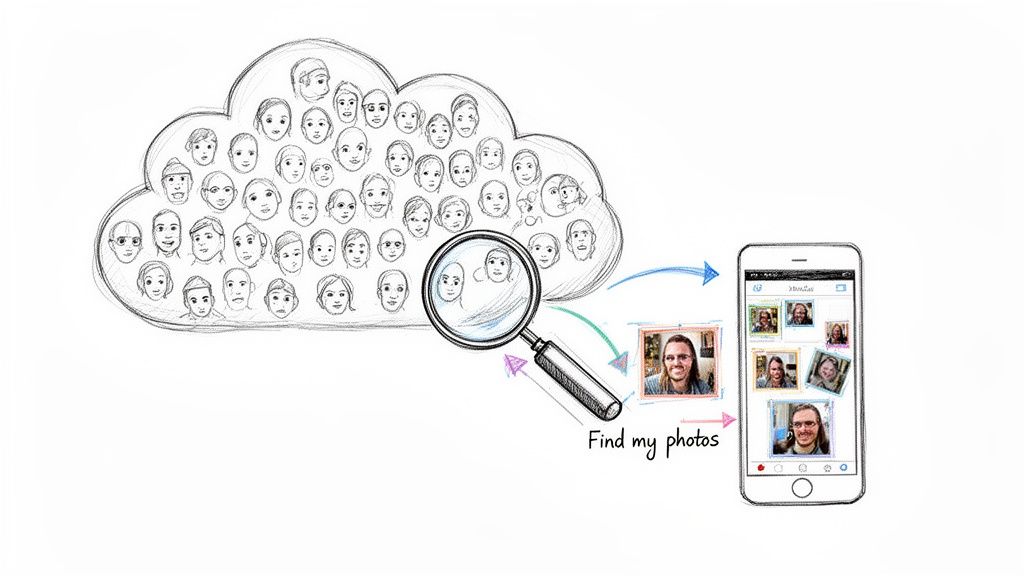
From Manual Drudgery to Instant Gratification
Picture this workflow: you finish shooting the event, head home, and simply upload the entire, unsorted gallery to a dedicated platform. That's it. From there, the AI scans every single photo, identifies each unique face, and maps them without needing you to provide any names or data.
Then, instead of sending out a link to a gallery with hundreds of photos, you share one simple, intelligent "find my photos" link. When a guest clicks it, the magic happens:
- They're prompted to take a quick selfie with their phone.
- The AI instantly matches that selfie to all the photos they appear in from your gallery.
- Within seconds, they see a personalized collection of only their photos.
That's the power of selfie photo matching. It completely sidesteps the frustrating experience of scrolling through a sea of irrelevant images to find your own, delivering that "wow" moment instantly.
The real win here is the massive reduction in friction. You're not just sharing a folder of images anymore; you're delivering a personal, high-touch experience that makes every guest feel like a VIP.
The Business Case for AI Photo Delivery
The benefits here go way beyond just saving you a few hours of work. This AI-driven approach creates real, tangible value for everyone involved—the event host, the photographer, and most importantly, the attendees.
For Event Organizers
The biggest advantage is the speed and efficiency. You can get photos into your guests' hands while the post-event buzz is still fresh, which dramatically increases the chances of social media shares and engagement. This immediate delivery transforms your photo gallery from a simple album into a powerful marketing tool that fuels authentic, user-generated content for your brand.
For Photographers
By automating the delivery process, you get back the dozens of hours you used to lose to tedious tagging and sorting. This new workflow also unlocks direct-to-attendee sales opportunities. You can offer high-resolution downloads, print packages, or premium edits directly to the people who care most about the images—the ones in them.
Platforms like Saucial are built specifically for this modern workflow, turning a photographer's gallery into an interactive, and potentially profitable, experience. It’s all about working smarter, not harder, to deliver a better product that truly wows clients and their guests. You end up with a system that scales beautifully, whether you’re shooting a 50-person wedding or a 5,000-person conference, ensuring every single person gets their photos without delay.
A Few Common Photo Tagging Questions
As you get into the weeds of tagging photos, a few questions pop up time and time again. It doesn't matter if you're sorting a personal album or delivering a professional event gallery—getting a handle on the etiquette, privacy, and technology is essential. Let's dig into some of the most common issues people run into.
What Should I Do if Someone Removes a Tag I Added?
Honestly? Let it go. When someone removes a tag, they're sending a clear signal that they don't want to be publicly linked to that picture. The only right move is to respect their decision. Whatever you do, don't re-tag them.
For event organizers and photographers, this is exactly why having a solid photo consent policy upfront is so important. When you set clear expectations from the start, these awkward moments rarely happen. It’s all about respecting personal boundaries, even in a digital space.
Can I Tag People We Aren't Friends With?
It really depends on the platform and, more importantly, the person's privacy settings.
On Facebook, for instance, you usually can't tag someone you aren't friends with. Over on Instagram, you can @mention just about anyone in a caption, but their settings might block you from actually tagging them in the photo, meaning it won't show up in their tagged photos tab.
This is a huge reason why relying on social media tagging for event photos is such a headache. You can't guarantee you'll be able to connect with every guest, leaving a ton of people unable to find their pictures.
Is AI Face Recognition for Photos a Privacy Concern?
This is a big one, but the good news is that reputable platforms are built with privacy at their core. We're not talking about public surveillance here; this technology is 100% consent-based.
An attendee has to actively take a selfie to find their photos. That data is only used to match them to their pictures within that one specific gallery—it isn't shared or repurposed for anything else. This modern approach puts the control right back in the hands of the attendee. It’s a tool for their convenience, letting them privately pull up their own moments, which is worlds away from a system that tracks people without their knowledge.
How Can Photographers Monetize Photos With This Tech?
This is where things get really interesting. AI-powered "find my photos" experiences open up some fantastic new ways to generate revenue.
Guests can find all their images for free in an instant, but you can also set up options to sell high-resolution downloads, prints, or even special photo packages directly from the gallery. This basically turns your photo delivery into a direct-to-attendee sales channel. You're connecting with an audience that already has an emotional tie to the images, making it a personalized and profitable storefront.
Ready to ditch the hours of manual tagging and give your guests an experience they'll be talking about for weeks? With Saucial, you can set up a "find my photos" gallery in just a few minutes. Attendees use a quick selfie to instantly see every photo they're in, which sends engagement and social sharing through the roof.


