How to Share Photos with Family Privately and Securely

Sharing photos with your family should be a joy, not a chore. But let's face it, the reality often involves messy email chains, confusing cloud links, and privacy settings on social media that feel like a gamble. The old ways of doing things are slow, disorganized, and just don't offer the privacy we need for our personal moments. It leaves everyone frustrated and our best memories scattered to the digital winds.
Why Your Old Photo Sharing Methods Fail
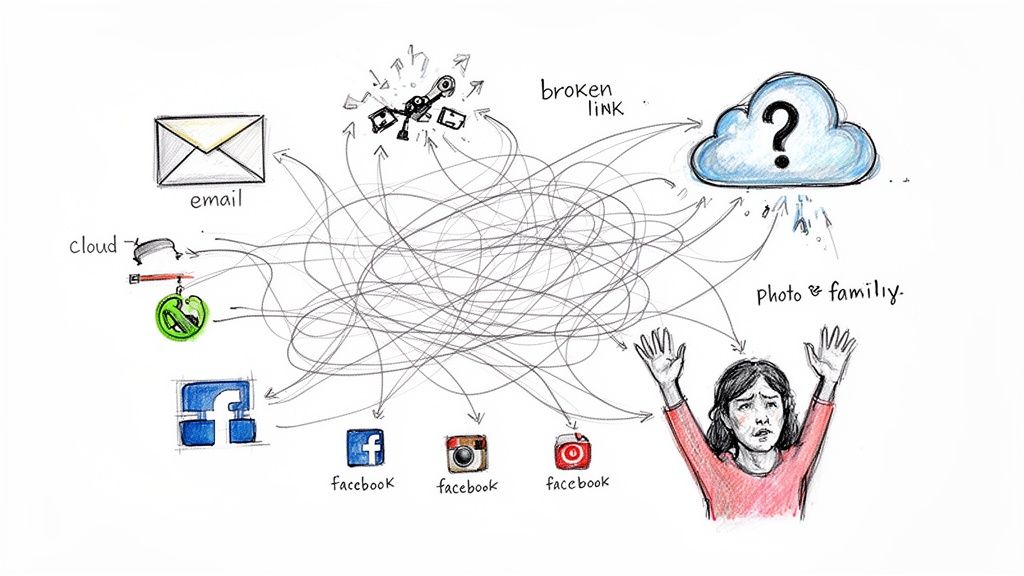
We've all been there. You get back from a fantastic family wedding or a big reunion with hundreds of amazing pictures, but the thought of actually getting them to everyone is exhausting. The methods we’ve relied on for years—email, text threads, social media—are really starting to show their age. They just weren't designed for the sheer volume of photos we take today.
Honestly, these traditional methods often create more problems than they solve. When was the last time you tried to find that one great photo your cousin sent? Was it buried in a group text with 200 other messages? Or maybe it was lost in a shared cloud folder with a dozen other albums, all vaguely named "Summer 2023." This digital mess is a frustration we all know too well.
The Disorganization Dilemma
One of the biggest headaches with old-school photo sharing is the utter lack of organization. When you dump a folder of JPEGs into a group chat or email a zip file, you strip away all the context. There are no neat albums, no simple way to search, and no easy way for your family to find the specific photos they're in without scrolling forever.
This chaos creates a few key problems:
- Photo Overload: Blasting everyone with hundreds of uncurated photos is overwhelming. Most people will glance at the first few and then tune out, never looking at the gallery again.
- Lost Memories: Without a single, organized home, precious photos get lost across different devices, platforms, and inboxes. That perfect shot of Grandpa blowing out his birthday candles might be on your phone, while the big group photo is stuck on your aunt's.
- Impossible to Find Later: Trying to track down a specific image from months or years ago becomes a digital treasure hunt with no map. This completely defeats the purpose of saving the memory in the first place.
The real issue is that these methods treat photo sharing like a one-time data dump, not an experience. A great sharing solution should make photos easy to find, neatly organized, and genuinely enjoyable for everyone—no matter how tech-savvy they are.
The Privacy Problem
Beyond the logistical nightmare, there’s a real privacy concern. Public social media platforms have become the default for many, but they come with serious strings attached. The moment you post family photos on a public feed, you essentially lose control. Those images can be downloaded, shared, or even used by people you don't know.
For parents, this idea of "sharenting" is especially worrying, since kids can't consent to having their entire childhood documented for the world to see.
Choosing a private, controlled way to share photos isn't just about being tidy; it's about protecting your most important moments and the people in them. A truly effective solution has to put security first, giving you total control over who gets to see your memories.
Getting Your Photos Ready to Share
Before you hit that "send" button, taking a little time to prepare your photos can make all the difference. This is what turns a messy camera roll dump into a beautiful, curated gallery your family will actually enjoy looking at. It’s all about quality over quantity.
The first, and maybe most important, step is to cull your collection. Think of yourself as the family's photo editor. Your job is to go through everything and pick only the best shots. Be ruthless! Get rid of the blurry ones, the endless duplicates (nobody needs to see 15 nearly identical group photos), and the ones where someone is mid-blink. The goal is to share the highlights, not every single second you captured.
The Art of Culling Your Photos
You're trying to tell a story with your pictures. A good rule of thumb is to pick just one or two standout images from each key moment of an event.
- Look for emotion: Keep the photos that capture real smiles, big laughs, and genuine interactions. Those are the keepers.
- Check the quality: Is it in focus? Is the lighting decent? Ditch the shots that are too dark or have a distracting pole growing out of someone's head.
- Ditch the duplicates: When you have a bunch of similar group shots, find the one where everyone looks great (or at least has their eyes open) and delete the rest.
Once you have your final selections, a quick edit can give the whole collection a polished, consistent feel. You don't need to be a Photoshop pro. The editing tools built into your phone or computer are powerful enough for this. A simple tweak to the brightness, contrast, or warmth can elevate an image from a snapshot to a beautiful memory.
My Favorite Trick: I like to create a simple editing "preset" or find a filter I like and apply it to the whole album. It takes just a few seconds per photo but creates a cohesive look that ties all the different pictures together visually.
Organizing for Easy Browsing
With your photos culled and edited, the final step is organizing them. This is a game-changer, especially for big events like a wedding or a long family vacation. Instead of dropping hundreds of photos into one giant, chaotic folder, break them down into smaller, logical albums.
For a wedding, you could create separate albums for:
- Getting Ready
- The Ceremony
- Cocktail Hour
- Dinner & Speeches
- The Party
This simple structure lets Grandma find the ceremony photos or your cousin find the dancing pictures without having to scroll through everything. It’s a small effort that makes a huge difference for everyone else. Lastly, make sure you're exporting the photos at a high resolution. This preserves the quality, so your relatives can print their favorites for a frame or a photo book without them looking pixelated.
Thankfully, technology is making this a lot easier. Many modern tools can help you sort and tag photos automatically, saving you from hours of manual work. When you're ready, you’ll see how a simple photo upload process can take your prepared images and build an intelligent gallery for you, making the whole experience seamless. It’s the perfect blend of your personal touch and smart tech.
Choosing the Right Photo Sharing Platform
Let's be honest, not all photo-sharing methods are created equal. What works for zipping a few holiday snaps to your parents might be a total disaster for a 500-photo wedding album. The trick is to match the tool to the task, considering everything from privacy to how easily your grandma can find her pictures.
When you're figuring out how to share photos with family, you're usually looking at two main camps: the general-purpose cloud storage you already use and platforms built specifically for events. Knowing the difference is key to making sure everyone actually enjoys the photos you're sharing.
General Cloud Storage Services
You probably use services like Google Drive, Dropbox, or iCloud Photos every day. They're fantastic for backing up your own files or sharing a document with a coworker. The convenience is undeniable—they’re already on our phones and computers, and they offer tons of space.
But have you ever tried sharing a massive event gallery this way? It can get messy, fast. Sending a link to a generic folder forces everyone to endlessly scroll through hundreds of images just to find the few they’re in. It’s functional, sure, but it’s not exactly a premium experience.
The real problem is that these services were built to store files, not to showcase memories. They treat your cherished photos like any other spreadsheet, which leaves you with a gallery that’s a chore to navigate.
This approach can be a real headache for older relatives who might not be comfortable downloading huge zip files or trying to make sense of a complicated folder system.
Specialized Event Photo Platforms
This is where dedicated photo-sharing platforms really come into their own. They are designed from the ground up for events like weddings, corporate parties, or community gatherings, with the guest’s experience as the top priority. They ditch the clunky "folder of photos" model for something far more interactive and personal.
A great example is how these platforms often use a single event photo sharing link or a scannable QR code. This gives everyone immediate access to the entire gallery, no account sign-ups or app downloads required. They’re also packed with smart features that solve the biggest pain points of photo sharing.
Before you even get to sharing, though, a little prep work goes a long way. This simple decision tree can help you quickly sort through your shots.
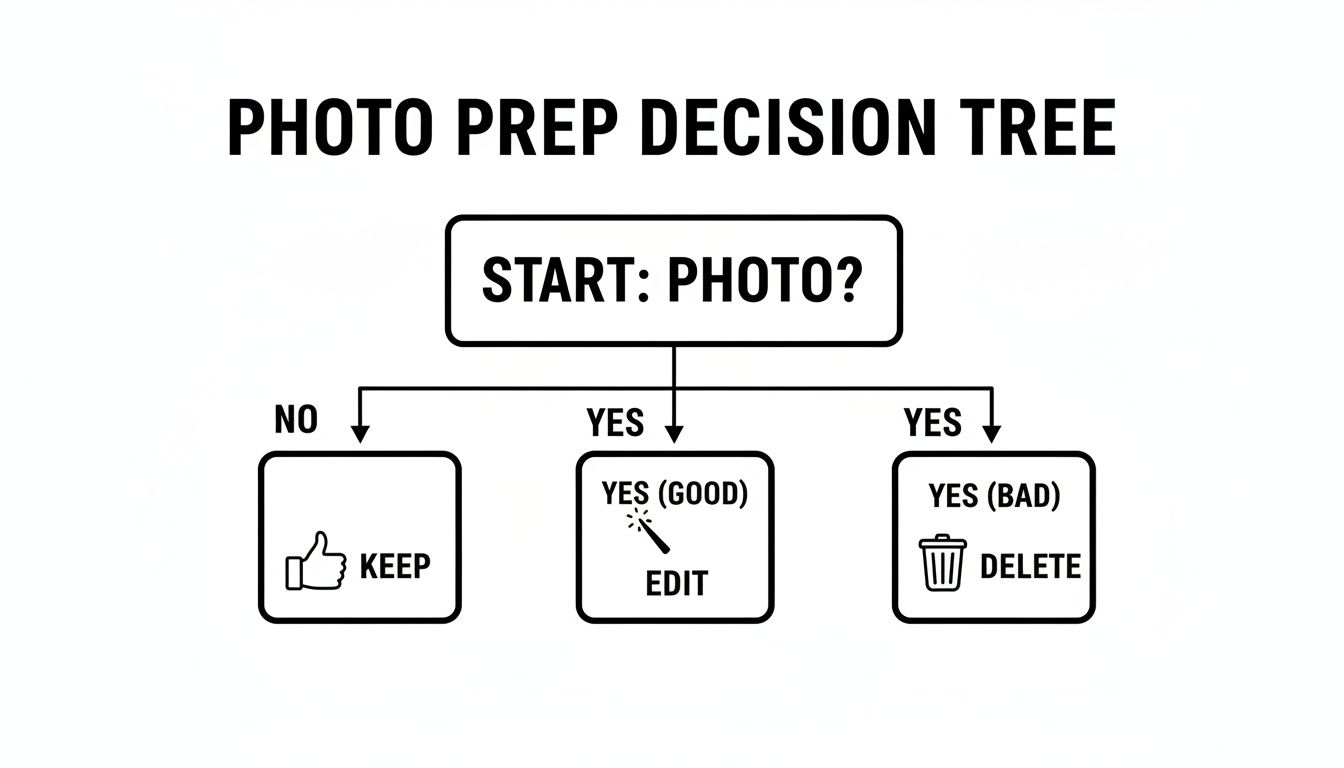
This quick visual guide highlights the most important first step: curating your photos. Only sharing the best of the best makes the final gallery more enjoyable, no matter which platform you end up using.
Comparison of Photo Sharing Methods
To help you decide what's right for your situation, I've put together a quick comparison of the most common ways people share photos. This table breaks down the pros and cons of each, making it easier to see which method fits your needs.
| Method | Best For | Key Advantage | Key Disadvantage |
|---|---|---|---|
| Email/Text | Sending 1-5 photos quickly to a few people. | Extremely simple and direct. | Can't handle large files; images often compressed. |
| Social Media | Public updates and casual sharing with a wide audience. | Easy to tag people and get comments. | Low image quality and major privacy concerns. |
| Cloud Storage | Personal backups and sharing with tech-savvy individuals. | Huge storage capacity; you likely already use it. | Clumsy navigation; not designed for a "gallery" feel. |
| Specialized Platforms | Weddings, parties, and any large group event. | A seamless guest experience with smart features. | Can have costs associated with premium features. |
Ultimately, the best choice comes down to what you're trying to achieve. Are you just looking for a digital shoebox to store files, or do you want to create an engaging experience that makes your guests feel seen and celebrated?
For anyone organizing an event, the advantages of a specialized tool are hard to ignore. When guests can find their own photos instantly using face recognition, it completely changes the post-event dynamic. To see how this modern approach works in practice, you can explore what an AI-powered event photo sharing platform like Saucial can do to make sharing effortless.
AI-Powered Photo Sharing Is a Total Game-Changer
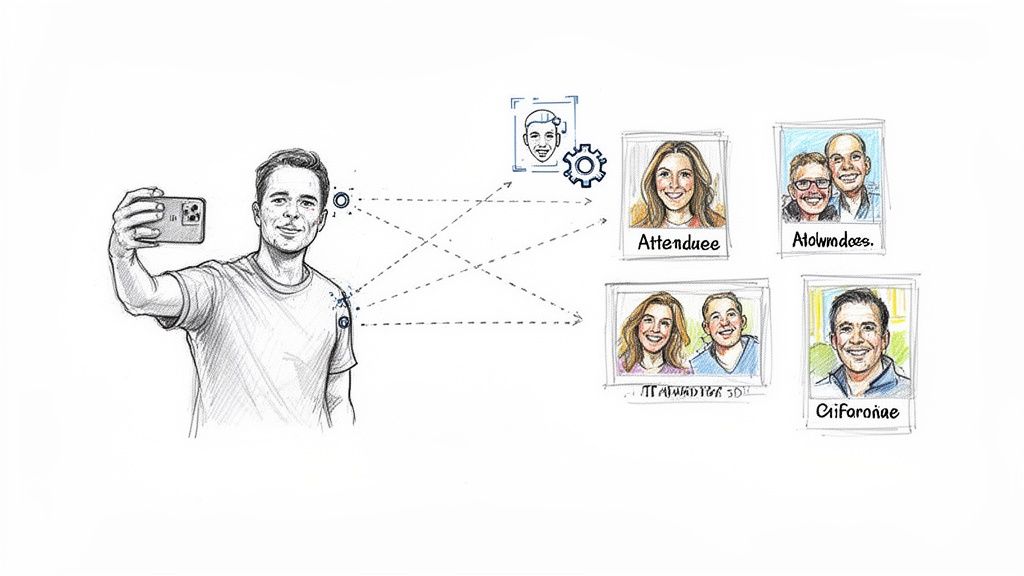
Picture this: your cousin goes to a massive family reunion, and instead of having to scroll through a thousand images to find herself, she just takes a quick selfie. Instantly, every photo she's in appears on her screen. This isn’t science fiction; it’s how photo sharing works now, and it’s completely changing how we handle pictures from events of all sizes.
The concept is brilliantly simple. Rather than making every guest play detective, face recognition technology does all the heavy lifting for them. It creates a personalized "Find My Photos" experience that feels seamless and almost magical. If you’ve ever spent hours manually tagging relatives in a gallery or answering endless "where are my pictures?" texts, you'll immediately see the appeal.
How Do Face Recognition Galleries Actually Work?
The whole process is surprisingly easy for both the event host and the guests. The photographer or organizer just uploads the entire photo collection to a platform with AI capabilities. Behind the scenes, the system scans every single image and maps out the unique facial features of each person.
Once that's done, a single, simple event photo sharing link is created. Guests click the link, snap a selfie with their phone, and the system immediately matches their face to all the photos they're in. Just like that, they have their own personal gallery.
This single workflow solves the biggest headaches of old-school photo sharing:
- No More Mind-Numbing Scrolling: Guests jump straight to the photos they actually care about.
- Instant Gratification: People get their pictures right away, which keeps the post-event buzz going.
- Built-in Privacy: Unlike social media, these galleries are private, and you control who gets access.
A Huge Win for Organizers and Photographers
For anyone managing events, this technology is a lifesaver. Manually sorting and tagging photos from a big fundraiser or a community festival can easily eat up 20-30 hours of your time. AI-powered galleries automate the entire thing, turning a multi-day chore into a quick upload.
This efficiency boost has a real impact on the bottom line, especially when there are 4.76 billion social media users who've come to expect instant, personalized content. By giving attendees a direct line to their photos, photographers can see print sales jump by an estimated 25%. With the photo sharing market expected to hit $8.34 billion by 2030, this kind of automation is key. You can learn more about the global digital trends that are driving these changes.
This technology transforms photo delivery from a logistical nightmare into a powerful engagement tool. You're not just sending files; you're creating a memorable experience that proves the value of your work and the event itself.
Think about a youth sports tournament. Parents no longer have to sift through hundreds of photos of other kids just to find one good shot of their own. They can just scan a QR code photo gallery, take a selfie, and instantly see every action shot of their athlete, ready to be purchased and shared. This is how to share photos with family in a way that feels modern, efficient, and truly personal.
Keeping Your Family Photos Private and Secure
Sharing those precious family moments is one of the great joys of modern life, but it comes with a responsibility to keep those memories safe. When you're sharing photos, especially of your kids, privacy isn't just a feature—it's everything. It’s about creating a safe space for your family's story, away from prying eyes.
It’s tempting to just upload everything to social media, but we’ve all heard the term “sharenting” and the risks that come with it. The reality is, once a photo is out there on a public platform, you lose control over it.
The statistics are genuinely alarming. A sobering report found that 50% of the images found on child predator forums were originally posted by the parents themselves on social media. That single fact should make us all pause and think twice. If you're curious, you can learn more about the risks of sharenting and why a private approach is so much safer.
Your Privacy Checklist: What to Look For
To keep your family's memories truly secure, you need to be deliberate about the tools you use. Don't settle for platforms where privacy feels like an afterthought. Look for services built from the ground up to protect your photos.
Here are a few absolute must-haves for any photo-sharing solution:
- Password-Protected Galleries: This is your first and most important line of defense. A simple password gate keeps your album locked down to only the people you trust.
- Unsearchable Links: Your photo gallery should never, ever show up in a Google search. The links you share should be private by default, acting as a key rather than a public signpost.
- Control Over Downloads: You should always have the final say. Can people download the high-resolution files, or can they only view them? The choice needs to be yours.
The whole point is to build a walled garden for your family's memories. Public platforms are built for maximum exposure, but your personal photos need and deserve a private, controlled environment where you make the rules.
Why It's Time to Move Beyond Public Platforms
Thankfully, there’s a growing awareness that the convenience of public social media often isn't worth the privacy trade-off. More and more families are actively seeking out better, more secure ways to share. Opting for a dedicated, private service means your photos stay your photos, seen only by the people you've personally invited.
This is exactly where tools designed specifically for secure sharing come into play. For example, setting up a password-protected event gallery lets you share freely with your loved ones without that lingering worry about who else might be looking. It’s the best of both worlds: easy sharing for them, total peace of mind for you.
Frequently Asked Questions About Photo Sharing
Even with the best tools, you've probably got a few questions about sharing photos with family safely and efficiently. It can feel like there are a million options out there, but once you nail down a few key details, the whole process gets a lot easier.
Let's walk through some of the most common questions we hear. The goal is simple: make sharing a breeze for your relatives while keeping your precious memories locked down. It’s all about finding that perfect balance between easy access and solid protection.
What Is the Most Secure Way to Share Photos with Family?
Hands down, the most secure method is a private, dedicated photo-sharing platform built with security in mind. Public social media is designed for broadcasting, not privacy. If you want real peace of mind, you need a tool that gives you complete control.
Here are the non-negotiable features you should look for:
- Password Protection: This is your first line of defense. Think of it as a locked gate that only your family has the key to.
- Private, Unsearchable Links: The gallery link you send should be a private invitation, not a public address. It should never, ever show up in a Google search.
- Controlled Permissions: You get to be the gatekeeper. You decide who can view, who can download, and who can share. This is crucial for preventing your photos from ending up in the wrong hands. You can usually tweak these options in your platform’s privacy and sharing settings.
Can I Share High-Resolution Photos Without Compression?
Absolutely, but you need to pick the right service. Most social media sites will shrink and compress your images to save space, which noticeably ruins the quality. If your family plans on printing photos for an album or a frame, you have to send them the original, full-resolution files.
Always choose a service that specifically promises full-resolution uploads and downloads. This ensures the crisp, beautiful quality you captured is exactly what your family receives, making those memories perfect for printing.
Most cloud storage services and specialized photo-sharing platforms are great for this. They’re built to handle large, high-quality files without squashing them.
How Do I Make Photo Sharing Easy for Everyone?
Simplicity is key, especially when you’re sharing with family members who aren't exactly tech wizards. The best approach is to avoid any platform that forces them to create an account, install an app, or click through a maze of folders.
In the world of events, old-school sharing methods just don't cut it anymore—they’re too clunky and people give up. The global photo sharing market is expected to reach $9,032.0 million by 2035, and that growth is fueled by the demand for smarter, faster solutions. For example, modern tools that use a single event photo sharing link or a QR code can slash the number of "where's my photo?" emails a photographer gets by an estimated 80%. It's a testament to how much people value ease of use. You can read more on the future of photo sharing at Future Market Insights.
For the absolute easiest experience, look for a one-click gallery link or a QR code they can scan with their phone. Even better, AI-powered galleries that let people find their photos just by uploading a selfie are quickly becoming the new standard for a truly effortless experience.
Ready to transform your event photo sharing? With Saucial, you can create a seamless “Find My Photos” experience for your attendees. Upload your gallery, share one simple link, and let our AI-powered platform deliver personalized albums instantly. Try Saucial today and see how easy sharing can be.


