Face Recognition Software for Free: Finding the Best Options
Yes, you can absolutely find face recognition software for free. The catch? Most of these tools are built for personal use, like organizing your own family photos, or for developers to tinker with.
They're great for those specific jobs, but they just aren't cut out for the demands of a professional event. They lack the horsepower, speed, and crucial privacy features you need when dealing with hundreds or thousands of attendees.
What Free Face Recognition Software Can Actually Do
Let's be real—"free" always has its limits. When you start looking for free face recognition software, you'll quickly see it falls into a few camps. Knowing what they are helps you figure out what's possible without spending a dime.
Think of it this way: a free tool is like a sample at a grocery store. It gives you a taste of the technology, but it’s not going to feed all your guests at a big dinner party. For that, you need something more substantial.
Types of Free Software You Will Find
Most free tools you'll encounter simply aren't designed for large-scale, public events. They're meant for much smaller, specific tasks. Here’s what’s out there:
- Consumer Photo Apps: Think Google Photos. It’s fantastic at spotting your Uncle Bob in your personal camera roll and grouping all his pictures together. But it wasn't built to let 500 conference attendees find their own photos easily.
- Open-Source Libraries: For the tech-savvy, libraries like OpenCV offer the raw code to build your own face recognition system. They're incredibly powerful but demand serious programming skills and a server to run them on. It's a full-on DIY project.
- Freemium Software: Many companies offer a "free" version of their paid software. This usually comes with some pretty tight restrictions, like only letting you process a handful of photos or identify a small number of faces before you hit a paywall.
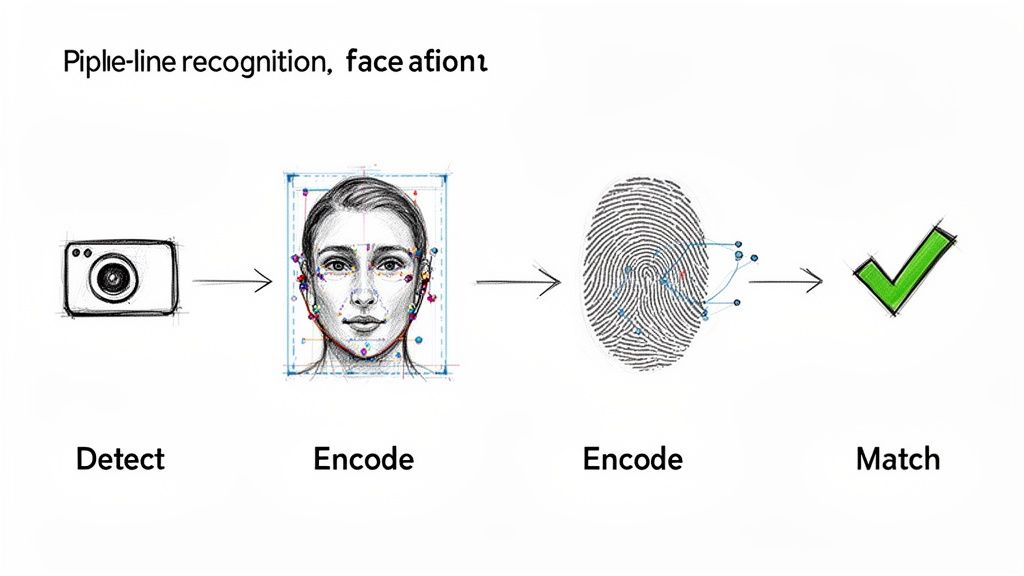
No matter the tool, the basic idea is the same: the software has to detect a face, analyze its unique features to create a digital signature, and then sift through a database to find a match.
The Basic Technological Process
Under the hood, the technology works in a few simple steps. First, the software scans a photo to Detect a human face and isolate it from everything else in the background.
Next comes the feature extraction. The system analyzes key points on the face—the distance between the eyes, the bridge of the nose, the jawline—and converts those measurements into a unique string of numbers. This is often called a biometric template or a facial signature.
Finally, the comparison stage. The software takes that new signature and checks it against a database of known faces. If it finds one that’s a close enough match, you've got an identification. It’s amazing when it works, but free versions can really stumble when dealing with tricky lighting or faces turned at an angle.
For handling a large volume of images from an event, you'll quickly find you need a more robust solution. A good first step is learning how to upload your event photos to a platform built for the job.
Key Differences Between Free and Professional Tools
Choosing between free and professional face recognition tools is a lot like picking a vehicle. A bicycle is fantastic for a solo trip around the park, but you wouldn't use it to move your family of five across the country. Both get you from A to B, but they're built for entirely different scales and purposes.
Free software is that bicycle. It’s perfect for personal projects, like sorting your family vacation photos on your own computer. But when you’re responsible for a corporate gala, a big wedding, or a sports tournament, the limitations become a major roadblock. The time wasted on slow processing, manual corrections, and navigating privacy risks can quickly erase any money you thought you saved.
Accuracy and Scale: An Event Organizer's Nightmare
The first wall you'll hit with free tools is accuracy at scale. A free app might do a decent job identifying ten of your closest friends. Now, feed it 1,000 photos from a wedding reception with 200 guests under constantly changing lights. The results can be messy. You'll likely see a sharp drop in performance, with tons of missed tags and frustratingly wrong matches.
This isn't just a small hiccup; for an event, it's a critical failure. If you have to spend hours manually fixing hundreds of photos, you've completely lost the benefit of automation. Worse, it delays photo delivery and kills the post-event excitement you worked so hard to build. Professional systems are trained on huge, diverse datasets, making them far more reliable in the chaotic, real-world conditions of an event.
Speed and The Guest Experience
Next up is speed. Free tools often rely on your computer's processing power or a basic, shared server. This means churning through a large gallery can take hours, sometimes even a full day. For an event photographer or organizer, that kind of delay is a massive bottleneck and a fast way to disappoint clients and guests who expect their photos now.
To give you a clearer picture, here's how the two options typically stack up:
Free vs. Professional Face Recognition Software
This table breaks down the typical differences you'll find when comparing free personal tools with professional software built specifically for events.
| Feature | Free Software (Typical) | Professional Event Software |
|---|---|---|
| Best For | Personal photo libraries, small projects | Events, conferences, weddings, sports |
| Accuracy | Good for small, known groups | High, even with large crowds and varied lighting |
| Speed | Slow; processes on a local device or basic server | Fast; cloud-based processing for thousands of photos |
| Scale | Struggles with hundreds of photos or guests | Built to handle massive galleries and guest lists |
| Guest Experience | No guest-facing features | Instant "find-my-photos" via selfie, QR codes |
| Privacy Control | Limited or unclear; data may be used by the provider | Granular control over data, storage, and sharing |
| Support | Community forums or none | Dedicated customer and technical support |
As you can see, the differences are stark. Professional solutions are built on powerful cloud infrastructure designed for one thing: getting the right photos to the right people, instantly.
This speed opens up a whole new world for the attendee experience—something free tools just can't do.
- Instant Photo Access: Guests can find every photo of themselves in seconds with a quick selfie.
- Simple Delivery: Share one "find my photos" link or QR code instead of sending people to sift through giant, messy folders.
- Effortless Workflow: The system does all the heavy lifting in the background, so you can focus on your event.
This is what turns photo delivery from a chore into a fun, memorable part of the event itself.
Privacy Controls and Your Professional Responsibility
Maybe the most important difference comes down to privacy and data control. Free software often has vague terms of service. Do you know where your attendees' biometric data is being stored? Or how it might be used? For any professional, that uncertainty is a massive liability.
Professional platforms are designed with privacy as a priority, giving organizers total control. You decide who has access, how long the photos are stored, and what guests can do with them, ensuring you're meeting your legal and ethical duties.
This level of control is non-negotiable for building trust, especially with corporate clients or at school events. It's crucial to understand these differences so you can properly manage your privacy and sharing settings to protect everyone involved.
As this technology becomes more common, choosing a secure, professional solution is more important than ever. The facial recognition market is projected to grow by USD 20.37 billion between 2026 and 2030, a clear sign that businesses are demanding secure and accurate systems. You can read more about this market growth on Technavio.
Popular Free Options and Their Best Use Cases
When you start digging into face recognition software for free, you'll find plenty of options, but here's the catch: not all tools are built for the same job. Many are fantastic for specific, contained tasks, but they completely buckle under the pressure of a live event. Knowing what each tool is really for is the key to avoiding a lot of frustration.
It helps to think of them as specialized hand tools. A screwdriver is perfect for screws, but you wouldn’t use it to hammer a nail. In the same way, most free and open-source face recognition tools are designed for personal photo organization or technical tinkering, not for delivering a smooth photo experience to hundreds of event guests.
Google Photos: The Personal Photo Organizer
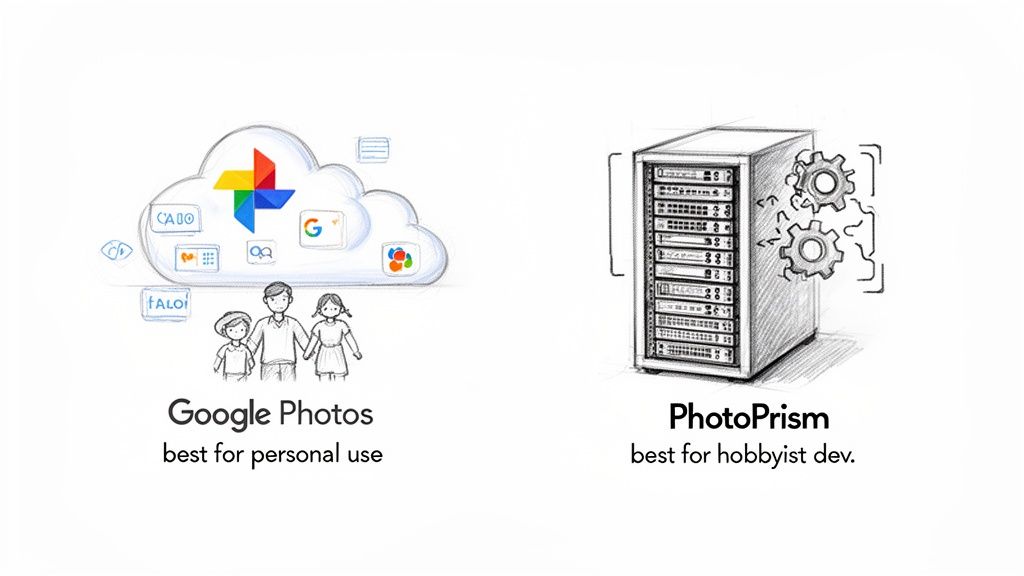
Google Photos is a household name and probably the best example of free face recognition in the wild. It’s brilliant at scanning your personal library, spotting your friends and family, and automatically grouping their photos. For individual use, it’s a game-changer.
Its sweet spot is exactly what it was made for: effortlessly organizing your personal memories.
- Family Photo Albums: It’s a lifesaver for creating automatic albums for each family member, making it a breeze to pull up photos of your kids or find that one picture from a holiday years ago.
- Personal Archiving: If you're trying to make sense of a lifetime of digital photos, its ability to process everything in the background and make it searchable is incredible.
- Casual Sharing: It’s great for sharing a small album with a few close friends after a dinner party.
But the moment you try to use it for an event, the cracks start to show. There's no built-in way for an attendee to find their own photos. You can't just send out a "find my photos" link and have guests use a selfie to see their pictures. You’d be stuck either tagging every single person by hand or dumping everyone into a massive, disorganized folder—which completely defeats the point of automation and makes for a clunky guest experience.
PhotoPrism: The Self-Hosted Solution for Hobbyists
For the more tech-savvy out there, open-source options like PhotoPrism offer a powerful alternative. This is software you install and run on your own server, which gives you total control over your data. It’s a dream for anyone who is privacy-conscious or loves to get their hands dirty with code.
PhotoPrism is perfect for a hobbyist developer or a small business with the technical chops to build a private, self-managed photo archive. It's a project, not a simple plug-and-play tool.
While self-hosted software provides ultimate control, it also demands serious technical setup, ongoing maintenance, and server costs. The entire burden of performance, security, and updates shifts to you.
This approach is powerful for building a personal cloud, but it’s completely impractical for a one-off event. You’d have to figure out server capacity, user access, and security for hundreds of attendees, which is a massive headache and well beyond the scope of what most event organizers or photographers want to deal with.
The Critical Gap for Event Professionals
When you look at these popular free tools, a clear pattern emerges. They are built for the owner of the photos, not for the people in them. This is the fundamental gap that event-focused platforms exist to fill.
Free tools are missing the key ingredients that make an event photo experience a success:
- Attendee-Facing Search: They have no feature that lets a guest snap a selfie to instantly find their photos in a gallery of thousands.
- Instant, Private Delivery: They can't generate a unique, shareable link for a QR code photo gallery that gives each person their own private collection of images.
- Scalable Performance: They just aren't built to process thousands of photos from a single event and serve them up to hundreds of people all at once.
These aren't just minor missing features; they are the very heart of a modern event photo sharing workflow. They show exactly why a dedicated solution isn’t just a cost—it’s an investment in guest engagement and your own sanity.
Privacy and Legal Considerations You Cannot Ignore
Let's be blunt: using someone's face as a data point is a massive responsibility. The moment you introduce facial recognition at an event, you're stepping into a minefield of privacy rules and legal duties. This isn't just about cool tech; it's about earning and keeping your attendees' trust.
Think of a person's face as their digital signature. You wouldn't just copy it and use it everywhere without asking first, right? Unfortunately, many free software tools bury their privacy policies in pages of dense legalese, creating a huge risk for anyone running an organized event, whether it's a corporate conference or a local marathon.
The Bedrock of Trust: Consent
Everything starts with clear and informed consent. Your attendees have a right to know that their photos are being taken, how they'll be used, and that facial recognition software is involved in sorting them. A small sign at the entrance just doesn't cut it anymore.
For events, transparency is everything. This is where professional event photography platforms really shine, as they build the consent process right into the experience. When a guest uploads a selfie to find their photos, they are actively opting in and agreeing to that single search. It’s a far more direct, ethical, and legally sound approach than just running a scan on an entire gallery without anyone's explicit permission.
A vague privacy policy from a free tool isn't a minor hiccup—it's a legal and reputational disaster waiting to happen. If you can't tell your attendees exactly how their biometric data is being stored, used, and protected, you’ve already broken their trust.
Staying on the Right Side of the Law
Laws like Europe's GDPR (General Data Protection Regulation) and various state-level privacy acts in the US have incredibly strict rules for handling biometric data. If you're using a free tool that stores this sensitive information on mysterious servers in an unknown country, you could be setting yourself up for some serious fines.
Taking a privacy-first approach means you, the event organizer, need to be in the driver's seat. You absolutely must know:
- Where is the data stored? Is it on a secure, encrypted server?
- How long is it kept? Can you set a policy to automatically delete all biometric data after the event ends?
- Who can access it? Are there clear controls to prevent it from being used for anything else?
These are basic, critical questions that most free tools simply aren't built to answer. You can see how a secure and private gallery is meant to work by exploring a professional photo sharing platform.
The Market is Shifting Toward Privacy
The demand for reliable and secure facial recognition technology is exploding. The market is projected to hit USD 9.95 billion by 2026, with the software alone accounting for 57.20% of that revenue. This growth is happening because the tech is getting incredibly good—modern algorithms boast false accept rates below 0.1%, making them perfect for reliable selfie-based photo matching.
To tackle privacy head-on, the industry is moving toward edge-based processing, a sector growing at 18.76% annually. This method keeps biometric data secure and local, a feature now found in 61.45% of deployments. You can dive deeper into these market trends on Mordor Intelligence.
This trend tells a clear story: as the technology gets more powerful, the need for professional, privacy-first solutions becomes non-negotiable. Free tools, which rarely have the resources for robust security and legal compliance, are quickly becoming too risky for any serious use. Moving to a professional solution isn’t just about getting better features—it's about protecting your guests, your brand, and your organization from very real legal and financial threats.
When to Upgrade to a Professional Solution
Free tools are a fantastic way to dip your toes in the water, but every event organizer and photographer eventually hits a point where "good enough" just doesn't cut it anymore. This isn't a sign of failure; it’s a sign you're growing. You’ve reached a scale where the manual workarounds and limitations are costing you more in time and lost opportunities than a professional tool would cost.
Moving from face recognition software for free to a paid, event-focused platform isn't just another expense. Think of it as an investment in your own efficiency, your brand, and your attendees' experience. It's about finally admitting that your time is your most valuable asset and realizing that a smooth, impressive guest experience is one of your best marketing tools.
The trick is knowing exactly when to make that leap.
Trigger Points for Moving Beyond Free Tools
So, how do you know you've officially outgrown the free options? The signs usually have a lot to do with frustration and friction. If you find yourself nodding along to any of these points, it's a huge signal that it's time to start looking at a professional solution.
You spend more than an hour manually sorting photos per event. This is the big one. If your post-event high is immediately followed by hours of dragging photos into folders or painstakingly tagging faces, you've completely lost the benefit of automation. A professional tool should make this task disappear.
You need to deliver photos to over 50 people instantly. Free tools and manual methods just buckle under the weight of a modest crowd. A professional platform is built from the ground up to handle hundreds or thousands of attendees at once, delivering their photos in seconds without a hiccup.
Your inbox is flooded with "Where can I find my photos?" If you dread this question, your delivery system is broken. The modern workflow is a single "find my photos" link or QR code that lets guests find their own images with a quick selfie. No more hand-holding.
The shift to a professional tool is about moving from a passive photo dump to an active, engaging experience. It transforms photo delivery from a logistical chore for you into a memorable, interactive moment for your guests.
Investing in Efficiency and Engagement
It's easy to look at a professional platform as just another cost, but that’s a mistake. It’s far more accurate to see it as an investment with a clear return—both in the hours you get back and in the new opportunities you create.
There's a reason the global facial recognition market has exploded, surpassing USD 3 billion back in 2019. It’s all about efficiency. For professional photographers, this tech can slash manual tagging time by up to 80% in an event workflow. That’s time you can now spend on valuable upsells, like print packages or setting up a sports tournament photo sales booth. Likewise, events using this tech see up to 3x higher engagement as guests find, love, and share their photos. You can dive deeper into these powerful market insights from GMI.
Checklist: Is It Time to Upgrade?
Still on the fence? Run through this quick checklist. If you answer "yes" to two or more of these questions, a professional solution is almost guaranteed to pay for itself.
- Do you want to boost social media engagement? Making photos a breeze to find and share turns every single attendee into a potential brand ambassador.
- Is guest experience a top priority? Instant, hassle-free photo access is a high-value touchpoint that makes your event stand out from the crowd.
- Do you manage photos for corporate or high-stakes clients? These clients expect professional, secure, and branded delivery—something free tools simply can't offer.
- Do you want to create new revenue streams? Professional tools can open the door to selling prints, downloads, or sponsored content directly to attendees.
- Is your time worth more than what you're saving with free software? This is the bottom line. Calculate the hours you’re losing to manual work and weigh it against the cost of a dedicated tool.
The decision to upgrade is a strategic one. It's about choosing to invest in a workflow that saves you time, wows your attendees, and unlocks new potential for your events and your business.
Implementing a Modern Event Photo Sharing Workflow
Let's be honest, the old way of sharing event photos is broken. Sending guests a link to a massive, jumbled folder and expecting them to sift through hundreds (or thousands!) of images is a logistical nightmare. It’s time to trade that headache for a sleek, modern workflow that lets guests find their photos in seconds.
This isn't just about sending pictures; it’s about creating a memorable post-event experience that feels just as polished as the event itself. The good news? It’s easier than you think. The whole process boils down to a few key stages, starting right after you receive the images from your photographer.
First, you'll upload all the high-resolution photos into a single, private gallery built for this job. From there, the platform's AI quietly does the heavy lifting, scanning every image and identifying each face. This completely eliminates the tedious task of manually tagging people.
This diagram breaks down the simple upgrade from clunky manual sorting to an automated system that delivers photos and drives engagement.
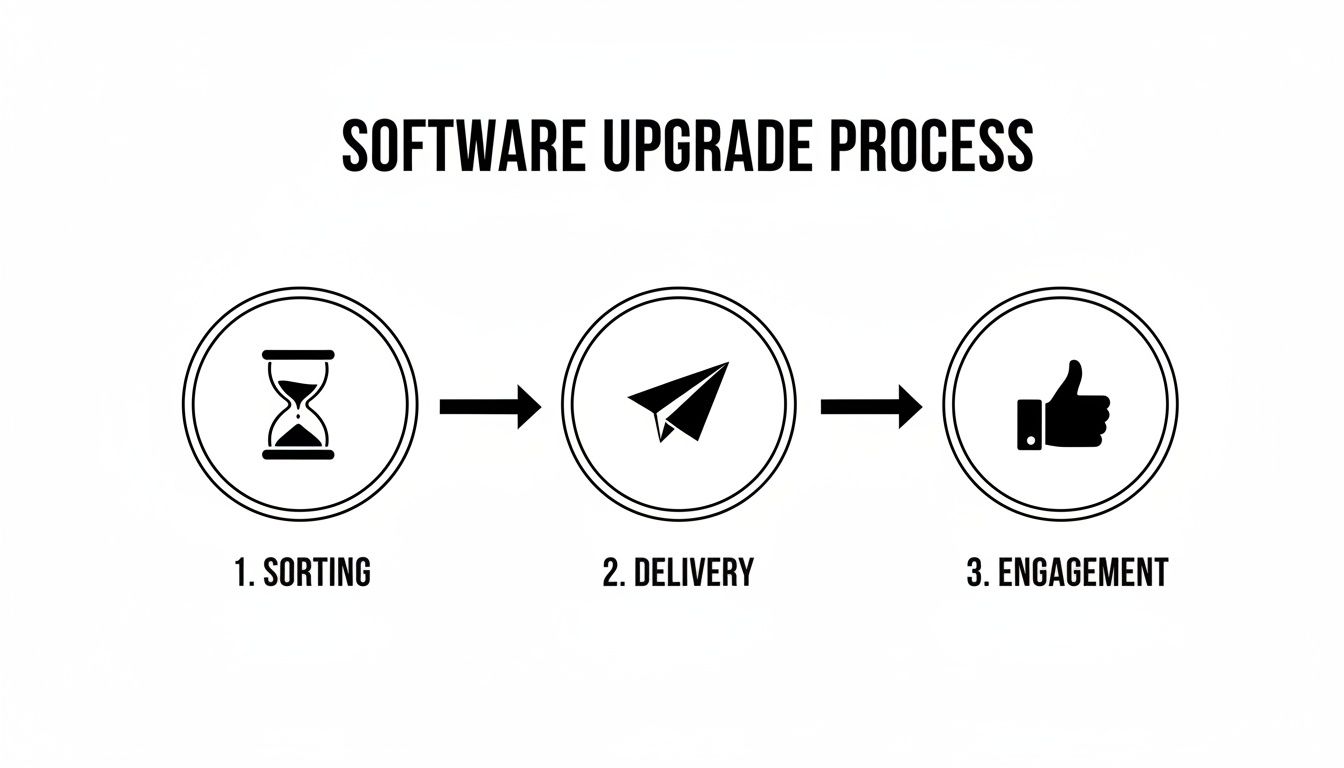
As you can see, the shift is from a time-sucking chore to an automated system that directly boosts attendee happiness and interaction.
Creating the "Find My Photos" Experience
Once all the photos are processed, you create the guest-facing side of the experience. Instead of a link to a disorganized mess, a professional platform gives you a single, clean "find my photos" link. This link is the gateway for your guests to see their pictures.
This is where the real magic kicks in. An attendee clicks the link, snaps a quick selfie on their phone, and the system immediately pulls up every single photo they're in. It's a private, personal, and incredibly fast experience that feels like it was built just for them.
Deploying at Your Venue
Getting this link in front of your attendees is simple. One of the most effective tools is a QR code photo gallery.
- Display QR Codes: Put up signs with the QR code at the event exit, on tables, or near the registration desk. A simple scan is all it takes.
- Send a Follow-Up Email: Pop the link into your post-event thank you email. It’s a great way to re-engage everyone.
- Share on Social Media: Post the link to your social media accounts to extend the event's reach and keep the conversation going.
This workflow empowers guests to serve themselves. It puts an end to the flood of "can you find my photo?" emails and transforms your gallery into a fun, shareable asset that keeps the event buzz alive long after the doors have closed.
Ultimately, this approach saves you a ton of time while showing your attendees you value theirs. If you're ready to implement a professional system like this, checking out an AI-powered platform like Saucial offers a clear path to leveling up your event's photo delivery. You're left with a polished, engaging touchpoint that makes every single guest feel seen.
Frequently Asked Questions
It's completely normal to have questions when you're looking into free face recognition tools for an event. You're right to be curious about everything from how well it actually works to what happens with your guests' private data. Getting straight answers is the first step to using this kind of tech responsibly.
Let's break down some of the most common questions we hear from event organizers and photographers. The goal here is to pull back the curtain and help you make a smart choice.
How Accurate Is Face Recognition?
The accuracy of face recognition systems can be all over the map. For personal, free tools like Google Photos, the accuracy is pretty solid when you're just identifying a small group of friends and family you've already tagged. But throw it into a real-world event with tricky lighting, odd angles, and hundreds of faces, and its performance can really take a nosedive.
Professional platforms built for events are a different beast entirely. They use far more sophisticated algorithms trained on enormous sets of data. This allows them to hit impressive accuracy levels, often boasting false accept rates below 0.1%, even when a guest is using a quick selfie to find their photos in a massive gallery.
Can This Technology Identify Someone Wearing a Mask?
That's a very relevant question these days. It's true that a mask hides key features like the nose and mouth, but modern algorithms have learned to adapt. They've been trained to focus on what they can see—the eyes, eyebrows, forehead, and the overall shape of the upper face.
While you might see a slight dip in accuracy compared to a full, unobstructed face, many professional systems still perform remarkably well. Free tools, on the other hand, usually haven't been trained for this specific scenario and tend to struggle a lot with masked faces.
Keep in mind, the system’s effectiveness depends entirely on the quality of the software. An advanced platform built for events will always outperform a generic free tool in challenging situations like this.
What Happens to My Guests' Photos and Data?
This is easily the most important question you can ask. When you use free software, the answer is usually hidden deep within a lengthy privacy policy. The reality is that your guests' photos and data could be stored on servers you know nothing about and potentially used for purposes you never agreed to. As the event organizer, that puts you in a risky position.
Professional event photo platforms are designed with privacy as a core feature, not an afterthought.
- You're in control: You get to decide how long photos and their biometric data are kept, and you can often set them to be automatically deleted right after the event.
- Consent is straightforward: When a guest snaps a selfie to find their pictures, they're giving clear, one-time permission for that specific search.
- Security is paramount: All data is encrypted and stored securely, protecting both you and your attendees from potential trouble down the road.
Having this kind of control isn't just a nice-to-have; it's essential for building trust and meeting your legal and ethical responsibilities.
Ready to offer a secure, modern, and genuinely fun photo experience at your next event? With Saucial, you can finally ditch the endless, messy folders and give every guest their best moments with a simple selfie.


