Best Way to Send Photos: the best way to send photos for sharing
The best way to send photos really comes down to what you're trying to accomplish. If you're just zipping a few snapshots over to a friend, a quick email or a message on WhatsApp gets the job done. But when you're dealing with photos from an event, the game changes completely. The best method is one that puts the attendee's experience first, making it dead simple for them to find their own photos without getting lost in a sea of faces.
Choosing How to Share Photos in a Visual World
We're all swimming in images. The sheer volume of photos being created every day is mind-boggling—humanity is on track to snap over 2.1 trillion photos in 2025 alone. You can read more about these incredible photo-taking trends at phototrend.fr. Yet, for all this visual content, the ways we share it often feel clumsy and outdated, especially when it comes to events.
Think about the last time you got a link to a giant Google Drive or Dropbox folder after a wedding or conference. It’s a classic, but frankly, inefficient approach. These generic galleries dump the work on the attendees, forcing them to manually hunt for their own pictures. It's a tedious process that kills excitement, which is why open rates for these bulk albums often dip below 20%. This is the "endless scroll" problem, and it results in missed moments and a huge drop-off in post-event engagement.
Core Criteria for Effective Photo Sharing
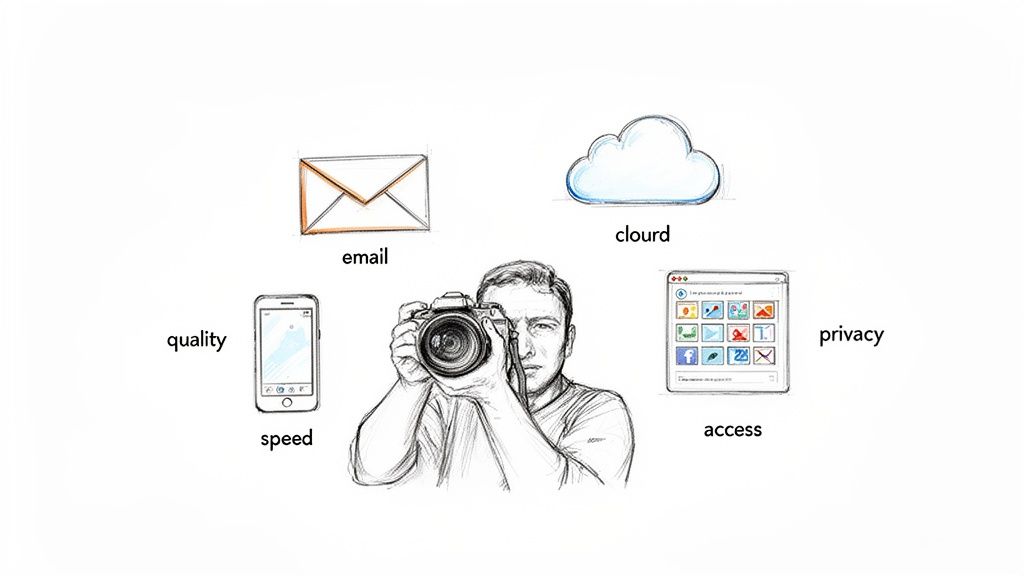
To figure out the best way to send photos, we need to look at what actually matters to both the person sending and the person receiving. A truly great photo sharing experience nails a few key things:
- Image Quality: Does the method butcher your photos with compression, tanking their resolution and sharpness?
- Accessibility: How easy is it for people to find and download their specific photos?
- Privacy: Who gets to see the album? What kind of controls do you have to keep things secure?
- Efficiency: How much of your time and effort does it take to get the photos delivered and organized?
The most effective photo sharing platforms are designed with the end-user in mind. The goal is to eliminate friction, making it effortless for people to connect with the moments that matter most to them.
This guide will break down the most common ways to share photos—from old-school email to sophisticated AI platforms—and measure them against these critical points.
Photo Sharing Methods at a Glance
To start, here’s a quick overview of the main options. This table gives you a bird's-eye view to help you narrow down what might work for you before we get into the nitty-gritty details.
| Method | Best For | Key Weakness |
|---|---|---|
| Email & Messaging | Sending a handful of photos to one person | Strict file size limits and heavy quality compression. |
| Cloud Storage Links | Archiving or collaborating with a small group. | A terrible user experience for finding photos in large galleries. |
| Public Online Galleries | Photographers seeking broad, public exposure. | Limited privacy controls and difficult photo discovery. |
| AI-Powered Platforms | Large events where attendee engagement is key. | Can be overkill for casual, personal sharing. |
As you can see, each method has a place. The trick is matching the tool to the task at hand. Now, let’s dig deeper into each one.
A Look at the Old Ways of Sharing Photos
We've all been there. You have a bunch of great photos from an event, and you need to get them to everyone who was there. The go-to solutions are usually the ones we know best: email, social media, or a cloud drive link. For sending a few pictures to a friend, these methods work just fine.
But when you're dealing with photos from a big event—a wedding, a conference, a community festival—these familiar tools start to show their cracks. They simply weren't built to deliver a great experience for hundreds of attendees at once. Let's break down why these common methods often fall short.
Email Attachments: Direct but Dated
Emailing photos feels personal and direct, like sending a letter. It's a method everyone understands, and for a photographer sending a few final shots to a single client, it can still do the job.
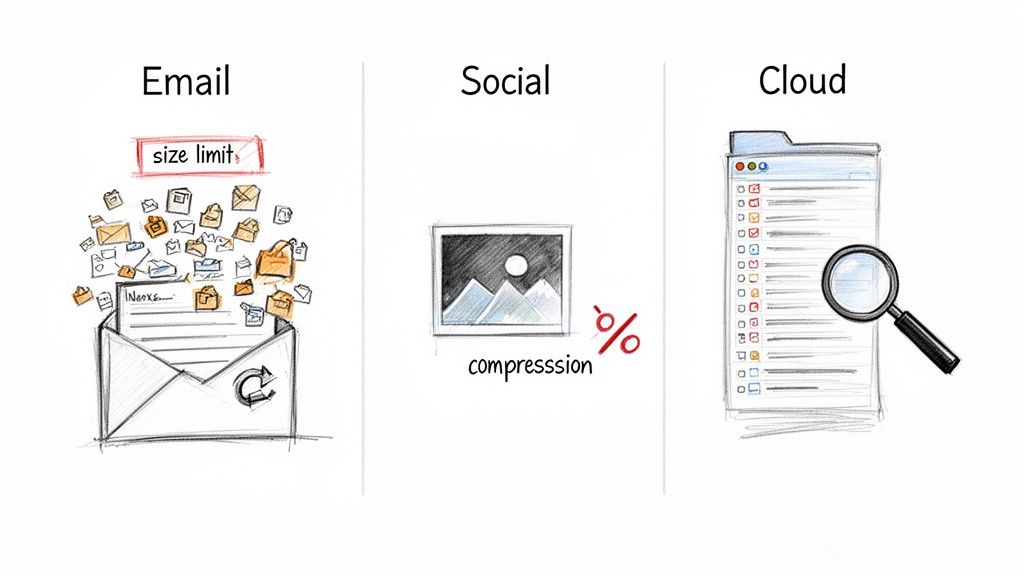
The problems start when you try to scale up. Imagine you’re an event organizer with 500 photos to send out. Right away, you hit the attachment size limit, which is usually around a measly 25MB. This means you’re forced to send out a barrage of emails, creating a logistical nightmare for you and a cluttered inbox for your attendees.
Even worse, many email clients automatically shrink images to save space, often without even telling you. All that time spent getting the perfect shot is wasted when the image arrives looking blurry and compressed. For events, email is a non-starter.
Social Media & Messaging Apps: Great for Buzz, Bad for Quality
Platforms like Instagram, Facebook, and WhatsApp are fantastic for generating immediate excitement. A photographer can post a few stunning highlights, tag some people, and create a ton of buzz around an event. It's fast, public, and uses networks people are already on.
But here’s the catch: quality and control go right out the window. Social media platforms use aggressive compression to handle the billions of photos they process every day. Your crisp, high-resolution shot can quickly turn into a pixelated, flat-looking version of its former self.
Social media is designed for scrolling, not for delivering high-quality files. The second you upload, you lose control. Your attendees get a version of the photo that’s a pale imitation of the original.
Plus, access is a walled garden. If your attendees aren't on Facebook, they can’t see the album. And good luck trying to download a full-resolution file. Social media is a great marketing tool, but it's a terrible delivery system for your final product.
Cloud Storage: The "Endless Scroll" Problem
On the surface, cloud storage like Google Drive or Dropbox seems like the perfect answer. You can upload thousands of high-resolution photos without losing any quality and just share one simple link. It's a common workflow for everything from weddings to corporate gigs.
But this approach creates a huge headache for the end user: the "endless scroll." When an attendee clicks a link and finds a folder with 800 photos, they’re forced to manually hunt for the two or three pictures of themselves. It’s a tedious, frustrating experience.
Most people will give up long before they find their photos. All that hard work from the photographer goes unseen, and what should have been a moment of joy for the attendee becomes a chore. While cloud drives are great for archiving files, they are awful for guest-facing galleries.
This inefficiency often leads to photographers getting bombarded with individual requests for photos, completely defeating the purpose of sharing a link in the first place. For any organizer serious about guest experience, a purpose-built drag-and-drop photo uploader that creates smart, searchable galleries is a far better path.
A Head-to-Head Comparison of Modern Photo Solutions
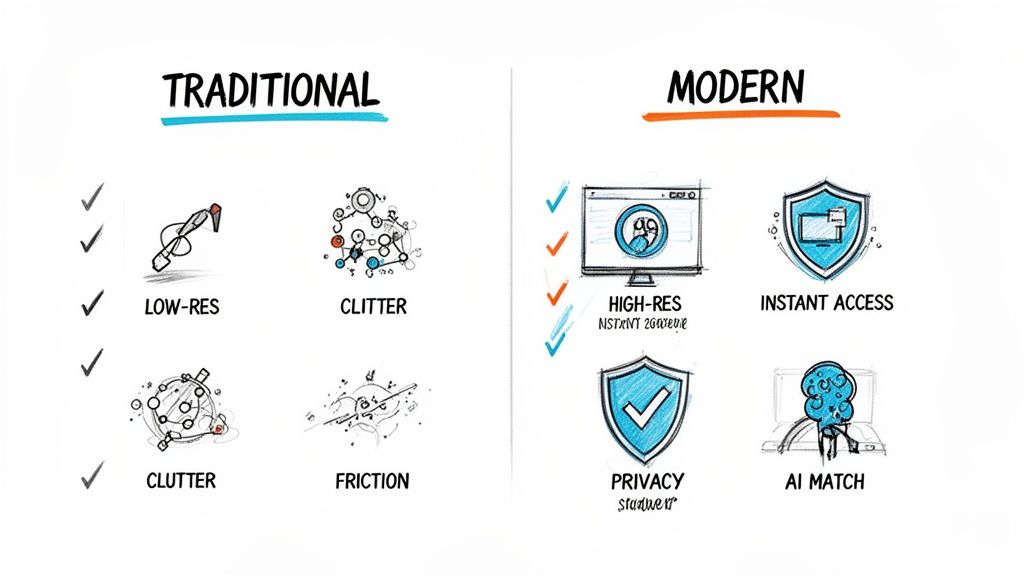
When it comes to sharing photos from an event, the "best" method isn't just about moving files from your camera to your guests. It’s about the entire experience—for you and for them. Methods that are fine for sending a few holiday snaps to a friend simply don’t work when you’re dealing with hundreds of guests and thousands of photos.
Let's break down the real-world performance of the most common options. We’ll look at them through the lens of what actually matters for events: image quality, attendee experience, privacy, your own workflow, and the potential for social buzz.
H3: File Quality and Resolution
The last thing you want is for your beautifully captured and edited photos to be ruined by the delivery system. Image integrity is everything.
- Email & Messaging Apps: These are, frankly, terrible for photo quality. Apps like WhatsApp, Messenger, or even iMessage aggressively compress images to save data and speed up sending. The result is a pixelated, low-resolution version of your original work.
- Cloud Storage (Drive/Dropbox): This is a solid choice for maintaining quality. Services like Google Drive and Dropbox are designed to store files exactly as you upload them, so your high-resolution JPEGs and even RAW files are safe.
- Public Online Galleries: Most professional gallery platforms (like Pixieset or SmugMug) do a great job of preserving image quality. They’re built for photographers, so they understand the importance of resolution and color accuracy.
- AI-Powered Platforms: These modern systems are also built to handle professional-grade, high-resolution files. You can be confident that the crisp, vibrant photo you upload is the same one your guests will see and download.
H3: Attendee Experience and Access
This is where the biggest differences emerge. If guests can’t find their photos easily, you’ve lost them.
A shared cloud storage link is the classic culprit of the "endless scroll." Guests are forced to sift through hundreds, sometimes thousands, of photos just to find the few they're in. It's a frustrating and time-consuming task that leads to most people simply giving up. Public galleries are a step up, but they still rely on manual searching.
An AI-powered system completely changes the game.
Instead of making people hunt for their photos, the AI brings the photos directly to them. A guest snaps a quick selfie, and the system instantly curates a personal gallery with only their pictures. It’s the difference between a frustrating chore and a magical, personalized experience.
H3: Privacy and Control
Knowing who can see your event photos is critical, especially for private events like weddings, corporate retreats, or school functions.
- Email & Messaging: Once you hit send, you lose all control. Photos can be forwarded, downloaded, and shared with anyone, completely outside of your view.
- Cloud Storage: You get decent privacy options here. You can set folders to "view-only" or require a login, but managing permissions for an entire guest list can quickly become a logistical nightmare.
- Public Online Galleries: These are often public by default. While you can usually add a password, their main purpose is often broad visibility, not locked-down privacy.
- AI-Powered Platforms: This is where you get the most granular control. Each guest is privately delivered only their own photos, so they can't browse through pictures of others. As the organizer, you maintain complete oversight of the entire collection.
H3: Organizer Workflow and Efficiency
Let’s be honest: your time is gold. The best photo delivery method should make your life easier, not add hours of tedious work. Emailing photos one by one is simply out of the question for any event with more than a handful of people.
Using a cloud drive often turns into a part-time job answering "Can you find my photo?" emails. Public galleries take time to set up and organize properly.
This is where systems built specifically for events prove their worth. A modern AI solution like Saucial.app reduces your post-event workload from hours to mere minutes. You just drag and drop your photos, and the technology handles all the heavy lifting of sorting and delivery.
H3: Engagement and Sharing Potential
The goal isn't just to deliver photos; it's to have them seen, shared, and celebrated. The right platform can transform your gallery from a simple archive into a powerful marketing and engagement tool.
Photos trapped in an email inbox or a messy cloud folder create zero buzz. People rarely share photos they had to work hard to find.
On the other hand, AI platforms are designed to maximize engagement. By making the photo discovery process instant and fun, they dramatically increase the odds that guests will download and share their favorite moments on social media. This breathes new life into your event, extending its reach and impact long after the last guest has gone home.
Detailed Comparison of Photo Sharing Platforms
To make the choice even clearer, here’s an in-depth evaluation of how these methods stack up against the factors that matter most to event professionals.
| Criteria | Email & Messaging | Cloud Storage (Drive/Dropbox) | Public Online Galleries | AI-Powered Platforms (Saucial) |
|---|---|---|---|---|
| File Quality | Poor (heavy compression) | Excellent (original files) | Very Good (optimized for web) | Excellent (original files) |
| Attendee Experience | Frustrating | Poor ("endless scroll") | Fair (manual searching) | Excellent (instant & personal) |
| Privacy & Control | Low (no control after sending) | Good (folder-level permissions) | Fair (often public by default) | Excellent (personalized delivery) |
| Organizer Workflow | Highly Inefficient | Manual & Time-Consuming | Moderate Setup | Highly Efficient (automated) |
| Engagement | Very Low | Low | Moderate | High |
Looking at the comparison, the conclusion is straightforward. While old-school methods like email and cloud drives have their place for simple, one-off sharing, they simply can't handle the demands of a modern event. For any organizer or photographer who values their time, their guests' experience, and the overall impact of their event, an AI-powered solution is the clear winner.
How AI Is Changing the Game for Event Photos
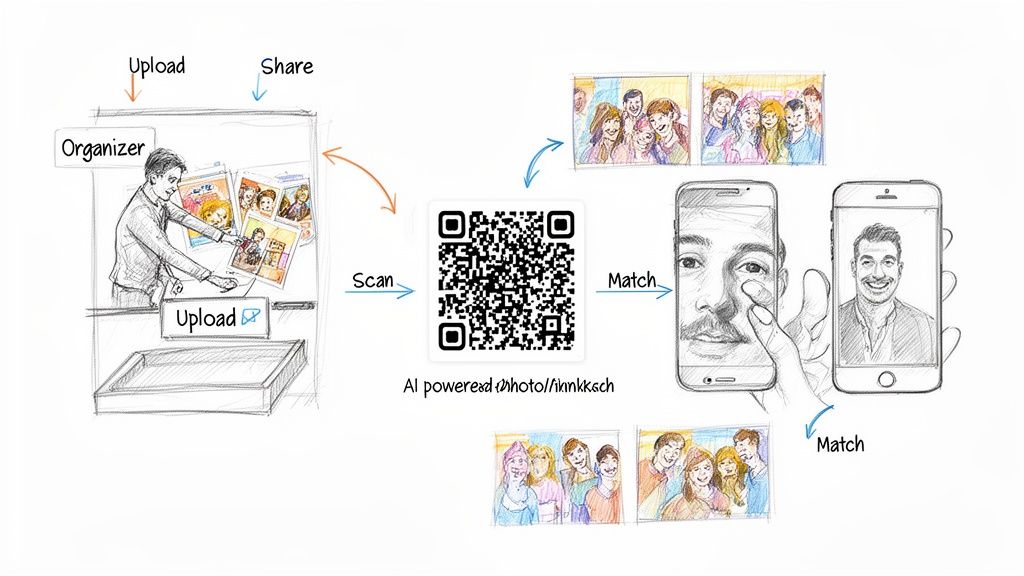
Let's be honest, the old ways of sharing event photos are broken. They create friction and often lead to the dreaded "endless scroll" where guests give up looking for their pictures. But a new class of tools is completely sidestepping this problem.
These platforms aren't just another place to host photos; they fundamentally change how images are delivered. Using artificial intelligence, they make finding and enjoying event memories instant and deeply personal. At the core is a powerful idea often called selfie photo matching or face recognition. Instead of dumping everyone into the same massive gallery, the system uses AI to figure out who is in each photo, serving up a personalized collection to every single guest. For a big event, this is a total game-changer.
A Radically Simple Workflow for Organizers
If you're an event organizer or photographer, your post-event life just got a lot easier. These tools are built to eliminate the tedious, time-sucking tasks of manual tagging, sorting, or fielding one-off photo requests.
The process couldn't be more straightforward:
- Bulk Upload: Just drag and drop your entire folder of high-resolution event photos into the platform. No need to pre-sort or create different folders for the ceremony, reception, or after-party.
- Get Your Link: While the AI gets to work processing the images, the system generates a single, shareable link or a QR code for the whole event.
- Share It Everywhere: You can drop this link anywhere—a follow-up email, a text message, or even display the QR code on screens at the venue. Your work is done.
This simple 'upload and share' model turns what used to be hours of administrative headache into a job that takes just a few minutes. The AI handles all the heavy lifting, freeing you up for your next gig.
A Magical Experience for Attendees
For guests, the experience is where the magic really happens. The frustration of digging through hundreds of photos of strangers is completely gone. What they get instead feels like a true VIP experience.
Here’s how it unfolds for them:
- They click the link or scan the QR code.
- The system prompts them to take a quick selfie with their phone.
- The AI instantly scans the entire gallery and matches their face.
- Within seconds, a curated album of every photo they appear in is ready for them.
This "find my photos" feature turns photo delivery from a chore into a memorable highlight. It drives immediate engagement because people are far more likely to download and share images delivered right to them in such a cool, personal way.
Built with Privacy and Control in Mind
Whenever face recognition comes up, so do questions about privacy—and for good reason. The best platforms are designed with privacy as a foundational principle, not an afterthought. Unlike a public gallery link, the AI system delivers photos on a one-to-one basis.
An attendee’s selfie is used only for that one-time match within that specific event gallery. They can’t see photos of other guests, and organizers retain complete control over the entire album. This approach ensures personal moments stay private, offering a secure and respectful way to share memories.
This push for a smarter experience is fueling massive growth in the photo-sharing market, which is projected to hit $15 billion in 2025. The demand is undeniable, especially when you consider that 94% of the 2.1 trillion photos taken each year are on mobile phones. People expect better distribution than an outdated cloud folder. You can find more details on this trend over at archivemarketresearch.com.
Picking the Right Tool for the Job
Knowing the different ways to send photos is one thing, but figuring out which one to use for a real-world event is what really counts. There's no single "best" way to share photos—it all comes down to your goals. What works for a casual family get-together will fall flat at a high-stakes corporate fundraiser.
Let's move from theory to practice and walk through a few common scenarios. For each one, we'll pinpoint the main objective and recommend the smartest way to share photos, breaking down exactly why it’s the most effective choice. This will help you pick a method that not only delivers images but actually gets you the results you’re after.
For the Large-Scale Gala Fundraiser
Scenario: A non-profit is hosting its annual black-tie gala for 500 high-profile donors. The goals are to create a premium experience, reinforce the organization's brand, and drive social sharing to boost awareness for their cause.
Recommendation: An AI-powered platform like Saucial is the only way to go here. Sending out a generic cloud drive link just feels cheap and completely undermines the sophisticated atmosphere you're trying to create. You want every guest to feel like a VIP, and nothing does that better than getting their photos delivered instantly and personally.
Guests can scan a QR code at the event and have their photos sent right to their phones, prompting them to share their best moments while the night is still young. You can add custom branding to the gallery, making sure every shared photo becomes a mini-advertisement for the non-profit's mission. That "find my photos" experience is a modern, memorable touch that feels right at home at a high-end event.
For the Youth Sports Tournament
Scenario: A photographer is covering a weekend-long soccer tournament with hundreds of young athletes spread across multiple fields. The main goal is to sell photo packages to parents, who are all looking for great action shots of their kids.
Recommendation: This is another perfect use case for AI-driven photo matching. Let's be real—parents are busy. They don't have time to sift through thousands of photos hoping to spot their child. Forcing them to do that is a surefire way to lose sales.
By using a platform with selfie photo matching, a parent can snap a quick photo of themselves and instantly see every single shot of their player from the entire weekend. This frictionless experience makes them far more likely to purchase prints or digital downloads. The system basically becomes a personal sales assistant for every family, dramatically boosting the photographer's revenue without any extra manual sorting.
When your goal is to make money, removing friction is everything. The easier you make it for people to find and buy their photos, the more you'll sell. AI turns a frustrating search into a fun discovery.
For the Corporate Trade Show
Scenario: A company is exhibiting at a major industry trade show. They've hired a photographer to take professional headshots and capture candid moments at their booth. The number one goal? Lead generation and post-event follow-up.
Recommendation: A QR code-powered photo gallery is the ideal tool. When a visitor gets their headshot taken, they can scan a QR code, take a selfie, and get their professional photo delivered to their phone right on the spot. This creates an immediate, high-value touchpoint.
Here's the key: the platform can be set up to ask for an email address before delivering the photos. Just like that, your photo delivery process has turned into a powerful lead capture machine. Your sales team now has a warm list of engaged prospects, complete with a natural and welcome reason to follow up—much better than a generic "thanks for stopping by" email.
For the University Alumni Weekend
Scenario: A university is hosting a reunion weekend for hundreds of alumni. The main objective is to foster a sense of community, reignite school spirit, and get people engaged with the alumni association.
Recommendation: A simple cloud drive might seem like enough, but an AI-powered gallery offers a much more engaging experience that actually supports the community-building goal. Alumni can instantly find photos of themselves and their old classmates, which immediately sparks conversations and brings back memories.
The instant gratification of the "find my photos" feature encourages attendees to share their pictures on social media, tagging the university and amplifying the event's reach. As the organizer, you can also check the platform's analytics to see which photos are getting the most attention, giving you valuable insights for future events. For those looking to really dial in the gallery's look and feel, you can explore advanced options within your Saucial account settings to customize the attendee experience. It transforms photo sharing from a passive archive into an active tool for building community.
Why AI Is a Game-Changer for Event Photos
When you look at all the ways to share photos after an event, one approach clearly stands out for professionals: AI-powered platforms. This isn't just a minor improvement; it tackles the biggest headaches of traditional photo sharing, turning what was once a chore into a genuinely impressive part of the event experience. It's a rare case where everyone—organizers, guests, and photographers—comes out ahead.
For event organizers, the relief is instant. Forget about manually sorting through hundreds of images or fielding endless "Where are my pictures?" emails. You just drag, drop, and you're done. That time saved is huge, but the real magic is what happens next. When guests can find their photos in seconds, they actually download and share them, giving your event a second life on social media.
For Guests, It’s All About the “Wow” Factor
Let's be honest, nobody enjoys scrolling through a massive, disorganized folder of photos hoping to spot themselves. For attendees, an AI-driven experience is the difference between a frustrating task and a delightful surprise.
Instead of the endless scroll, guests just snap a quick selfie. A moment later, they get a personalized gallery showing only their photos. It feels slick, modern, and a bit like magic, making the photo gallery an exciting, personal touchpoint instead of an afterthought.
This simple, intuitive process keeps the post-event buzz going. It shows you value their time and want them to relive their best moments, leaving a fantastic final impression.
A New Lifeline for Photographers
This technology also completely changes the game for photographers. After an event, their incredible work is usually handed off to the organizer, and the direct connection to the people in the photos vanishes. AI platforms flip that script.
Now, photographers have a direct line to every single person they photographed. This opens up a brand-new avenue for business right when people are most excited about their pictures. They can easily offer:
- Print Sales: Let guests order high-quality prints of their favorite shots.
- Digital Downloads: Sell full-resolution files for personal use.
- Premium Edits: Offer professional retouching as an add-on service.
Suddenly, delivering photos isn't just the end of the job—it's a new source of revenue and a powerful marketing tool. By creating a better experience for everyone, AI doesn't just send pictures; it delivers real, measurable value to organizers, guests, and photographers, cementing its role as the definitive way to share photos for any modern event.
Answering Your Top Questions About AI Photo Sharing
Got questions about switching to a smarter way to share event photos? Let's clear a few things up.
How Can Facial Recognition Be Private?
It's a valid concern, but modern AI platforms are built with privacy at their core. When a guest uploads their selfie, the technology only uses it to find their photos from that specific event. That's it.
They can’t see anyone else’s pictures, and their data isn't used for anything else. Think of it this way: instead of dumping everyone's photos into one big, open folder for all to see, this system creates a private, one-to-one delivery channel for each person. It’s actually a big step up in privacy.
Isn't Setting Up an AI Gallery Complicated?
Not in the slightest. These tools are made for event organizers and photographers, not developers. The whole process is usually just dragging and dropping your entire photo folder into the platform.
The AI does all the heavy lifting—sorting, tagging, and organizing—behind the scenes. Within minutes, you get a simple link or a QR code to share. There's no complex setup or technical know-how required.
The real win here is the time you get back and the buzz you create. You're not just saving hours of manual sorting; you're giving guests a "wow" moment that they'll want to share, which boosts your brand and makes your event memorable long after it's over.
And don't worry, this doesn't replace your existing backup system. You can keep using your cloud storage for the original high-resolution files. An AI platform is the delivery truck, not the warehouse.


